Key takeaways
- Front-facing ports for easy daily access
- Built-in NVMe enclosures expand storage affordably
- Space-saving stand designs match the Mac mini
- High-speed 10Gbps data on top models
What's inside
The Mac mini M4 is a compact powerhouse, but its rear-only ports and lack of front access make a dedicated hub almost essential. The best Mac mini docks tuck neatly under the machine, add front-facing connectivity, and many bundle an NVMe SSD enclosure to expand Apple’s pricey internal storage.
We evaluated the leading Mac mini M4 hubs and stands to see which deliver the most useful ports, fastest storage, and cleanest integration. Here’s the full breakdown.
As an Amazon Associate we earn from qualifying purchases at no extra cost to you.


🎮 Get More From Your Setup — Free
Prime Gaming gives you free PC games every month, in-game loot, and a free Twitch channel sub — plus fast free shipping on all the gear above. New members get a 30-day free trial.
Watch: Hub For Mac Mini: Review & Buyer’s Guide — Video Review
Design & Build
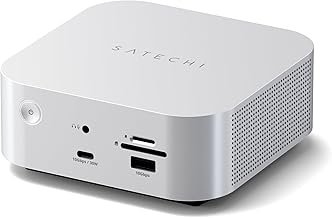
These hubs are purpose-designed to match the Mac mini’s footprint, sitting beneath it like a matching base. The Satechi M4 Hub & Stand pairs a silver aluminum finish with an NVMe SSD enclosure and self-cooling design that complements Apple’s aesthetic perfectly. The UGREEN M4 Dock offers a similar stand-plus-enclosure layout with three 10Gbps USB-A ports, while the TobenONE 13-in-1 goes maximal with a power button, 4K@144Hz DisplayPort, and support for up to an 8TB SSD. The WAVLINK 6-port and generic aluminum HDMI docks round out options for buyers who want specific port mixes.
Performance
Storage and data speed are the headline features. Hubs with NVMe enclosures like the Satechi, UGREEN, and TobenONE let you add fast, affordable external storage that behaves almost like internal space, a huge value given Apple’s SSD upgrade pricing. Port bandwidth matters too: the WAVLINK provides dual 10Gbps USB-C and USB-A ports for quick transfers, and the TobenONE’s 4K@144Hz DisplayPort suits high-refresh monitors. The Anker 7-in-1, while not Mac mini-specific, is a flexible general USB-C hub if you also connect a laptop. Cooling is well handled across the dedicated stands, which is important given the mini’s compact thermals.
Pros & Cons
- Front-facing ports for easy daily access
- Built-in NVMe enclosures expand storage affordably
- Space-saving stand designs match the Mac mini
- High-speed 10Gbps data on top models
- Feature-rich docks cost more than simple hubs
- SSD not always included in the enclosure
Alternatives to Consider
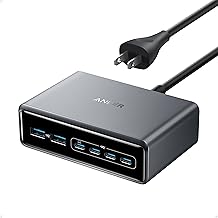
If you want maximum connectivity, the TobenONE 13-in-1 with its power button and 8TB capacity is the do-everything choice, while the Satechi and UGREEN docks are cleaner, more focused options. Buyers who also use a laptop should consider the versatile Anker 7-in-1 USB-C hub, and those prioritizing raw transfer speed will like the WAVLINK 6-port with its dual 10Gbps ports.
Frequently Asked Questions
Do I need an SSD enclosure hub?
If you want to expand storage cheaply, yes; adding an NVMe drive via the hub costs far less than Apple’s internal SSD upgrades and delivers near-internal speeds.
Does the SSD come included?
Usually not. Most hubs provide the enclosure, and you supply a compatible NVMe drive, though some bundles like certain TobenONE configs include storage.
Will a hub help with heat?
Dedicated Mac mini stands are designed with airflow in mind and some add self-cooling, so they won’t trap heat and can improve ventilation over a flat surface.
Can I use these with the M4 Pro?
Yes, the leading Mac mini hubs support both the M4 and M4 Pro, though you should confirm the specific model’s compatibility before purchase.
Verdict
The Satechi M4 Hub & Stand is our top pick for its clean design, NVMe enclosure, and effective cooling. Power users who want every port should choose the TobenONE 13-in-1, while the UGREEN dock offers excellent value for storage-focused buyers.