Key takeaways
- GPU is king: The graphics card matters most for gaming. Look for a modern RTX 5060 or similar to comfortably handle 1080p and light 1440p play.
- CPU balance: A capable six or eight-core Ryzen chip pairs well at this budget, avoiding bottlenecks without overspending on the processor.
- RAM and storage: Aim for 16GB minimum, ideally 32GB, plus a 1TB NVMe SSD for fast load times and room for a growing game library.
- Power supply quality: A reliable, appropriately rated PSU protects your components. An 80+ Gold unit is a good sign of a quality build.
- Upgrade path: Check for spare RAM slots and drive bays so you can expand later rather than replacing the whole system.
A $1,000 budget hits a genuine sweet spot in gaming PCs. It is enough to land a machine that plays modern titles smoothly at 1080p and even 1440p, without paying the steep premium that flagship builds command. At this price you are looking at capable mid-range GPUs, solid multi-core processors, fast NVMe storage, and enough RAM to keep everything responsive, whether you are gaming, streaming, or handling everyday creative work.
The challenge is that prebuilt PCs around the 1K mark vary enormously in component quality and value. Some skimp on the power supply or cooling to hit a headline price, while others deliver genuinely balanced specs. Below we explain what to prioritize, then review six prebuilt options that offer strong performance for roughly a grand in 2026, spanning entry-level to more ambitious configurations.
Our top picks


As an Amazon Associate we earn from qualifying purchases at no extra cost to you. Ratings are shown as listed on Amazon.
🎮 Get More From Your Setup — Free
Prime Gaming gives you free PC games every month, in-game loot, and a free Twitch channel sub — plus fast free shipping on all the gear above. New members get a 30-day free trial.
Watch: Best Pc For 1k — Video Review
How to Choose a Gaming PC Around $1,000
- GPU is king: The graphics card matters most for gaming. Look for a modern RTX 5060 or similar to comfortably handle 1080p and light 1440p play.
- CPU balance: A capable six or eight-core Ryzen chip pairs well at this budget, avoiding bottlenecks without overspending on the processor.
- RAM and storage: Aim for 16GB minimum, ideally 32GB, plus a 1TB NVMe SSD for fast load times and room for a growing game library.
- Power supply quality: A reliable, appropriately rated PSU protects your components. An 80+ Gold unit is a good sign of a quality build.
- Upgrade path: Check for spare RAM slots and drive bays so you can expand later rather than replacing the whole system.
The Best PCs for 1K Reviewed
KOTIN Prebuilt Gaming PC (Ryzen 7 9700X, RTX 5070)
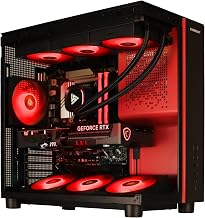
The KOTIN build is the standout performer here, pairing a Ryzen 7 9700X with an RTX 5070, 32GB of DDR5, and a 1TB SSD. It also includes a 360mm liquid cooler, 850W Gold PSU, and WiFi 7, making it a remarkably complete package that punches into higher-tier territory for smooth 1440p gaming.
YAWYORE Gaming PC (Ryzen 7 5700X, RTX 5060)
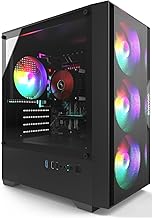
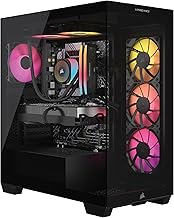
The YAWYORE combines a Ryzen 7 5700X with an RTX 5060, 32GB of DDR4, and a 1TB NVMe SSD. That is a well-balanced 1080p and entry 1440p machine with generous memory, ARGB fans, and built-in WiFi and Bluetooth. A strong choice for mainstream gamers who want plenty of RAM.
SKYESEV Gaming Desktop (Ryzen 5 5600, RTX 3050)
The SKYESEV pairs a Ryzen 5 5600 with an RTX 3050 6GB and 32GB of DDR4, delivering dependable 1080p gaming. With a 1TB M.2 NVMe drive and WiFi, it is a solid everyday gaming and productivity system for players focused on esports and lighter titles.
Skytech Gaming PC Nebula (Ryzen 5 5500, RTX 3050)
The Skytech Nebula is a reputable-brand option with a Ryzen 5 5500, RTX 3050, 16GB of RAM, and a 650W Gold PSU. Skytech’s builds are known for tidy assembly and good support, making the Nebula a safe, reliable entry into 1080p gaming.
Prebuilt Ryzen 5 5500 / RTX 3050 Desktop
This prebuilt with a Ryzen 5 5500 and RTX 3050 6GB offers 16GB of DDR4 and a 1TB NVMe SSD with ARGB air cooling and WiFi. It is a budget-friendly all-rounder aimed at gaming, streaming, and editing for players just getting started.
Frequently Asked Questions
Can a $1,000 PC run games at 1440p?
Yes, especially builds with an RTX 5060 or RTX 5070 like the YAWYORE and KOTIN. RTX 3050 systems are better suited to smooth 1080p gaming.
How much RAM do I need?
16GB is the practical minimum, but 32GB, as found in the YAWYORE and KOTIN builds, gives extra headroom for multitasking and streaming.
Are prebuilt PCs worth it versus building?
Prebuilts save time, include warranties, and are competitively priced at this budget. They are a great option if you would rather not assemble parts yourself.
Should I prioritize the CPU or GPU?
For gaming, the GPU matters most. A stronger card like the RTX 5070 delivers a bigger performance jump than a faster CPU at this price point.
Final Thoughts
The best PC for 1K depends on how demanding your games are. The KOTIN build with its RTX 5070 is the clear performance leader, the YAWYORE offers a balanced RTX 5060 experience, and the Skytech Nebula is the trustworthy budget pick. Match the GPU to your target resolution and you will get excellent value from a $1,000 machine.