Key takeaways
- Wi-Fi 7 versus Wi-Fi 6: Wi-Fi 7 adds Multi-Link Operation and wider channels for lower latency and higher throughput, but a strong Wi-Fi 6 router still delivers excellent gaming if your devices do not yet support the newer standard.
- Quality of Service and game acceleration: Look for built-in QoS or a gaming engine that prioritizes your traffic, since features like the WTFast integration on ASUS ROG models keep your packets ahead of downloads and streams.
- Wired ports matter: Multi-gig 2.5G and 10G ports future-proof your setup and let you hardwire the PC or console that needs the lowest possible ping.
- Coverage and mesh support: Larger homes benefit from mesh-capable routers so weak signal in a back room does not spike your latency during a match.
- Security and value: Some routers include lifetime network security while others charge a subscription, so factor ongoing costs into the true price of the router.
The router is the unsung hero of any serious gaming setup, quietly deciding whether your shots register instantly or arrive a fraction of a second too late. In 2026 the best gaming routers have embraced Wi-Fi 7, multi-gig ports, and dedicated traffic prioritization, and flagships like the ASUS ROG Rapture GT-BE98 Pro show just how far the category has come with quad-band radios and 30Gbps of headroom.
This roundup helps you match a router to your home and your budget, whether you want a no-compromise Wi-Fi 7 powerhouse, a proven Wi-Fi 6 workhorse like the ASUS ROG Rapture GT-AX11000, or an open-source-friendly option such as the GL.iNet Flint 2. We break down the specs that actually cut latency so you can stop blaming the game and start winning.
Our top picks


As an Amazon Associate we earn from qualifying purchases at no extra cost to you. Ratings are shown as listed on Amazon.
⚡ Save on Your Next PC — Amazon Prime
Prime members get fast free shipping on the systems above, plus early access to Prime Day & Black Friday PC deals. New members get a 30-day free trial.
Watch: Best Gaming Router 2026 — Video Review
How to Choose a Gaming Router
- Wi-Fi 7 versus Wi-Fi 6: Wi-Fi 7 adds Multi-Link Operation and wider channels for lower latency and higher throughput, but a strong Wi-Fi 6 router still delivers excellent gaming if your devices do not yet support the newer standard.
- Quality of Service and game acceleration: Look for built-in QoS or a gaming engine that prioritizes your traffic, since features like the WTFast integration on ASUS ROG models keep your packets ahead of downloads and streams.
- Wired ports matter: Multi-gig 2.5G and 10G ports future-proof your setup and let you hardwire the PC or console that needs the lowest possible ping.
- Coverage and mesh support: Larger homes benefit from mesh-capable routers so weak signal in a back room does not spike your latency during a match.
- Security and value: Some routers include lifetime network security while others charge a subscription, so factor ongoing costs into the true price of the router.
The Best Gaming Routers Reviewed
ASUS ROG Rapture GT-BE98 Pro
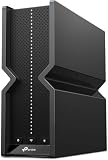
This is the flagship for players who want everything, with quad-band Wi-Fi 7, up to 30Gbps of combined throughput, and full mesh support. Its aggressive traffic prioritization and multiple 10G ports make it the ultimate choice for a demanding household running high-refresh gaming, 8K streaming, and heavy downloads all at once.
TP-Link Archer GE650
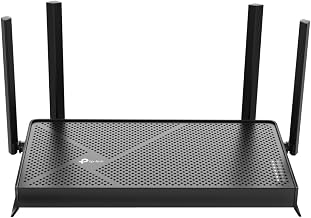
A tri-band BE11000 Wi-Fi 7 router built specifically for gamers, the GE650 pairs a dedicated gaming port and panel with 320MHz channel support and standout 11Gbps throughput. Its RGB lighting and HomeShield security round out a package that competes with pricier flagships while staying more accessible.
ASUS RT-BE88U
For players who prize wired performance, this dual-band Wi-Fi 7 router delivers two 10G ports and 34G of total capacity in a comparatively lean design. It is the smart pick when you want blistering multi-gig connectivity and mesh compatibility without paying for quad-band extras you may not use.
GL.iNet GL-MT6000 Flint 2
The enthusiast favorite, this Wi-Fi 6 router ships with pre-installed OpenWrt, dual 2.5G ports, and native OpenVPN and WireGuard support. It offers a level of customization and value the big brands rarely match, making it perfect for tinkerers who want deep control over QoS, VPN, and DNS.
ASUS ROG Rapture GT-AX11000
A proven tri-band Wi-Fi 6 champion, the GT-AX11000 remains a superb gaming router with a 1.8GHz quad-core CPU, a 2.5G port, WTFast game acceleration, and lifetime internet security. It is the reliable value flagship for anyone who wants top-tier gaming features without jumping to Wi-Fi 7 pricing.
Frequently Asked Questions
Do I need Wi-Fi 7 for gaming in 2026?
Not strictly. Wi-Fi 7 lowers latency and boosts throughput, but a high-end Wi-Fi 6 router like the GT-AX11000 still delivers excellent, competitive-grade performance. Upgrade to Wi-Fi 7 mainly if your devices support it and you want maximum future headroom.
Does a gaming router really reduce lag?
Yes, primarily through traffic prioritization that keeps your game packets ahead of other network activity. It cannot fix a slow internet plan, but on a busy home network the difference in consistency and reduced spikes is genuinely noticeable.
Should I hardwire my console or PC?
Whenever possible, yes. A wired connection to a multi-gig port offers the lowest and most stable latency, which is why the best gaming routers include 2.5G and 10G ports for your primary gaming device.
Is a subscription required for router security?
It varies by brand. ASUS ROG models often include lifetime AiProtection, while some competitors charge annually after an initial period, so check the security terms and add any recurring fee to the router’s real cost.
Final Thoughts
A great gaming router in 2026 is about consistency as much as raw speed, keeping your latency low and stable even when the whole house is online. The ASUS ROG Rapture GT-BE98 Pro is the do-everything flagship, the TP-Link GE650 offers Wi-Fi 7 gaming features at a friendlier price, and the GL.iNet Flint 2 rewards tinkerers with unmatched control. Match the standard and port count to your devices and home size, and your connection will finally stop being the reason you lose.