Key takeaways
- Layout size: 60% saves the most space but drops arrow keys; 65% keeps arrows; TKL retains the function row. Pick based on your workflow.
- Switch type: Mechanical switches offer tactile or linear precision and durability, while membrane boards are quieter and cheaper. Match to your feel preference.
- Wired or wireless: Wired guarantees the lowest latency; modern 2.4GHz wireless is nearly as fast and cuts cable clutter. Consider your priorities.
- Keycap and build quality: Double-shot PBT keycaps resist shine and wear far better than cheap ABS. A solid case reduces flex during intense play.
- Extras: Hot-swappable sockets, RGB lighting, and anti-ghosting matter for customization and reliable multi-key inputs during gaming.
What's inside
Compact keyboards have surged in popularity, and for good reason. By trimming the number pad, and sometimes the function row, a 60%, 65%, or tenkeyless layout frees up desk space, brings your mouse hand closer, and delivers a cleaner, more focused setup. For gaming, that extra room for wide sweeping mouse movements is a genuine competitive perk.
The catch is choosing the right size and switch type for how you play. We’ve gathered standout compact keyboards across membrane and mechanical designs, wired and wireless. Below are our top picks, a buying guide, and honest reviews of each.
As an Amazon Associate we earn from qualifying purchases at no extra cost to you.


🎮 Get More From Your Setup — Free
Prime Gaming gives you free PC games every month, in-game loot, and a free Twitch channel sub — plus fast free shipping on all the gear above. New members get a 30-day free trial.
Watch: Best Compact Gaming Keyboard — Video Review
How to Choose a Compact Gaming Keyboard
- Layout size: 60% saves the most space but drops arrow keys; 65% keeps arrows; TKL retains the function row. Pick based on your workflow.
- Switch type: Mechanical switches offer tactile or linear precision and durability, while membrane boards are quieter and cheaper. Match to your feel preference.
- Wired or wireless: Wired guarantees the lowest latency; modern 2.4GHz wireless is nearly as fast and cuts cable clutter. Consider your priorities.
- Keycap and build quality: Double-shot PBT keycaps resist shine and wear far better than cheap ABS. A solid case reduces flex during intense play.
- Extras: Hot-swappable sockets, RGB lighting, and anti-ghosting matter for customization and reliable multi-key inputs during gaming.
The Best Compact Gaming Keyboards Reviewed
HyperX Alloy Origins 60
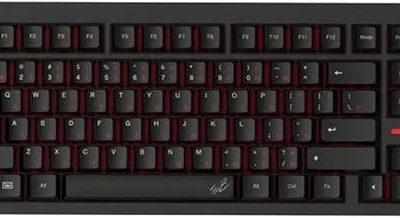
The Alloy Origins 60 is our premium pick, with a rock-solid 60% aluminum body, double-shot PBT keycaps, and linear HyperX Red switches. It’s a compact powerhouse for competitive gamers.
SteelSeries Apex 3 TKL
SteelSeries’ Apex 3 TKL offers whisper-quiet switches, IP32 water resistance, and 8-zone RGB in a tenkeyless form. It’s a durable, quiet option ideal for shared or office-adjacent spaces.
AULA F75 Pro Wireless
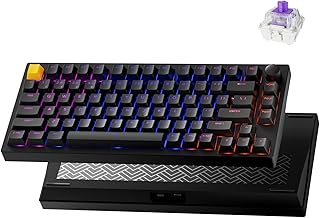
The AULA F75 Pro is a feature-packed 75% board with hot-swappable, pre-lubed switches, a control knob, and triple connectivity. It’s the standout for enthusiasts who want customization and wireless freedom.
Logitech G413 TKL SE
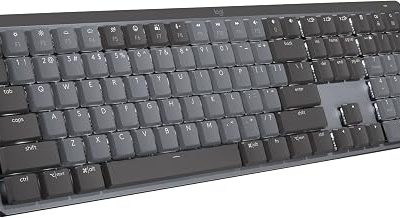
Logitech’s G413 TKL SE brings tactile mechanical switches, anti-ghosting, and cross-platform support in a clean, understated design. It’s a dependable no-nonsense pick for Windows and macOS.
MageGee MK-Box 60%
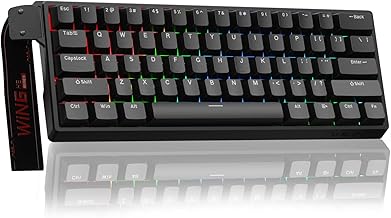
The budget champion, the MageGee MK-Box packs 68 keys, LED backlighting, and Red switches into a tiny wired frame. It’s an affordable entry into compact mechanical gaming.
Frequently Asked Questions
Is a 60% keyboard good for gaming?
Yes. A 60% layout frees up significant mouse space and keeps essential keys within reach, though you’ll use function-layer shortcuts for arrows and other keys.
Are mechanical switches better than membrane for gaming?
Mechanical switches offer more precise actuation, better durability, and a satisfying feel, but quality membrane boards remain a fine budget-friendly alternative.
Should I get wired or wireless?
Wired offers guaranteed low latency, but modern 2.4GHz wireless boards like the AULA F75 Pro are fast enough for all but the most competitive play.
What are hot-swappable switches?
Hot-swap sockets let you change switches without soldering, so you can tweak the feel of your keyboard anytime. It’s a great feature for tinkerers.
Final Thoughts
The HyperX Alloy Origins 60 is our top pick for its premium build and competitive-ready switches. For enthusiasts who want customization, the AULA F75 Pro Wireless is the standout, while the MageGee MK-Box is the smart choice for gamers on a tight budget.