Key takeaways
- Pro: Throttle quadrant included at under $50, uncommon at this tier.
- Pro: Multiple programmable hat switches for in-cockpit functions.
- Con: No companion software listed for dead-zone or curve adjustment, limiting fine-tuning.
What's inside
Buying a pc joystick controller is rarely a simple choice because the category spans wildly different form factors at wildly different prices. A $18 gamepad and a $130 farming joystick can both technically serve a gamer who wants to avoid keyboard and mouse, yet they solve entirely different problems. The concrete frustration buyers face is not finding a controller that connects to a PC — virtually all of these do — but finding one whose physical layout matches the genre they play. A flight sim stick with a throttle quadrant is overkill for a platformer, and a compact gamepad cannot deliver the analog precision a racing or aerial combat sim demands.
This roundup compares eight options across published specifications, retail prices, and aggregated owner feedback to map each product to the use case it actually serves. What separates a good pick from a bad one here is genre alignment, build consistency at the listed price, and whether the included software or driver support lets you configure inputs without third-party workarounds. The result is a set of clear winners for specific needs rather than a single universal recommendation.
As an Amazon Associate we earn from qualifying purchases at no extra cost to you. Product prices and availability are accurate as of the date shown and are subject to change.






Quick Picks
| Product | Best for | Price |
|---|---|---|
| PXN 2113PRO | Budget flight sim stick | $49.99 |
| Logitech G F310 | Ultra-budget gamepad | $19.99 |
| Thrustmaster SimTask FarmStick | Farming simulators | $129.95 |
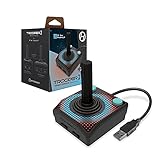
| Hyperkin Trooper 2 | Cheapest reliable gamepad | $17.99 |
| Thrustmaster T16000M FCS | Precision combat flight sims | $79.99 |
| EasySMX X15 | Wireless value gamepad | $35.99 |
| Thrustmaster T-Flight Stick X | Entry-level aerial sims | $56.85 |
| HORI Fighting Stick Mini | Fighting games | $59.99 |
How We Picked
We weighted three criteria most heavily. First, form factor to genre match: a product only earns a spot if its physical inputs logically serve at least one popular PC genre. Second, build quality relative to price: we flagged items where owner feedback consistently notes issues like stick drift, loose buttons, or cable strain at the retail cost. Third, platform and driver compatibility: a controller that requires obscure software or fails on Steam is a poor general recommendation regardless of its hardware specs. Fourth, we considered software ecosystems because configurable dead zones, button remapping, and profile support meaningfully extend a device’s useful life.
The 8 Best PC Joystick Controller Options in 2026
PXN 2113PRO USB Gaming Flight Simulator Controller
This flight stick targets players who want a dedicated aerial control surface without spending near the premium brands. Owner feedback highlights the integrated throttle quadrant and multiple hat switches as generous for the price. The USB connection means zero pairing steps, and published specs note an ergonomic base with hand-rest support.
- Pro: Throttle quadrant included at under $50, uncommon at this tier.
- Pro: Multiple programmable hat switches for in-cockpit functions.
- Con: No companion software listed for dead-zone or curve adjustment, limiting fine-tuning.
Skip it if you fly sims requiring precise trim control or if you need wireless operation on a desk that already runs multiple USB devices.
Logitech G F310 Wired Gamepad Controller
The F310 is a no-frills gamepad for casual PC players who prefer the familiar layout over anything specialized. Its dual-mode design mirrors console ergonomics, and the wired connection eliminates battery concerns entirely. At under $20 it is one of the cheapest branded controllers that supports XInput and DirectInput simultaneously.
- Pro: Dual mode compatibility broadens usable game library without extra drivers.
- Pro: Consistent build quality typical of Logitech at this price point.
- Con: Short cable restricts placement on some desk setups.
Skip it if you need analog trigger precision beyond basic games or want a modern button layout for newer titles that assume Xbox-standard input.
Thrustmaster SimTask FarmStick Multifunction Farming Joystick
This is a purpose-built instrument for farming simulator players, with dedicated buttons and axes mapped to implement controls. It occupies the highest price tier in this list, which reflects its niche specialization rather than general-purpose gaming value. Owner reports praise the tactile feedback on function buttons and the realistic lever feel.
- Pro: Dedicated implement controls eliminate keyboard shortcuts for machinery management.
- Pro: Solid construction with a weighted base that resists sliding during long sessions.
- Con: Near $130 is difficult to justify if you play only one or two farming titles.
Skip it unless farming simulators are your primary genre; it adds no value to general gaming.
Hyperkin Trooper 2 Premium USB Game Controller
At $17.99 this is the cheapest controller in the group, making it a viable backup or starter option. Compatibility with PC, Mac, and Linux is listed in its product name, and the layout follows a conventional gamepad shape. Owner feedback generally finds it adequate for older titles and indie games that do not stress analog inputs.
- Pro: Broad OS compatibility without additional drivers.
- Pro: Lowest absolute cost among all eight options here.
- Con: Build materials feel plasticky and less durable than controllers costing double.
Skip it if you play modern titles with demanding analog inputs or if comfort during long sessions is a priority.
Thrustmaster T16000M FCS Precision Combat Flight Sim Joystick
The T16000M FCS serves military flight simulation enthusiasts who want precision without a full HOTAS bundle. Published specs note a magnetic contactless sensor system, which owner feedback correlates with lower long-term wear. The included throttle is a separate unit, adding desk footprint but improving ergonomics.
- Pro: Contactless magnetic sensors reduce drift risk over extended ownership.
- Pro: Robust software for axis curves and button mapping.
- Con: The two-piece stick plus throttle layout demands significant desk space.
Skip it if you have limited desk area or primarily fly civilian aircraft where combat-oriented inputs add no value.
EasySMX X15 Wireless PC and Steam Gaming Controller
This gamepad brings Hall Effect sticks and wireless connectivity to the sub-$40 bracket, features typically reserved for controllers at nearly double the price. Hall Effect sensors use magnetic fields to register position, which published specs and owner reports suggest resists the drift common in potentiometer-based sticks.
- Pro: Hall Effect analog sticks at a budget price point.
- Pro: Steam-specific support simplifies setup on that platform.
- Con: Software customization options appear limited compared to established competitors.
Skip it if you require deep remapping, macro programming, or a large ecosystem of community-made profiles.
Thrustmaster T-Flight Stick X USB Ergonomic Flight Sim Joystick
Positioned between the PXN budget stick and the T16000M, the T-Flight Stick X offers a single-unit design with a built-in throttle lever. It suits players who want a flight stick without committing to a two-piece setup. The ergonomic grip and listed multi-axes layout cover most civilian and arcade flight needs.
- Pro: Compact single-unit footprint fits smaller desks easily.
- Pro: Integrated throttle lever removes need for a separate quadrant.
- Con: Less precise than magnetic-sensor alternatives for combat sim players who demand tight tolerances.
Skip it if your titles require a separate throttle for realistic engine management or if you need combat-grade sensor accuracy.
HORI Fighting Stick Mini for PS5, PS4, and PC
This arcade-style stick with a lever and button panel addresses fighting game players who want console-grade input precision on PC. Officially licensed by Sony, the build follows tournament stick conventions with a compact footprint. The lever provides directional input through a gate system rather than an analog stick, which matters for frame-accurate execution.
- Pro: Tournament-standard gate and button feel for competitive fighting game play.
- Pro: Compact size makes it portable and desk-friendly.
- Con: Exclusively suited to fighting games; offers no analog axes for other genres.
Skip it if you want a single controller for multiple genres, as it has no analog stick or trigger functionality.
Buying Guide
Form Factor Must Match Genre
The single most important decision before comparing specs is whether you need a gamepad, a flight stick, a fighting stick, or a specialty controller like the FarmStick. A gamepad handles platformers, action RPGs, and racing well but cannot replicate the multi-axis input of a flight stick. A fighting stick delivers precise directional input for competitive play but fails at anything requiring analog movement. Identify your primary genre first, then narrow within that category.
Connectivity and Driver Ecosystem
Wired USB controllers like the PXN 2113PRO and Logitech F310 connect and work immediately on most PC setups. Wireless options like the EasySMX X15 offer desk flexibility but add latency and battery management as considerations. Equally important is software: a controller with a driver suite that lets you adjust dead zones, remap buttons, and save profiles will serve you longer than one with no configuration path, especially as games update their input expectations.
Sensor Type and Longevity
Analog stick wear is the most common failure point in budget controllers. Hall Effect sensors, found in the EasySMX X15, resist drift because they register position magnetically rather than through physical contact. Traditional potentiometer sticks will degrade faster with heavy use. If you play competitive or precision-dependent titles, sensor type is a practical longevity factor worth prioritizing over other spec differences at similar price points.
Our Verdict
Our top overall pick for general PC gaming is the EasySMX X15, because it delivers Hall Effect stick reliability and wireless convenience at $35.99, covering the broadest range of titles without the niche limitations of the others. Our budget pick is the Hyperkin Trooper 2 at $17.99 for anyone who needs a functional controller immediately at the lowest absolute cost. However, if your gaming centers on flight simulation rather than general play, the Thrustmaster T16000M FCS at $79.99 is the clear winner because its magnetic sensors and software ecosystem outperform every other option for that specific use case.
FAQ
Can a gamepad replace a joystick for flight sims?
For arcade-style aerial games, yes, but for serious flight simulation a dedicated joystick provides multi-axis control, throttle integration, and precision that a thumb-stick gamepad cannot replicate. The difference becomes most apparent when managing heading, pitch, roll, and throttle simultaneously.
What is the difference between a fighting stick and a regular joystick?
A fighting stick like the HORI uses a lever within a physical gate to register directional inputs digitally, mimicking arcade cabinet feel. A regular joystick returns analog position data and is designed for continuous input ranges rather than discrete directional commands.
Do wireless pc joystick controllers introduce noticeable input lag?
Modern 2.4 GHz wireless and Bluetooth implementations add negligible latency for all genres except competitive fighting games where frame-level precision matters. For the EasySMX X15 and similar wireless gamepads, published specs and owner feedback indicate lag that most users cannot distinguish from wired inputs.
Is the Thrustmaster FarmStick worth it if I also play other genres?
No, the SimTask FarmStick is engineered exclusively for farming simulator implement control and adds no meaningful advantage for racing, flight, or standard action titles. If you play multiple genres, allocate your budget toward a general-purpose controller and reserve the FarmStick only if farming sims represent your dominant playtime.