Key takeaways
- The best robot vacuums for a gaming room in 2026 are the Roborock Saros 10R for rooms full of cables and low furniture, the Eufy X10 Pro Omni for the best balance of camera-based obstacle avoidance and price, the Dreame…
The best robot vacuums for a gaming room in 2026 are the Roborock Saros 10R for rooms full of cables and low furniture, the Eufy X10 Pro Omni for the best balance of camera-based obstacle avoidance and price, the Dreame X40 Ultra for mixed carpet and hard floors that also need mopping, the Roborock Q7 Max as a budget LiDAR option for tidy setups, and the Eufy RoboVac 11S Max for getting under very low beds and couches. A gaming room is one of the hardest spaces for a robot: cables snake across the floor, a five-star chair base creates a trap, and the gap under your desk shelf or bed decides whether the robot can reach the dust at all.
Three Things That Break Robot Vacuums in Gaming Rooms
1. Cables on the floor
Power strips, USB extension leads, headset cords, controller charging cables and that one LED strip lead all end up on the floor. A brush roll can wrap a cable in seconds, yank a peripheral off the desk or stall the robot. Obstacle avoidance is the single most important feature in this room, and the technology varies a lot between models.
2. The chair base
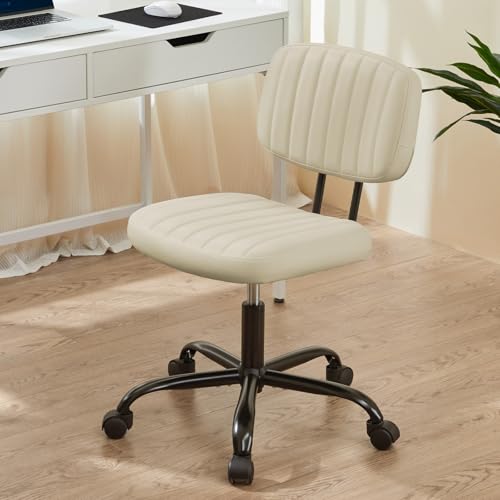
A gaming chair’s five-star base is a classic robot trap. The legs rise from the casters toward the center hub, so somewhere along each leg the gap is roughly the same height as a robot’s body or its LiDAR turret. The robot drives in, wedges itself and stops. Camera-based avoidance helps, but the easiest fix is to roll the chair onto the desk mat or push it under the desk before a scheduled run.
3. Low clearance under furniture
Dust collects where you cannot reach: under the bed, under a low media console and beneath a couch. A robot that cannot fit there misses exactly the areas that need it most.
Obstacle Avoidance Technologies Compared
| Technology | How it works | Handles thin cables? | Typical price tier |
|---|---|---|---|
| Bump sensors only | Drives until it touches something | No, will run over them | Under $250 |
| LiDAR mapping, no front sensor | Maps walls and large furniture | Poorly; cables are below the laser plane | $250–$450 |
| Structured light (3D) sensor | Projects light lines to measure shapes ahead | Often, for cables thicker than a few millimeters | $400–$700 |
| Structured light plus RGB camera with AI | Recognizes objects such as cords, socks and shoes | Best available; still misses some thin, flat cords | $500 and up |
No robot is perfect with a thin, dark cable lying flat against a dark rug. Treat avoidance as a safety net and get cables off the floor where you can, using adhesive clips under the desk, a cable tray or a raceway along the baseboard.
Measure Your Clearance in Centimeters First
Before comparing robots, grab a tape measure and check the lowest gaps in your room. The rule is simple: required clearance = robot height + about 1 cm of margin, because carpet compresses unevenly and robots tilt when climbing a threshold.
| Robot body style | Typical height | Gap you need | Fits under |
|---|---|---|---|
| Ultra-slim, no LiDAR turret (e.g., Eufy 11S Max) | about 7.2 cm | 8–8.5 cm | Most beds, many low sofas and media consoles |
| Low-profile or retractable LiDAR (e.g., Roborock Saros 10R) | about 8 cm | 9 cm | Most beds and many couches |
| Standard LiDAR turret (e.g., Roborock Q7 Max) | about 9.5–10 cm | 10.5–11 cm | Standard bed frames, not most sofas |
| Flagship with camera and turret | about 10–11.5 cm | 11.5–12.5 cm | Tall bed frames, desks, open shelving |
A worked example: say your bed frame clears 9.5 cm and your couch clears 8.8 cm. A standard 9.7 cm LiDAR robot misses both. A low-profile LiDAR model around 8 cm reaches under the bed but is borderline for the couch. An ultra-slim unit gets under both but gives up mapping and smart avoidance. That trade-off is usually the deciding factor.
While you are measuring, check the gap under your chair base legs at their lowest point near the casters. If it falls within 1 to 2 cm of your chosen robot’s height, plan to park the chair elsewhere during cleaning or set a no-go zone around it in the app.
Suction (Pa) and Mopping: What Your Floor Needs
Suction is listed in pascals (Pa). Brands measure it themselves, so treat the figures as rough classes rather than lab-comparable data. Brush roll design matters too, and a rubber roller tangles less with hair than bristles do. As a starting point:
| Floor under your setup | Suction class to look for | Mopping? |
|---|---|---|
| Hard floor or laminate with a desk mat | 2,000–5,000 Pa is plenty | Yes, a basic pad works |
| Low-pile rug under desk and chair | 5,000–8,000 Pa | Only with mop lifting of at least 7–10 mm |
| Medium-pile carpet across the room | 8,000 Pa and up, with auto carpet boost | Pads must lift high or detach at the dock |
| Mixed: hard floor plus a gaming rug | 8,000 Pa and up | Mop lift or pad detachment strongly recommended |
Mop pads matter more than people expect in a gaming room. A wet pad dragged over a fabric gaming rug is a mess. Look for models that lift pads around 10 mm or more on carpet, or ones that drop the pads at the dock before vacuuming a carpeted room.
The Best Robot Vacuums for a Gaming Room
Roborock Saros 10R: best for cables and low furniture
The Saros 10R drops the usual raised LiDAR turret in favor of a front-mounted navigation system, bringing the body height down to about 8 cm. That means it can map and avoid obstacles while still slipping under most beds. Its camera plus structured-light avoidance is among the strongest available for cords, and suction is rated at up to 22,000 Pa with lifting mops and a full self-emptying, self-washing dock.
Choose it if: you have cables you cannot fully manage and low furniture to clean under. Trade-off: premium pricing, typically $1,100 to $1,600, and a large dock.
Eufy X10 Pro Omni: best value with real obstacle avoidance
Eufy pairs AI camera-based avoidance with about 8,000 Pa suction, dual oscillating mop pads that lift on carpet and an all-in-one dock that empties dust and washes and dries the mops. It brings flagship-style obstacle detection to a mid-range price, usually $500 to $800.
Choose it if: your room has a gaming rug over hard floor and some loose cords. Trade-off: it is a tall robot at about 11.4 cm with its turret, so check your under-bed clearance against the table above.
Dreame X40 Ultra: best for heavy carpet plus mopping
The X40 Ultra combines up to 12,000 Pa of suction with camera avoidance, rotating mop pads that can be detached at the dock, and a mop that extends toward edges. That combination suits a gaming room that sits on carpet but connects to a hard-floor hallway or kitchen.
Choose it if: you have medium-pile carpet and want one robot for the whole floor. Trade-off: often $900 to $1,300, with a tall dock, and the robot itself stands roughly 10 to 11 cm at its LiDAR turret, so it will not reach under low sofas.
Roborock Q7 Max: best budget LiDAR option for tidy setups
With 4,200 Pa suction, accurate LiDAR mapping, no-go zones and a rubber brush that resists hair tangles, the Q7 Max is a strong cleaner for the money, usually $250 to $400. It does not have a front camera or structured-light sensor, so it relies on you keeping cables off the floor.
Choose it if: your cables are already clipped up and you mostly need dust and hair removed on schedule. Trade-off: standard height, around 9.7 cm, and limited small-obstacle avoidance.
Eufy RoboVac 11S Max: best for very low clearance on a budget
At about 7.2 cm tall, this bump-and-turn robot slides under furniture that taller models cannot reach. It has around 2,000 Pa suction, no mapping and no smart avoidance, and typically costs $150 to $250.
Choose it if: the dust you care about is under a low bed or couch, the floor is hard, and you can clear the floor before each run. Trade-off: random navigation, and it will tangle cables left on the floor.
Which One Fits Your Room?
| Your gaming room | Best match |
|---|---|
| Lots of floor cables, low bed, bigger budget | Roborock Saros 10R |
| Rug under the chair, some loose cords, mid budget | Eufy X10 Pro Omni |
| Wall-to-wall carpet, connected hard floors | Dreame X40 Ultra |
| Clean cable management, tight budget | Roborock Q7 Max |
| Under-furniture gaps of 8–9 cm, hard floor | Eufy RoboVac 11S Max |
A Five-Minute Room Prep Checklist
- Clip power and USB cables under the desk or into a tray, leaving nothing in a loop on the floor.
- Set a no-go zone around the PC tower if it sits on the floor, so the robot does not bump it or spray mop water nearby.
- Schedule runs when you are not playing, and roll the chair onto the desk mat or against the wall beforehand.
- Add a no-mop zone over any fabric gaming rug if your robot cannot detach its pads.
- Check and clear the brush roll weekly; gaming chairs and headsets shed fibers and hair that wrap around it.