Key takeaways
- Pick the Viper V3 Pro for faster repositioning, fingertip grip, or a preference for a flatter front.
- Pick the Superlight 2 for a rounded shape, mixed grip styles, or more palm contact.
The best gaming mouse for Rainbow Six Siege is the Razer Viper V3 Pro for most players, because its precise 35,000-DPI Focus Pro sensor, low 54–55 g weight, low-lift-off behavior, and symmetrical shape make quick peeks and small headshot corrections easier without sacrificing control.
That recommendation is not universal, though. Siege rewards controlled micro-adjustments more than constant wide flicks, and your ideal mouse depends on grip, hand size, sensitivity, and whether you use side buttons for lean controls. A heavier ergonomic mouse may be more stable for a low-sensitivity player, while a narrow lightweight mouse can make rapid target transitions less tiring.

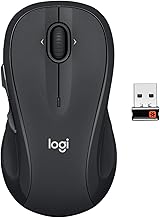
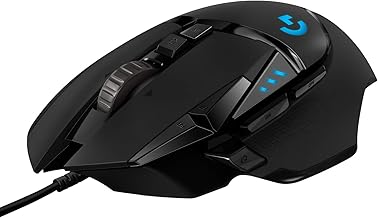
Logitech G PRO X Superlight 2 Wireless Gaming Mouse - Black
Included for 'Best Gaming Mouse for Rainbow Six Siege' because the listing specifies Black, details this guide uses to compare options.
View on Amazon
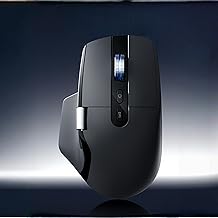
Razer Viper V3 Pro Wireless Esports Gaming Mouse, 54g Lightweight, Black
Included for 'Best Gaming Mouse for Rainbow Six Siege' because the listing specifies 54g Lightweight and Black, details this guide uses to compare options.
View on Amazon
Razer DeathAdder V3 Wired Gaming Mouse, 8Khz, 59g, Black
Included for 'Best Gaming Mouse for Rainbow Six Siege' because the listing specifies 8Khz and 59g, details this guide uses to compare options.
View on Amazon
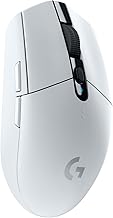
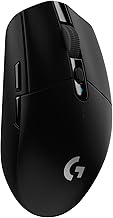
Logitech G305 Lightspeed Wireless Gaming Mouse - Black
Included for 'Best Gaming Mouse for Rainbow Six Siege' because the listing specifies Black, details this guide uses to compare options.
View on AmazonBest gaming mice for Rainbow Six Siege at a glance
| Mouse | Approx. weight | Shape | Best for | Typical market range |
|---|---|---|---|---|
| Razer Viper V3 Pro | 54–55 g | Symmetrical, medium-large | Fast aim, fingertip or claw grip | $120–$160 |
| Logitech G Pro X Superlight 2 | 60 g | Symmetrical, rounded | Balanced competitive use | $100–$160 |
| Zowie EC2-CW | About 77 g | Right-handed ergonomic | Palm and relaxed claw grip | $130–$160 |
| Endgame Gear XM2w 4k | About 62 g | Symmetrical claw shape | Firm claw grip and precise stops | $100–$150 |
| Pulsar X2V2 | About 52–54 g | Compact symmetrical | Small-to-medium hands | $80–$130 |
Weights can vary slightly by size, finish, and production revision. Wireless receivers, charging cables, and optional accessories are not included in the figures above.
Why the Razer Viper V3 Pro is the best overall Siege mouse
The Viper V3 Pro combines a high-end Focus Pro sensor with a shell that is light but not extremely narrow. Its tracking accuracy is far beyond what Siege requires at normal sensitivity settings, so the important benefit is not the maximum DPI number. It is consistent tracking at low sensitivity, predictable stopping, and minimal cursor movement when you lift and reposition the mouse.
Its symmetrical shell suits fingertip, claw, and hybrid grips. The side buttons sit high enough to reach quickly but are separated enough to reduce accidental presses during a tense lean or reload. The main buttons have a relatively flat, stable feel, which helps when repeatedly tapping for controlled shots rather than holding the button through a spray.
Choose it if you use a medium or large mousepad, play at low or medium sensitivity, and want a mouse that feels quick during a 180-degree turn but remains controllable during a pixel-angle adjustment. Its main limitation is that palm-grip users may find the rear support less substantial than on an ergonomic mouse.
Head-to-head: Viper V3 Pro versus Logitech G Pro X Superlight 2
The Logitech G Pro X Superlight 2 is the safer shape for players who want a rounded, familiar competitive mouse. It is slightly heavier than the Viper V3 Pro, but 60 g is still light enough for fast Siege play. The fuller rear hump supports the palm during long sessions and can make vertical recoil control feel more anchored.
The Viper V3 Pro has a more pronounced right-side contour and generally feels easier to maneuver with fingertip or claw grip. The Superlight 2 feels more neutral and forgiving if you change grip while playing. Both offer excellent sensors, wireless performance, and low-latency operation; sensor specifications should not be the deciding factor between them.
- Pick the Viper V3 Pro for faster repositioning, fingertip grip, or a preference for a flatter front.
- Pick the Superlight 2 for a rounded shape, mixed grip styles, or more palm contact.
Choose by grip and hand size
Small hands or fingertip grip: Pulsar X2V2
The Pulsar X2V2 has a compact symmetrical body and a rear hump that supports claw grip without forcing the fingertips too far forward. It is a strong choice when a full-size mouse causes your wrist to bend outward or makes the side buttons difficult to reach.
Its smaller shell can improve quick peeks because you can make short lateral movements with your fingers rather than moving your whole forearm. The trade-off is less palm support and less room between the rear side button and your thumb. If you routinely bind lean-left and lean-right to the mouse, check that both buttons fall naturally under your thumb before buying.
Claw grip: Endgame Gear XM2w 4k
The XM2w 4k is shaped around a pronounced claw grip: the rear rises into the palm while the front leaves space for curled fingers. This can make sudden stops feel controlled, which is useful when you swing an angle and need to halt precisely on a defender’s head.
It is less comfortable for a relaxed palm grip and may feel too tall if your hand is short. The side-button placement is suitable for lean controls, but the buttons are not as far forward as on some larger ergonomic designs. It is best for players who keep their thumb relatively still and use their index and middle fingers for most fine adjustments.
Palm or relaxed claw grip: Zowie EC2-CW
The EC2-CW is a right-handed ergonomic mouse with a fuller left side and a supportive rear hump. At roughly 77 g, it is not a superlight model, but the additional mass can help low-sensitivity players maintain a steady aim line during long horizontal clears.
The shape is particularly useful if your ring finger rubs against the mousepad with symmetrical mice. The side buttons are easy to locate by touch, though the larger shell can make rapid fingertip corrections slower. Choose it when comfort and repeatable support matter more than the lowest possible weight.
Sensor precision matters, but lift-off distance matters more than DPI
Modern sensors in these mice are already precise enough for competitive Siege. Running at 35,000 DPI does not make headshots more accurate; most players are better served by a familiar setting between 400 and 1,600 DPI, then adjusting in-game sensitivity to reach a comfortable turn distance.
Lift-off distance is more relevant. When you raise the mouse to reposition it, a high lift-off distance can continue moving the crosshair and ruin a careful hold. A low, consistent lift-off distance keeps the reticle still while you reset the mouse. Use the manufacturer software to select the lowest setting that tracks reliably on your mousepad. Extremely low settings can behave poorly on some surfaces, so consistency is more important than selecting the minimum number.
Button placement for lean controls
Siege players often bind lean-left and lean-right to the two side buttons, but this only works well when the buttons are distinct and reachable without changing your grip. The front side button should be identifiable by moving the thumb forward; the rear button should be reachable without squeezing the shell.
- Use side buttons for leaning only if you can press them without shifting your aim hand.
- Keep melee, push-to-talk, or secondary gadgets on a button that cannot be triggered accidentally during a gunfight.
- Avoid mice with very low or closely spaced side buttons if you frequently lean while tracking a moving target.
- Test both buttons with your thumb resting naturally, not while stretching to reach them.
For this reason, the Viper V3 Pro and EC2-CW are especially easy to adapt to lean controls. The smaller Pulsar X2V2 can work well, but thumb space is more limited for larger hands.
Weight, desk space, and the practical fit
| Setup | Recommended mouse weight | Why |
|---|---|---|
| Low sensitivity, 900 mm or larger mousepad | 55–75 g | Balances broad arm movement with controlled stops |
| Medium sensitivity, 450–800 mm mousepad | 50–65 g | Supports quick peeks without feeling unstable |
| High sensitivity or limited desk space | 45–60 g | Requires less physical room for turns |
A lightweight mouse is not automatically better. If your desk is only 24 inches deep and your keyboard leaves a narrow mouse area, a 55 g mouse may help, but reducing in-game sensitivity will not solve the physical space problem. First make sure the mouse can move at least 8–12 inches in each direction without hitting the keyboard, monitor stand, or desk edge. A larger mousepad can also prevent inconsistent aim caused by repeatedly lifting the mouse.
Which mouse should you buy?
- Best overall: Razer Viper V3 Pro for its low weight, reliable sensor behavior, and adaptable symmetrical shape.
- Best balanced alternative: Logitech G Pro X Superlight 2 if you prefer a rounder rear hump and more palm support.
- Best for claw grip: Endgame Gear XM2w 4k for a locked-in rear hump and controlled stopping.
- Best for small hands: Pulsar X2V2 for its compact shell and low weight.
- Best for palm comfort: Zowie EC2-CW if a stable ergonomic shape matters more than absolute speed.
For most Rainbow Six Siege players, start with the Viper V3 Pro or Superlight 2, then choose based on shape rather than headline DPI. Accurate headshots come from a sensor that tracks consistently, a lift-off distance that does not disturb your crosshair, and a shell that lets you lean, peek, and stop without changing your grip.