Key takeaways
- Lightweight wireless FPS candidate: Razer Viper V3 Pro.
- Alternative lightweight wireless shape: Logitech PRO X SUPERLIGHT 2.
- Additional controls for mixed gaming and work: Logitech G502 X LIGHTSPEED.
- Interchangeable thumb-button layouts: Razer Naga V2 Pro.
- Lower-cost wireless option: Logitech G305 LIGHTSPEED.
- Lowest checked purchase price: Logitech G203 LIGHTSYNC.
The best gaming mice for under $550 do not require spending anywhere near that ceiling. Start with the Razer Viper V3 Pro for a lightweight wireless FPS setup, consider the Logitech G502 X LIGHTSPEED when extra controls matter, and choose the Razer Naga V2 Pro when a thumb-button grid serves your games. Less expensive options also belong on the shortlist: the Logitech G305 and G203 address straightforward wireless and wired needs. This guide compares six distinct choices by verified features, checked U.S. prices, and practical compromises. Recommendations are based on documented capabilities, with no claim of detailed research or a measured latency winner.
Quick verdict: best gaming mice for under $550
The Razer Viper V3 Pro is the starting recommendation for players prioritizing low weight and wireless FPS use. Its black version has a manufacturer-listed weight of 54 grams, and the checked U.S. price leaves substantial room below the budget ceiling.
That makes it a strong candidate, not a universal winner. Players who need more accessible commands should begin with the G502 X LIGHTSPEED or Naga V2 Pro instead. Someone satisfied by a simpler mouse may find that the G305 or G203 meets the requirement for much less money.
The shortlist breaks down as follows:
- Lightweight wireless FPS candidate: Razer Viper V3 Pro.
- Alternative lightweight wireless shape: Logitech PRO X SUPERLIGHT 2.
- Additional controls for mixed gaming and work: Logitech G502 X LIGHTSPEED.
- Interchangeable thumb-button layouts: Razer Naga V2 Pro.
- Lower-cost wireless option: Logitech G305 LIGHTSPEED.
- Lowest checked purchase price: Logitech G203 LIGHTSYNC.
Quick comparison
These are displayed U.S. prices checked on October 31, 2026, before tax and any shipping charges. Prices apply to the stated variants and may change. Availability and delivery require confirmation at checkout.
| Mouse | Best fit within this shortlist | Checked price | Connection | Decision-making features | Main trade-off |
|---|---|---|---|---|---|
| Razer Viper V3 Pro, black | Lightweight wireless FPS setup | $129.99 at Razer | Wireless | Listed 54g weight; symmetrical shell; up to 8,000Hz polling | Limited control layout compared with multi-button models |
| Logitech PRO X SUPERLIGHT 2, black | Alternative lightweight wireless shape | $159.99 at Logitech | LIGHTSPEED wireless | Listed 60g weight; LIGHTFORCE switches; high-polling support | Higher checked price than the Viper |
| Logitech G502 X LIGHTSPEED, white | Mixed gaming and productivity | $139.99 at Logitech | LIGHTSPEED wireless | 13 programmable controls; configurable DPI-shift button | More elaborate body and control layout |
| Razer Naga V2 Pro, black | MMO-style thumb controls | $143.99 clearance at Best Buy | 2.4GHz, Bluetooth, wired | Interchangeable 2-, 6-, and 12-button side plates | Listed 134g weight; clearance pricing needs rechecking |
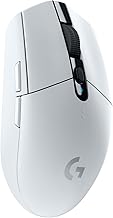
| Logitech G305 LIGHTSPEED, white | Keeping wireless costs down | $34.99 at Logitech | LIGHTSPEED wireless | AA-battery operation; HERO sensor | Battery replacement rather than built-in charging |
| Logitech G203 LIGHTSYNC, lilac | Simple wired gaming | $29.99 at Logitech | Wired USB | Six-button design; adjustable sensitivity; RGB lighting | Mouse cable remains in the movement area |
How we selected these mice
The $550 limit is treated as a maximum per mouse, not a spending target. Selection focuses on recognizable models with documented features and U.S. offers comfortably below that limit.
Manufacturer pages supplied specifications and product identity. Manufacturer stores and a U.S. retailer supplied the price observations. Each selection addresses a different purchasing decision: low weight, alternative shape, extra controls, MMO bindings, inexpensive wireless operation, or inexpensive wired operation.
No units were tested for this article. Manufacturer specifications do not establish comparative click latency, tracking consistency, comfort, or durability. Accordingly, the recommendations are conditional on use case and fit rather than presented as laboratory performance rankings.
This is also a selective shortlist, not an exhaustive survey of every premium or newly released mouse. A newer model is worth comparing when it offers a feature you need, but release order alone does not establish a better purchase.
The mice worth considering
Razer Viper V3 Pro: for a lightweight wireless FPS setup
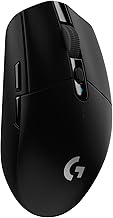
The black Viper V3 Pro combines a manufacturer-listed 54-gram weight, a symmetrical shell, a Focus Pro 35K Optical Sensor Gen-2, and support for polling rates up to 8,000Hz.
Its appeal is a focused feature combination. If your main requirement is a wireless mouse for repeated aiming movements, a lightweight design deserves consideration before elaborate lighting or numerous extra buttons. The Viper also had a lower checked price than the SUPERLIGHT 2, making those two useful direct comparisons.
Shape remains the deciding variable. A symmetrical outline does not establish that the hump, width, or button placement will suit your hand. It also should not be interpreted as confirmation of fully interchangeable left- and right-handed controls.
Buy if: Low weight and a focused wireless gaming layout are your priorities.
Skip if: You need a substantial thumb-button bank or prefer a more pronounced right-handed contour.
The high polling ceiling is a capability, not a promise of better aim. Test it under your actual game and system conditions rather than treating the maximum setting as mandatory.
Logitech PRO X SUPERLIGHT 2: an alternative lightweight wireless shape
The PRO X SUPERLIGHT 2 offers a manufacturer-listed 60-gram weight, LIGHTSPEED wireless connectivity, LIGHTFORCE hybrid switches, and a HERO 2 sensor.
Its strongest reason for inclusion is choice of shape within the lightweight wireless category. Two mice can have similar specifications yet feel noticeably different because their contours distribute contact differently across the hand. Buyers comparing the SUPERLIGHT 2 with the Viper should therefore prioritize grip stability and button reach over small differences on a specification sheet.
At the checked prices, the Logitech requires a larger purchase outlay. That premium needs a personal justification, such as a better physical fit or a preference for its controls and configuration tools. Shared branding with your keyboard is convenient, but it does not establish superior gaming performance.
Buy if: You want a lightweight wireless alternative and its shape suits you better than the Viper.
Skip if: The lower-priced Viper fits equally well or you require extensive additional controls.
Do not apply specifications from another SUPERLIGHT variant to this exact model.
Logitech G502 X LIGHTSPEED: for extra controls without an MMO grid
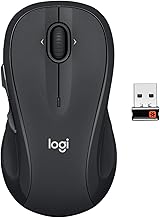
The G502 X LIGHTSPEED provides 13 programmable controls and a DPI-shift button that can be repositioned or replaced with a cover. Its feature set is more relevant to buyers who want commands distributed around the mouse than to those seeking the simplest possible shell.
That can be useful when one computer handles several game genres alongside everyday work. A few accessible actions may reduce trips to the keyboard, provided you can reach them without compromising your grip.
Compared with the Naga, the G502 takes a different approach: it offers multiple controls without relying on a dense interchangeable thumb grid. Compared with the Viper and SUPERLIGHT, it prioritizes control access over a minimalist layout.
Buy if: You want configurable commands for mixed gaming and desktop use.
Skip if: Extra controls get in your way or your main priority is a stripped-down aiming mouse.
Check the exact G502 name before ordering. The G502 X LIGHTSPEED, G502 X PLUS, and older G502 LIGHTSPEED are distinct products, and their prices and features should not be mixed.
Razer Naga V2 Pro: for MMO bindings and changing control layouts
The Naga V2 Pro includes interchangeable side plates with 2, 6, or 12 thumb buttons. Razer specifies 2.4GHz wireless, Bluetooth, and wired connectivity, alongside an approximate weight of 134 grams.
The side plates provide a concrete reason to buy it: you can change the physical control arrangement instead of merely assigning different functions to the same buttons. A player who regularly uses many abilities may find that more relevant than a lower-weight design.
The compromise is substantial. A dense button grid takes practice, and the mouse’s listed weight is much higher than the two lightweight wireless selections. Swapping to a simpler plate changes the controls, but it does not turn the Naga into the same type of product as the Viper.
Buy if: Your games benefit from numerous thumb-accessible commands and you want interchangeable layouts.
Skip if: You mainly want a lightweight mouse for repeated broad aiming movements.
The checked offer was a clearance listing for the V2 Pro. Confirm the exact generation, included plates, condition, and final price. Specifications from the newer Naga V3 Pro should not be transferred to it.
Logitech G305 LIGHTSPEED: for a lower-cost wireless purchase
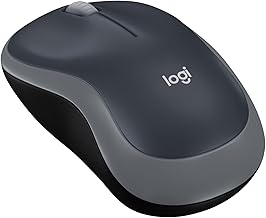
The G305 uses LIGHTSPEED wireless connectivity, a HERO sensor, and a replaceable AA battery. Its checked white-variant price was considerably below the premium wireless options.
That makes it relevant even with a generous budget. If your requirement is simply a wireless gaming mouse that fits your hand, spending more needs to purchase a specific benefit you value. A rechargeable battery or a lower-weight design may justify moving up; a higher price by itself does not.
Battery operation is both a convenience and a compromise. A replacement battery can restore operation without waiting for charging, but you need to keep one available. Buyers expecting USB charging should choose accordingly.
Buy if: You want wireless operation while keeping the initial purchase cost low.
Skip if: Built-in recharging or a distinctly lightweight design is essential.
The recommendation concerns the original G305 LIGHTSPEED. Similar names appearing elsewhere in a catalog should be checked as separate models.
Logitech G203 LIGHTSYNC: for a straightforward wired setup
The G203 combines a wired connection, six-button design, adjustable sensitivity, and LIGHTSYNC lighting. The checked lilac variant had the lowest displayed price in this shortlist.
Its advantage is simplicity: there is no wireless receiver to manage or battery to charge. For a secondary computer, an occasional gaming setup, or a buyer who prefers wired peripherals, that can be sufficient.
The cable is the practical limitation. Check how it crosses the desk and whether it catches during your normal movement. A suitable cable route may matter more to daily use than choosing a larger maximum DPI number.
Buy if: You want a basic wired gaming mouse and its shape fits your grip.
Skip if: You want wireless freedom, numerous extra buttons, or the specific features of the lightweight premium models.
It is the lowest-priced checked option here, not a demonstrated performance equal to every more expensive selection.
How to choose without overspending
Match the mouse to the commands you actually use
Start by identifying what your current mouse prevents you from doing comfortably. Is the problem grip, cable interference, inaccessible commands, or something else?
For an FPS-focused setup, begin with shape and manageable movement. For an ability-heavy game, count the actions you realistically want under your thumb. For mixed work and gaming, consider whether extra controls help outside a single title.
This produces a clearer decision than choosing the most expensive model under the limit. An MMO button grid is useful only if you can use it accurately, while a minimalist mouse may be inconvenient if it leaves essential commands awkwardly placed.
Choosing the best gaming mice for under $550 by grip
Product dimensions help narrow the field, but they cannot fully describe side curvature, hump placement, or how the buttons feel when held.
Assess whether you can lift and reposition the mouse without squeezing excessively. Check whether your thumb reaches the intended controls while your grip remains stable. A mouse that requires repeated hand repositioning may be a poor fit regardless of its specifications.
Where possible, handle a candidate before purchasing. Otherwise, choose clear return conditions and evaluate it in representative sessions. Short cursor movements on a desktop do not reproduce every demand of gaming.
Do not rank mice by maximum DPI
DPI describes sensitivity, not overall quality. A higher ceiling does not establish lower latency, cleaner tracking, or more accurate player input.
Choose a usable sensitivity and evaluate control at that setting. If comparing independent tests, distinguish measured tracking and click behavior from manufacturer headline specifications.
The same applies to switch lifespan ratings. A rated number of actuations is not a promise that every component will last a corresponding number of years.
Treat high polling rates as optional tuning
Polling rate describes how frequently the mouse can report information. It does not describe the complete delay from movement or click to the visible game response.
For context, 1,000Hz corresponds to a nominal report interval of 1 millisecond, while 8,000Hz corresponds to 0.125 millisecond. These are mathematical intervals, not measured end-to-end latency.
Use a setting your system and game handle consistently. A higher selectable number does not automatically make the complete experience better, and it should not outweigh an uncomfortable shape.
Compare the final purchase, including accessories
Check whether the quoted offer includes the receiver or other accessories needed for the feature you want. Charging docks, charging surfaces, optional receivers, and protection plans can change the total.
Also compare color and condition. The white G305 price in this article should not be assumed to apply to every color, and a new-unit offer should not be confused with an open-box price.
With this budget, there is little reason to accept a poor return arrangement merely to reach the spending ceiling. Keep the unused budget unless another purchase solves a defined problem.
Frequently asked questions
Should you spend the entire $550 on one mouse?
Only if a particular product provides a benefit worth that cost to you. The checked selections here sit far below the ceiling. None requires spending the full budget, and price alone does not demonstrate improved gaming results.
Are these suitable for left-handed use?
Do not assume so from a symmetrical-looking shell. Side-button placement and control accessibility matter. Left-handed buyers should verify the exact layout; the right-handed G502 and Naga configurations are especially important to distinguish from dedicated left-handed alternatives.
Can you use the same mouse for gaming and work?
Yes, provided its shape and controls suit both activities. The G502 offers additional programmable controls, while the Naga supplies interchangeable thumb layouts. A simpler model may still be preferable if you do not need those features.
Final verdict
Start with the Razer Viper V3 Pro for a lightweight wireless FPS setup, and compare the SUPERLIGHT 2 when its shape or controls appeal more. Choose the G502 X LIGHTSPEED for distributed extra commands or the Naga V2 Pro for interchangeable thumb-button layouts. The G305 and G203 remain relevant when straightforward wireless or wired operation meets the need. All six checked offers fall comfortably below $550. Spend according to fit and useful features, confirm the exact variant and return conditions, and keep the remainder when a less expensive mouse already solves the problem.