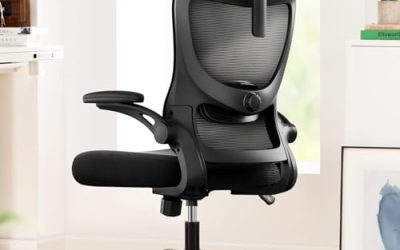
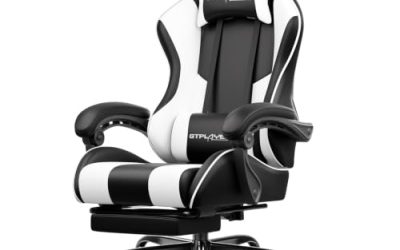
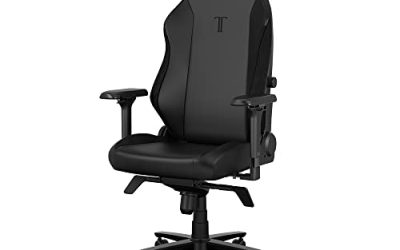
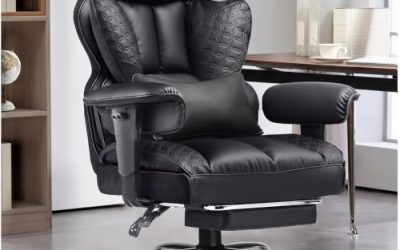
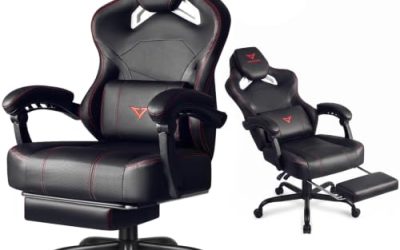
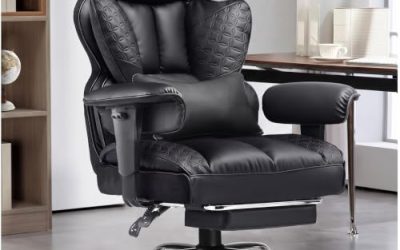
Choose a gaming chair with massage and heat by checking where it warms, what kind of massage it provides, and whether you can use each feature on its own. For keyboard-and-mouse gaming, start with a chair that fits your desk and feels comfortable with the electronics off. For controller gaming away from a desk, a heated recliner may suit you better. If you already like your chair, a compatible heated massage cushion can add both features. In every case, check the exact model’s controls and power requirements before ordering. Similar-looking chairs can come with different electronics.
What to check in a gaming chair with massage and heat
Start with two questions you can answer from the manual or control diagram. Where does the chair apply heat, and what moves when you switch on the massage? Those details tell you more than the number of advertised massage modes. A heated seat with a vibrating lumbar pillow feels different from a back cushion that applies warmth through moving massage nodes.
| If you want… | Look for… | Verify before buying |
|---|---|---|
| Warmth while working or gaming at a desk | Heat in the seat or backrest, where you want it | Whether heat runs with massage switched off |
| A gentle sensation while sitting upright | Vibration in the lumbar pillow or another clearly named zone | Whether intensity can be lowered and the module can be switched off easily |
| Pressure that moves along your back | Moving nodes or rollers with a documented travel area | Where the mechanism starts and stops, and whether you can select a smaller zone |
| A chair for both desk work and reclining | A desk-height swivel chair with controls you can reach in either position | Upright fit, reclined footprint, and how the cable moves with the chair |
| A removable upgrade for a chair you already own | A heated massage cushion sized for your backrest and seat | Attachment, added thickness, power connection, and what happens to lumbar support |
Distinguish vibration from rollers or kneading nodes
A vibration motor creates a buzzing sensation in the area around it. In a gaming chair, the motor can be housed in a removable lumbar pillow. That can suit you if you want a light sensation without a large mechanism in the backrest. Its coverage follows the pillow. If you move the pillow higher or lower to improve support, you also change where you feel the vibration.
Moving nodes or rollers apply localized pressure. If you want that kind of massage, look for a manual that identifies the mechanism and shows the zones it reaches. A listing can advertise several massage modes while using a single vibration zone. If you alternate between keyboard play and short reclined breaks, also check how the chair feels when the mechanism is off. A bulky cushion or prominent nodes can affect the way you sit even when you rarely use them.
Check the heated area and whether heat works alone
A heated seat warms the surface under your thighs and hips. A heated lumbar panel concentrates warmth against your lower back. Some massage cushions apply warmth through their moving nodes, so what you feel can change as the mechanism travels. Decide where you want warmth when sitting in your usual position. A product with heat in a small lumbar pillow may disappoint if your main goal is a warm seat.
Read the control instructions for a heat-only mode. A button labeled Heat may toggle warmth only after you start a massage program. Also check how to end a session, what the timer governs, and whether the heat has multiple settings or simply switches on and off. If the listing shows several intensity levels, verify whether they apply to vibration, heat, or both.
Choose the chair format around where you play
A wheeled desk chair, a stationary recliner, and a removable cushion can each provide heat and massage. Their differences show up in how closely you can approach the desk, how much room you need to recline, and whether you can change the powered component later. Start with the position you use most often.
When a gaming chair with massage and heat makes sense at a desk
A desk chair is the better fit when you regularly reach for a keyboard and mouse. Check that your feet can rest flat at your working height, the seat ends before the backs of your knees, and the armrests let you get close enough to the desk. Test that fit with any powered lumbar pad installed. A thick pad can move you forward, shorten the usable seat, or change the position of your elbows relative to the keyboard.
Look at the cable with the chair in its normal range of motion. A short lead might reach the outlet when the chair is parked but pull tight when you slide back. A spare loop can fall into the caster path. Follow the manufacturer’s routing instructions and check that the lead stays clear when the chair swivels or reclines. If your setup needs frequent rolling or turning, a removable powered module may be easier to live with.
When a heated recliner works better for controller play
A stationary recliner can work well if your screen sits across the room and your hands stay on a controller. You can choose the chair around its upright and reclined positions without needing to fit its arms beneath a desk. Compare the fully reclined dimensions, including any rear clearance and the space in front for the footrest. Measure along the route you use to walk around it.
Check that the controls are reachable from the reclined position and whether the controller has a pocket or attachment point. In this format, it’s also worth verifying whether the footrest and recline operate manually or use power. The heating and massage controls alone do not tell you how the chair changes position.
When a removable cushion is the simpler purchase
A separate heated massage cushion makes sense if your current chair already fits your body and desk. Measure the backrest where the cushion will sit and check whether its straps can secure it. Side bolsters can stop a flat cushion from sitting flush. If the accessory also covers the seat, factor its thickness into your seat height and armrest clearance.
Try leaning back with a folded towel about as thick as the accessory you’re considering. This gives you a rough sense of how much seat depth you’ll lose and how far forward your shoulders will move. The cushion’s actual shape and firmness will affect the result, but the check can help you rule out an accessory that would take up too much room.
Compare the exact listing before you pay
Retail filters often group massage chairs together by feature name. Near-identical chairs can use different cushions, controls, or power leads. Match the model number on the listing to the manual and confirm what comes in the box. If two versions differ only in the seller’s title, ask for the specification sheet for the version in your cart.
Confirm the power source and included hardware
Find out whether the electronics use a USB power source, a wall adapter, or separate leads for different features. Then check the specified input and which hardware is supplied. When a listing says USB massage, that description establishes how the named massage component connects. Look for separate documentation before assuming the same cable powers a heater or that a monitor’s USB port is suitable for the chair.
For a wall-powered model, check that the supplied adapter and lead suit your setup and can reach the outlet without crossing your path. For USB power, verify whether the model allows the source you plan to use. Follow the manual’s operating limits and shutoff instructions. If you specifically want warmth during a long session, the documented timer and available heat-only mode matter more than a long list of massage presets.
Check what happens if the electronics stop working
Read the warranty for the adapter, controller, heater, and motor. Coverage for a frame or base may have different terms from coverage for the powered parts. If the massage or heat is in a removable cushion, check whether the seller supplies a replacement cushion or controller for the exact model. Replacement availability is more useful than a headline warranty if the electronic part is the reason you chose the chair.
Compare the delivered cost of the chair with the cost of a well-fitting chair plus a compatible powered cushion. Check the return window, whether assembled chairs can be returned, and who pays for shipping. A trial period only helps if you can realistically pack and return the chair after checking the fit and controls.
Frequently asked questions
Does a massage lumbar pillow also provide heat?
Some products combine the two features, but a massage pillow can contain only a vibration motor. Search the exact model’s manual for a heated zone and a way to switch it on. If the documentation only describes USB vibration or lumbar massage, confirm the heating function with the seller before paying a premium for it.
Does a heated gaming chair need to stay plugged in?
The heating element needs the power source specified by the manufacturer while it runs. That may be a wall adapter or another documented source for the exact model. If you want a chair you can move freely, check whether the powered cushion can be disconnected or removed and whether the chair still fits you comfortably without it.
Conclusion
For desk gaming, choose a chair that fits your seated height, seat depth, and desk clearance with the powered cushion installed. Then confirm where it warms, whether it vibrates or applies moving pressure, and whether both features can run independently. A recliner makes more sense for controller play when you have room for its full footprint. A removable cushion is worth considering when your current chair already fits. Before ordering, compare the exact model’s manual with the listing so you know which controls, cables, and powered components you’ll receive.
More from Amazon
Programs that pair well with the guide above. Offers and eligibility are set by Amazon and may change.
Set up recurring deliveries of everyday items on eligible products. Terms and savings are set by Amazon.
Explore Subscribe & SaveFree shipping on eligible items, Prime Video and more. Eligible new members can start with a free trial.
Start a Prime free trialA Prime membership for ages 18-24 with a trial period. Eligibility is set by Amazon.
See Prime for Young AdultsAudiobooks and podcasts to listen to on the go. Eligible new members can start with a free trial.
Try Audible freeAs an Amazon Associate we earn from qualifying purchases.