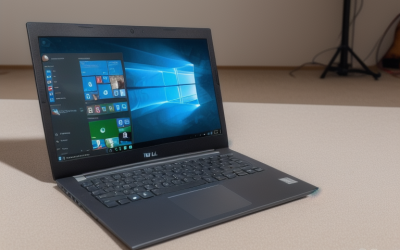
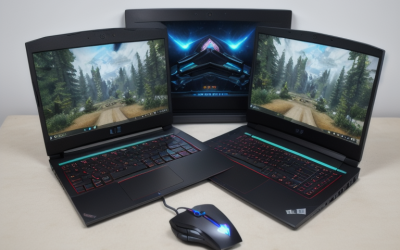
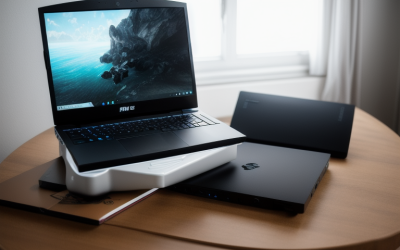
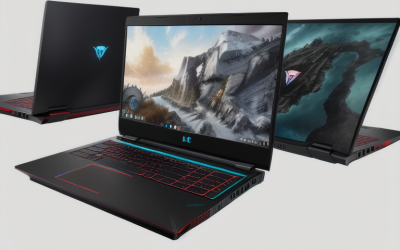
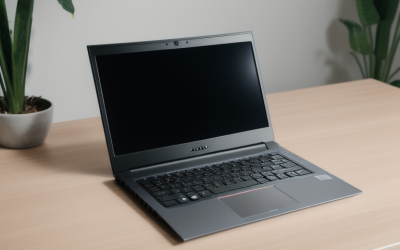
The best gaming laptop under 500 dollars to look for is the refurbished HP Victus 15-fa1093dx, provided the exact configuration comes with a working charger, a usable return policy, and a price that fits your budget. Its 6GB GeForce RTX 3050 and 1080p display make it the first model I’d check for a mix of competitive and single-player games. A Dell G15 5525 is a sensible fallback when it costs less, while an older Acer Nitro 5 makes more sense if you mainly play lighter games and can keep a meaningful share of your budget unspent. These are models to search for, and individual listings change.
Quick verdict on the best gaming laptop under 500 dollars
Start with the HP Victus if you want the most graphics memory on this shortlist. Choose the Dell if a comparable unit leaves room for a RAM upgrade or comes with better return terms. The Lenovo is worth checking when the seller gives you the full model number and confirms the installed hardware. The Acer is the lower-cost option to look for when your game library is light enough to make the older GPU a reasonable compromise.
| Model and configuration to look for | Best for | Key specs | Main trade-off |
|---|---|---|---|
| HP Victus 15-fa1093dx | First search for mixed 1080p gaming | Core i5-13420H, RTX 3050 6GB, 8GB RAM, 512GB SSD, 144Hz 1080p display | 8GB of system RAM and a modest 250-nit display |
| Dell G15 5525 with Ryzen 5 6600H | A less expensive RTX 3050 option | Ryzen 5 6600H, RTX 3050 4GB, 120Hz 1080p display in the target configuration | Less graphics memory than the HP and a slower panel on paper |
| Lenovo IdeaPad Gaming 3 15ACH6, 82K200UYUS | An alternative RTX 3050 search when the seller provides the full SKU | Ryzen 7 5800H, RTX 3050 4GB, 8GB RAM in the reviewed unit | Shared model name covers several GPUs and displays |
| Acer Nitro 5 AN515-55-55M1 | Older games and lighter titles at a substantial saving | Core i5-10300H, GTX 1650, 8GB RAM, 512GB SSD, 1080p display | Older graphics hardware and no support for NVIDIA DLSS |
How we selected these laptops
The shortlist focuses on Windows laptops with dedicated graphics and exact configurations that buyers can identify from a model number or seller photos. Manufacturer documents establish the original specifications, marketplace records provide examples of past U.S. pricing, and RTINGS independently identified the exact Lenovo configuration it reviewed. This roundup involved no detailed research.
The HP, Dell, and Acer have historical U.S. marketplace evidence below the $500 item-price ceiling. The Lenovo is a conditional search target because its hardware fits the comparison and a sub-$500 offer for the exact SKU still needs verification. The budget refers to the laptop’s price before sales tax and shipping. If $500 is your total spending limit, include those charges along with any accessory or upgrade you need immediately.
The gaming laptops worth looking for
Ask sellers about the exact unit on offer. A manufacturer spec sheet tells you what shipped originally. A clear photo of the model label, a Windows screenshot showing the installed hardware, and written return terms tell you more about what you’ll receive.
Best gaming laptop under 500 dollars to look for — HP Victus 15-fa1093dx
This specific Victus pairs a Core i5-13420H with a 6GB RTX 3050 Laptop GPU, 8GB of system memory, and a 512GB SSD. The 15.6-inch 1080p screen runs at up to 144Hz. Those specs make it the strongest first search here if you play a mix of esports and more demanding games, particularly when the alternatives offer only 4GB of graphics memory at a similar checkout price.
The extra graphics memory gives textures and other graphics assets more room. Actual frame rates will still depend on the game, settings, and how the laptop handles power and cooling. System memory is a separate consideration. If you keep a browser, voice chat, and a game open together, budget for 16GB when the titles you play or your typical workload call for it. The 250-nit screen is also a consideration if your desk sits beside a bright window.
Buy if the label confirms 15-fa1093dx, the correct 200W adapter is included, and the seller offers workable returns. Skip if shipping or an immediate upgrade pushes the purchase past your cap, or if a less expensive Dell meets your game requirements and comes with stronger return terms.
Dell G15 5525 — The RTX 3050 fallback
Look for the Ryzen 5 6600H configuration with the 4GB RTX 3050 Laptop GPU and the 120Hz, 15.6-inch 1080p display. A documented refurbished unit came with 8GB of RAM and a 512GB SSD. Confirm both on the listing you’re considering, since used units may have been upgraded or sold with different parts.
The Dell makes sense when its lower price buys something concrete, such as enough room for more system memory or a seller with easier returns. Its 4GB of VRAM gives you less headroom for demanding textures than the HP’s 6GB GPU. The 120Hz panel can still be useful in lighter competitive games, but the number describes the screen’s refresh rate. It tells you little about how fast a particular game will run.
Buy if the confirmed configuration costs meaningfully less than the Victus or has better condition and return terms. Skip if the two cost about the same and the HP is in comparable shape, especially if you play games with higher graphics-memory requirements.
Lenovo IdeaPad Gaming 3 15ACH6 — An alternative when the SKU checks out
The model to search for is 82K200UYUS. The unit RTINGS evaluated had a Ryzen 7 5800H, RTX 3050 Laptop GPU, and 8GB of memory. Lenovo also sold the 15ACH6 family with other graphics processors, including the GTX 1650 and RTX 3050 Ti. A listing that says only “IdeaPad Gaming 3” leaves too much unresolved to compare it fairly with the HP or Dell.
This option makes the most sense if a seller can show the full model number and confirm the GPU, current RAM, SSD capacity, and display. A used example that already has 16GB of RAM may be preferable to another 8GB unit if it comes with similar return terms and saves you an immediate upgrade. Confirm the actual configuration before factoring that saving into your decision.
Buy if the exact RTX 3050 unit fits the cap and its installed memory, condition, or return policy makes it a stronger deal than the Dell. Skip if the seller relies on stock photos or cannot show which GPU is installed.
Acer Nitro 5 AN515-55-55M1 — Spend less for lighter games
The AN515-55-55M1 pairs a Core i5-10300H and GTX 1650 with 8GB of RAM, a 512GB SSD, and a 15.6-inch 1080p display. It’s the one to look for if you mostly play older releases, indie games, or lighter multiplayer titles and can find it for substantially less than an RTX 3050 model. Check your specific games before buying, especially if you use large mod packs or high-resolution texture packs.
The GTX 1650 lacks NVIDIA DLSS support, and its age makes the condition of each unit especially important. Ask for close-up photos of the hinges, the charging port, and the screen with the laptop running. A replacement charger or a problem that only appears after the laptop warms up can erase much of the saving.
Buy if its game compatibility is clear, the laptop is fully functional, and the price leaves a substantial gap below a comparable RTX 3050 machine. Skip if you want to play demanding recent releases or the delivered price approaches the Dell’s.
How to choose a gaming laptop on a $500 budget
The right comparison starts with your games and ends with the amount you’ll pay to get a working setup. A laptop with a better GPU can still be the worse purchase if it needs an adapter, ships with marginal memory for your workload, or has a return window too short to check it properly.
Check your three hardest-to-run games first
Find the publisher’s recommended requirements and identify which titles will push the laptop hardest. Many requirements pages name desktop GPUs, so use exact laptop benchmarks when you need to estimate frame rates. Look for the same mobile GPU, a comparable laptop configuration, and gameplay at the resolution and settings you plan to use. If your three games have very different requirements, make the purchase decision around the demanding one you’ll actually play regularly.
Decide what you’ll trade for smoother gameplay. Lowering textures can help when graphics memory is tight. Lowering shadows, effects, or render resolution can help when the GPU is the limiting factor. If you expect recent releases at high settings to be your main use, waiting for a better deal is more sensible than spending the full budget on the Acer.
Compare checkout totals and immediate upgrades
For a strict $500 total, subtract estimated sales tax, shipping, and anything you need on day one before setting your maximum offer. Use the price of a compatible upgrade for that exact model. If you’ll need 16GB of RAM immediately, check how the installed memory is arranged before ordering parts. A machine with one occupied slot can require a different purchase from one that already has both slots filled.
Look at SSD space the same way. A 512GB drive can work well if you rotate through a few games. If you keep several large installations, find out whether the laptop has an available SSD slot or would require replacing the existing drive. That changes both the parts cost and how much setup work you’ll need to do.
Buy the unit you can verify and return
Ask the seller for photos of the bottom label and a Windows screenshot showing the CPU, RAM, and dedicated GPU. Confirm the adapter rating, visible damage, and who pays return shipping. If battery life matters for classes or travel, request a Windows battery report and compare full-charge capacity with design capacity. Treat that reading as an estimate of battery wear.
Use the return window to test a game you know while the laptop is plugged in with its supplied adapter. Check for shutdowns, display artifacts, charging interruptions, and unusual fan noises. Also test the keyboard, Wi-Fi, and any display output you actually use. A desktop screenshot can confirm the hardware, while a sustained game session is more likely to expose problems under load.
Frequently asked questions
Does a 144Hz laptop guarantee 144 FPS?
A 144Hz display can refresh up to 144 times per second. The game’s actual frame rate depends on the hardware and settings. A lighter competitive title may benefit from the higher refresh rate, while a demanding game can still feel better with reduced settings and a consistent frame rate. Use benchmarks for your specific game to judge how much weight to give the panel spec.
What if I only want a brand-new laptop?
If buying new is essential, an integrated-graphics laptop can work for lighter games when you verify performance for the exact processor and memory configuration. For demanding local gaming, wait for a new dedicated-GPU model to fall within your budget. The shortlist above is aimed at refurbished and used buyers because that’s where the documented sub-$500 examples appeared.
Conclusion
Search for the HP Victus 15-fa1093dx first if you want to play a mix of games and can find the 6GB RTX 3050 configuration within your budget. Take the Dell G15 5525 when the total is lower enough to cover an upgrade you need or the seller offers better terms. Consider the Lenovo only after confirming the full SKU and installed hardware. If you mainly play older or lighter games, an Acer Nitro 5 AN515-55-55M1 at a substantial discount can leave room in the budget for accessories or repairs.
More from Amazon
Programs that pair well with the guide above. Offers and eligibility are set by Amazon and may change.
Set up recurring deliveries of everyday items on eligible products. Terms and savings are set by Amazon.
Explore Subscribe & SaveFree shipping on eligible items, Prime Video and more. Eligible new members can start with a free trial.
Start a Prime free trialA Prime membership for ages 18-24 with a trial period. Eligibility is set by Amazon.
See Prime for Young AdultsAudiobooks and podcasts to listen to on the go. Eligible new members can start with a free trial.
Try Audible freeAs an Amazon Associate we earn from qualifying purchases.