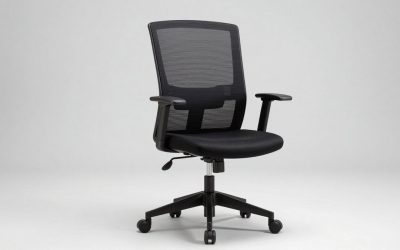
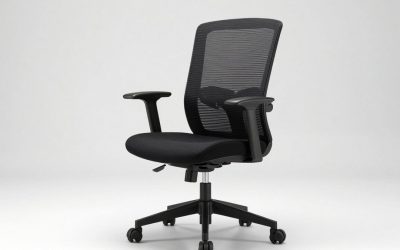
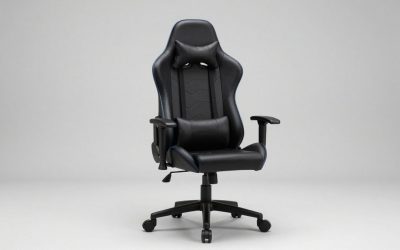
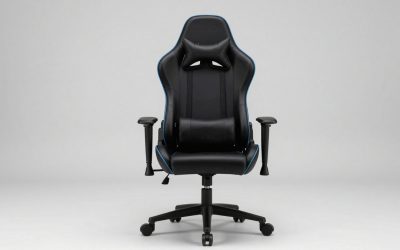
Our Top Picks
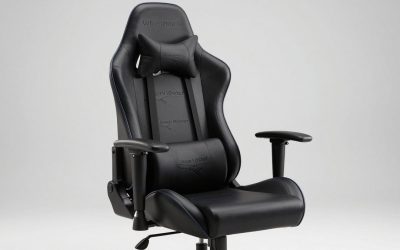
 WENTUM Ergonomic Massage Gaming Chair for Kids Adults31.5" X 25.5" X 46.9"27.5 x 25.7 x 46.4 inches33 PoundsCheck on Amazon
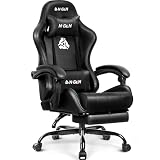
 Huracan Gaming Chair with Footrest24 x 49.2 x 33.5 inches49.2 x 24 x 33.5 inches18.7 PoundsCheck on Amazon
The WENTUM Ergonomic Massage Gaming Chair is the best overall pick here, because it is the only listing in this group that is named for kids as well as adults. Every other chair on this page is a standard-size gaming chair with a footrest, so they suit older children and teens who are tall enough for an adult-proportioned seat, not small kids. A gaming chair for kids should let the child sit with feet supported, back against the backrest and arms at a comfortable height, and a footrest helps when the floor is out of reach. Check each seat height and dimension on the product page before buying.
Quick List
- WENTUM Ergonomic Massage Chair (Kids and Adults) – best overall, the one listing that names kids.
- Huracan Gaming Chair with Footrest – best for taller teens who want a racing-style recliner.
- N-GEN GAMING Chair with Footrest – best for an all-black look with linkage armrests.
- WENTUM Gaming Chair with Footrest and Headrest – best for a massage lumbar pillow and footrest in a second WENTUM design.
- GTPLAYER Gaming Chair with Footrest – best for a height-adjustable seat with a headrest and lumbar support.
- NIONIK Gaming Chair with Massage – best for a high-back chair with massage lumbar and a footrest.
Which One Is Right for You?
| If you… | Choose |
|---|---|
| Want the only chair here that is named for kids | WENTUM Ergonomic Massage Chair (Kids and Adults) |
| Are shopping for a tall teenager | Huracan Gaming Chair with Footrest |
| Prefer a plain black chair that blends into a bedroom | N-GEN GAMING Chair with Footrest |
| Want the footrest and massage lumbar pillow together | WENTUM Gaming Chair with Footrest and Headrest |
| Need to raise or lower the seat as your child grows | GTPLAYER Gaming Chair with Footrest |
| Want a high backrest and massage feature for an older teen | NIONIK Gaming Chair with Massage |
Because none of the other five names kids in the listing, the best way to shop is by measurements. Compare the seat height range with your child’s lower leg length, and compare the back height with their torso. A footrest can bridge a gap, but a chair that is too large will leave a child slumped or perched. If your child is under about eight or very small for their age, a dedicated kids’ chair or a regular adjustable desk chair may suit better than these full-size designs.
WENTUM Ergonomic Massage Gaming Chair for Kids Adults, Comfy PU Leather Office Desk Chair with Adjustable Headrest Lumbar Support 360° Swivel, Red
Chosen because it specifies Red.
View on AmazonHuracan Gaming Chair with Footrest, Ergonomic Computer Chair Lumbar Support, Adjustable High Back Recliner for Adults, Racing Style Video Gaming Chairs, for Home Office Streaming, Green
Chosen because it specifies Ergonomic Computer Chair Lumbar Support and Adjustable High Back Recliner for Adults.
View on Amazon
N-GEN GAMING Gaming Chair with Footrest, Lumbar, High-Back, All Black | Reclining Backrest, Linkage Armrests, Durable PU Leather, Adjustable Comfort for Extended Computer, Desk, or Home Office Use
Chosen because it specifies Lumbar and High-Back.
View on Amazon
WENTUM Gaming Chair with Footrest, Ergonomic PC Desk Chair with Headrest and Massage Lumbar Support, Video Game Chair with Height Adjustable High Back for Home Office, PU Leather, Blue
Chosen because it specifies PU Leather and Blue.
View on Amazon
GTPLAYER Gaming Chair, Computer Chair with Footrest and Lumbar Support, Height Adjustable Game Chair with 360°-Swivel Seat and Headrest and for Office or Gaming (Pearl White)
Chosen because it specifies Computer Chair with Footrest and Lumbar Support.
View on Amazon
NIONIK Gaming Chair with Massage,Ergonomic PC Gaming Chair Computer Chairs with Footrest Comfortable Headrest and Lumbar Support, High Back Blackwhite
Chosen because it specifies High Back Blackwhite.
View on AmazonAll 6 Picks in Detail
1. WENTUM Ergonomic Massage Gaming Chair – Best Overall and the Only Kids-Labeled Listing
As an Amazon Associate we earn from qualifying purchases at no extra cost to you.

This WENTUM chair is described as a gaming chair for kids and adults, in comfortable PU leather with an adjustable headrest, lumbar support, massage and a 360-degree swivel. Calling out kids is helpful, since it signals that the maker expects smaller users, though the listing name does not state the age range, seat height or weight limit, so confirm those on the product page. It earns the top spot because it is the clearest match to the topic in this set.
- Named for kids and adults, per the listing title
- PU leather office-desk style chair
- Adjustable headrest and lumbar support
- Massage feature; power source and controls: confirm on listing
- 360-degree swivel
Massage features in chairs like this are usually simple vibration motors in the lumbar pillow, often powered by USB. If a child will use it, check the cord routing, keep the power source out of reach of liquids and supervise use. The seat height range is the number to check most carefully, because it decides whether feet reach the floor.
Because the listing mentions both kids and adults, it likely sits in the middle of the size range. That can make it a good shared chair in a household where a teenager and a parent use the same desk, since the headrest and lumbar support can be moved to suit each person. The sitter should re-adjust the pieces each time. Set the headrest so it meets the back of the head when the child sits tall, and set the lumbar support at the small of the back rather than under the ribs.
Pros
- The only listing here that names kids
- Headrest, lumbar and swivel are all included
Cons
- Age range and seat dimensions are not in the listing name
- The massage feature adds a powered component to supervise
Compared with the other WENTUM chair, it puts kids first, while the second model adds a footrest.
2. Huracan Gaming Chair with Footrest – Best for Taller Teens

The Huracan is listed as an ergonomic computer chair with lumbar support and an adjustable high-back recliner for adults, in a racing style. The wording says adults, so it is a full-size chair. That makes it a candidate mainly for tall teenagers. If your child is still growing, think of it as a chair they may grow into, but check that their feet can reach the floor or the footrest at the lowest seat setting.
- Footrest included
- Ergonomic design with lumbar support
- Adjustable high-back recliner
- Racing style
- Marketed for adults; seat height range: confirm on listing
A recliner is fun for a break, but a child who games in a deep recline for hours may sit poorly. A good habit is to keep the chair upright for play and homework and recline only when relaxing.
One useful way to judge a full-size racing-style chair for a teen is the shoulder test. Sit the teen all the way back and see whether the side bolsters of the backrest press into their arms or leave room. Wide bolsters can feel tight on a slim teen, and the high back may rise well above the head of a shorter one. If the headrest cannot be moved low enough, it can push the head forward, so check whether it comes off or adjusts.
Pros
- Recliner and footrest offer lots of positions
- High back supports taller users
Cons
- Listed for adults, so it may be oversized for younger kids
- Dimensions are not in the listing name
It is a better fit for a teen than the N-GEN, which has fewer stated features, though neither is made for small children.
3. N-GEN GAMING Chair with Footrest – Best for an All-Black Look

The N-GEN is an all-black, high-back gaming chair with a footrest, lumbar support, a reclining backrest, linkage armrests and PU leather. Linkage armrests move together with the seat, which can help them line up with a desk. The plain black styling is a plus for a bedroom or study that does not need a loud racing look. As with most chairs here, the listing does not name kids, so treat this as a chair for older children and teens.
- All-black, high-back design
- Footrest and lumbar support
- Reclining backrest
- Linkage armrests
- Durable PU leather, per the listing
Check how the armrests move. If a child is small, armrests that cannot lower enough will push the shoulders up.
The reclining backrest and linkage armrests give this chair a lot of adjustment, but adjustments only help if they are used. Spend a few minutes with your child setting the armrests so the elbows rest lightly at desk height, and show them how the recline lever works so they do not lean back too far while playing. A plain black chair also hides marks and wear better than a light two-tone design, which helps in a shared family room.
Pros
- Understated look
- Linkage armrests can suit shared desks
Cons
- No kids sizing in the listing
- PU leather can feel warm and may wear with heavy use
It is the plainer alternative to the Huracan, with a similar footrest and recline setup.
4. WENTUM Gaming Chair with Footrest and Headrest – Best for Footrest Plus Massage Lumbar
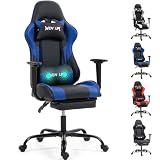
This second WENTUM listing is a PC desk chair with a footrest, a headrest, massage lumbar support and a height-adjustable seat. It does not say kids in the title, but it comes from the same maker as the first pick and shares the same general features. A footrest is the key point for children, since it lets short legs rest instead of dangling, which can be uncomfortable for long sessions.
- Footrest included
- Headrest and massage lumbar support
- Height-adjustable seat
- Ergonomic PC desk chair design
- Minimum seat height and weight limit: confirm on listing
When shopping for a child, find the lowest seat setting in the specification and compare it with the child’s measurement from the floor to the back of the knee.
It helps to think of this chair as the footrest version of a typical teen setup. The footrest and recline can allow a child to curl up with a tablet or book, then sit upright for homework. Check that the footrest locks securely in both positions and does not fold down when a child pushes on it. The massage lumbar piece can often be removed, so if you prefer a simple chair, you can take it out and use a plain cushion instead.
Pros
- Footrest and headrest together
- Adjustable height for a growing user
Cons
- Does not name kids in the listing
- Powered massage component needs supervision
Compared with the GTPLAYER, it adds massage, while the GTPLAYER keeps things simpler.
5. GTPLAYER Gaming Chair with Footrest – Best for a Simpler Height-Adjustable Seat

The GTPLAYER is a computer chair with a footrest and lumbar support, a height-adjustable game chair design with a 360-degree swivel seat and a headrest. It leaves out the massage feature, which some parents prefer, since there is no powered component. The adjustable height is the most important part for a growing child, because the seat can be set to keep thighs level.
- Footrest and lumbar support
- Height-adjustable seat
- 360-degree swivel
- Headrest included
- Dimensions, weight limit and materials: confirm on listing
Look at the caster wheels too. On hard floors, hooded wheels or a floor mat prevent rolling and scratching.
A chair without a massage motor is simpler to live with, and there is one less cable and one less thing to replace. The main thing to verify is the gas lift range. A longer range gives a wider choice of seat heights, which is exactly what a growing child needs. Also check whether the headrest and lumbar cushions are detachable or fixed, since fixed pieces may not suit a smaller body and removable ones can be moved or taken off.
Pros
- Core features without extra electronics
- Headrest and lumbar support included
Cons
- Not labeled for kids
- Specific measurements are missing from the listing name
It is the simplest pick compared with the NIONIK, which adds massage.
6. NIONIK Gaming Chair with Massage – Best for an Older Teen

The NIONIK is a high-back PC gaming chair with massage, a footrest, a comfortable headrest and lumbar support. A high back and full feature set make it more suited to an older teen than to a younger child. If your teen is already close to adult size, this kind of chair offers room to grow.
- High-back design
- Massage feature
- Footrest and headrest
- Lumbar support
- Seat height range and weight limit: confirm on listing
With any powered massage feature, make sure the cable and power source are kept clear of the chair’s moving parts, and unplug it when not in use.
For a bigger teen, the key questions are weight limit and backrest height. Look for a stated maximum load, then compare it with the user’s weight with a margin. A high back is a benefit when the sitter is tall, but it can look and feel oversized for a smaller child. If your teen enjoys long sessions, try to pair the chair with a desk at the right height so the elbows are not lifted. A footstool under the desk can also improve posture when the footrest is not in use.
Pros
- Full feature set for a teen
- High back gives support to taller users
Cons
- Likely too large for small children
- Extra features add parts to check and maintain
It is the largest-feeling option next to the Huracan and a step up in features from the GTPLAYER.
Specs Compared
| Chair | Marketed for | Footrest | Massage | Headrest | Height-adjustable seat |
|---|---|---|---|---|---|
| WENTUM Ergonomic Massage | Kids and adults | Confirm on listing | Yes | Adjustable | Confirm on listing |
| Huracan | Adults | Yes | Confirm on listing | Confirm on listing | Confirm on listing |
| N-GEN GAMING | Not specified | Yes | Confirm on listing | Confirm on listing | Confirm on listing |
| WENTUM with Footrest | Not specified | Yes | Massage lumbar | Yes | Yes |
| GTPLAYER | Not specified | Yes | No | Yes | Yes |
| NIONIK | Not specified | Yes | Yes | Yes | Confirm on listing |
How We Chose These
We built this list from current catalog listings for gaming chairs that mention a footrest or kids, then compared what each product name states about features and intended users. We checked manufacturer and retailer specification fields where available, and we marked missing values for confirmation instead of guessing. Because only one listing names kids, we say so plainly and frame the rest as full-size chairs for older children and teens. We weighted footrest, adjustable seat height, lumbar support and clear use labeling. We made no claims about durability or comfort that we could not draw from the listings, and we offer no personal usage reports.
What to Look For
Fit comes first
A chair that does not fit a child teaches poor posture. The seat should be high enough that the child’s knees bend near 90 degrees with feet flat on the floor or on a footrest. The seat depth should leave about two finger widths between the front edge and the back of the knee. The backrest should reach at least mid-shoulder blade. Many full-size gaming chairs have seat heights starting around 17 inches at the lowest, which is fine for children who are around 5 feet tall but too high for smaller kids. Measure your child from the floor to the back of the knee and compare that number with the product page.
Footrest, recline and healthy sitting
A footrest gives support when the child’s feet cannot reach the floor. It is also a place to rest during a break. Reclining is comfortable for a short time, but long gaming sessions are easier on the body in an upright position, with regular breaks to stand and move. A good rule is a short break each 30 to 45 minutes. These are general comfort tips, not medical advice, so speak with a pediatrician if your child has back or posture concerns.
Massage features and electrical safety
Massage lumbar pillows are typically a small vibration motor, and they commonly run from a USB power source. For a child, keep the cable tidy so it does not catch in the chair’s wheels, use only the power adapter or power bank that the maker specifies, and keep liquids away. Unplug the unit when not in use. If you prefer fewer parts to manage, choose a chair without the feature.
Weight limits, stability and materials
Check the stated weight limit and the base type. A five-point base with quality casters is the standard for stability. Gas lift cylinders are rated by class, and the product page often lists a class. PU leather is easy to wipe but can be warm, while fabric breathes better. Wheels roll easily on hard floors, so a mat under the chair protects the floor and keeps the chair steady.
Worked example for choosing
Suppose your 12-year-old is 4 feet 11 inches tall and has a floor-to-back-of-knee length of 15 inches. A chair whose lowest seat height is 17 inches leaves the child about 2 inches short, so a footrest or a thick foot stool is required. In that case, a chair with a footrest and a seat that lowers as far as possible is the right target. If your teen is 5 feet 8 inches, most of the chairs here will fit without a footrest.
Setting up the room and routines
A good chair works best with a good routine. Position the monitor an arm’s length away with the top edge near eye level, and keep the keyboard and mouse close enough that the elbows stay near the sides. Add a floor mat if the room has hard flooring, and use the wheel locks if the chair has them. Set screen-time rules and break reminders that fit your family, and make the chair adjustments part of the first minute of each session. Children grow quickly, so recheck the seat height every few months. A chair that fit in spring may need a new setting by autumn.
Questions
What age is a gaming chair appropriate for?
Full-size gaming chairs generally suit older children and teens who are tall enough to reach the floor or footrest comfortably. Younger or smaller children are better served by chairs made for their size. Check the seat height range and dimensions on the product page.
Is a footrest necessary for a child?
It is helpful when the child’s feet do not reach the floor, because it prevents dangling legs. If the seat can be lowered so the feet rest flat, a footrest becomes optional.
Are massage gaming chairs safe for kids?
The massage feature is usually a small vibrating pillow powered through a cable, so safety depends on using the correct power source and supervising use. Keep cords clear of the wheels and unplug it when it is not in use.
How long should a child sit in a gaming chair?
Short sessions with regular breaks are best. Standing, stretching and moving about every 30 to 45 minutes is a sensible habit. Talk to a pediatrician if your child complains of pain.
Do I need a special chair if my teen is tall?
A taller teen will often be comfortable in a standard full-size gaming chair with a high back. Check the back height and the stated weight limit to confirm the chair is a good match.
Should kids use a chair with a high recline?
Reclining is fine for short rests. For play and homework, an upright position is usually better for posture. Teach your child to adjust the chair for the task.
Update History
- October 20, 2026 – Initial publication; product set drawn from current catalog listings.
- Check the product page for current specifications and availability before buying.
Sources
- Retailer listing titles and specification fields for all six products
- Manufacturer product pages where available