Sub-$100 is the most crowded and most confusing tier in gaming audio. Marketing pages promise “7.1 surround” and “50mm drivers” on headsets that cost £25 and headsets that cost £95, so the spec sheet tells you almost nothing about which one will actually sound good three hours into a raid. Add in the fact that comfort, mic quality and build durability are the things you’ll notice daily — and the things manufacturers talk about least — and it’s easy to spend real money on a headset you stop wearing after a month.
This guide cuts through that. We’ve focused on wired and wireless headsets that stay comfortably inside the $100 ceiling at typical street prices, and we’ve weighted our picks toward the qualities that matter over the long run: driver tuning that keeps footsteps audible without turning music into mush, earcup padding that survives long sessions, and microphones your teammates won’t complain about. Below you’ll find a quick buying checklist, detailed reviews of our top picks, and answers to the questions we get asked most.
Our top picks
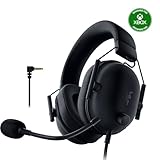
 Razer BlackShark V2 X Xbox Gaming Headset
- Our cutting-edge proprietary design divides the driver into…
- An improved pickup pattern ensures more voice and…
- Sturdy closed earcups fully cover the ears to…
 JBL Quantum 100M2 Wired Gaming Headset
- From the faintest footsteps to the loudest explosion,…
- Rally your squad without repeating yourself
- Marathon sessions hit different in these over-ear headphones—lightweight…
 Ozeino Gaming Headset for PC
- Immersive 7.1 Surround Sound: This gaming headset delivering…
- Great Humanized Design: Comfortable and breathable permeability protein…
- Sensitivity Noise-Cancelling Microphone: 360° omnidirectionally rotatable sensitive microphone,…
| Product | Key specs | |
|---|---|---|
| Razer BlackShark V2 X Xbox Gaming Headset | Our cutting-edge proprietary design divides the driver into… An improved pickup pattern ensures more voice and… Sturdy closed earcups fully cover the ears to… | Check price |
| JBL Quantum 100M2 Wired Gaming Headset | From the faintest footsteps to the loudest explosion,… Rally your squad without repeating yourself Marathon sessions hit different in these over-ear headphones—lightweight… | Check price |
| Ozeino Gaming Headset for PC | Immersive 7.1 Surround Sound: This gaming headset delivering… Great Humanized Design: Comfortable and breathable permeability protein… Sensitivity Noise-Cancelling Microphone: 360° omnidirectionally rotatable sensitive microphone,… | Check price |
 Razer BlackShark V2 X Gaming Headset: 7.1 Razer BlackShark V2 X Gaming Headset: 7.1 | sturdy closed earcups fully cover ears to prevent… 7.1 SURROUND SOUND FOR POSITIONAL AUDIO With titanium-coated diaphragms for added clarity, our new,… | Check price |
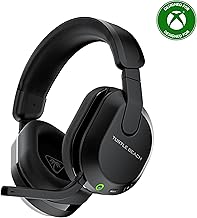
 Turtle Beach Stealth 600 Wireless Gaming Headset Turtle Beach Stealth 600 Wireless Gaming Headset | Memory Foam Cushions with Glasses-Friendly Technology Powerful, 50mm Nanoclear Drivers for Vibrant Spatial Audio Mappable Wheel and Mode Button for Customizable Functions | Check price |
 BENGOO G9000 Stereo Gaming Headset for PS4 BENGOO G9000 Stereo Gaming Headset for PS4 | 【Multi-Platform Compatible】Support PlayStation 4, PlayStation 5, Xbox, Xbox… 【7.1 Surround Sound】Clear sound operating strong brass, splendid… 【Noise Isolating Microphone】Headset integrated onmi-directional microphone can transmits… | Check price |
 Logitech G432 Wired Gaming Headset Logitech G432 Wired Gaming Headset | Enjoy expansive cinematic sound Hear Enemies From All Sides Be Heard Loud and Clear | Check price |
 Razer BlackShark V2 X Wired PlayStation Gaming Razer BlackShark V2 X Wired PlayStation Gaming | Our cutting-edge proprietary design divides the driver into… An improved pickup pattern ensures more voice and… Sturdy closed earcups fully cover the ears to… | Check price |
As an Amazon Associate we earn from qualifying purchases at no extra cost to you.
⚡ Save on Your Next PC — Amazon Prime
Prime members get fast free shipping on the systems above, plus early access to Prime Day & Black Friday PC deals. New members get a 30-day free trial.
Watch: Best Gaming Headset Under $100 — Video Review
How to Choose Gaming Headset Under $100
- Comfort over everything: At this price you’ll be wearing plastic and foam, so prioritise memory-foam earcups, low clamping force and a headset under roughly 320g. A headset that’s a little less detailed but stays comfortable for four hours beats a “better sounding” one you take off after forty minutes.
- Wired vs wireless: Under $100, wired 3.5mm gets you noticeably better drivers and build for the money, and it works on every console, PC and handheld without dongles. Only go wireless if freedom of movement genuinely matters more to you than raw audio quality per dollar.
- Ignore “7.1 surround” as a selling point: Virtual surround at this tier is software processing, not extra speakers, and it’s often available free through Windows Sonic or your console’s own settings. Judge the stereo tuning instead — good positional audio comes from clean mids and a wide soundstage, not a marketing label.
- Check the microphone type: A detachable or flip-to-mute boom mic is more versatile and usually clearer than a fixed inline mic. “Noise cancelling mic” on a budget headset typically means basic cardioid pickup rather than active processing, so set expectations accordingly.
- Confirm platform compatibility properly: Xbox-specific models sometimes omit features on PlayStation, and USB-only headsets may not work on Switch or mobile. If you game across multiple systems, a standard 3.5mm analogue connection is the safest bet.
The Best Picks Reviewed
Razer BlackShark V2 X
This remains the value benchmark under $100: 50mm drivers with a restrained, competitive-leaning tuning that keeps footsteps and reloads clearly separated from explosions, wrapped in lightweight memory-foam cushions that disappear on your head. The 3.5mm connection means it works on PC, PS5, Switch and mobile without adapters, and the cardioid mic is genuinely usable for Discord and team comms.
Razer BlackShark V2 X Xbox
Mechanically the same excellent headset, tuned and certified for Xbox use over the controller’s 3.5mm jack, which saves Xbox players the compatibility guesswork. If you’re primarily on Series X|S and want the best wired sound-per-dollar available, this is the straightforward answer.
Turtle Beach Stealth 600
The strongest wireless option that reliably lands under $100, with low-latency 2.4GHz connectivity, a flip-to-mute mic and battery life that comfortably covers a week of evening sessions. Audio quality is a small step behind the best wired picks here, but the freedom to walk away from your desk mid-lobby is worth the trade for many players.
JBL Quantum 100M2
JBL’s audio pedigree shows in a warmer, more musical tuning than most gaming-first headsets, making this the pick if your headset doubles as everyday listening gear. The detachable mic and simple wired design keep it lightweight and low-hassle, though the plastic build feels more budget than the Razers.
BENGOO G9000
The entry point of this roundup and an honest one: it delivers serviceable stereo sound, a flexible boom mic and LED lighting for a fraction of the budget. Treat it as a solid first headset, a spare, or a gift for a younger gamer rather than a long-term daily driver — the padding and cable are where the cost-cutting shows.
Frequently Asked Questions
Is a $100 gaming headset good enough for competitive play?
Absolutely. Positional accuracy in games like Valorant, Counter-Strike and Apex depends on clean mid-range reproduction and a wide soundstage, both of which the better sub-$100 wired headsets deliver well. Beyond this price you’re mostly paying for build materials, wireless features and refinement rather than a competitive advantage.
Do I need a USB sound card or DAC with these?
No. Every headset here is designed to run directly from a controller, laptop or motherboard jack, and most sub-$100 models are efficient enough that extra amplification adds little. If your PC’s onboard audio has audible hiss, a cheap USB adapter can help, but it’s a fix rather than a requirement.
How long should a budget gaming headset last?
Expect two to four years with reasonable care. The usual failure points are the cable near the jack and the earcup padding, so avoid yanking the cord, store the headset on a hook rather than your desk, and check whether replacement earpads are available before you buy.
Wireless or wired for under $100?
Wired, unless mobility is a priority. At this budget, the cost of the wireless transmitter, battery and radio has to come out of the audio and build budget, so a $90 wired headset generally sounds better and feels sturdier than a $90 wireless one.
Final Thoughts
For most players, the Razer BlackShark V2 X is the easiest recommendation in this bracket — it delivers competitive-grade positional audio, all-day comfort and universal 3.5mm compatibility for well under the $100 cap, with the Xbox variant covering Series X|S owners. If cutting the cable matters more to you than the last few percent of audio fidelity, the Turtle Beach Stealth 600 is the wireless pick worth stretching to, while the BENGOO G9000 remains a sensible, low-risk starting point for newer or younger gamers.