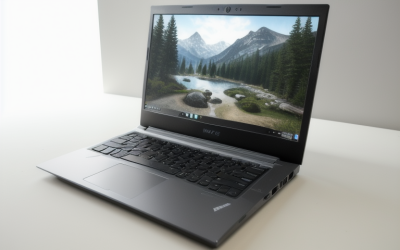
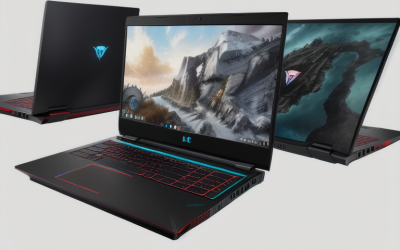
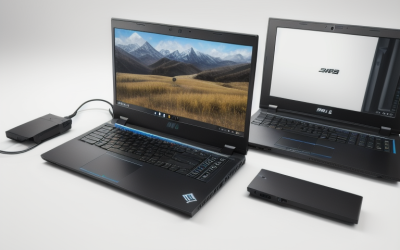
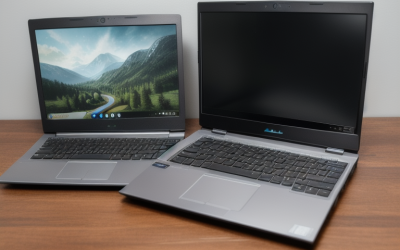
The best gaming laptops for under $7000 range from compact 14-inch systems to 18-inch desktop replacements, and the right choice depends on how often you’ll carry it. The ASUS ROG Strix SCAR 18 is the first pick for a mostly stationary setup because its RTX 5090 Laptop GPU, 18-inch Mini LED screen, and 2TB SSD are all included well below the budget ceiling. If the laptop leaves your desk most days, the Zephyrus G16 is a more practical fit. The Lenovo Legion 5i is the lower-cost choice for buyers whose games and settings don’t call for flagship graphics.
The best gaming laptops for under $7000 at a glance
Choose the SCAR 18 for a large HDR-capable screen and 24GB of dedicated graphics memory. Choose the Legion Pro 7i if you want that same GPU tier with a 16-inch OLED. The Zephyrus G16 is the better fit for frequent carry when you still want a full-size display and 32GB of system memory.
The prices below are U.S. listings checked on November 18, 2026, for the exact configurations shown. The $7,000 ceiling applies to the listed laptop price before sales tax and shipping. Prices and delivery availability can change.
| Laptop and configuration | Best for | GPU | Built-in display | RAM / SSD | Checked price | Main trade-off |
|---|---|---|---|---|---|---|
| ASUS ROG Strix SCAR 18, G835LX-XS97 | Desktop replacement with a large HDR screen | RTX 5090 Laptop, 24GB | 18-inch 2560 × 1600, 240Hz Mini LED | 32GB / 2TB | $4,499.99 | 7.28 lb before the power adapter |
| Lenovo Legion Pro 7i, 83F500M8US | RTX 5090 gaming on a 16-inch OLED | RTX 5090 Laptop, 24GB | 16-inch 2560 × 1600, 240Hz OLED | 32GB / 2TB | $4,699.00 | Costs more than the SCAR 18 at the checked prices |
| Alienware 18 Area-51, AA18250, RTX 5080 configuration | An 18-inch, 300Hz screen for fast-paced games | RTX 5080 Laptop, 16GB | 18-inch 2560 × 1600, 300Hz | 32GB / 1TB | $4,349.99 | The SCAR 18 offers a higher GPU tier and double the SSD capacity for $150 more |
| ASUS ROG Zephyrus G16, GU605CW-G16.U95080 | Frequent carry with a 16-inch screen | RTX 5080 Laptop, 16GB | 16-inch 2560 × 1600, 240Hz OLED | 32GB / 2TB | $3,399.99 | Its slim chassis puts more emphasis on portability |
| ASUS ROG Zephyrus G14, GU405AR-ZP/G14_97T | A compact laptop for travel | RTX 5070 Ti Laptop, 12GB | 14-inch 2880 × 1800, 120Hz OLED | 16GB / 1TB | $2,624.99 | The 16GB configuration offers less room for heavy multitasking |
| Lenovo Legion 5i, Best Buy SKU 12930713 | Keeping more of the budget while getting an OLED | RTX 5070 Laptop | 15.3-inch WQXGA, 165Hz OLED | 16GB / 1TB | $1,699.99 | Demanding games may need lower settings or upscaling at the display’s native resolution |
How we selected these gaming laptops
We compared new U.S. listings by exact configuration, then used manufacturer specifications to check details such as graphics memory and chassis weight where available. The six picks cover different reasons to buy: a large Mini LED desktop replacement, a flagship 16-inch OLED, a 300Hz screen, a portable 16-inch system, a compact 14-inch system, and a significantly less expensive OLED laptop.
The recommendations are based on documented specifications, checked prices, and the trade-offs each configuration makes. We did not test these laptops directly. Screen refresh rates are panel specifications, and none of the recommendations assumes that a laptop can sustain that frame rate in any particular game.
What each laptop does best
Top desktop replacement among the best gaming laptops for under $7000
The ASUS ROG Strix SCAR 18 G835LX-XS97 pairs an Intel Core Ultra 9 275HX with an RTX 5090 Laptop GPU, 32GB of RAM, and a 2TB SSD. The 18-inch 2560 × 1600 Mini LED panel runs at up to 240Hz. The appeal is the combination. You get a large screen with local dimming for HDR games, substantial dedicated graphics memory, and enough included storage to delay an upgrade for many libraries.
At the checked prices, the SCAR 18 was $150 more than the RTX 5080 Alienware 18 and $199.01 less than the RTX 5090 Legion Pro 7i. That makes it the first choice if you want the larger screen and plan to game on it. ASUS lists the chassis at 7.28 lb before the adapter, so it makes the most sense for someone who moves it occasionally between rooms or locations.
Buy if you want a large built-in display, 24GB of VRAM, and a mostly stationary setup. Skip if you carry your laptop every day or prefer a smaller OLED display for dark-room gaming.
Lenovo Legion Pro 7i — Best for RTX 5090 gaming on a 16-inch OLED
The 83F500M8US configuration combines an RTX 5090 Laptop GPU with 24GB of VRAM, 32GB of DDR5 RAM, and a 2TB SSD. Its 16-inch, 2560 × 1600 OLED reaches 240Hz. It makes sense for buyers who want a flagship GPU but prefer a smaller screen or the way OLED handles dark scenes. OLED panels control light at the pixel level, which can make stars, interface elements, and other small highlights stand out against a dark background.
The SCAR 18 offers a larger display for less money at the checked prices, so the Legion’s case for purchase rests on its 16-inch format and panel type. If you plan to use an external monitor for most gaming, consider how often you’ll actually benefit from paying for this particular built-in screen.
Buy if you want the RTX 5090 Laptop GPU and a 16-inch OLED in the same system. Skip if your games already meet your targets on a less expensive RTX 5080 configuration or you’d rather have the SCAR’s larger display.
Alienware 18 Area-51 — Best for an 18-inch, 300Hz screen
The Dell configuration checked for this guide pairs a Core Ultra 9 290HX Plus with an RTX 5080 Laptop GPU, 32GB of RAM, and a 1TB SSD. Its 18-inch, 2560 × 1600 panel supports up to 300Hz and G-SYNC. That combination is most relevant if you play fast competitive games and want a large built-in screen at settings where the laptop can make use of the extra refresh headroom.
The display can refresh at 300Hz even though the game’s actual frame rate will vary. If you mostly play demanding single-player games, the SCAR 18’s extra graphics memory and larger SSD are more persuasive at the checked $150 difference. The Alienware becomes more compelling when the 300Hz panel is central to your purchase or Dell’s pricing improves relative to the SCAR.
Buy if the 18-inch, 300Hz display suits the games you play and 1TB covers your near-term storage needs. Skip if you’d rather spend the small difference for the SCAR’s RTX 5090 and 2TB SSD.
ASUS ROG Zephyrus G16 — Best for frequent carry with a 16-inch screen
The GU605CW-G16.U95080 has a Core Ultra 9 285H, an RTX 5080 Laptop GPU, 32GB of memory, and a 2TB SSD. Its 16-inch, 2560 × 1600 OLED runs at up to 240Hz, and ASUS lists the laptop at 4.3 lb. It makes sense as one machine for commuting or travel and gaming at a desk in the evening. The 2TB drive is also useful if you want to keep a sizable library installed while away from home.
The G16 and Area-51 share the RTX 5080 Laptop GPU name, but their chassis, cooling, and power profiles differ. Compare reviews of the exact systems before assuming they perform alike over a long session. If you mainly use a bag and a desk in different locations, the difference in carry weight is something you’ll notice regardless of the game.
Buy if you want a 16-inch OLED, 32GB of RAM, and 2TB of storage in a laptop you’ll frequently carry. Skip if you rarely move the laptop and would rather put more of your budget into a larger chassis and the next GPU tier.
ASUS ROG Zephyrus G14 — Best for compact travel
The GU405AR-ZP/G14_97T combines a Core Ultra 9 386H with an RTX 5070 Ti Laptop GPU, 16GB of LPDDR5X memory, and a 1TB SSD. Its 14-inch OLED has a 2880 × 1800 resolution and a 120Hz refresh rate. The small footprint is the reason to choose it. It takes up less room in a bag and on a shared desk, while the high pixel density is useful when you also spend time reading or working on the built-in screen.
Rendering games at the screen’s native resolution can be demanding. In heavier titles, you may prefer upscaling or lower settings to keep motion steady. Also look at the game’s system memory requirements alongside whatever else you run. The G16’s 32GB configuration gives you more room for a game, browser, and recording software to run together.
Buy if compact size comes first and 16GB of RAM fits your games and background apps. Skip if your regular workload calls for more memory or the laptop will spend most of its life on a desk where a larger screen would be easier to use.
Lenovo Legion 5i — Best for spending less on an OLED gaming laptop
The Best Buy configuration identified by SKU 12930713 includes a Core Ultra 7 251HX, RTX 5070 Laptop GPU, 16GB of RAM, and a 1TB SSD. The 15.3-inch, 165Hz OLED gives you a high-refresh screen at the lowest checked price in this roundup. It’s the sensible place to start if you play a mix of multiplayer games, older releases, and single-player titles where you’re comfortable tuning graphics settings.
The compromise shows up when you try to run a demanding game at the panel’s native resolution with intensive effects. If that’s your main use, look for tests at the settings you actually want before deciding whether the G16 or a higher GPU tier is worth the extra money. The same logic applies to storage. A 1TB SSD is easier to live with if you rotate through a few games than if you keep a large library installed.
Buy if your games run acceptably at the settings you’re willing to use and you want to keep spending well below the ceiling. Skip if you already know your workload calls for more system memory or you want greater GPU headroom for demanding visual settings.
How to decide how much of the $7,000 budget to use
Match the GPU to the settings you’ll actually use
Pick your hardest-to-run game and decide which settings you care about. A player who wants ray tracing on a high-resolution external display has a stronger case for buying the SCAR 18 or Legion Pro 7i than someone who plays competitive titles at reduced settings. Compare full laptop reviews using the same game, output resolution, graphics preset, and upscaling mode. Where available, check sustained frame rates and fan noise in the power profile you plan to use.
Keep system memory and graphics memory separate when you compare listings. The RTX 5090 Laptop GPU has 24GB of dedicated VRAM and the RTX 5080 Laptop GPU has 16GB. That difference can matter when a game or another GPU workload needs more graphics memory. For heavy multitasking, the laptop’s installed system RAM is the figure to check.
Decide how often you’ll use the built-in display
If the laptop doubles as your monitor, screen size, resolution, and panel type are worth paying attention to. The SCAR’s 18-inch Mini LED is a good reason to choose it for an all-in-one gaming setup. The Legion Pro 7i is more attractive if you specifically want OLED. A 300Hz panel is worth prioritizing when you play games where that extra refresh headroom is useful.
If you already have an external monitor you like, check the laptop’s exact video outputs, supported resolution and refresh rate, and whether your setup needs a specific cable or dock. When almost all your gaming happens on that monitor, the graphics configuration, sustained cooling, and port layout may matter more than the built-in panel.
Check storage, carry weight, and returns before ordering
Compare the laptop and power adapter as a single load if you commute. At home, check the chassis footprint against the desk or stand you’ll use, including room for airflow and cables. If you keep several large games installed, verify the installed SSD capacity and consult the exact model’s service documentation before counting on an easy upgrade.
For a firm $7,000 total, include sales tax, shipping, and any monitor or storage upgrade you need immediately. Confirm the seller’s return window and the warranty terms for the exact SKU. When the laptop arrives, use your usual games and desk setup to check the panel, fan noise, and external-display behavior within the return period.
Frequently asked questions
Is an RTX 5090 laptop worth buying for gaming on the built-in screen?
It can be if you play demanding games and want room for higher settings or heavier graphics workloads. The screen resolution matters alongside the GPU. Look at tests of the laptop at its native resolution with the settings you prefer, then compare it with an RTX 5080 model. If both meet your target in the games you play, weigh other differences such as display size, noise, and storage before paying the premium.
Should I compare frame rates with frame generation on or off?
Start with frame generation off so you can compare how quickly the laptops render the underlying frames. Then check results with it enabled if you expect to use it. Generated frames can make motion look smoother, but a higher displayed FPS alone doesn’t tell you how responsive the game feels. Reviewers who report the upscaling mode, frame generation setting, and input latency give you a more useful comparison.
Conclusion
Choose the ASUS ROG Strix SCAR 18 if you want a desktop replacement with an 18-inch Mini LED panel, RTX 5090 Laptop GPU, and 2TB SSD. The Legion Pro 7i is the better fit if you want the same GPU tier in a 16-inch OLED system. For regular travel, choose the Zephyrus G16 for its balance of screen size, memory, and portability, or the G14 when bag space comes first. If the Legion 5i meets your performance targets, its much lower checked price makes the rest of the $7,000 budget available for whatever else your setup needs.
More from Amazon
Programs that pair well with the guide above. Offers and eligibility are set by Amazon and may change.
Set up recurring deliveries of everyday items on eligible products. Terms and savings are set by Amazon.
Explore Subscribe & SaveFree shipping on eligible items, Prime Video and more. Eligible new members can start with a free trial.
Start a Prime free trialA Prime membership for ages 18-24 with a trial period. Eligibility is set by Amazon.
See Prime for Young AdultsAudiobooks and podcasts to listen to on the go. Eligible new members can start with a free trial.
Try Audible freeAs an Amazon Associate we earn from qualifying purchases.