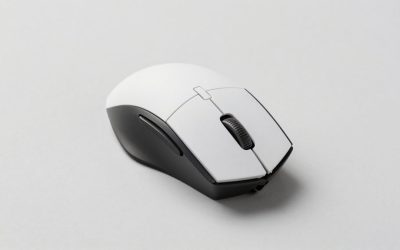
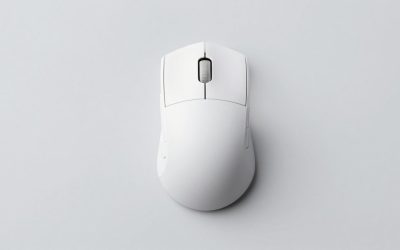
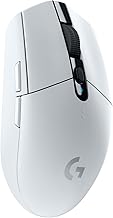
The best gaming mice for under $800 cost far less than the budget ceiling in this guide. The right choice depends on your hand, preferred games, and control layout—not how close you can get to spending $800. Start with the Razer Viper V3 Pro if you want a lightweight, symmetrical FPS option, or consider the DeathAdder V4 Pro for a right-handed ergonomic alternative. MMO players should prioritize accessible side buttons instead. Below, six clearly differentiated options cover competitive shooters, shortcut-heavy games, simpler setup, and affordable wireless use, with manufacturer-listed specifications separated from editorial recommendations.
Best gaming mice for under $800: Quick recommendations
The Razer Viper V3 Pro is the starting recommendation for buyers prioritizing low weight and a symmetrical shell. That recommendation reflects its design and feature set, rather than a claim that it has the lowest independently measured latency.
Choose a different model when your requirements point elsewhere. The Corsair Scimitar Elite Wireless SE offers a dedicated MMO control layout, while the Logitech G305 provides a substantially less expensive route into wireless gaming.
Prices below were displayed on US manufacturer pages accessed on November 2, 2026. They apply to the listed variants, exclude applicable tax, and can change. The Corsair page contained an outdated delivery estimate, so its displayed price should be reconfirmed before ordering.
| Mouse and verified variant | Best suited to | Key manufacturer-listed features | Displayed US price | Main trade-off |
|---|---|---|---|---|
| Razer Viper V3 Pro, black | Lightweight FPS use with a symmetrical shell | 54 g; up to 8,000 Hz polling; USB-C rechargeable | $129.99 | Shape still needs to suit your hand |
| Razer DeathAdder V4 Pro, black | Right-handed ergonomic FPS use | 56 g; ergonomic design; optical scroll wheel | $169.99 | Higher price than the Viper |
| ZOWIE EC2-DW, medium | Driverless ergonomic FPS setup | 60 g; up to 4,000 Hz; charging receiver | $149.99 | Less software-oriented customization |
| Logitech G502 X LIGHTSPEED, white | Mixed games and multiple assigned controls | Wireless connection; 13 customizable controls; LIGHTFORCE switches | $139.99 | More elaborate layout than a simple FPS mouse |
| Corsair Scimitar Elite Wireless SE, black/yellow | MMO ability bindings | 16 programmable buttons; adjustable 12-button side panel; wireless connectivity | $79.99 | Dense thumb controls require adjustment |
| Logitech G305 LIGHTSPEED, white | Low-cost wireless gaming | AA-powered; HERO sensor; LIGHTSPEED wireless | $34.99 | Requires battery replacement rather than cable charging |
“Best suited to” identifies the use case behind each selection. It does not mean every player in that category will prefer the same shape.
How we selected these mice
This shortlist uses US manufacturer product pages for specifications, exact model identification, and displayed pricing. Selection focused on meaningful differences: shell design, weight where verified, button layout, charging approach, and setup requirements.
No detailed research was performed for this article. There are no original latency measurements, tracking benchmarks, or claims about how these mice feel after extended use. Manufacturer specifications establish what a product offers; grip suitability and purchase recommendations are editorial judgments.
The selection deliberately includes different designs instead of six near-identical lightweight mice. It is a practical shortlist rather than an exhaustive ranking of every current release.
How the best gaming mice for under $800 were evaluated
Each recommendation needs a clear reason to exist alongside the others. An MMO mouse should provide useful control access, an affordable option should have a verified lower price, and a competitive-focused option should offer a design that makes sense for repeated aiming movements.
Shape comes before maximum sensitivity specifications. A mouse with impressive electronics can still be the wrong purchase if you cannot reach its controls or lift it consistently.
The budget was treated as a limit for one mouse. There is no evidence here that approaching $800 would produce a better fit or better gaming results. Unused budget is preferable to buying features that do not solve a specific problem.
The mice worth considering
Razer Viper V3 Pro: Starting pick for lightweight FPS use
The black Viper V3 Pro combines a manufacturer-listed 54 g weight with a symmetrical shell, USB-C charging, and support for polling up to 8,000 Hz. Its appeal is a focused design for players who prioritize aiming movement over numerous auxiliary controls.
Consider it before the DeathAdder if you already prefer symmetrical mice. A symmetrical outline does not guarantee left-handed suitability, however; check side-button placement rather than relying on the shell description.
The limitation is fit. Low weight cannot compensate for a shape that makes you grip harder or reposition your fingers repeatedly.
Buy if: You want a lightweight symmetrical option and relatively simple controls.
Skip if: You need a substantial thumb-button array or strongly prefer a right-handed ergonomic shape.
Razer DeathAdder V4 Pro: Ergonomic alternative for right-handed players
The black DeathAdder V4 Pro is listed at 56 g and uses a right-handed ergonomic design. Its optical scroll wheel is another verified feature, but the main reason to choose it over the Viper is the different shell.
Choose between these two by how your hand settles on the mouse. Compare finger placement, side-button reach, and whether your normal grip leaves enough freedom for small corrections. The higher price does not establish that the DeathAdder will work better for you.
The same caution applies to “ergonomic”: it describes the design approach, not a guarantee of comfort or relief from discomfort.
Buy if: You prefer a shaped right-handed shell while keeping weight low.
Skip if: You want a symmetrical design, left-handed controls, or additional MMO bindings.
ZOWIE EC2-DW: Pick for driverless ergonomic setup
The medium EC2-DW offers a manufacturer-listed 60 g weight, wireless polling up to 4,000 Hz, and an enhanced receiver that also functions as a charging dock. Its driverless configuration is the distinguishing advantage.
It suits players who want to adjust supported settings through the mouse rather than maintain a software configuration. That is useful when simplicity matters more than extensive application-specific profiles.
Size selection requires care. EC1-DW, EC2-DW, and EC3-DW are different sizes; the specifications here apply to the medium EC2-DW.
Buy if: You want a right-handed ergonomic FPS option with hardware-based setup.
Skip if: Your workflow depends on extensive software remapping or a large number of assigned actions.
Logitech G502 X LIGHTSPEED: Pick for varied games and extra controls
The G502 X LIGHTSPEED provides 13 customizable controls and LIGHTFORCE hybrid switches. It is the more relevant direction when your mouse needs to handle several assigned actions across different games.
Before choosing it, list the commands you would actually move from the keyboard. A more elaborate control layout earns its place when those assignments are reachable and easy to remember. Otherwise, the additional controls may contribute little to your experience.
This recommendation concerns the wireless G502 X LIGHTSPEED. Do not substitute specifications from the wired G502 X or G502 X PLUS without checking the differences.
Buy if: You want multiple accessible assignments in one wireless mouse.
Skip if: You prefer a minimal control layout centered on aiming and two side actions.
Corsair Scimitar Elite Wireless SE: Pick for MMO bindings
The Scimitar Elite Wireless SE offers 16 programmable buttons, including a repositionable 12-button thumb panel. That adjustable panel is the reason to consider it for games with numerous abilities.
Positioning matters more than simply having enough buttons. You should be able to identify and press your regular bindings without changing your entire grip. Allow time to learn a consistent layout rather than assigning every button immediately.
The black/yellow SE variant is the model checked here. Its dense side panel makes it a different proposition from the simpler FPS options, even if you occasionally play shooters.
Buy if: You have specific MMO commands to assign to a thumb grid.
Skip if: You only need a few side actions or dislike tightly grouped buttons.
Logitech G305 LIGHTSPEED: Affordable wireless alternative
The G305 uses LIGHTSPEED wireless, a HERO optical sensor, and one AA battery. At the displayed $34.99 price for white, it is the least expensive option in this shortlist.
Its purchase case is straightforward: you want wireless gaming without paying for premium charging arrangements or higher advertised polling rates. Replaceable power can also be convenient if you prefer swapping a battery to connecting a charging cable.
The trade-off is ongoing battery management. Keep a suitable replacement available, and do not confuse this original G305 with newer products that add different suffixes to the name.
Buy if: Low upfront cost and replaceable power are priorities.
Skip if: You specifically want USB charging or one of the verified lightweight designs above.
How to choose the right mouse for your hand and games
Specifications narrow the shortlist, but they cannot determine fit by themselves. Use your current mouse as a reference and identify what you want to change before ordering.
Compare shape with your normal grip
Palm grip generally involves more hand contact with the shell. Claw grip arches the fingers while retaining some rear contact, and fingertip grip relies more heavily on finger control. Many players use a mixture.
These labels are useful descriptions, not fixed sizing rules. Hand size, finger length, and where you place your thumb can change how the same mouse works.
Check these points during a return period:
- Can you reach the main and side buttons without stretching?
- Can you lift and reposition the mouse without an unusually tight grip?
- Do your fingers contact unwanted buttons?
- Can you make small corrections without the rear shell blocking your movement?
Test in your actual games and at your usual sensitivity. A brief desktop impression may miss problems that appear during repeated movements.
Choose buttons around actions you use frequently
For a shooter, you might need only a small number of side assignments. For an MMO, moving several abilities to the mouse can be useful, provided you can distinguish the controls reliably.
More buttons create more potential assignments, not automatic convenience. Start with a few frequent actions, learn their positions, and add others only when they improve your control scheme.
Check software requirements before buying. Customization options and supported operating systems can differ, and advertised onboard memory does not necessarily preserve every software function.
Treat polling rate as a setting to evaluate
Polling rate describes how frequently a mouse reports to the computer. A nominal 1,000 Hz interval is one millisecond; at 8,000 Hz, it is 0.125 milliseconds. Those intervals are not measurements of complete click-to-screen latency.
Your game, computer, display, and configuration all contribute to the result. Do not assume the largest number will produce a noticeable improvement in every setup.
Begin with a stable configuration, then compare supported settings in your games. Check battery implications and system behavior before making a higher rate your default. Shape and reliable control remain important even when the electronics support very frequent reports.
Budget for fit rather than unnecessary accessories
You do not need to allocate the remaining $800 budget to charging mats, replacement switches, or several backup mice. First establish whether the mouse works with your hand and existing surface.
Consider an accessory only when it addresses an observed issue. A different pad may be relevant if your current surface is inconsistent; replacement feet make more sense when the original feet are worn or damaged than as an automatic first purchase.
Also distinguish the standard product from bundles. Confirm which receiver, cable, and charging equipment are included before comparing totals.
Purchase checks that prevent avoidable mistakes
Verify the complete model name and color before checking out. Weight, included accessories, and price can differ between versions that look similar.
Buy from a seller whose return terms let you evaluate fit. Check whether opening the box affects eligibility, who pays return shipping, and whether any restocking conditions apply.
Warranty coverage deserves a separate check. Confirm the applicable US terms, seller eligibility, proof-of-purchase requirements, and claim process. A return period for an unsuitable shape and warranty coverage for a defect serve different purposes.
Finally, keep the purchase tied to a specific improvement. “I need reachable MMO bindings” is a useful reason to change mice. “My budget allows something more expensive” does not identify a problem that the purchase will solve.
Frequently asked questions
Do you need to spend anywhere near $800?
No. Every selected mouse had a displayed price below $200 when checked. That does not establish a universal price ceiling for all worthwhile mice, but it shows that the use cases covered here do not require spending the full budget.
Which option should a left-handed player choose?
Do not assume a symmetrical shell offers suitable side controls for left-handed use. This shortlist is not a dedicated left-handed selection. Verify button placement and handedness before buying, or look for a model explicitly designed around the controls you need.
Is a lighter mouse always better?
No. Lower weight is one design characteristic, while shape, control access, and your preferred movement style also matter. A light mouse that you cannot hold consistently is not necessarily an improvement over a heavier model that fits.
Can one mouse handle both FPS and MMO games?
Yes, but choose around your main requirement. A simpler mouse can handle MMO play with more keyboard bindings, while a button-rich model can be used in shooters. The question is whether its layout supports your routine without unnecessary grip changes.
Conclusion
Start with the Razer Viper V3 Pro for a lightweight symmetrical FPS option, or compare the DeathAdder V4 Pro when a right-handed ergonomic shell suits you better. The ZOWIE EC2-DW emphasizes driverless setup, the G502 X LIGHTSPEED offers additional controls, and the Scimitar Elite Wireless SE targets MMO bindings. Choose the G305 when affordable wireless use is the priority. None requires approaching the $800 ceiling. Confirm the exact variant, check current pricing and return terms, and judge the mouse by consistent grip and useful controls rather than the largest specification number.