Key takeaways
- Lesson format: Micro-lessons (3-5 minutes) vs. structured 10-15 minute dialogues vs. 30-minute audio lessons. Micro-lessons fit a desk break; longer lessons need a quiet, comfortable setup.
- Supported languages: Duolingo and Busuu cover 30-40+ languages, while Lingodeer and Pimsleur are stronger for specific families like Japanese/Korean/Chinese or Spanish/French.
- Speaking practice: Check if the app uses AI speech recognition, recorded native-speaker shadowing, or live tutoring. Only the last two reliably correct pronunciation and cadence.
- Grammar depth: Some apps teach by pattern imitation with brief tips, others provide explicit grammar tables, conjugation drills, and error explanations.
- Offline access: Essential if you study on commutes or have spotty Wi-Fi. Not all apps allow full downloads on the base plan.
- Progress tracking: Look for CEFR-aligned levels (A1-C2), spaced-repetition vocabulary review, and exportable stats — not just streaks and XP.
- Subscription value: Most subscriptions usually fall in the $7–$20 per month range when billed annually, with lifetime or family plans usually $100–$250. Free tiers are useful for trials but often limit speaking and grammar features.
The best language learning apps in 2026 are Duolingo for beginners who need habit-building, Babbel and Busuu for structured grammar and conversation, Pimsleur for audio-first speaking practice, Rosetta Stone for immersive visual learning, and Lingodeer for Asian languages — the right pick depends on your target language, how you want to practice speaking, and whether you need offline access and deep grammar explanations.
How to Pick Based on How You Actually Study
Most product listings show feature checklists, but they don’t explain which format keeps you studying for more than two weeks. Use these criteria before you subscribe:
- Lesson format: Micro-lessons (3-5 minutes) vs. structured 10-15 minute dialogues vs. 30-minute audio lessons. Micro-lessons fit a desk break; longer lessons need a quiet, comfortable setup.
- Supported languages: Duolingo and Busuu cover 30-40+ languages, while Lingodeer and Pimsleur are stronger for specific families like Japanese/Korean/Chinese or Spanish/French.
- Speaking practice: Check if the app uses AI speech recognition, recorded native-speaker shadowing, or live tutoring. Only the last two reliably correct pronunciation and cadence.
- Grammar depth: Some apps teach by pattern imitation with brief tips, others provide explicit grammar tables, conjugation drills, and error explanations.
- Offline access: Essential if you study on commutes or have spotty Wi-Fi. Not all apps allow full downloads on the base plan.
- Progress tracking: Look for CEFR-aligned levels (A1-C2), spaced-repetition vocabulary review, and exportable stats — not just streaks and XP.
- Subscription value: Most subscriptions usually fall in the $7–$20 per month range when billed annually, with lifetime or family plans usually $100–$250. Free tiers are useful for trials but often limit speaking and grammar features.
Head-to-Head: 6 Best Language Learning Apps Compared
| App | Languages Supported | Core Lesson Format | Speaking Practice | Grammar Depth | Offline Access | Progress Tracking |
|---|---|---|---|---|---|---|
| Duolingo | 40+ | Gamified 3-5 min drills, stories, and short podcasts | AI voice detection, role-play conversations | Light; short tips, heavy pattern repetition | Yes, with paid plan | XP, streak, CEFR-aligned course sections |
| Babbel | 14 | 10-15 min dialogue-based lessons by pedagogues | Speech recognition + live group classes (Babbel Live add-on) | Strong; explicit grammar and culture notes | Yes, full lesson download | Review manager, CEFR levels A1-B2 |
| Busuu | 14 | 10 min lessons, community corrections | AI recognition + feedback from native speakers | Moderate-strong; grammar units with quizzes | Yes, with paid plan | CEFR study plan, McGraw-Hill certificate option |
| Pimsleur | 50+ | 30 min audio-first, call-and-response | Excellent; shadowing and recall prompts | Moderate; explained through audio, limited visual tables | Yes, fully downloadable | Skills dashboard, hands-free mode tracking |
| Rosetta Stone | 25 | Immersive image-word association, no translation | TruAccent speech engine with instant feedback | Light-moderate; intuitive, fewer explicit rules | Yes, with paid plan | Extended learning stories, Alphabet and pronunciation metrics |
| Lingodeer | 12 (focused on Asian + major European) | Structured 10 min lessons with grammar cards | Speech recording and sentence shadowing | Strong for Japanese, Korean, Chinese grammar | Yes, with paid plan | Detailed grammar summaries, SRS vocab bank |
What This Means in Practice
Choose Duolingo if you are starting from zero and need daily motivation. Its bite-size lessons work well for 15-20 minute sessions at a standing desk or gaming chair without fatigue. It is weak for explaining why a sentence is wrong, so pair it with a grammar supplement after A2 level.
Choose Babbel or Busuu if you want to hold a real conversation in 3-6 months. Both teach dialogues you will actually use, explain grammar in plain English, and correct you through either live tutors or native-speaker community feedback. Babbel is more polished for European languages; Busuu’s feedback loop is better if you want writing corrections.
Choose Pimsleur if speaking and listening are your priority and you study while moving. Its 30-minute audio lessons require no screen, making it ideal if you pace, walk, or use a headset at your desk. It is less visual, so supplement with reading practice elsewhere.
Choose Rosetta Stone if you prefer learning purely in the target language without English translations. The TrueAccent engine is strict on pronunciation, which helps beginners build a clean accent but can feel slow for learners who want quick grammar answers.
Choose Lingodeer if your target is Japanese, Korean, or Mandarin Chinese. It explains particles, honorifics, and character writing with dedicated alphabets and stroke animations that Duolingo and Babbel gloss over.
Setup Matters: Ergonomics for App-Based Study Sessions
Language apps fail when study feels physically uncomfortable. Unlike a product page that lists only desk or chair dimensions, these real-world measurements determine whether you will sustain 30-60 minute daily sessions without back or wrist strain. Use this as a fit guide for the study nook where you will use the apps:
| Setup Element | Recommended Measurement | Why It Matters for Learning | Fit Check for Small Rooms |
|---|---|---|---|
| Desk height (standard writing/gaming desk) | 29-30 inches | Keeps elbows at 90-100 degrees for typing and phone/tablet use | Need 36-42 inches of width for laptop + notebook; 24-inch deep top minimum |
| Gaming chair seat height (adjustable) | 17-21 inches from floor | Allows feet flat on floor with knees at 90 degrees, reduces lower-back fatigue during listening drills | Check cylinder range; low-profile bases need less than 26-inch desk clearance |
| Monitor or tablet eye height | Top of screen 15-20 degrees below eye level, 20-30 inches from eyes | Prevents neck strain during video dialogue and subtitle reading | Use monitor arm or tablet stand to save 6-8 inches of desk depth |
| Chair clearance behind desk | 30-36 inches from wall to desk edge | Allows full recline and rolling back without hitting wall during speaking practice | In a 10×12 ft room, a 48×24 inch desk + chair needs at least 6×8 ft zone; leaves 2 ft walkway |
| Doorway and box delivery | Interior doorway 28-32 inches wide; desk boxes often 45-55 inches long, 30-50 lbs | Prevents assembly headaches in apartments and rentals | Measure hallway turns; L-shaped desks may need assembly in-room |
| Weight capacity | Task/gaming chairs usually 250-300 lbs; desks usually 100-200 lbs static load | Ensures stability if you lean, use armrests, or mount monitors | Check floor type; for carpet, choose 2.5-inch casters for easier rolling |
What wears first: chair seat foam softens after 12-18 months of daily 2+ hour sessions — look for 1.8+ lb/cu ft density foam or cold-cure foam. Desk edge laminate chips before legs fail, especially with wrist friction. Metal frames outlast engineered wood for daily reclining and repositioning, while solid wood tops resist wobble better for monitor arms.
Decision Matrix: Match Your Situation to the App and Setup
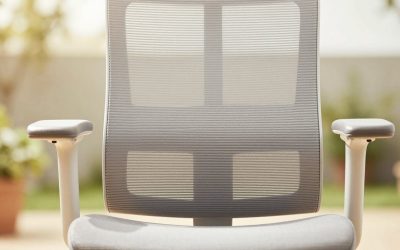
- Small apartment or renter (10×12 ft bedroom or studio): Pick Duolingo or Busuu for phone-first micro-lessons. Pair with a 40-48 inch compact desk and a mesh-back task chair with flip-up arms to save 12-14 inches when not in use. No permanent wall mounting needed.
- Kids and pets at home: Pick Pimsleur audio lessons with headphones so you can study without screen time conflicts. Choose a chair with stain-resistant woven fabric or performance mesh and a metal base; avoid bonded leather which peels with pet claws and a desk with rounded corners.
- Back pain or long-session learner (45-60 min): Pick Babbel or Rosetta Stone for structured sit-down lessons, but invest in ergonomic priority: adjustable seat height 17-21 inches, lumbar depth 1-2 inches, and a footrest if your feet don’t reach flat. A 30-inch-high desk with 30-36 inch rear clearance prevents hunching.
- Commuter or offline learner: Pick Pimsleur or Babbel — both offer true offline downloads. Download lessons the night before over Wi-Fi; free-tier offline is often limited to a few sample lessons.
- Goal is travel conversation in 3 months (Spanish, French, Italian): Pick Babbel + Busuu community corrections. Drill 20 minutes of dialogue in the morning at the desk, then 10 minutes of Busuu peer review in the evening.
- Goal is Japanese/Korean/Chinese literacy: Pick Lingodeer. Its alphabet and kanji/hangul modules require writing practice — use a 30-inch desk with space for a notebook beside the tablet, not just a phone screen.
Subscription Value Without the Hype
Most apps offer a free tier, a monthly plan, and a much cheaper annual plan. Generally, annual plans fall around $80–$180 per year for premium features, while monthly billing is usually $13–$36. Lifetime deals from Rosetta Stone and Pimsleur are often marketed at $150–$300 but do not always include future live-tutor features. Before paying, check three things product listings skip:
- Does the paid plan unlock all languages or just one? Duolingo and Busuu include all languages; Babbel and Pimsleur often lock to one language per subscription.
- Are live classes or human corrections included or an add-on? Babbel Live and Busuu Premium are separate tiers.
- Can you cancel and keep offline packs? Most apps revoke downloads when the subscription lapses.
For furniture, the same value logic applies: a chair usually $300–$600 with adjustable armrests and 2.5-inch casters will outlast a $150–$250 fixed-arm chair where foam flattens and arm pads crack within a year — especially under daily language practice use.
FAQ
Do I need two apps?
Often yes. Many learners use Duolingo or Lingodeer for daily habit and vocabulary, plus Babbel, Busuu, or Pimsleur for speaking and grammar. If you only want one, choose Babbel or Busuu for the best single-app balance of grammar, conversation, and tracking.
Which app is best for speaking practice without a tutor?
Pimsleur and Rosetta Stone are strongest for solo speaking. Pimsleur forces recall and shadowing without reading; Rosetta Stone’s TruAccent gives stricter pronunciation scoring. Busuu adds useful human feedback if you want corrections from native speakers without booking live classes.
Can I learn entirely offline?
Pimsleur is the most fully offline-capable, followed by Babbel. Duolingo, Busuu, and Lingodeer require a paid plan for extensive offline access, and community features will still need internet.
How long should I study at my desk before taking a break?
For screen-based lessons, 25-30 minutes followed by a 5-minute stand and stretch protects your back and retention. Audio-only Pimsleur lessons are designed for 30 minutes and can be done standing or walking, which reduces seated fatigue.