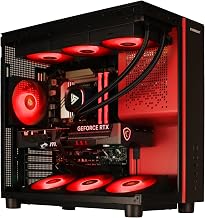
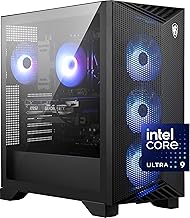
Buying a prebuilt gaming PC in 2026 has never been easier, and it has never involved more choices. Between the new Blackwell-era GeForce RTX 50-series cards, AMD’s efficient Ryzen 9000 X3D chips, and Intel’s Core Ultra platform, the machines sitting on virtual shelves this year deliver frame rates that would have cost twice as much only two seasons ago. The tricky part is not finding a fast PC, it is matching the right build to the resolution you actually play at and the budget you actually have. That is exactly what this guide is here to sort out.
What makes a prebuilt so appealing this year is the sheer amount of hassle it removes. You skip the compatibility spreadsheets, the out-of-stock frustration, the anxiety of seating a fragile GPU, and the hours spent troubleshooting a machine that will not POST. Instead you get a tower that ships pre-assembled, cable-managed, driver-loaded and covered by a single warranty. For most gamers that peace of mind is worth as much as the raw benchmark numbers, and in 2026 you rarely pay a meaningful premium for it at the mid-range where these systems compete hardest.
Below you will find a curated shortlist that spans the entire spectrum, from a wallet-friendly Ryzen 5 tower with an RTX 3050 for casual 1080p sessions, up to a STORMCRAFT Phantom RTX 5080 with a Ryzen 7 9800X3D and a HP OMEN 45L carrying the flagship RTX 5090. In the middle sit the workhorses most readers will end up choosing: the KOTIN RTX 5060 Ti and RTX 5070 desktops and the STORMCRAFT Falcon with its 7800X3D. Every pick is a complete, warrantied system that arrives ready to game out of the box, so you can skip the parts hunt and the assembly headaches entirely.
Our top picks
 Thermaltake LCGS Quartz i1460 Gaming Desktop
- Intel Core i5-14400F CPU, Intel B760 Chipset motherboard,…
- NVIDIA GeForce RTX 5060, Display Port/HDMI
- ARGB Tower Air Cooler
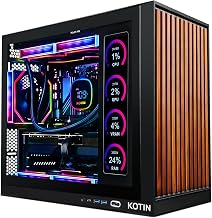
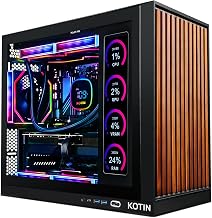
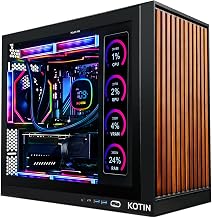
 KOTIN Prebuilt Gaming PC Ryzen 5 9600X
- 1080p and 1440p Gaming Desktop: GeForce RTX 5060…
- AMD Ryzen 5 9600X Processor: 6-core, 12-thread Zen…
- DDR5 RAM and PCIe 4.0 NVMe SSD: 16GB…
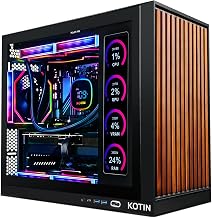
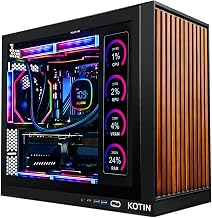
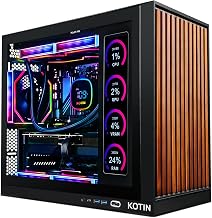
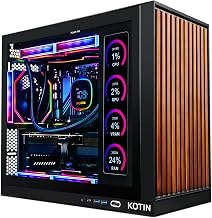
 KOTIN Prebuilt Gaming PC RTX 5070 12GB
- POWERED BY RTX 5070 12GB + RYZEN 7…
- 32GB DDR5 6000MHz MEMORY & 1TB NVMe SSD…
- IN 11.3-INCH Smart DISPLAY - An integrated smart…
| Product | Key specs | |
|---|---|---|
| Thermaltake LCGS Quartz i1460 Gaming Desktop | Intel Core i5-14400F CPU, Intel B760 Chipset motherboard,… NVIDIA GeForce RTX 5060, Display Port/HDMI ARGB Tower Air Cooler | Check price |
| KOTIN Prebuilt Gaming PC Ryzen 5 9600X | 1080p and 1440p Gaming Desktop: GeForce RTX 5060… AMD Ryzen 5 9600X Processor: 6-core, 12-thread Zen… DDR5 RAM and PCIe 4.0 NVMe SSD: 16GB… | Check price |
| KOTIN Prebuilt Gaming PC RTX 5070 12GB | POWERED BY RTX 5070 12GB + RYZEN 7… 32GB DDR5 6000MHz MEMORY & 1TB NVMe SSD… IN 11.3-INCH Smart DISPLAY - An integrated smart… | Check price |
 STORMCRAFT Phantom RTX 5080 Gaming PC Ryzen STORMCRAFT Phantom RTX 5080 Gaming PC Ryzen | 【System】AMD Ryzen 7 9800X3D CPU Processor 8 Cores… 【Graphics & Memory】 RTX 5080 16 GB GDDR7,… 【Cooler & Power】STORMCRAFT Phantom Gaming Computer Case, 360mm… | Check price |
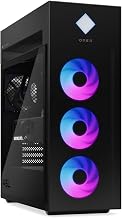
 HP OMEN 45L Gaming 5090 Desktop PC HP OMEN 45L Gaming 5090 Desktop PC | 【High Speed RAM And Enormous Space】64GB DDR5 RAM… 【Processor】Dominate any game or creative task with the… 【Tech Specs】4 x USB Type-A 5Gbps signaling rate,… | Check price |
 STORMCRAFT Falcon Prebuilt RTX 5070 Gaming PC STORMCRAFT Falcon Prebuilt RTX 5070 Gaming PC | Dominate 1440p & Max-Out Competitive Esports: Engineered for… Elite B850 Platform with 360mm AIO Cooling: Built… Your All-in-One Content & Streaming Command Center: Beyond… | Check price |
 KOTIN Prebuilt Gaming PC Ryzen 7 9700X KOTIN Prebuilt Gaming PC Ryzen 7 9700X | 1440P Powerhouse: AMD Ryzen 7 9700X (up to… 11.3-Inch Smart Display: Built-in secondary screen shows real-time… 360mm ARGB Liquid Cooling: Advanced 360mm cooler with… | Check price |
 Prebuilt Gaming Desktop PC Prebuilt Gaming Desktop PC | 【POWERFUL PERFORMANCE】 【SMOOTH GAMING】 【FAST & AMPLE STORAGE】 | Check price |
As an Amazon Associate we earn from qualifying purchases at no extra cost to you.
⚡ Save on Your Next PC — Amazon Prime
Prime members get fast free shipping on the systems above, plus early access to Prime Day & Black Friday PC deals. New members get a 30-day free trial.
Watch: Best Prebuilt Gaming PC 2026: Complete Buyer’s Guide by GPU, Resolution & Budget — Video Review
How to Choose a Prebuilt Gaming PC in 2026
- Match the GPU to your monitor: An RTX 5060 or 5060 Ti is ideal for 1080p high-refresh play, the RTX 5070 and 5070 Ti hit the sweet spot for 1440p, and you only need an RTX 5080 or 5090 if you are genuinely gaming at 4K or driving a 240Hz panel.
- Prioritise the right CPU: AMD’s X3D chips like the 7800X3D and 9800X3D lead in pure gaming thanks to their 3D V-Cache, while a Core i5 or Ryzen 5 is plenty when the graphics card is doing the heavy lifting.
- Insist on 16GB minimum, 32GB preferred: DDR5 is standard now, and 32GB gives you comfortable headroom for background apps, Discord, browser tabs and modern titles that increasingly ask for more memory.
- Check storage and expandability: A 1TB NVMe SSD fills up fast with today’s 100GB-plus installs, so look for 2TB where the budget allows and confirm there are free M.2 slots for later upgrades.
- Weigh cooling, PSU headroom and connectivity: A 360mm AIO, an 80+ Gold power supply with spare wattage, and Wi-Fi 6E or Wi-Fi 7 all point to a system built to last rather than one built to a bare price.
Browse Our Prebuilt Gaming PC Guides
Once you know roughly where you land on GPU and resolution, dive into the focused guides below. Each one breaks down the best current systems for a specific card, price point or use case, so you can compare like-for-like before you commit.
- Best Prebuilt Gaming PC with RTX 5060
- RTX 5060 Ti prebuilts
- RTX 5070 prebuilt gaming PCs
- RTX 5070 Ti builds
- RTX 5080 prebuilts
- RTX 5090 flagship rigs
- best 1440p prebuilt gaming PCs
- 1440p RTX 5070 build
- best 4K prebuilt gaming PCs
- prebuilt PC for streaming
- prebuilt PC for video editing
- best RTX 5070 prebuilt under $1500
- RTX 5070 vs RTX 5060 Ti
By Budget
If you are working to a number, here is the quick lay of the land. Under $1,000 gets you into solid 1080p territory with something like the Ryzen 5 5500 and RTX 3050 tower or the Thermaltake RTX 5060 build. Around $1,300 to $1,500 is the value heartland, where the KOTIN RTX 5060 Ti systems and RTX 5070 desktops deliver excellent 1440p performance. Push toward $1,900 for the STORMCRAFT Falcon with its gaming-focused 7800X3D, and reserve $3,000-plus for the RTX 5080 Phantom or the RTX 5090 OMEN if uncompromised 4K is the goal. Spending more buys longevity, not just speed, so buy the tier that keeps you comfortable for three or four years.
It also helps to think about the whole setup rather than the tower in isolation. A brilliant RTX 5070 machine paired with a tired 60Hz monitor leaves most of its performance on the table, so if you are upgrading, budget for a display that can actually show off those frames. Likewise, a comfortable chair, a decent headset and a mechanical keyboard turn a good rig into a great experience. Factor those extras into your overall spend and you will avoid the classic trap of blowing the entire budget on the box and starving the peripherals that you touch every single session.
Frequently Asked Questions
Are prebuilt gaming PCs worth it in 2026?
Yes. GPU and DDR5 pricing has stabilised, and the labour, warranty and stress-testing bundled into a prebuilt now make the total cost very competitive with buying parts individually, especially at the mid-range where these systems shine.
What is the best GPU for 1440p gaming?
The RTX 5070 is the current 1440p champion, offering high-refresh performance in nearly every title with DLSS headroom to spare. If you play mostly esports, an RTX 5060 Ti will handle 1440p beautifully for less.
How much RAM do I need for gaming?
16GB is the functional floor, but 32GB of DDR5 is the smart 2026 choice. It future-proofs your machine against increasingly memory-hungry games and lets you stream or keep dozens of tabs open without stutter.
Can I upgrade a prebuilt gaming PC later?
Almost always. The systems here use standard ATX-style components, so adding storage, more RAM or a bigger GPU down the road is straightforward. Just confirm the PSU wattage and case clearance before planning a big upgrade.
Final Verdict
There is no single best prebuilt gaming PC for everyone in 2026, but there is a best one for you. For most players, a KOTIN RTX 5070 or an RTX 5060 Ti build hits the ideal balance of price and 1440p muscle. Budget-focused gamers will be well served by the Thermaltake RTX 5060 or the Ryzen 5 RTX 3050 tower, while enthusiasts chasing 4K should look straight at the STORMCRAFT Phantom RTX 5080 or the HP OMEN 45L with its RTX 5090. Decide on your resolution first, set a realistic budget second, and let the focused guides above guide you to the exact machine that fits.