Key takeaways
- CPU pairing: A Ryzen 5 9600X, Ryzen 7 9700X, or capable Intel chip ensures the 5060 Ti reaches its full potential at 1080p and 1440p.
- Memory choice: Aim for 16GB of DDR5 for the best balance of value and longevity, stepping to more if you multitask or create content.
- Cooling quality: A liquid cooler or strong air solution keeps temperatures and noise in check, protecting sustained performance during long play.
- Storage speed: A 1TB NVMe SSD keeps load times fast and gives room for a solid game library, with Gen4 drives preferred.
- Build quality and support: A reputable PSU, Wi-Fi 6 or 7, and clear warranty terms protect your investment and simplify future upgrades.
The RTX 5060 Ti sits in a rewarding middle ground for 2026 gamers, offering a meaningful step up from the standard 5060 while staying far more affordable than the 5070 class. With extra performance headroom and DLSS 4 support, it comfortably powers high-refresh 1080p and delivers strong 1440p play, making it a favorite for shoppers who want a little more future-proofing without a big price jump.
As always, the graphics card is only part of the story. The CPU pairing, memory, cooling, and storage all influence how consistently a 5060 Ti performs across demanding titles. We compared the best RTX 5060 Ti desktops available now and turned our findings into clear recommendations, a focused buyer’s guide, and answers to the questions buyers ask most before purchasing.
Our top picks


As an Amazon Associate we earn from qualifying purchases at no extra cost to you. Ratings are shown as listed on Amazon.
🎮 Get More From Your Setup — Free
Prime Gaming gives you free PC games every month, in-game loot, and a free Twitch sub — plus fast free shipping on the rigs above. New members get a 30-day free trial.
Watch: Best Prebuilt Gaming PC with RTX 5060 Ti — Video Review
How to Choose an RTX 5060 Ti Gaming PC
- CPU pairing: A Ryzen 5 9600X, Ryzen 7 9700X, or capable Intel chip ensures the 5060 Ti reaches its full potential at 1080p and 1440p.
- Memory choice: Aim for 16GB of DDR5 for the best balance of value and longevity, stepping to more if you multitask or create content.
- Cooling quality: A liquid cooler or strong air solution keeps temperatures and noise in check, protecting sustained performance during long play.
- Storage speed: A 1TB NVMe SSD keeps load times fast and gives room for a solid game library, with Gen4 drives preferred.
- Build quality and support: A reputable PSU, Wi-Fi 6 or 7, and clear warranty terms protect your investment and simplify future upgrades.
The Best RTX 5060 Ti Gaming PCs Reviewed
KOTIN Ryzen 5 9600X (5060 Ti)
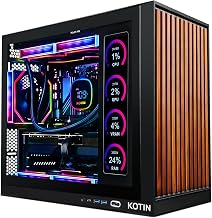
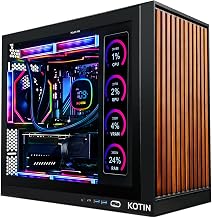
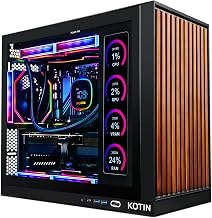
The KOTIN 5060 Ti pairs the modern Ryzen 5 9600X with 16GB of DDR5, a 1TB SSD, and a 650W Gold PSU, all assembled in the USA. Its digital-display CPU cooler and Wi-Fi 7 give it a current-generation feel, making it our top all-around pick for value-focused 5060 Ti buyers.
KOTIN Ryzen 7 9700X (Liquid Cooled)
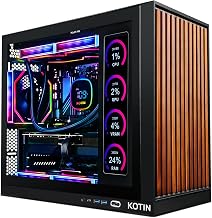
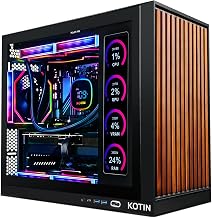
Stepping up, the KOTIN 9700X build adds two more cores and a 360mm liquid cooler alongside the RTX 5060 Ti 8GB, 16GB of DDR5, and a 1TB SSD. The 11.3-inch smart display, 650W Gold PSU, and Wi-Fi 7 make it ideal for gamers who want extra CPU muscle and standout styling.
suevery Core i9 (5060 Ti)
The suevery build is unusual for the class, pairing a 14th-gen Core i9-14900HX with the RTX 5060 Ti 8GB, 16GB of DDR5, and a 1TB NVMe SSD. That high-thread CPU makes it a compelling option for buyers who game and also handle streaming or productivity workloads.
Prebuilt Ryzen 5 Compact (4700LE)
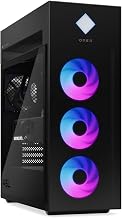
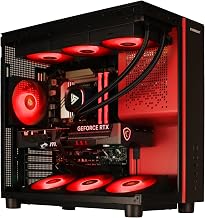
This compact RGB tower matches a Ryzen 4700LE with the RTX 5060 Ti 8GB, 16GB of DDR4, a 1TB NVMe SSD, and Wi-Fi 6. It is a tidy, budget-friendly choice aimed at AAA gaming, streaming, editing, and everyday home-office use.
LXZ Ryzen 7 5700X (5060)
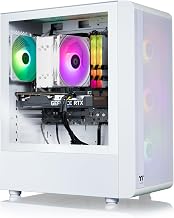
The LXZ desktop offers a value-oriented alternative with a Ryzen 7 5700X, 16GB of DDR4, and a 1TB SSD, paired here in the 5060-class lineup. Its eight cores and clean design make it appealing for gamers who want strong multitasking on a tighter budget.
Frequently Asked Questions
Is the RTX 5060 Ti worth it over the 5060?
For many gamers, yes. The 5060 Ti offers extra performance headroom that helps at 1440p and in more demanding titles, giving a bit more longevity. If your budget allows the modest step up, it is a worthwhile upgrade.
What resolution is the 5060 Ti best for?
The 5060 Ti shines at high-refresh 1080p and handles 1440p well, especially with DLSS 4 enabled. It is a great match for players chasing smooth frame rates without moving into higher-priced GPU tiers.
How much memory should I get?
16GB of DDR5 is the comfortable baseline for gaming in 2026 and pairs naturally with the 5060 Ti. If you stream, edit, or run many background apps, consider a configuration with 32GB for extra headroom.
Are these systems easy to upgrade?
Most use standard parts, so adding RAM, extra storage, or a stronger GPU later is straightforward. Just confirm the power supply and case have room before planning a significant upgrade.
Final Thoughts
An RTX 5060 Ti desktop is a smart pick for gamers who want more headroom than the base 5060 offers without stretching to a 5070. The KOTIN 9600X build is our balanced favorite, the liquid-cooled 9700X model adds muscle and style, and the suevery Core i9 stands out for multitaskers. Match the CPU, memory, and cooling to your play style, and any of these machines will deliver dependable performance for years.