Key takeaways
- Core count matters: Editing and encoding scale with CPU cores, so favor a Ryzen 7 or higher-core Intel chip over a lightly-threaded budget processor.
- RAM headroom: 32GB is the comfortable target for 1080p and 1440p timelines; 16GB works for lighter projects but fills up fast with 4K footage and effects.
- GPU acceleration: A modern RTX card speeds up rendering, playback, and AI effects, so lean toward the 5060 Ti or 5070 if your editor leverages GPU compute.
- Fast, roomy storage: A 1TB NVMe SSD keeps scrubbing snappy; a second drive or larger capacity helps when project files and media pile up.
- Quiet, cool operation: Long exports push thermals, so a well-cooled tower stays stable and avoids the throttling that drags out render times.
Video editing asks more of a computer than gaming alone. Timeline scrubbing, effects previews, and export times all lean heavily on CPU cores, memory capacity, and fast storage, while a capable GPU accelerates rendering and playback. That’s why a prebuilt gaming PC, with its strong graphics card and balanced components, often makes an excellent and cost-effective editing workstation in 2026.
We selected the best prebuilt gaming PCs that double as editing machines, focusing on multi-core CPUs, generous RAM, fast NVMe storage, and GPUs that speed up Premiere, DaVinci Resolve, and similar tools. The picks below span budget-friendly RTX 3050 and 5060 systems to more powerful RTX 5070 towers, so you can match a rig to your resolution, codec, and deadline pressure.
Our top picks


As an Amazon Associate we earn from qualifying purchases at no extra cost to you. Ratings are shown as listed on Amazon.
🎮 Get More From Your Setup — Free
Prime Gaming gives you free PC games every month, in-game loot, and a free Twitch sub — plus fast free shipping on the rigs above. New members get a 30-day free trial.
Watch: Best Prebuilt Gaming PC for Video Editing — Video Review
How to Choose a Video Editing Prebuilt
- Core count matters: Editing and encoding scale with CPU cores, so favor a Ryzen 7 or higher-core Intel chip over a lightly-threaded budget processor.
- RAM headroom: 32GB is the comfortable target for 1080p and 1440p timelines; 16GB works for lighter projects but fills up fast with 4K footage and effects.
- GPU acceleration: A modern RTX card speeds up rendering, playback, and AI effects, so lean toward the 5060 Ti or 5070 if your editor leverages GPU compute.
- Fast, roomy storage: A 1TB NVMe SSD keeps scrubbing snappy; a second drive or larger capacity helps when project files and media pile up.
- Quiet, cool operation: Long exports push thermals, so a well-cooled tower stays stable and avoids the throttling that drags out render times.
The Best Video Editing Prebuilt PCs Reviewed
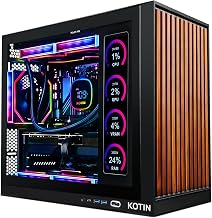
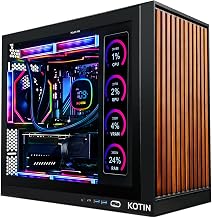
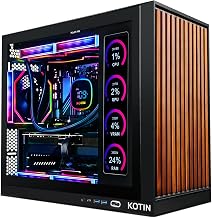
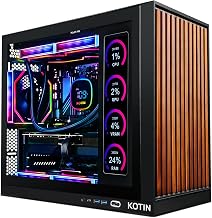
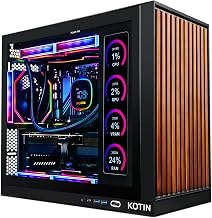
KOTIN RTX 5070 Ryzen 7 9700X
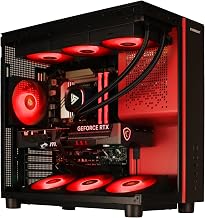
This is the strongest all-round editing pick, pairing the RTX 5070 12GB with a Ryzen 7 9700X, 32GB DDR5, and a 1TB SSD. The core count and GPU acceleration chew through 1440p and upscaled 4K timelines, and the smart display is a handy monitoring bonus.
Gaming PC Core i9-14900HX RTX 5060 Ti
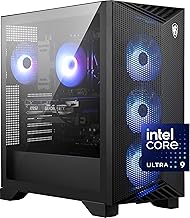
Built around a high-core Core i9-14900HX with an RTX 5060 Ti 8GB and 16GB DDR5, this machine is aimed at editors who value raw CPU throughput for exports. Its 4K/8K-ready spec makes it a capable choice for higher-resolution projects.
YAWYORE Ryzen 7 5700X RTX 5060
The YAWYORE build teams a Ryzen 7 5700X with an RTX 5060 and a generous 32GB DDR4, making it a value-focused editing station. The extra memory helps with layered timelines, and the NVMe SSD keeps media access quick.
Gaming Desktop RTX 5060 Ti Ryzen 7
With an RTX 5060 Ti 8GB, a 1TB NVMe SSD, Ryzen 7 processor, and WiFi 6, this prebuilt balances gaming and editing nicely. It’s a solid mid-tier option for creators working mainly in 1080p and 1440p.
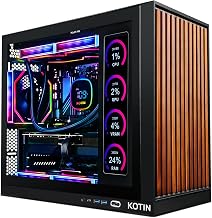
KOTIN Ryzen 5 9600X RTX 5060
For editors on a tighter budget, the Ryzen 5 9600X with an RTX 5060 and 16GB DDR5 handles lighter projects and short-form content well. Its digital display and clean build make it an approachable entry point.
Frequently Asked Questions
Is a gaming PC good for video editing?
Absolutely. Gaming prebuilts include the fast CPUs, capable GPUs, and quick storage that editing software relies on, often delivering better value than dedicated workstations at the same price point.
How much RAM do I need for video editing?
32GB is the practical sweet spot for smooth 1080p and 1440p editing. If you work heavily in 4K with many effects layers, more RAM helps, but 16GB is workable for lighter projects.
Does the GPU matter for editing?
Yes. Modern editors use the GPU to accelerate playback, effects, and exports, so a current RTX card noticeably shortens render times compared with relying on the CPU alone.
Do I need an X3D CPU for editing?
Not particularly. X3D chips shine in gaming, but for editing, total core count and clock speed matter more, so a well-threaded standard Ryzen or Intel chip is often the better fit.
Final Thoughts
A gaming prebuilt makes a smart, budget-conscious editing workstation when its cores, memory, and GPU are balanced for the job. The KOTIN RTX 5070 build leads for creators wanting real headroom, while the Core i9 system suits export-heavy workflows and the YAWYORE offers strong value. Match RAM and GPU tier to your footage resolution, and you’ll have a machine that games hard and edits smoothly.