Key takeaways
- Choose a low-latency public resolver: Well-known options like Cloudflare, Google, and Quad9 maintain servers close to most users and typically respond faster than ISP defaults.
- Test before committing: Use a benchmarking tool to measure lookup times from your location, since the fastest resolver for one region may not be fastest for another.
- Consider secure DNS: DNS over HTTPS or TLS protects your queries from snooping, and modern routers and the ASUS TUF Gaming BE6500 support it without a speed penalty.
- Match the resolver to your goals: Some resolvers add malware filtering or family safety, so decide whether you want raw speed alone or a bit of built-in protection.
Your DNS resolver is the quiet middleman that translates every game server address before you ever connect, and swapping the default one your ISP assigns can shave real milliseconds off your matchmaking and load times. In 2026, optimizing DNS is one of the cheapest ways to sharpen your online gaming experience, and paired with the right hardware like the ASUS TUF Gaming BE6500 or the GL.iNet Flint 2 it can make a measurable difference.
This guide explains what DNS actually does for gamers, how to choose a faster resolver, and how your router factors into the equation. You will learn how to reduce lookup latency, improve reliability, and set everything up safely, whether you tweak a single console or configure your whole network at the router level.
Our top picks
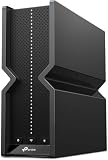
 TP-Link BE6500 Dual-Band WiFi 7 Router
- 𝐅𝐮𝐭𝐮𝐫𝐞-𝐑𝐞𝐚𝐝𝐲 𝐖𝐢-𝐅𝐢 𝟕 - Designed with the latest…
- 𝟔-𝐒𝐭𝐫𝐞𝐚𝐦, 𝐃𝐮𝐚𝐥-𝐁𝐚𝐧𝐝 𝐖𝐢-𝐅𝐢 𝐰𝐢𝐭𝐡 𝟔.𝟓 𝐆𝐛𝐩𝐬 𝐓𝐨𝐭𝐚𝐥 𝐁𝐚𝐧𝐝𝐰𝐢𝐝𝐭𝐡…
- 𝐖𝐢𝐝𝐞 𝐂𝐨𝐯𝐞𝐫𝐚𝐠𝐞 𝐰𝐢𝐭𝐡 𝐒𝐭𝐫𝐨𝐧𝐠 𝐂𝐨𝐧𝐧𝐞𝐜𝐭𝐢𝐨𝐧 - Get up…
 HYPEREV AX3000 Gaming Router WiFi Booster for
- Instant Gaming Acceleration Without Replacing Your Router
- Lower Ping & Packet Loss with GearUP VIP…
- Gaming Router + 90-Day GearUP VIP Core Plan
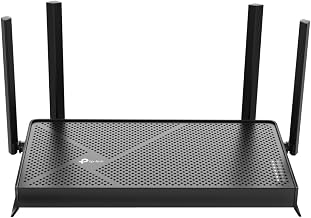
 ASUS TUF Gaming BE6500 WiFi 7 Router
- WiFi 7 Gaming Router - WiFi 7 (802.11be)…
- Game Tough with Stability & Low Latency -…
- Quad 2.5G Port - Traffic via 2.5G ports…
| Product | Key specs | |
|---|---|---|
| TP-Link BE6500 Dual-Band WiFi 7 Router | 𝐅𝐮𝐭𝐮𝐫𝐞-𝐑𝐞𝐚𝐝𝐲 𝐖𝐢-𝐅𝐢 𝟕 - Designed with the latest… 𝟔-𝐒𝐭𝐫𝐞𝐚𝐦, 𝐃𝐮𝐚𝐥-𝐁𝐚𝐧𝐝 𝐖𝐢-𝐅𝐢 𝐰𝐢𝐭𝐡 𝟔.𝟓 𝐆𝐛𝐩𝐬 𝐓𝐨𝐭𝐚𝐥 𝐁𝐚𝐧𝐝𝐰𝐢𝐝𝐭𝐡… 𝐖𝐢𝐝𝐞 𝐂𝐨𝐯𝐞𝐫𝐚𝐠𝐞 𝐰𝐢𝐭𝐡 𝐒𝐭𝐫𝐨𝐧𝐠 𝐂𝐨𝐧𝐧𝐞𝐜𝐭𝐢𝐨𝐧 - Get up… | Check price |
| HYPEREV AX3000 Gaming Router WiFi Booster for | Instant Gaming Acceleration Without Replacing Your Router Lower Ping & Packet Loss with GearUP VIP… Gaming Router + 90-Day GearUP VIP Core Plan | Check price |
| ASUS TUF Gaming BE6500 WiFi 7 Router | WiFi 7 Gaming Router - WiFi 7 (802.11be)… Game Tough with Stability & Low Latency -… Quad 2.5G Port - Traffic via 2.5G ports… | Check price |
 DNS: The Internet's Control Plane DNS: The Internet's Control Plane | Check price | |
 GL.iNet GL-MT6000 Flint 2 Wi-Fi 6 Gaming GL.iNet GL-MT6000 Flint 2 Wi-Fi 6 Gaming | ***Please update the firmware upon initial setup of… 【High Speed Gaming Router】Dominate with uninterrupted performance with… 【Rapid OpenVPN & Wireguard speed】Wireguard VPN and OpenVPN… | Check price |
 GL.iNet GL-BE9300 Flint 3 Tri-Band Wi-Fi 7 GL.iNet GL-BE9300 Flint 3 Tri-Band Wi-Fi 7 | 【Rapid OpenVPN & Wireguard speed】Wireguard VPN and OpenVPN… 【AdGuard Home Supported】Enabling the use of a DNS… 【Mass device connectivity】Experience enhanced online connectivity with our… | Check price |
 Privacy Tools in the Age of AI: Privacy Tools in the Age of AI: | Check price | |
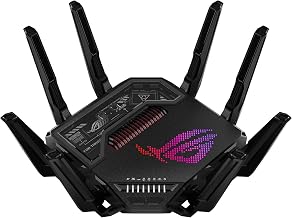
 TP-Link Tri-Band BE11000 Wi-Fi 7 Gaming Router TP-Link Tri-Band BE11000 Wi-Fi 7 Gaming Router | 𝐁𝐥𝐚𝐳𝐢𝐧𝐠-𝐅𝐚𝐬𝐭 𝐁𝐄𝟏𝟏𝟎𝟎𝟎 𝐓𝐫𝐢-𝐁𝐚𝐧𝐝 𝐖𝐢-𝐅𝐢 𝟕 - Achieve up… 𝐇𝐢𝐠𝐡𝐞𝐫 𝐒𝐩𝐞𝐞𝐝𝐬 𝐭𝐨 𝐏𝐨𝐰𝐞𝐫 𝐘𝐨𝐮𝐫 𝐃𝐞𝐯𝐢𝐜𝐞𝐬 - Experience… 𝟔 𝐆𝐇𝐳 𝐁𝐚𝐧𝐝 𝐅𝐮𝐧𝐜𝐭𝐢𝐨𝐧𝐚𝐥𝐢𝐭𝐲 - The innovative 6… | Check price |
As an Amazon Associate we earn from qualifying purchases at no extra cost to you.
⚡ Save on Your Next PC — Amazon Prime
Prime members get fast free shipping on the systems above, plus early access to Prime Day & Black Friday PC deals. New members get a 30-day free trial.
Watch: Best DNS For Gaming 2026 — Video Review
What DNS Is and Why It Matters for Gaming
DNS, the domain name system, is essentially the internet’s phone book, converting human-readable server names into the numeric IP addresses your device connects to. Every time you join a match, your system performs a lookup, and a slow or overloaded resolver adds a small delay before the connection even begins. As one industry reference puts it, DNS is quietly the internet’s control plane.
For gamers this matters most during matchmaking, patch downloads, and reconnecting after a drop. A faster resolver will not raise your in-game frame rate, but it can reduce the time it takes to find servers and load content, which smooths out the moments around your actual play sessions.
How to Pick a Faster DNS Resolver
- Choose a low-latency public resolver: Well-known options like Cloudflare, Google, and Quad9 maintain servers close to most users and typically respond faster than ISP defaults.
- Test before committing: Use a benchmarking tool to measure lookup times from your location, since the fastest resolver for one region may not be fastest for another.
- Consider secure DNS: DNS over HTTPS or TLS protects your queries from snooping, and modern routers and the ASUS TUF Gaming BE6500 support it without a speed penalty.
- Match the resolver to your goals: Some resolvers add malware filtering or family safety, so decide whether you want raw speed alone or a bit of built-in protection.
Router-Level DNS Versus Device-Level
You can set DNS on a single console or PC, but configuring it on your router applies the change to every device on the network at once. A capable gaming router like the GL.iNet Flint 2, with pre-installed OpenWrt, gives you granular control and lets you assign custom resolvers, run secure DNS, and even filter traffic across your entire home.
Device-level changes are quick and reversible, making them ideal for testing, while router-level configuration is the set-and-forget approach for households with many consoles and PCs. If you own a flexible router such as the TP-Link Archer AXE75, the router path is usually the better long-term choice.
Setting It Up Safely
Before changing anything, write down your current DNS settings so you can revert if a resolver underperforms. Apply one change at a time, test your matchmaking and load times, and keep a fallback secondary resolver configured so you never lose connectivity if the primary goes down. On a modern router, enabling DNS over HTTPS keeps your lookups private while you experiment.
Frequently Asked Questions
Will changing my DNS lower my ping?
Not your in-game ping directly, since that depends on the route to the game server. DNS changes reduce lookup and matchmaking latency, so connections establish faster even though your moment-to-moment ping during a match stays the same.
Which DNS is best for gaming?
There is no single winner because performance varies by location, but Cloudflare, Google, and Quad9 are consistently fast and reliable choices. Benchmark a few from your own network and pick whichever returns the lowest lookup times for you.
Is it safe to change my DNS?
Yes, changing DNS is completely reversible and low risk as long as you note your original settings first. Sticking to reputable public resolvers and keeping a secondary configured ensures you can always fall back if something misbehaves.
Should I set DNS on my router or my console?
Set it on your router if you want every device covered automatically, which is convenient with a flexible router like the GL.iNet Flint 2. Set it on a single console when you only want to test or optimize one device without affecting the rest of your network.
Conclusion
Optimizing your DNS is a free, low-effort tweak that can meaningfully speed up matchmaking, downloads, and reconnects in 2026, even if it will not touch your raw in-game frame rate. Benchmark a few reputable resolvers, enable secure DNS where supported, and decide between device-level and router-level control based on how many devices you run. Paired with a capable gaming router like the ASUS TUF Gaming BE6500, a well-chosen resolver rounds out a snappy, responsive online setup.