Key takeaways
- Repaste every 2 to 3 years: Most pastes dry out over time; a fresh application restores lost cooling headroom.
- Don’t spread it with your finger: Skin oils contaminate the compound; let mounting pressure do the spreading, or use a clean tool.
- Warm up thick paste: Holding the tube in your hand for a minute makes stiff compounds like Kryonaut flow more easily.
- Check mount pressure: If temps are high after a repaste, the cooler is likely uneven or too loose rather than the paste being wrong.
Thermal paste is the thin bridge between your CPU and its cooler, filling the microscopic gaps that would otherwise trap air and choke heat transfer. Applied correctly, a quality compound like Thermal Grizzly Kryonaut or Noctua NT-H2 can drop load temperatures by 5 to 10 degrees Celsius compared to dried-out or badly spread paste. Applied badly, it can leave hotspots that trigger throttling even on a high-end cooler.
The process is genuinely simple once you know the amount to use and the pattern to trust, and it takes about ten minutes. This guide covers cleaning the old paste, choosing the right compound, applying the correct dose, and mounting the cooler so pressure spreads it evenly. Get these four steps right and you’ll never fear a repaste again.
Our top picks




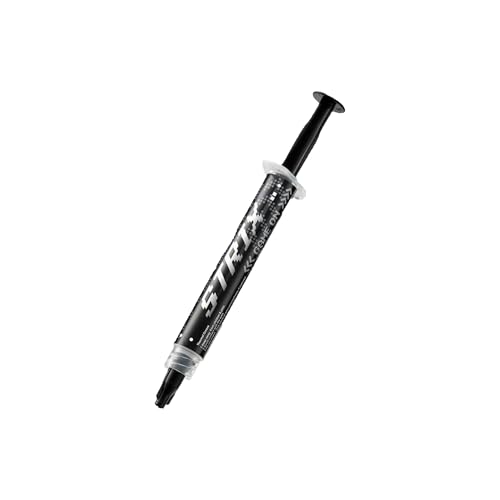
As an Amazon Associate we earn from qualifying purchases at no extra cost to you. Ratings are shown as listed on Amazon.
⚡ Save on Your Next PC — Amazon Prime
Prime members get fast free shipping on the systems above, plus early access to Prime Day & Black Friday PC deals. New members get a 30-day free trial.
Watch: How to Apply Thermal Paste Correctly — Video Review
Clean the Old Paste Off First
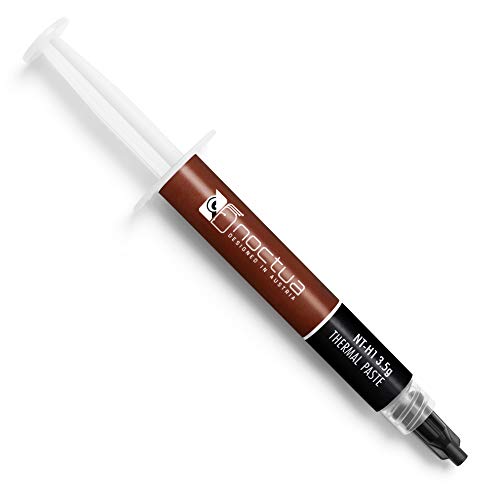
Fresh paste only works on a clean surface. Power down, remove the cooler, and wipe the old compound off both the CPU heat spreader and the cooler base using a lint-free cloth or coffee filter. For stubborn cured paste, use the cleaning wipes bundled with kits like the Noctua NT-H1 3.5g SW Edition, which includes both wet and dry wipes, or a dab of 90%+ isopropyl alcohol. Let everything dry fully; any residue or fiber left behind creates a gap that hurts cooling.
Choose a Paste That Matches Your Needs
For most gamers, a reliable non-conductive paste is the safest pick. Noctua NT-H1 and NT-H2 are famously easy to spread and forgiving of small errors, while Thermal Grizzly Kryonaut targets overclockers who want maximum conductivity and don’t mind a slightly stickier compound. If you want something budget-friendly with strong numbers, the Thermalright TF4 rates around 9.5 W/mK and applies smoothly. Avoid liquid metal unless you know exactly what you’re doing, since it conducts electricity and can short a board.
Apply the Right Amount
Less is more. For a standard mainstream CPU, a pea-sized dot in the center is the tried-and-true method; the cooler’s mounting pressure spreads it into a thin, even layer. On larger CPUs with rectangular heat spreaders, a thin line or two small dots covers the surface better. If your paste is thick or sticky, a spreader tool like a roller applicator kit helps you lay an even film manually. The goal is full coverage in a layer roughly as thin as a sheet of paper, with nothing oozing over the edges.
Mount the Cooler Evenly
Lower the cooler straight down onto the CPU without sliding it around, which would smear the paste and introduce air. Tighten the mounting screws in a diagonal cross pattern, a little at a time on each corner, so pressure builds evenly across the surface. This even clamp is what turns your center dot into full coverage. Once seated, reconnect the fan header and power on to confirm temperatures look healthy at idle.
Tips
- Repaste every 2 to 3 years: Most pastes dry out over time; a fresh application restores lost cooling headroom.
- Don’t spread it with your finger: Skin oils contaminate the compound; let mounting pressure do the spreading, or use a clean tool.
- Warm up thick paste: Holding the tube in your hand for a minute makes stiff compounds like Kryonaut flow more easily.
- Check mount pressure: If temps are high after a repaste, the cooler is likely uneven or too loose rather than the paste being wrong.
Frequently Asked Questions
How much thermal paste should I use?
A single pea-sized dot for a mainstream CPU, or a thin line for larger chips. Too much insulates rather than conducts, and too little leaves dry patches.
Is expensive paste worth it?
For overclocking or a hot high-core-count CPU, a premium paste like Kryonaut or NT-H2 buys a few real degrees. For everyday gaming, a solid mid-tier paste like Thermalright TF4 performs within a degree or two for a fraction of the cost.
Can I reuse thermal paste?
No. Once the cooler is lifted, the seal is broken and air gets in, so always clean and reapply fresh paste whenever you remove the cooler.
Will too much paste damage my CPU?
A little excess won’t damage a non-conductive paste, but it worsens cooling and can spill onto the board. Conductive compounds are riskier, which is why most gamers stick to non-conductive options.
Final Thoughts
Applying thermal paste is one of those tasks that sounds intimidating and turns out to be trivial. Clean thoroughly, pick a trusted non-conductive compound, use a pea-sized dot, and tighten the cooler in a cross pattern. Do that and you’ll unlock the full cooling potential of your hardware, keeping clocks high and fans quiet for years.