
Key takeaways
- Better elbow support: You can bring the pads closer to your natural arm position instead of adapting your shoulders to fixed supports.
- More useful across activities: The best position for a keyboard and mouse is different from the best position for a game controller, reading, or watching a video.
- Helpful during recline: Forward, backward, and pivot adjustments can keep your arms supported as your torso angle changes.
- Potentially less shoulder tension: Properly positioned armrests may reduce the need to shrug or hold your elbows in the air. They cannot, however, correct an improperly sized seat or desk.
- More flexibility for different users: If two people share a chair, 4D arms make it easier to accommodate different heights and arm lengths.
- Useful with standing or adjustable desks: If your work surface changes height, adjustable armrests make it easier to maintain a comfortable elbow position.
What's inside
The Short Answer
Usually, yes—but only if you regularly change your sitting position and the chair’s seat height, depth, and width fit your body. “4D” armrests are not automatically more ergonomic than fixed or 2D arms. Their value comes from letting you place the arm supports under your elbows while typing, gaming, using a controller, or reclining. If you sit in one position most of the time, a less expensive 2D or 3D chair may provide nearly the same comfort.
What You Actually Get
In most gaming chairs, 4D armrests adjust in four directions: up and down, forward and backward, side to side, and inward or outward through a pivoting top. The exact controls vary. Some armrests slide smoothly; others use buttons, locking notches, or a combination of both.
As an Amazon Associate we earn from qualifying purchases at no extra cost to you. Product prices and availability are accurate as of the date shown and are subject to change.

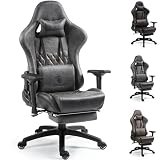
The practical goal is simple: your forearms should be supported without forcing your shoulders up or making you reach outward. For desk work, you might slide the armrests forward and inward. For a controller, you may move them farther apart or lower. When reclining, rotating the pads can help keep your elbows supported instead of leaving your arms suspended.
Armrest height matters most. A useful starting point is to sit with your shoulders relaxed, bend your elbows at roughly 90 degrees, and raise the armrests until they lightly support your forearms. If your desk is about 28 to 30 inches high, the chair must also lower enough for the armrests to fit beneath it—or you may need to raise the desk or use a keyboard tray.
Adjustment range is not the same as good design. A chair can have four-way movement but still use narrow pads, loose mechanisms, hard plastic, or controls that shift when you lean on them. Check the armrest pad dimensions and the mechanism’s stability, not just the number printed on the product listing. Pads around 3 to 4 inches wide are common, but wider is not always better if they interfere with your desk or force your elbows away from your torso.
The two reference chairs show how the feature is positioned in different markets. The VENTUVIBE Gaming Chair lists 4D armrests, a 170-degree recline, and a 320-pound capacity at $169.99. The Dowinx Big and Tall model lists 4D armrests, a 400-pound capacity, massage lumbar support, and a footrest at $219.99. Those features may sound appealing, but neither capacity nor a footrest proves that the armrests will be comfortable for your particular desk setup.
Pros
- Better elbow support: You can bring the pads closer to your natural arm position instead of adapting your shoulders to fixed supports.
- More useful across activities: The best position for a keyboard and mouse is different from the best position for a game controller, reading, or watching a video.
- Helpful during recline: Forward, backward, and pivot adjustments can keep your arms supported as your torso angle changes.
- Potentially less shoulder tension: Properly positioned armrests may reduce the need to shrug or hold your elbows in the air. They cannot, however, correct an improperly sized seat or desk.
- More flexibility for different users: If two people share a chair, 4D arms make it easier to accommodate different heights and arm lengths.
- Useful with standing or adjustable desks: If your work surface changes height, adjustable armrests make it easier to maintain a comfortable elbow position.
Cons
- Higher price: Chairs with 4D arms commonly cost about $150 to $500, while basic gaming or office chairs with fixed arms can cost roughly $80 to $180. Price varies substantially with materials and construction.
- More parts to wear out: Buttons, pivots, tracks, and locking mechanisms create additional failure points. A loose armrest can be more annoying than a simple fixed one.
- They can get in the way: Wide armrests may prevent you from pulling close to a desk. Some users remove the arms entirely for certain tasks.
- Limited usefulness at the wrong desk height: Armrests cannot solve a keyboard surface that is too high. They may also collide with a desk apron or drawer.
- Not a substitute for seat fit: A seat that is too deep, too narrow, or poorly padded will remain uncomfortable even with excellent armrests.
- Marketing terminology is inconsistent: One manufacturer’s “4D” armrest may have a smaller range or less secure lock than another’s. Product photos do not always show the full adjustment range.
- Extra features can distract from essentials: Massage motors, footrests, colorful upholstery, and extreme recline angles may add cost without improving long-session support.
Who Should Buy It
A 4D gaming chair makes sense for people who spend several hours at a computer and switch between tasks. It is especially useful if you alternate between mouse-and-keyboard work, controller gaming, streaming, reading, and reclining. It is also worth considering if you have broader shoulders, longer arms, or a desk that is not perfectly matched to your chair.
Prioritize a model with a stable armrest mechanism, a seat that supports your thighs without pressing behind your knees, and enough height adjustment for your desk. Capacity ratings deserve attention too. A chair rated for 320 pounds or 400 pounds is not automatically comfortable at every body size, so look for seat width, seat depth, and the manufacturer’s recommended user dimensions. A useful seat depth often falls around 17 to 20 inches, but your own leg length matters more than a generic target.
For a budget near $170, a chair such as the listed VENTUVIBE may be attractive if its seat fit and construction meet your needs. Around $220, the listed Dowinx model adds big-and-tall positioning and a footrest, but those extras should not justify the purchase if the armrests wobble or the seat is too deep.
Who Should Skip It
Skip 4D armrests if you use a simple workstation, keep your elbows on the desk, or rarely change positions. You may get equal practical benefit from a 2D chair with reliable height adjustment. They are also a poor priority if your budget is tight and spending more would mean sacrificing a better seat cushion, stronger base, adjustable lumbar support, or a proper return policy.
People with very specific ergonomic needs should be cautious with racing-style gaming chairs. A dedicated ergonomic office chair may offer a flatter seat, more breathable mesh, a sliding seat pan, and more refined back support. If your desk is unusually low, enclosed, or fitted with drawers, measure the clearance before choosing bulky armrests.
Cheaper Alternatives
| Option | Cost | Trade-off |
|---|---|---|
| Fixed-arm gaming chair | $80–$140 | Lowest cost, but little flexibility for different desks or activities. |
| 2D adjustable armrests | $100–$180 | Usually adjusts for height and width or depth; less precise than 4D arms. |
| 3D adjustable armrests | $130–$230 | Often provides excellent value, but may lack pivoting or one direction of travel. |
| Separate padded desk arm supports | $25–$80 | Can improve an existing setup, but may consume desk space and do not recline with you. |
| Basic ergonomic office chair | $140–$300 | May offer better back adjustment and breathability, but often lacks deep recline and gaming styling. |
FAQ
Are 4D armrests better than 3D armrests?
Not automatically. The fourth adjustment, usually a pivot or angle change, is helpful when you switch between desk work and reclining. If you mainly type at one desk, height and width adjustment may matter more than rotation. A sturdy 3D armrest is preferable to a loose or poorly padded 4D model.
How high should gaming chair armrests be?
Set them so your shoulders remain relaxed and your elbows are supported near a 90-degree bend. Your forearms should meet the keyboard and mouse without reaching upward. If the armrests force your shoulders up, lower them. If your arms hang unsupported, raise them slightly. Recheck the position after adjusting your desk or monitor.
Can 4D armrests prevent wrist or shoulder pain?
They may reduce strain caused by unsupported elbows or elevated shoulders, but they are not medical treatment. Pain can also result from keyboard height, mouse position, monitor placement, posture, or excessive uninterrupted sitting. Take regular movement breaks and seek professional advice for persistent or worsening symptoms.
Are gaming chairs with 4D armrests worth it in 2026?
They are worth the upgrade when you will use the adjustments and the chair fits your body and desk. For most buyers, a sensible target is roughly $150 to $250 for a budget-to-midrange model, with the money spent first on seat fit, stability, and returnability. If you will leave the armrests in one position, save the money and choose a better-built chair with simpler controls.





