
Key takeaways
- A capacity claim with no seat width, depth, base, or gas-lift information.
- A “400-pound” chair with a narrow seat under 19 inches or thin, visibly compressed padding.
- Reviews describing wobbling, sinking, cracked bases, peeling upholstery, or broken armrests within the first year.
- Only the gas cylinder is described as heavy-duty, while the chair’s complete capacity is unclear.
- Armrests that flex significantly when you lean on them.
- A very low price paired with unusually elaborate features and no meaningful warranty details.
- Instructions that omit weight limits for reclining, rocking, or using the footrest.
What's inside
- Decide These 3 Things First
- Size: Match the Seat and Backrest to Your Body
- Material: Upholstery Affects Heat and Durability
- Construction: Capacity Depends on More Than the Frame
- Comfort and Performance: Look for Adjustability
- Price Tiers: Capacity Often Raises the Cost
- Warranty: Read What Is Actually Covered
- Delivery and Assembly: Plan for a Heavy Package
- Spec Checklist
- Red Flags
- FAQ
Choosing a gaming chair by its advertised weight limit sounds simple, but capacity is only one part of the buying decision. A chair rated for 400 pounds is not automatically comfortable, stable, or roomy enough for every larger user. Conversely, a compact chair with a 250-pound rating may be an excellent fit for someone who weighs much less but needs a wider seat or stronger recline mechanism.
- Decide These 3 Things First
- Size: Match the Seat and Backrest to Your Body
- Material: Upholstery Affects Heat and Durability
- Construction: Capacity Depends on More Than the Frame
- Comfort and Performance: Look for Adjustability
- Price Tiers: Capacity Often Raises the Cost
- Warranty: Read What Is Actually Covered
- Delivery and Assembly: Plan for a Heavy Package
- Spec Checklist
- Red Flags
- FAQ
The most common mistakes are treating the maximum capacity as a target, ignoring seat dimensions, and assuming every “heavy-duty” label means the same thing. Some listings measure only the frame’s theoretical limit, while others provide little information about the base, casters, tilt mechanism, or long-term support. This guide explains what weight capacity do I need for gaming chairs, how much safety margin to leave, and which specifications matter most when shopping in 2026.
As an Amazon Associate we earn from qualifying purchases at no extra cost to you. Product prices and availability are accurate as of the date shown and are subject to change.


Decide These 3 Things First
- Your body weight, plus a safety margin: Choose a chair rated at least 50 pounds above your current weight. For example, a 190-pound user should generally shop for a chair rated for at least 240 pounds; a 260-pound user should look at 350- to 400-pound models.
- Your seated dimensions: Measure hip width while wearing typical clothing and add 2 to 4 inches. Also check the seat depth, backrest width, and space between the armrests. A high weight rating cannot compensate for a cramped seat.
- How you use the chair: Occasional gaming, eight-hour workdays, frequent reclining, rocking, and sitting cross-legged all put different demands on the chair. Daily use calls for better construction and adjustability than a chair used for a few hours per week.
Size: Match the Seat and Backrest to Your Body
Weight capacity answers only whether a chair is designed to support a certain load. It does not tell you whether you can sit comfortably. Start with the usable seat width, not the outside width that includes side bolsters. A standard gaming chair may offer 18 to 20 inches of usable width, while a big-and-tall model may provide 20 to 24 inches.
Measure your seated hip width and choose a cushion at least 2 inches wider. If you frequently shift positions or sit with one leg tucked under you, allow 3 to 4 inches of extra room. Seat depth also matters: around 18 to 20 inches suits many average-size adults, while 20 to 22 inches can better support taller users. You should still have roughly 2 to 3 inches between the front edge of the cushion and the backs of your knees.
Check the backrest width, shoulder clearance, and armrest spacing. A backrest around 20 to 22 inches wide is common; larger users may prefer 22 to 25 inches. Verify the height range as well. A seat height of about 18 to 22 inches works for many desks, but taller users may need a maximum height near 23 or 24 inches to keep their knees and elbows in a comfortable position.
Material: Upholstery Affects Heat and Durability
Most gaming chairs use PU leather, fabric, or a combination of both. PU leather is easy to wipe clean and typically appears on budget models priced from about $80 to $150. Its drawbacks are heat buildup and possible peeling after years of heavy use, especially in warm rooms or when the chair is exposed to direct sunlight.
Fabric usually breathes better and can feel more comfortable during long sessions. It is common in chairs priced around $120 to $250, although the quality varies. Look for tightly woven upholstery, reinforced seams, and removable or washable covers when available. Fabric is less resistant to spills, so it may require more care.
Padding density is more useful than a vague claim such as “thick cushion.” A seat with about 3 to 5 inches of molded foam or layered high-density foam is a reasonable target. Low-density foam may feel soft at first but compresses faster. Pocket springs can add resilience and support, but they do not make a poorly sized chair comfortable.
Construction: Capacity Depends on More Than the Frame
For users under 200 pounds, a chair rated for 250 to 300 pounds usually provides a sensible reserve. Between 200 and 300 pounds, look for a 350- or 400-pound rating. At 300 pounds or above, prioritize models specifically designed for big-and-tall users and verify that the rating applies to the entire chair, not just the gas lift.
A strong chair should use a five-star metal or reinforced nylon base, a certified or clearly specified gas lift, and a tilt mechanism designed for the published capacity. A Class 3 gas lift is common on general-purpose office chairs; a Class 4 lift is often preferred for heavier-duty models. The class alone does not prove that the whole chair supports a particular weight, so consider it one piece of evidence.
Large casters, typically 2.5 to 3 inches in diameter, roll more smoothly and are less likely to catch on carpet. Reinforced mounting points and metal brackets are also valuable. A chair that supports 400 pounds should not have narrow plastic armrest mounts or a visibly undersized base. Keep in mind that rocking, dropping into the seat, and leaning hard on one armrest create greater forces than quiet, centered sitting.
Comfort and Performance: Look for Adjustability
A gaming chair should let you maintain a neutral posture rather than forcing you into a racing-style position. Height adjustment is essential, while adjustable armrests are especially helpful for users who spend long periods typing or using a mouse. Four-dimensional armrests can move up, down, forward, backward, and side to side; two-dimensional armrests generally adjust only height and width or depth.
For desk work, look for a backrest that reclines at least 120 degrees. A range of roughly 90 to 135 degrees supports upright work and occasional relaxation. Some chairs recline to 150 degrees or more, but a deep recline is not automatically safer or more comfortable. Check that the mechanism locks securely and that the chair remains stable when reclined.
Lumbar pillows and headrests can help, but they are not substitutes for a supportive backrest. A pillow should sit at the curve of your lower back without pushing your torso too far forward. Footrests are useful for short breaks or reclining, but they are usually not designed to carry your full body weight. Never stand on one or use it as a step.
Price Tiers: Capacity Often Raises the Cost
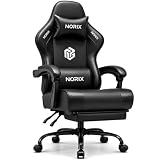
Budget chairs generally cost about $80 to $130. At this level, you may find a 250- to 300-pound rating, basic tilt, fixed or two-dimensional armrests, and PU leather upholstery. The $84.99 Video Gaming Chair for Adults with Footrest is an example of the kind of feature-heavy budget product buyers may encounter. Expect compromises in foam longevity, hardware finish, or adjustment range.
Mid-range chairs typically cost $130 to $220 and are where many shoppers will find the best balance. A 350- or 400-pound rating, wider seat, stronger base, pocket-spring support, and better armrests become more common. The listed GTPLAYER 400-pound models, priced around $125.94 to $169.96, illustrate that a heavy-duty rating does not always require a premium price, though you should still verify measurements and warranty terms.
Premium chairs generally start around $250 and can exceed $600. You are paying for more consistent materials, refined mechanisms, longer warranties, better ergonomic adjustment, and stronger quality control—not simply a higher number on the capacity label. The best value is the chair that fits your body and daily routine, not necessarily the one with the largest advertised limit.
Warranty: Read What Is Actually Covered
Look for at least a one-year warranty on the complete chair. A two- or three-year warranty is more reassuring for daily use, while premium ergonomic brands may offer five years or longer on the frame and shorter coverage on upholstery, casters, or moving parts.
Check whether the warranty covers the gas lift, tilt mechanism, armrests, base, and casters. Some policies cover only manufacturing defects and exclude normal cushion compression, peeling upholstery, accidental damage, or commercial use. Also confirm whether the company pays return shipping for a defective chair. A warranty is less useful if a large, heavy return costs $80 or more out of pocket.
Delivery and Assembly: Plan for a Heavy Package
Gaming chairs commonly arrive in boxes weighing about 45 to 75 pounds. Big-and-tall models can approach or exceed 80 pounds. Check the package dimensions, doorway clearance, and whether delivery is to the building entrance or the room of your choice.
Most chairs require 30 to 90 minutes of assembly. Two people make it easier to attach a heavy backrest and align the side brackets. Before tightening every bolt, confirm that the armrests, seat plate, and backrest are facing correctly. After assembly, test the height adjustment, recline lock, rocking tension, and caster movement before regular use.
Spec Checklist
| Spec | Budget | Mid | Premium |
|---|---|---|---|
| Typical price | $80–$130 | $130–$220 | $250–$600+ |
| Weight rating | 250–300 lb | 350–400 lb | 300–400+ lb |
| Usable seat width | 18–20 in. | 20–23 in. | 20–24 in. |
| Seat depth | 18–20 in. | 19–22 in. | 20–23 in. |
| Recline range | 90–135° | 90–150° | 90–155°+ |
| Armrests | Fixed or 2D | 2D or 3D | 3D or 4D |
| Warranty target | 1 year | 1–3 years | 3–5+ years |
Red Flags
- A capacity claim with no seat width, depth, base, or gas-lift information.
- A “400-pound” chair with a narrow seat under 19 inches or thin, visibly compressed padding.
- Reviews describing wobbling, sinking, cracked bases, peeling upholstery, or broken armrests within the first year.
- Only the gas cylinder is described as heavy-duty, while the chair’s complete capacity is unclear.
- Armrests that flex significantly when you lean on them.
- A very low price paired with unusually elaborate features and no meaningful warranty details.
- Instructions that omit weight limits for reclining, rocking, or using the footrest.
FAQ
What weight capacity should I choose if I weigh 200 pounds?
Choose a chair rated for at least 250 pounds, but a 300- or 350-pound model may provide a more useful safety margin for daily use. Check the seat width and depth as carefully as the rating.
Is a 400-pound gaming chair better for everyone?
Not necessarily. A 400-pound chair may have a stronger base and wider cushion, but it can be too large for a smaller user. If the seat is too deep or the armrests are too far apart, posture and comfort may suffer.
How much extra capacity should I allow?
A practical minimum is 50 pounds above your current body weight. Allow more if you recline frequently, rock aggressively, sit cross-legged, or want the chair to accommodate normal weight changes over several years.
Does a footrest affect the chair’s weight rating?
Usually, the advertised rating applies to seated use, not standing, stepping, or placing your full body weight on the footrest. Use it to support your legs while reclining, and follow the manufacturer’s instructions for its load limit.





