
Key takeaways
- A motor wattage number without lifting capacity, travel speed, or duty-cycle information.
- A capacity rating that does not clarify whether it is static or lifting capacity.
- A very large desktop paired with narrow feet, thin columns, or no cross-support.
- No stated height range, desktop thickness, frame dimensions, or assembled weight.
- Memory buttons advertised without anti-collision information or a reset procedure.
- A warranty that covers the frame but says nothing about motors, controls, or power supplies.
- Reviews mentioning uneven columns, stripped mounting holes, missing hardware, or difficult returns.
- RGB lighting and accessories receiving more attention than load, stability, and construction specs.
What's inside
Choosing a standing gaming desk by price, RGB lighting, or a dramatic desktop photo is an easy mistake. The parts that determine whether the desk feels stable and lasts for years are usually less visible: motor count, lifting capacity, frame geometry, control quality, height range, and warranty coverage. A desk can look impressive yet wobble at standing height, struggle with a heavy monitor setup, or become irritatingly slow every time you switch positions.
This standing gaming desk motor specs buying guide focuses on the numbers that matter before you buy. Use it to compare a motor kit, a basic rectangular frame, an L-shaped workstation, or a premium RGB gaming desk. Prices change, but the useful performance standards remain fairly consistent.
As an Amazon Associate we earn from qualifying purchases at no extra cost to you. Product prices and availability are accurate as of the date shown and are subject to change.


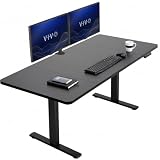
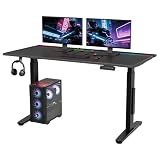
Decide These 3 Things First
- Know your total load. Add the desktop, monitor arms, displays, computer, speakers, consoles, microphone, and anything else that will stay on the desk. A typical single-monitor setup may weigh 60 to 100 pounds; a large multi-monitor setup can reach 150 pounds or more.
- Measure your usable space. Decide whether you need a 48- to 55-inch rectangle, a 60- to 63-inch workstation, or an L-shaped desk. Also reserve at least 30 inches of clearance behind the desk for cables and movement.
- Set your height requirements. Measure your seated elbow height and standing elbow height. Many adults need a desk range of roughly 27 to 47 inches, while taller users may need a maximum height of 48 to 50 inches. The right range matters more than a low minimum or high maximum that you will never use.
Size and Weight Capacity
Desktop size affects both comfort and stability. A 48- to 55-inch desk is usually adequate for one monitor, a keyboard, a mouse, and a mid-size computer. For two 27-inch monitors, an arm, speakers, and accessories, a 60-inch-wide surface is more comfortable. Depth matters too: 30 inches gives a monitor more usable viewing distance than a 24-inch top.
Corner desks can provide 70 to 80 inches of combined working length, but they need a room corner and are difficult to reposition. Check the assembled dimensions rather than relying on a headline measurement. Some L-shaped desks use a splice board, so verify which side the return can occupy and whether the layout can be reversed.
Capacity is often listed as 150 to 330 pounds, but distinguish lifting capacity from static capacity. Lifting capacity describes what the motors can raise, while static capacity describes what the frame can support when stationary. Choose a stated lifting capacity at least 25 percent above your measured load. For a 120-pound setup, a 150-pound lifting rating is a reasonable minimum; for 180 pounds of equipment, look for 225 pounds or more.
Material and Desktop Quality
Most affordable tops use particleboard, MDF, or laminated fiberboard. These materials can be perfectly serviceable at 0.7 to 1 inch thick, but edge protection and fastener quality matter. A thin top with poorly supported monitor arms can sag or strip around screw holes. If you use a clamp-on arm, confirm that the rear edge is thick enough for the clamp and that a reinforcement plate is allowed.
Solid wood is more durable and easier to refinish, but it is heavier and can increase the load substantially. A 1-inch wood top may weigh 35 to 60 pounds depending on species and size. Bamboo is a middle option: typically lighter than hardwood, more rigid than inexpensive fiberboard, and often available in 0.7- to 1-inch thicknesses.
Look for a finished surface that resists ordinary spills, but do not assume it is waterproof. Cable grommets, a rear modesty panel, and a magnetic or removable accessory rail can improve practicality. RGB lighting is a convenience feature, not evidence of a stronger frame or better motor.
Frame Construction and Motor Configuration
The frame is more important than the motor’s advertised wattage alone. A two-leg, two-stage frame is common on budget desks and can work well at moderate heights and loads. Three-stage legs generally offer a broader height range and may feel more controlled near the top of the travel. Crossbars, wider feet, thicker steel columns, and better leg synchronization usually improve stability.
Single-motor desks are often the least expensive and may be suitable for a compact setup under about 100 pounds. Two-motor systems are a better default for a 55- to 63-inch gaming desk because each leg is driven directly. Triple-motor systems are useful for larger L-shaped surfaces or heavier loads, but they are not automatically wobble-proof; frame design and assembly still determine much of the result.
Motor kits commonly use low-voltage DC power, including 24-volt systems. A listed 24V rating describes electrical input, not lifting strength. Check the motor’s rated load, duty cycle, travel speed, and control-box compatibility. A practical travel speed is about 0.8 to 1.5 inches per second. Faster is not always better if it increases noise or reduces control.
Comfort, Noise, and Performance
A useful sitting-to-standing range is usually about 27 to 47 inches, measured from the floor to the desktop. Your keyboard should sit near elbow height with shoulders relaxed, and your monitor should be positioned so the top third of the screen is near eye level. If the desk stops too low or too high for you, excellent motors will not fix the ergonomic mismatch.
Preset buttons are worth paying for if you change positions several times a day. Three or four memory settings can store seated, standing, and alternate working heights. An anti-collision feature that reverses when the desk meets resistance is also valuable, although it should not replace keeping cables clear.
Noise is normally specified in decibels, but manufacturers measure under different conditions. Treat claims below 50 decibels as a general indication rather than a guaranteed room experience. More useful questions are whether the desk moves evenly, whether it shudders at the top of its range, and whether the control box limits continuous operation. Many electric desks use a duty cycle such as 1 minute of movement followed by 9 minutes of rest. Follow the manual rather than repeatedly cycling the desk.
Price Tiers: What You Actually Get
Under $150: This range includes basic motor kits, smaller frames, and simple single-motor desks. A standalone 24V lift motor kit priced around $75 may be attractive if you already have a suitable top and can verify mounting dimensions, shaft compatibility, controls, and load rating. It is not a complete desk, and the finished stability depends on your frame and desktop.
$150 to $300: This is the broad value tier. Expect a 48- to 63-inch top, electric adjustment, two legs on many rectangular models, and basic memory controls on some desks. A triple-motor L-shaped desk around $230 may offer more workspace, but inspect the listed capacity, return configuration, and frame support before assuming it will handle a heavy corner setup.
$300 to $500: Premium features become more common, including three-stage columns, improved cable management, thicker tops, stronger control boxes, magnetic accessories, and RGB lighting. A 55-inch RGB gaming model near $420 may justify the price if its frame specifications and warranty are stronger—not simply because it has lighting.
Over $500: This tier can make sense for large solid-wood tops, commercial-grade frames, heavy equipment, or specialized accessories. Compare the complete package carefully. A more expensive desk is not a bargain if its warranty excludes the motor or its stated lifting capacity barely exceeds your setup.
Warranty and Support
Look for at least a 2-year warranty on the frame and electronics. Five-year frame coverage and 2- to 5-year motor coverage are stronger signs of long-term support, although the exact exclusions matter. A warranty may cover manufacturing defects while excluding damage from overloading, improper assembly, moisture, or third-party desktops.
Confirm whether replacement parts are available separately. A desk should ideally have replaceable control boxes, handset controls, power supplies, and lifting columns. Keep the packaging until you have tested the desk and tightened every fastener. Also check the return window and whether return shipping for a 100-pound package is your responsibility.
Delivery and Assembly
Expect a complete electric desk to weigh roughly 90 to 180 pounds, with L-shaped models often heavier. Two-person carrying is safer, especially for a 60-inch or larger top. Assembly commonly takes 60 to 120 minutes, and L-shaped desks can take longer because of extra braces and splice-board alignment.
Before ordering, verify door, stair, and elevator access. Check whether the package arrives in one box or several and whether the desktop is shipped separately. During assembly, tighten bolts in stages, keep both lifting columns at the same starting height, and avoid using an impact driver unless the instructions permit it. A slightly misaligned frame can produce binding, noise, or uneven movement.
Spec Checklist
| Spec | Budget | Mid | Premium |
|---|---|---|---|
| Typical price | $75-$150 for a kit or compact frame | $150-$300 | $300-$600+ |
| Desktop size | 40-55 inches wide, 24-30 inches deep | 55-63 inches wide, about 30 inches deep | 55-80 inches, or an L-shaped layout |
| Motor setup | Single motor or basic 24V kit | Two motors preferred | Two or three motors with synchronized control |
| Height range | About 28-46 inches | About 27-47 inches | About 25-50 inches, often with three-stage legs |
| Lifting capacity | 100-150 pounds | 150-225 pounds | 225-330+ pounds |
| Controls | Up/down handset | Two to four memory presets | Presets, anti-collision, USB or accessory features |
| Warranty target | 1-2 years | 2-5 years | 5+ years on frame, 2-5 years on electronics |
Red Flags
- A motor wattage number without lifting capacity, travel speed, or duty-cycle information.
- A capacity rating that does not clarify whether it is static or lifting capacity.
- A very large desktop paired with narrow feet, thin columns, or no cross-support.
- No stated height range, desktop thickness, frame dimensions, or assembled weight.
- Memory buttons advertised without anti-collision information or a reset procedure.
- A warranty that covers the frame but says nothing about motors, controls, or power supplies.
- Reviews mentioning uneven columns, stripped mounting holes, missing hardware, or difficult returns.
- RGB lighting and accessories receiving more attention than load, stability, and construction specs.
FAQ
Is a two-motor desk enough for gaming?
Usually, yes, for a rectangular desk carrying up to about 150 to 200 pounds. Choose three motors mainly for an L-shaped design, unusually heavy equipment, or a larger safety margin. A well-built two-motor frame can be more stable than a poorly braced triple-motor desk.
How much lifting capacity do I need?
Weigh everything that remains on the desk and add at least 25 percent. For a 100-pound setup, target at least 125 pounds of lifting capacity; for a 160-pound setup, target 200 pounds or more. Do not count on removing accessories each time you raise the desk.
Are motor kits a good alternative to a complete desk?
They can be economical if you already own a rigid, correctly sized desktop and can match the mounting pattern, controller, power supply, and load rating. A kit does not solve problems caused by a weak top, narrow feet, poor bracing, or incorrect alignment.
What is the most important specification?
For most buyers, it is the combination of usable height range, realistic lifting capacity, and frame stability. Start with your body measurements and equipment weight, then compare motor count, construction, warranty, and price. Features such as RGB lighting should come after those fundamentals.





