
Key takeaways
- Using outside width as seat width: Thick side bolsters and armrests can reduce usable sitting space by several inches.
- Ignoring the minimum seat height: If your feet do not sit flat, your knees and lower back may become uncomfortable. A footrest can help, but correct chair adjustment is better.
- Buying by weight capacity alone: Capacity does not describe seat depth, hip room, cushion support, or backrest height.
- Forgetting recline space: A chair that fits upright may hit a wall when reclined.
- Assuming every “high-back” chair is tall-user friendly: Compare the backrest height and shoulder position with your own torso length.
- Overlooking the desk: Tall armrests may prevent the chair from sliding under the desktop, reducing usable floor space.
- Skipping assembly dimensions: Confirm the caster base width and chair height after assembly, not just the carton size.
What's inside
Choosing a gaming chair by appearance alone can lead to an awkward fit, blocked walkways, or a seat that does not support your body comfortably. The most useful specifications are the chair’s overall footprint, seat dimensions, height range, and tested weight capacity. This guide explains standard ergonomic gaming chair dimensions and weight capacity so you can compare models confidently in 2026.
The Short Answer
A standard ergonomic gaming chair is approximately 26 to 30 inches wide, 26 to 31 inches deep, and 45 to 53 inches high when the backrest is upright. That equals roughly 66 to 76 cm wide, 66 to 79 cm deep, and 114 to 135 cm high. Most standard models support 250 to 300 pounds, while big-and-tall designs commonly support 350 to 400 pounds.
As an Amazon Associate we earn from qualifying purchases at no extra cost to you. Product prices and availability are accurate as of the date shown and are subject to change.


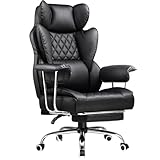
Typical seat dimensions are 19 to 23 inches wide and 18 to 21 inches deep. A seat height of 17 to 22 inches suits many adults, although shorter users may need a chair with a lower minimum setting. For a comfortable fit, choose a weight capacity at least 25 to 50 pounds above your body weight and verify the seat width between the armrests, not just the outside width of the chair.
Basic ergonomic gaming chairs often cost about $80 to $150. Models in this price range may include adjustable armrests, reclining backrests, removable lumbar pillows, headrests, and footrests. A footrest adds convenience but usually increases the chair’s front-to-back clearance when extended.
Standard Sizes
The measurements below represent common listed dimensions for high-back ergonomic gaming chairs. Exact specifications vary by manufacturer, cushion thickness, caster position, and whether the dimensions are measured at the widest point.
| Chair measurement | Standard range in inches | Approximate range in centimeters | What it affects |
|---|---|---|---|
| Overall width | 26–30 in. | 66–76 cm | Desk clearance, doorways, and room footprint |
| Overall depth | 26–31 in. | 66–79 cm | Space behind and in front of the chair |
| Overall height | 45–53 in. | 114–135 cm | Clearance under shelves and near windows |
| Seat width | 19–23 in. | 48–58 cm | Hip and thigh room between armrests |
| Seat depth | 18–21 in. | 46–53 cm | Thigh support and distance from the backrest |
| Seat height | 17–22 in. | 43–56 cm | Whether your feet rest flat on the floor |
| Armrest height from seat | 7–11 in. | 18–28 cm | Elbow support and desk compatibility |
| Recline range | 90–155 degrees | 90–155 degrees | Upright work, gaming, reading, and resting positions |
| Weight capacity | 250–400 lb. | 113–181 kg | Maximum recommended user weight |
| Chair weight | 35–65 lb. | 16–29 kg | Assembly, moving, and floor protection |
Standard chairs are often around 45 to 55 pounds, while reinforced big-and-tall chairs may weigh 55 to 65 pounds. A heavier chair can feel more stable, but it may be difficult to move on thick carpet or across a small room. Check whether the listed product weight includes the footrest, base, and casters.
Weight capacity is not the same as recommended comfort range. A chair advertised for 400 pounds may have a reinforced base and gas lift, but a user near that limit should also inspect the seat width, cushion firmness, armrest spacing, and backrest width. A 23-inch seat, such as the type found on some big-and-tall office and gaming chairs, offers more room than a typical 19- or 20-inch seat.
How to Measure Your Space
- Measure the desk opening. Record the distance between the desk legs, pedestal, or storage units. A chair that is 28 inches wide needs more than a 28-inch opening because the casters and armrests need turning room.
- Measure the desk height. Most fixed desks are about 28 to 30 inches high. Leave enough room for the armrests to slide under the desktop, or select adjustable or flip-up arms.
- Mark the chair footprint. Use painter’s tape to outline the chair’s listed width and depth on the floor. Include the caster spread, which can be wider than the seat.
- Add operating clearance. Allow at least 24 inches behind the chair for a comfortable recline and roughly 30 to 36 inches in front for rolling back. A tight workstation may function with less, but movement will be restricted.
- Check recline clearance. If the backrest reclines to 135 or 155 degrees, measure from the chair’s front edge to the farthest point of the reclined back. Keep walls, bookcases, and monitors outside that path.
- Measure delivery access. Compare the shipping box and the assembled chair with doorways, stairwells, elevators, and sharp hallway turns. The assembled chair may be 30 inches wide even when the package is narrower.
- Test floor compatibility. Casters work differently on carpet, hardwood, and tile. A chair mat can protect flooring, but it also adds a small transition that may affect rolling and desk height.
By Room or Use Case
Bedroom or Small Office
Choose a compact model about 26 to 28 inches wide and no more than 28 inches deep if floor space is limited. A chair with a 17- to 21-inch seat-height range is easier to pair with a standard desk. Look for flip-up armrests if the chair must tuck beneath a desk or vanity. A footrest can be useful for relaxing, but it may make the chair feel large in a small room.
Dedicated Gaming Room
A wider 28- to 30-inch chair can work well when the room allows generous clearance. Prioritize a seat depth that leaves about 2 to 4 inches between the front edge of the cushion and the back of your knees. A recline range of roughly 90 to 135 degrees supports both upright play and short breaks. Keep at least 24 inches behind the chair for reclining and cable access.
Shared Work-and-Gaming Desk
For a chair used for several hours of work, prioritize adjustable armrests, a stable five-star base, and a seat height that lets your elbows rest near desk level. A 19- to 21-inch seat width is a common middle ground. If multiple people use the chair, select a broad height range, such as 17 to 22 inches, and avoid relying on a fixed lumbar pillow that cannot be repositioned.
Big-and-Tall Users
Look for a listed capacity of 350 to 400 pounds, a seat width of at least 22 inches, and a reinforced metal base. The outside width may reach 30 inches or more. The chair should support your weight without forcing your hips against the armrests. Also check the backrest width, seat depth, and distance between the armrests; capacity alone does not guarantee a roomy fit.
Console Gaming or Reclined Use
A chair with a reclining back and pull-out footrest can be comfortable for controller gaming, streaming, or watching movies. Confirm that the footrest extends far enough for your legs and that its support is not being used as a substitute for a separate ottoman. When extended, the chair may require 45 to 60 inches of front-to-back room.
Common Sizing Mistakes
- Using outside width as seat width: Thick side bolsters and armrests can reduce usable sitting space by several inches.
- Ignoring the minimum seat height: If your feet do not sit flat, your knees and lower back may become uncomfortable. A footrest can help, but correct chair adjustment is better.
- Buying by weight capacity alone: Capacity does not describe seat depth, hip room, cushion support, or backrest height.
- Forgetting recline space: A chair that fits upright may hit a wall when reclined.
- Assuming every “high-back” chair is tall-user friendly: Compare the backrest height and shoulder position with your own torso length.
- Overlooking the desk: Tall armrests may prevent the chair from sliding under the desktop, reducing usable floor space.
- Skipping assembly dimensions: Confirm the caster base width and chair height after assembly, not just the carton size.
FAQ
What is the standard size of an ergonomic gaming chair?
Most standard models are about 26 to 30 inches wide, 26 to 31 inches deep, and 45 to 53 inches high. The seat is commonly 19 to 23 inches wide and 18 to 21 inches deep. Always check the manufacturer’s measurements because padding and armrests can change the usable size.
How much weight can a gaming chair hold?
Many standard chairs are rated for 250 to 300 pounds. Big-and-tall models commonly list 350 or 400 pounds. For better durability and comfort, choose a chair with a capacity at least 25 to 50 pounds above the user’s weight, while also checking the seat width and base construction.
How much room should be behind a gaming chair?
Leave at least 24 inches behind the chair for ordinary movement and about 30 to 36 inches if you regularly recline. Measure to the farthest point of the backrest in its preferred reclined position, not just when the chair is upright.
Are gaming chairs suitable for a standard desk?
Usually, yes. A seat-height range of about 17 to 22 inches works with many 28- to 30-inch desks. However, wide armrests or fixed armrests may prevent the chair from sliding underneath. Match the chair’s armrest height and seat height to the desk before buying.





