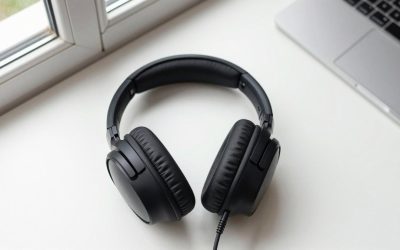
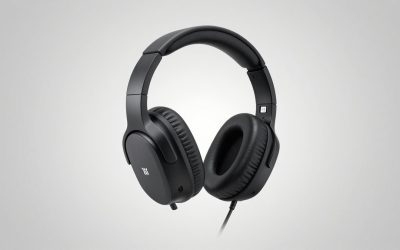
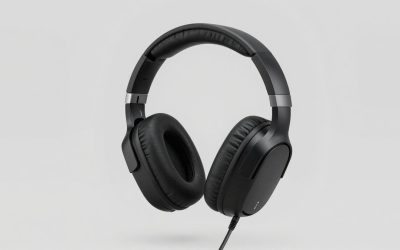
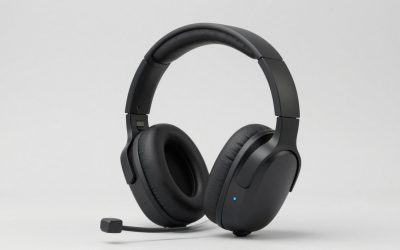
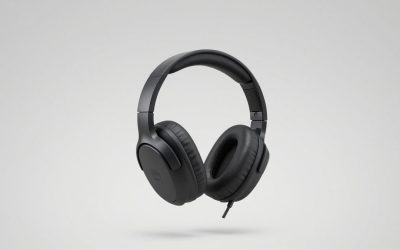
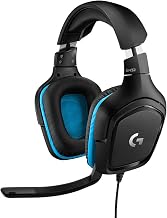
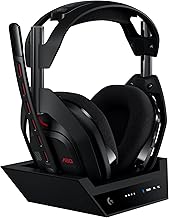
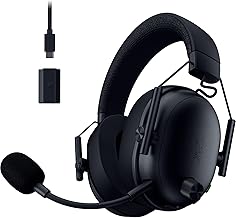
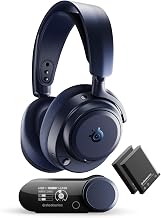
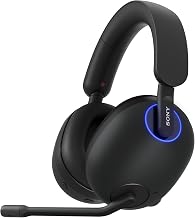
Shopping for the best gaming headsets for under $1800 gives you plenty of room to choose, but your platform and listening habits matter more than using the entire budget. This shortlist compares six headsets with microphones, covering wireless convenience, multi-system switching, planar magnetic drivers, and straightforward wired use. Start with the SteelSeries Arctis Nova Pro Wireless if simultaneous phone audio and replaceable batteries fit your routine. Consider the Audeze Maxwell 2 if you specifically want a wireless planar headset, or the HyperX Cloud III if you prefer a simpler wired purchase. Every listed option falls comfortably below the spending ceiling.
Quick verdict
The SteelSeries Arctis Nova Pro Wireless is our leading recommendation for buyers who want a flexible everyday gaming setup. Its combination of simultaneous Bluetooth audio, two-system USB switching, active noise cancellation, and a dual-battery system addresses several practical problems with one purchase. Buy the Xbox version if you need its dedicated Xbox USB connection.
The Audeze Maxwell 2 is the alternative to consider for its planar magnetic design and multiple connection options. Its substantial manufacturer-listed weight deserves attention before committing to long sessions.
Choose the Logitech Astro A50 X when switching between Xbox, PS5, and a computer is your main problem. For a wired headset without charging or pairing, the HyperX Cloud III is the more economical starting point.
These recommendations reflect documented features and intended use. They are not a measured ranking of sound quality, microphone performance, or comfort.
Best gaming headsets for under $1800 compared
Prices below were displayed on U.S. manufacturer or retailer pages checked November 2, 2026. They apply to the specified versions, exclude tax and shipping, and may change.
| Headset and version | Observed U.S. price | Best for | Deciding features | Main trade-off |
|---|---|---|---|---|
| SteelSeries Arctis Nova Pro Wireless, white PC/PlayStation model 61526 | $289.99 | Phone audio alongside gaming | Simultaneous Bluetooth; dual-battery system; ANC; two USB system connections | This version lacks the dedicated Xbox USB connection |
| Audeze Maxwell 2, standard PlayStation / Xbox editions | $329 / $349 | Buyers seeking wireless planar drivers | 90mm planar drivers; USB dongle; USB-C audio; detachable boom microphone | Manufacturer-listed weight of approximately 1.23 lb |
| Logitech Astro A50 X, white | $399.99 | Switching among Xbox, PS5, and PC/Mac | PLAYSYNC switching; HDMI console integration; USB computer connection; charging base | More setup complexity than a USB-dongle headset |
| Razer BlackShark V3 Pro, black PC model RZ04-05400100-R3U1 | $249.99 | A detachable microphone with wireless ANC | HyperSpeed Wireless Gen-2; detachable 12mm microphone; hybrid ANC | Platform-specific versions require careful selection |
| Corsair VIRTUOSO MAX, Carbon CA-9011372-WW | $249.99 | Simultaneous gaming and mobile audio on supported platforms | 2.4GHz plus Bluetooth; ANC; removable microphone; iCUE controls | Listed compatibility for this SKU excludes Xbox |
| HyperX Cloud III wired, black 727A8AA | $69.99 | Simple wired gaming at a lower cost | Wired connection; boom microphone; earcup controls | Cable management and no wireless freedom |
The table covers complete headsets. It does not treat expensive headphones without microphones as interchangeable substitutes.
How we selected these headsets
We selected six models with distinct practical roles instead of filling the list with the most expensive products available. Each includes a microphone and has a documented U.S. price below the budget ceiling.
Manufacturer product pages and support documentation establish the features and connection requirements discussed here. U.S. retail listings provide additional price and version confirmation. Manufacturer battery specifications, where mentioned, remain manufacturer claims rather than independently measured results.
We did not conduct detailed research. Consequently, this roundup does not assign sound-quality scores, identify a universally superior microphone, or claim that any headset improves competitive results. Comfort also remains personal: head shape, glasses, ear size, and session length can change which model works best.
The recommendations prioritize connection behavior, platform support, charging arrangements, and purchase cost—the differences that can be assessed most directly from the available documentation.
The six headset recommendations
SteelSeries Arctis Nova Pro Wireless: for flexible everyday use
The Nova Pro Wireless earns its position through convenience. SteelSeries documents simultaneous 2.4GHz and Bluetooth audio, active noise cancellation, and two interchangeable batteries. Its base station also supports switching between two USB-connected systems.
This combination suits someone who plays on a computer or console while keeping phone audio available. Charging one battery while using the other changes the charging routine, although swapping batteries still requires a brief interruption.
Version selection matters. SteelSeries states that only the Xbox edition has the dedicated Xbox USB port; its second USB port supports other listed systems. The white PC/PlayStation model priced in the table should not be mistaken for that Xbox edition.
Buy if: You want mobile audio mixing, system switching, and replaceable batteries.
Skip if: You want a small travel setup without a base station.
Audeze Maxwell 2: for buyers seeking a wireless planar headset
The standard Maxwell 2 combines 90mm planar magnetic drivers with a wireless USB dongle, USB-C digital audio, and a detachable boom microphone. Audeze also lists Bluetooth connectivity. Choose the console edition appropriate to your setup.
Its appeal is the combination of planar drivers and integrated gaming connections. Driver technology alone, however, cannot establish that you will prefer its tuning or locate sounds more accurately than with another headset.
The clearest specification to weigh against that appeal is its approximately 1.23-pound manufacturer-listed weight. Fit and weight distribution require a personal trial, particularly for extended sessions.
This recommendation covers the standard Maxwell 2. The original Maxwell and Maxwell 2 ANC are separate products.
Buy if: You specifically want planar drivers in a wireless gaming headset.
Skip if: Minimizing headset weight is your first priority.
Logitech Astro A50 X: for a multi-system gaming station
The Astro A50 X addresses a specific problem: moving one headset among Xbox, PS5, and PC/Mac. Logitech’s PLAYSYNC system lets you select the active platform from the headset, while the base station provides charging.
Its console setup uses HDMI integration, with Logitech documenting 4K/120Hz passthrough. Computer audio connects through USB. This makes it most relevant to a stationary gaming area where the consoles, display, and base can remain connected.
That integration also creates its main limitation. Before buying, map the cable path and confirm the setup supports your display’s required features. Someone using only one computer may gain little from the additional hardware.
Switching platforms is also different from hearing several platforms mixed together.
Buy if: You regularly alternate among multiple gaming systems.
Skip if: You want a portable dongle setup or only use one device.
Razer BlackShark V3 Pro: for a wireless ANC setup with a detachable mic
The black PC version of the BlackShark V3 Pro lists HyperSpeed Wireless Gen-2, hybrid active noise cancellation, and a detachable HyperClear Full Band 12mm microphone.
It is a relevant option when you want wireless gaming, environmental noise reduction, and a removable boom without the A50 X’s HDMI switching arrangement. The detachable microphone also lets you remove the boom when it is unnecessary.
The microphone specification does not establish recording quality on its own. Voice processing, placement, room noise, and your chat application influence the result. Likewise, ANC availability does not establish how well it suppresses a particular sound.
Check the exact platform edition before ordering; the BlackShark family includes separate console-oriented versions.
Buy if: Those three core features match your setup.
Skip if: You need documented multi-system switching or assume every edition supports Xbox identically.
Corsair VIRTUOSO MAX: for gaming with simultaneous phone audio
The VIRTUOSO MAX Carbon SKU listed here supports simultaneous 2.4GHz and Bluetooth connections, active noise cancellation, a removable microphone, and iCUE controls. Corsair lists PC, Mac, PS5, and PS4 compatibility for this version.
Its practical attraction is keeping a phone connected alongside a supported gaming device. That can be useful for calls or mobile audio without changing the main gaming connection.
Compare it with the Nova Pro Wireless according to your routine. Corsair’s listed feature set does not provide the same two-system base-station switching and interchangeable-battery arrangement. Conversely, someone who does not need those functions may prefer a simpler receiver-based setup.
Buy if: Simultaneous mobile audio and ANC are your priorities.
Skip if: You need Xbox support from this exact SKU or want swappable batteries.
HyperX Cloud III wired: for a straightforward lower-cost purchase
The Cloud III wired is the simplest recommendation here. The black 727A8AA listing provides a wired gaming headset with a microphone and earcup controls at a substantially lower observed price than the wireless models.
A wired connection removes pairing and battery management from the routine. It makes sense for someone who stays close to a computer or controller and does not need phone-audio mixing or a charging base.
The compromise is physical freedom. Cable routing matters, especially when moving between a desk and couch. Platform compatibility also does not mean every connection method or software feature works identically on every device.
Buy if: You want a complete headset and prefer spending less.
Skip if: A cable would interfere with your normal seating position or movement.
How to choose the right headset
How to shortlist the best gaming headsets for under $1800
Start with the connection you need, then decide which conveniences justify paying more. A large budget does not solve a platform mismatch.
Write down your requirements before comparing products:
- Your main gaming platform and any secondary systems.
- Whether you need phone audio at the same time.
- Whether you prefer a cable, USB dongle, or stationary base.
- Whether ANC is useful in your room.
- How you want to manage charging.
For a single gaming computer in a quiet room, the Cloud III wired may already address the essential requirement. For a console-and-phone combination, simultaneous Bluetooth becomes more relevant. For several stationary gaming systems, switching hardware can justify its extra cost and complexity.
This approach gives each upgrade a purpose instead of treating price as a performance score.
Check the exact console version before buying
Console support is a property of the specific model and connection, not simply the brand. A headset may work through one connection on a console while lacking support through another.
Xbox deserves particular attention when choosing USB wireless hardware. The Nova Pro Wireless documentation explicitly distinguishes its dedicated Xbox port from the connections on other editions. Similar-looking packaging should not replace reading the compatibility information.
Also separate basic audio support from extras. A working microphone does not automatically establish support for onboard game/chat balance, software equalization, or a particular spatial-audio license.
Before checkout, confirm three things: game audio, microphone input, and any control function you consider essential.
Distinguish simultaneous audio from device switching
These features solve different problems.
Simultaneous audio lets you hear two sources together, such as game audio from a wireless receiver and music from a phone. Device switching changes which source you are listening to. Bluetooth multipoint describes connection management and should not automatically be interpreted as two mixed audio streams.
That distinction matters if you use a phone-based chat service while gaming. A headset that quickly switches to the phone may still interrupt game audio rather than mix it.
Look for explicit confirmation of simultaneous playback. Then check microphone routing: hearing both sources does not necessarily mean the microphone is sent to both at once.
Treat comfort as a return-window test
Weight is useful information, but it is not a complete comfort measurement. Headband adjustment, cup depth, clamping pressure, and the position of your glasses can all affect the result.
Try the headset during a normal session rather than judging it after a few minutes. Check whether the ear cushions press against your ears, whether the headband creates a concentrated pressure point, and whether the seal changes when you move.
Do this before committing to nonreturnable accessories or modifications. A higher price does not guarantee a better fit, and replacement cushions can change both comfort and the acoustic seal.
Separate ANC from microphone noise reduction
Active noise cancellation affects what you hear. Microphone noise reduction affects what other people hear from your microphone signal.
You may need one without the other. A fan near your gaming chair can make ANC appealing, while keyboard noise reaching teammates is a microphone-placement and processing problem. Neither feature label guarantees that every unwanted sound disappears.
For voice chat, first place the microphone according to its instructions and adjust input gain. Excessive gain can make background sounds more prominent. Apply processing only as needed, because aggressive filtering can also alter your voice.
Choose the charging arrangement you will maintain
Battery capacity and charging convenience are separate considerations. A long advertised runtime is less useful if you regularly forget to charge the headset.
The models here offer different routines. The Nova Pro Wireless uses interchangeable batteries. The A50 X provides a charging cradle. Other wireless options rely on connecting a charging cable. The Cloud III wired avoids the charging routine altogether.
Choose the arrangement that fits your habits. Also check what happens while charging: being able to charge a headset does not automatically establish that every audio mode remains available during the process.
Avoid judging sound by driver size or frequency range
A large driver or an extended frequency-response specification does not tell you whether a headset’s tuning will suit your games and music. It also does not establish positional accuracy.
For competitive play, seek evidence about the exact model in an appropriate listening setup. For general use, consider whether you prefer stronger bass, a more restrained presentation, or adjustable equalization.
Keep the audio path simple when evaluating spatial effects. Start with one spatial-processing system rather than stacking several surround modes. Compare it with ordinary stereo using familiar game scenes, then retain the setting that gives you clearer information.
When spending more makes sense
Pay more when it solves a problem you can identify. Examples include mixing phone and game audio, switching among several systems, avoiding a charging cable during play, or obtaining ANC for a shared room.
Spending more is harder to justify when you already have a comfortable headset with reliable voice chat and the correct connections. A premium replacement may change its sound or convenience without producing a meaningful improvement for your use.
With a $1,800 ceiling, there is also room to consider a separate headphone-and-microphone setup. That is a different purchase, however: it can introduce additional cables, interfaces, and console-compatibility questions. For someone who wants one integrated headset, the models above provide clearer starting points.
Frequently asked questions
Do I need an external DAC or amplifier?
The wireless headsets in this list provide their own operating electronics. An external headphone amplifier is not a general upgrade for their wireless connection.
For wired use, follow the headset’s supported connection methods. Investigate an external audio device only if you have a specific problem, such as an unsuitable connector or noise from the existing source.
Can these headsets replace a separate streaming microphone?
They can provide a convenient voice-chat solution, but streaming requirements vary. This roundup does not establish that one of their microphones matches a separate recording microphone.
If your current headset already works well for listening, compare real microphone recordings before replacing the entire headset solely for streaming.
Is Bluetooth sufficient for gaming?
Bluetooth can be convenient, but performance and microphone behavior depend on the source device, supported audio modes, and implementation. Do not assume that Bluetooth delivers the same experience as the headset’s dedicated gaming connection.
Use the manufacturer-recommended gaming connection first. Evaluate Bluetooth separately for your phone or other supported uses.
Should I choose Maxwell 2 or Maxwell 2 ANC?
Treat them as different models. The standard Maxwell 2 is the product assessed here; its price and specifications should not be applied to the ANC edition.
If active noise cancellation is essential, compare the ANC model using its own documentation, price, and reviews before buying.
Will a more expensive headset make footsteps easier to locate?
Price alone cannot establish that. The game’s audio engine, mix, headset tuning, fit, and processing settings all influence the result.
A compatible, comfortable headset with sensible settings is a better starting point than assuming the highest-priced model offers a competitive advantage.
Conclusion
The SteelSeries Arctis Nova Pro Wireless is our leading choice for buyers who value simultaneous phone audio, system switching, and replaceable batteries. Choose the Audeze Maxwell 2 when its wireless planar design is the feature you specifically want, or the Astro A50 X for an integrated multi-system station. The BlackShark V3 Pro and VIRTUOSO MAX offer alternative wireless feature sets, while the Cloud III wired keeps cost and setup simpler. Confirm the exact platform version, test comfort within the return window, and spend more only when the additional feature improves your routine.