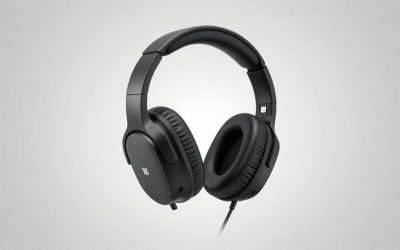
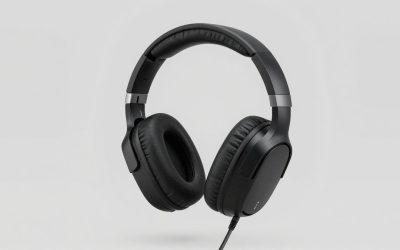
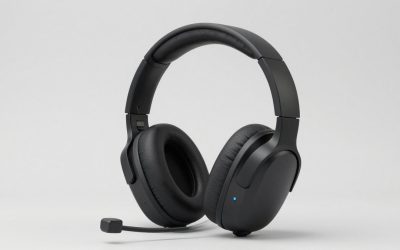
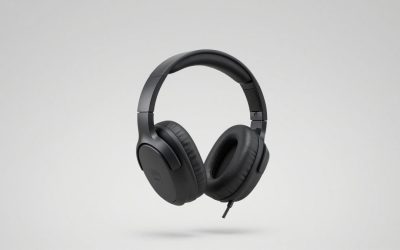
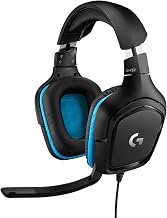
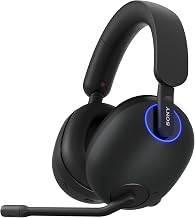
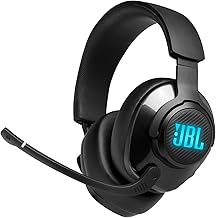
Shopping for the best gaming headsets for under $900 gives you room for premium wireless features, sophisticated connection hubs, and quality wired alternatives. It also creates a temptation to pay for capabilities your setup will never use. The Turtle Beach Stealth Pro II is our most balanced feature-based recommendation, particularly for players who need active noise cancellation and flexible connectivity. The SteelSeries Arctis Nova Elite makes more sense for complicated audio setups, while the Audeze Maxwell 2 suits buyers interested in planar magnetic drivers. The right choice starts with your platform, connection needs, and tolerance for headset weight—not the size of your budget.
Quick verdict: choose the connection system first
The Turtle Beach Stealth Pro II earns our overall recommendation for its combination of active noise cancellation, simultaneous wireless and Bluetooth audio, and swappable batteries. Choose the Xbox version if Xbox compatibility is necessary.
The other picks address more specific needs:
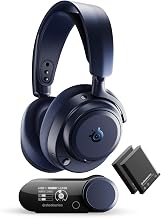
- SteelSeries Arctis Nova Elite: Best for connecting and mixing multiple audio sources.
- Audeze Maxwell 2: Best for buyers specifically seeking a wireless planar magnetic headset.
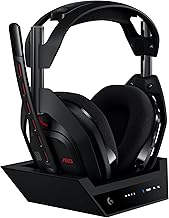
- Logitech Astro A50 X: Best for an Xbox, PS5, and PC setup built around one display.
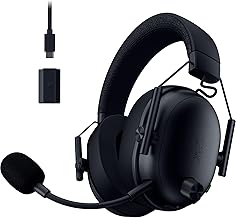
- Razer BlackShark V3 Pro, PC version: Best for PC players seeking ANC and simultaneous phone audio without a large connection hub.
- Beyerdynamic MMX 300 PRO: Best for a wired setup with replaceable wear parts.
These are editorial recommendations based on documented features and setup suitability. They are not the results of a hands-on listening comparison.
Best gaming headsets for under $900 compared
| Headset | Best for | Connection features | Other deciding features | Main trade-off |
|---|---|---|---|---|
| Turtle Beach Stealth Pro II | Balanced premium wireless setup | 2.4 GHz wireless plus simultaneous Bluetooth; CrossPlay 2.0 switching | ANC; two swappable batteries | Additional CrossPlay transmitters cost extra |
| SteelSeries Arctis Nova Elite | Multiple audio sources | GameHub with OmniPlay source mixing | ANC; dual-battery system | Its elaborate feature set can be unnecessary for one device |
| Audeze Maxwell 2 | Wireless planar magnetic option | USB wireless dongle, Bluetooth, USB audio, active analog input | 90 mm planar drivers; manufacturer-rated battery life over 80 hours | Published weight is approximately 1.23 pounds |
| Logitech Astro A50 X | Xbox, PS5, and PC sharing a display | HDMI 2.1 and USB base station; Bluetooth mixing | PLAYSYNC switching; charging cradle | Requires more cable and display-path planning |
| Razer BlackShark V3 Pro, PC version | PC gaming with phone audio | Simultaneous 2.4 GHz and Bluetooth; USB and 3.5 mm options | Hybrid ANC; detachable boom microphone | Platform editions and software features need careful checking |
| Beyerdynamic MMX 300 PRO | Wired gaming | Analog connection with separate PC plugs and console adapter | Closed-back design; replaceable pads, headband, and cable | Depends on the connected device’s headphone output and microphone input |
All six sit within the stated budget based on the U.S. listings or manufacturer pricing references reviewed. Current checkout totals, tax, accessories, and platform editions can change the final cost.
How we selected these headsets
Selection focused on buying decisions that remain relevant after the specifications page closes: whether the headset supports your console, how it handles a second audio source, what happens when its battery runs low, and whether its connection system fits your desk.
Manufacturer product pages and official announcements supplied model specifications and platform distinctions. U.S. storefront information helped establish budget eligibility. Older launch prices were treated as historical references rather than current offers.
No verified hands-on evidence was supplied for this article. Accordingly, the recommendations do not claim measured microphone superiority, stronger positional accuracy, better subjective sound, or a proven comfort advantage. Manufacturer battery ratings describe stated test conditions or advertised maximums, not guaranteed runtime.
The shortlist includes six complete headsets with microphones. It does not fill the budget with headphones that require a separately purchased microphone.
The headset picks and their trade-offs
Turtle Beach Stealth Pro II: best overall for premium wireless flexibility
The Stealth Pro II combines several practical features in one package: ANC, simultaneous 2.4 GHz and Bluetooth audio, and two swappable batteries. Turtle Beach rates each battery for 40 hours. Its U.S. product page displayed $349.99 when checked.
CrossPlay 2.0 supports switching between up to four transmitters, but the package includes one transmitter and one transmitter dock. Expanding to additional locations or systems requires separate transmitters. Switching between systems also should not be confused with mixing every system simultaneously.
The Xbox edition supports Xbox alongside PC and PlayStation; the PC/PlayStation edition does not provide the same Xbox support. That distinction matters more than the color or advertised driver size.
Buy if: You want ANC, phone audio alongside gaming, and a battery-swapping routine.
Skip if: You prefer a straightforward wired connection or would need several extra transmitters to complete your setup.
Its overall recommendation reflects the breadth of useful features, rather than an independently established win in sound quality or noise cancellation.
SteelSeries Arctis Nova Elite: best for multiple audio sources
The Arctis Nova Elite is the strongest fit here for buyers whose problem is audio routing. Its GameHub and OmniPlay system support connecting multiple systems and mixing up to four audio sources. SteelSeries’ announced North American MSRP was $599.99; that is a reference price, not a confirmed checkout offer.
This approach is useful when a console supplies the game while a PC handles communication or another audio application. It also offers ANC and a dual-battery system, giving it a broader role than a headset connected to one USB port.
The limitation is proportionality. A player using only one PC may rarely need the hub’s routing capabilities. Its high-resolution wireless specifications also do not establish that it will sound better to every listener.
Buy if: You can identify the sources you need to connect or mix before purchasing.
Skip if: Your setup consists of one gaming device and you want minimal configuration.
The premium is easiest to justify through daily workflow benefits.
Audeze Maxwell 2: best for a wireless planar magnetic option
The standard Maxwell 2 uses 90 mm planar magnetic drivers and offers a USB wireless dongle, Bluetooth, USB audio, and an active 3.5 mm analog connection. Audeze specifies more than 80 hours of wireless playback at 80 dBA.
The major buying consideration is its published weight: 560 grams, approximately 1.23 pounds. That does not establish whether it will be uncomfortable for you, but it makes a return-friendly fit trial particularly sensible. Driver technology alone cannot answer that question.
Choose the appropriate PlayStation or Xbox edition. Also distinguish the standard Maxwell 2 reviewed here from the separately named Maxwell 2 ANC; specifications should not be transferred between them.
Buy if: You specifically want a wireless planar magnetic headset and accept its weight.
Skip if: Low headset weight or ANC is a firm requirement for the standard model.
Its selection recognizes a distinct hardware option, without claiming that planar drivers automatically deliver better competitive performance.
Logitech Astro A50 X: best for consoles sharing one display
The Astro A50 X uses a base station with HDMI 2.1 and USB connections to coordinate Xbox, PS5, and PC audio. PLAYSYNC can switch the console audio and the video sent to a connected display. Logitech documents support for HDMI features including 4K at 120 Hz, VRR, and ALLM.
That makes it a purposeful choice for a shared entertainment setup. The base also provides a charging cradle and supports mixing Bluetooth audio with the gaming connection.
Its drawback is installation complexity. You need to plan the console, display, USB, HDMI, and power connections rather than treating it like a simple wireless dongle. Confirm the requirements of your particular display chain before buying.
Buy if: You regularly alternate between Xbox and PS5 on the same display.
Skip if: You play on one device or want to avoid routing video through a headset base.
The A50 X earns its place through switching convenience, not a claim of superior audio.
Razer BlackShark V3 Pro: best for PC gaming with phone audio
The PC version of the BlackShark V3 Pro combines hybrid ANC with simultaneous 2.4 GHz and Bluetooth audio. Its black U.S. PC listing displayed $249.99 when checked. Razer also documents USB and 3.5 mm connection options and a detachable 12 mm boom microphone.
For someone who plays on a PC while keeping phone audio available, this is a more direct solution than buying a hub for several consoles. It provides the relevant connection combination without requiring the larger budget available here.
Edition selection remains important: Razer sells PC, Xbox, and PlayStation-oriented versions. Software-dependent spatial features also have operating-system requirements; they should not be assumed to operate identically across platforms.
Buy if: You want ANC and simultaneous phone audio primarily for PC use.
Skip if: You need the source-routing flexibility of the Nova Elite or the display switching of the A50 X.
Its microphone specifications are documented, but they do not independently prove clearer voice reproduction than competing models.
Beyerdynamic MMX 300 PRO: best for a wired setup
The MMX 300 PRO takes a different approach: a closed-back analog headset without a charging routine or wireless base. Beyerdynamic’s U.S. page displayed $379.99 when checked.
Published specifications include 48-ohm impedance, velour ear pads, and a weight of 314 grams without the cable—approximately 0.69 pounds. The cable arrangement provides separate headphone and microphone plugs for a PC, with a console adapter. Replacement pads, headbands, and cables are listed.
Its limitation is the analog signal chain. Output level and microphone performance depend partly on the connected controller, motherboard, or audio interface. Impedance alone does not establish whether a particular output will provide sufficient volume.
Buy if: You prefer a wired headset and value access to replacement wear parts.
Skip if: You need wireless movement, ANC, or built-in mixing with phone audio.
Check your device’s jacks before ordering; an unsuitable adapter can undermine an otherwise simple setup.
How to choose the right headset for your setup
Matching the best gaming headsets for under $900 to your devices
Start with the exact devices you use, including where communication audio comes from. “PC and console compatible” does not necessarily mean every console works wirelessly, and a compatible headphone connection does not guarantee every chat control will function.
Write down three things before comparing models:
- The platform supplying game audio.
- The device supplying voice chat.
- Any second source you want to hear at the same time.
If all three functions happen on one PC, a complex hub may add little. If game audio comes from a console while communication runs on a PC or phone, connection behavior becomes a central requirement.
For Xbox, verify the exact platform edition rather than relying on the family name. For analog headsets, check whether your computer uses separate headphone and microphone sockets or a combined headset jack. Resolve these questions before comparing optional audio processing.
Decide whether you need switching or simultaneous mixing
Switching changes which source you hear. Mixing lets you hear more than one source together. A product that supports several devices may offer one behavior without providing the other in every connection combination.
This difference becomes obvious in a common scenario: you want console game audio alongside a PC voice call. A convenient switch between the two devices does not satisfy that need if it cuts off one source whenever you select the other.
Draw the desired signal path in plain language before purchasing: “console game plus phone call,” for example. Then match that requirement to the documented combination. This is more reliable than counting ports or wireless logos.
Also account for the complete setup. Extra transmitters, adapters, and cables can change both cost and convenience, even when the headset itself is comfortably below $900.
Treat fit as a purchase requirement
Weight is useful information, but it is not a complete comfort measurement. Headband shape, ear-cup depth, clamp, pad material, and the distribution of pressure all affect how a headset feels.
A short store demonstration may reveal obvious discomfort, but it cannot fully predict a longer session. Buy from a seller whose return conditions allow you to evaluate fit realistically. During that trial, wear the headset with your normal glasses and sitting position, and pay attention to pressure around the ears and top of the head.
Do not keep a poor fit simply because the headset has more expensive drivers or a longer feature list. Consistent comfort is part of usability, and another model may suit your head better without being technically more advanced.
Separate noise cancellation from microphone noise reduction
ANC addresses sound reaching your ears. Microphone noise reduction addresses sound transmitted to other people. They solve different problems.
For example, reducing the sound of a fan for your own listening does not automatically mean teammates will hear less keyboard noise. Likewise, aggressive microphone processing may reduce background sound while changing the character of your voice.
Evaluate each function separately during the return period. For the microphone, record normal speech with your usual room noise and communication settings. Listen for missing word beginnings, abrupt gating, and changes when you turn your head. Those checks are more useful than assuming that an “AI” label establishes a clear advantage.
Choose audio settings by listening, not by specification size
A larger driver, wider advertised frequency range, or higher supported sample rate does not by itself establish better gaming performance. These specifications describe aspects of the hardware or signal path; they do not replace an assessment of tuning, fit, and actual use.
Begin with the headset’s normal stereo output and a familiar game. If you enable spatial processing, check whether the game already applies a headphone-specific spatial mode. Layering processing can make the result harder to assess.
Use modest equalization changes and compare at similar listening levels. A setting that makes a particular cue louder may also make music, dialogue, or effects less balanced. The useful setting is the one that improves your own listening task without introducing a distracting trade-off.
Check support before committing to an expensive headset
Review the warranty for your region, the authorized-seller requirements, and the availability of parts you may eventually need. Do not assume that a replaceable ear pad means the battery is user-replaceable, or that every kind of wear is covered.
For a wireless model, investigate how battery service is handled. For a wired model, check cable availability and connector compatibility. Keep the purchase receipt and verify the return process while you still have time to use it.
These checks do not predict lifespan. They clarify your options if a consumable part wears out or a fault develops, which is particularly relevant when buying a premium product.
Frequently asked questions
Is it worth spending the entire $900?
Only if the additional spending buys a capability you will use. This shortlist does not require approaching the ceiling. A more expensive headset can add source mixing, premium construction, or a specialized connection system, but price alone does not establish a better fit for your games or devices.
Should I buy separate headphones and a microphone instead?
That can make sense for a fixed desk where separate devices are convenient. It also adds decisions about microphone placement, connections, and console compatibility. A complete gaming headset remains useful when you want a boom microphone attached to the same device and controls designed around gaming communication.
Will a premium headset improve my competitive results?
No headset can guarantee better results. Suitable tuning, a reliable connection, and clear communication may help you interpret available audio, but the game’s audio design, your settings, and your familiarity with its cues also matter. Buy for usable sound and dependable operation rather than a promised competitive advantage.
Does a wired headset need an external DAC or amplifier?
Not automatically. First assess the existing output for sufficient volume, noise, and microphone operation. If it works well, another device may add little practical benefit. If you need an external interface, verify that it supports the headset microphone and your platform; a headphone-only DAC does not solve microphone connectivity.
Final verdict
Choose the Turtle Beach Stealth Pro II for a broad premium wireless feature set, particularly when ANC, simultaneous phone audio, and swappable batteries are useful. Move to the SteelSeries Arctis Nova Elite when source mixing is the main requirement, or the Astro A50 X when console and display switching define your setup. The standard Audeze Maxwell 2 provides a wireless planar magnetic option, while the Razer BlackShark V3 Pro suits a more focused PC setup. Choose the Beyerdynamic MMX 300 PRO for wired simplicity and listed replacement parts. Confirm the exact edition, connection requirements, and fit before spending more.