Key takeaways
- Buying by keyboard width alone. Include the mouse pad, your hand movement, and any front lip that eats into usable depth.
- Checking desk thickness at the wrong point. Measure where both clamp pads will land and inspect that exact area underneath the desktop.
- Measuring a cockpit only when closed. Allow space to swing the tray away, recline the seat, and reach cables or hardware for service.
- Assuming a left-side mouse position is available. Check whether you can reverse the hardware and still move the tray clear of the seat.
- Matching a monitor bracket by screen size alone. Check the exact VESA pattern, the monitor weight without its desktop stand, and the bracket limits for your chosen configuration.
Choose a gaming chair with keyboard and mouse tray by deciding what should support your controls. If you already play at a desk, start with a desk-mounted tray that fits your keyboard and leaves enough room for your mouse. If you play from a recliner or in a racing rig, look at a freestanding stand that can move clear of the seat. An integrated cockpit makes sense when you want the seat, display, and controls arranged as one system. Before ordering, measure usable mouse space, seated tray height, and the room you need to get in and out.
Which gaming chair with keyboard and mouse tray setup fits your space?
A listing photo can make very different setups look interchangeable. The part that carries the tray determines how it moves, how it feels under your hands, and what you have to replace if your setup changes. Start with the furniture you already own and where you want the screen to sit.
| Setup | Best fit | What to verify before buying |
|---|---|---|
| Desk-mounted tray | An existing desk and chair, especially when the desktop feels too high for your controls | Clamp or mounting-rail clearance, usable mouse space, thigh clearance, and retracted depth |
| Freestanding tray | A recliner, fixed gaming seat, or racing rig with floor space beside it | Base clearance, tray reach, mouse-side placement, and how the tray moves aside for entry |
| Couch gaming board | A sofa or wide seat with room for the board’s supports | Support spacing, cushion height under load, usable surface, and cable routing |
| Integrated cockpit | A dedicated station where seat, controls, and display placement all matter | Tray and monitor hardware included with the exact configuration, adjustment range, full movement footprint, and service terms |
Keep your desk when the problem is tray height
If your screen is already where you want it and your chair fits the room, a desk-mounted tray is usually the smallest change. A clamp-on model can be removed when you change desks. A screw-mounted rail may suit a desktop with a clear underside and the right material for its specified fasteners. For either style, check where the tray lands relative to your seated elbows and how far it projects when fully extended.
Look beyond the advertised board width. VIVO lists a 26.8-by-11-inch tray on its MOUNT-KB05HB-DR and a 33-inch overall width including the clamps. That distinction matters on a narrow desk, where the clamps need their own space even though they add no room for your controls. Check the underside for an apron, a crossbar, a drawer, or a cable channel where the clamps or rail would sit. If you use a desk with a shaped front edge, verify that both clamp pads can fully contact the mounting surface.
Use a freestanding tray beside a recliner or racing rig
A freestanding stand lets you set tray height and reach independently of the seat. That is useful if the chair has wide arms, lacks a documented accessory mount, or sits in front of a TV. Next Level Racing’s Free Standing Keyboard and Mouse Stand illustrates this layout with separate keyboard and mouse surfaces and adjustments for height, angle, and articulation. Separate surfaces can work well for typing in menus beside a steering wheel. For mouse-heavy play, confirm that the mouse surface can sit where your forearm naturally moves and is wide enough for your usual sweep.
Outline the stand’s feet on the floor before you choose a model. Consider where the chair base, recliner footrest, wheel stand, or pedals will go as you move through your normal range. Measure horizontal reach from the nearest place the stand can actually sit. An adjustable arm can be tall enough for your seat and still fall short if its base has to sit outside a wide recliner.
Check what a gaming chair with keyboard and mouse tray package includes
With an integrated cockpit, verify the exact model and package against the manufacturer’s documentation and the seller’s itemized contents. Similar-looking configurations can ship with different monitor brackets, mouse platforms, or tray hardware. Ask whether the keyboard platform swivels away, whether the mouse surface can be placed on your preferred side, and which adjustments remain available when the seat reclines.
Product images also surface designs outside the retail market. Razer identifies Project Brooklyn, which shows a collapsible table built into the armrests, as a concept. Imperatorworks documents an adjustable tray on its IW-R1 under discontinued models. If you encounter an older cockpit on the used market, ask for photos of the actual mounting hardware, confirm that the tray locks in its working position, and check whether replacement parts are available for that specific revision.
Measure the tray around the way you play
Use your current keyboard, mouse pad, and chair to establish a minimum fit. The dimensions that matter are usable width and depth, the tray’s height relative to your seated elbows, and the space needed for the hardware to move. Taking those measurements together helps you catch arrangements that fit on paper but feel cramped once you sit down.
Give the mouse a full sweep
Put your keyboard on a table in the position you actually use. Mark where your mouse pad starts and ends, then make several normal movements with your hand on the mouse. If you play shooters at low sensitivity, check the width you use for a fast turn and the room you need to lift and recenter. If you mainly play strategy games or use the mouse for menus, check whether you can keep it close enough to use without reaching around a number pad or chair arm.
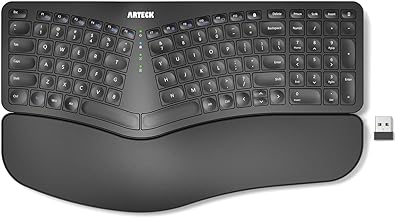
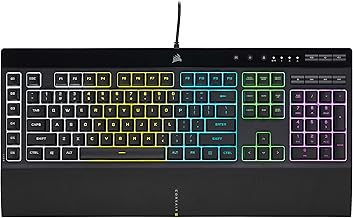
For example, an 18-inch keyboard and a 12-inch mouse zone already need 30 inches of usable width before you allow for a gap. Rotating the keyboard can change the width or depth you need, so mock up the angle you actually use. If space is tight, a shorter keyboard can free up mouse room without requiring a wider platform. Subtract raised edges, fasteners, and built-in accessories from the advertised dimensions wherever they occupy your hand’s path.
Check height in the position you’ll actually use
Set the chair to the position you expect to play in, with your feet supported and your back against the seat. Measure from the floor to the height at which your hands can rest over the controls with relaxed shoulders and your elbows close to your body. Compare that measurement with the seller’s stated height range. Check whether the range refers to the tray surface or the mounting arm, and account for the height of your keyboard above the tray.
Then measure the gap under the tray. A platform can put your keys at a comfortable height while its rail or support arm crowds your thighs. For a reclining chair, repeat the check with the leg rest extended and the backrest at your usual angle. If the tray attaches to the chair, confirm which parts of the assembly move with the seat. If it stands on the floor, check whether you can still reach it once the seat changes position.
Inspect mounting and stability separately
A load rating tells you how much weight the manufacturer says the platform can support under its specified conditions. It gives you limited information about movement while typing or making quick mouse corrections. Look at how the tray locks, how far it extends from its support, and where you tend to rest your hands. Longer extensions and off-center hand positions make the mounting and locking details more important.
For an armrest accessory, look for a compatibility list covering your exact chair model or published mounting dimensions. A padded or tapered armrest can prevent the clamp from seating as intended. For a freestanding tray, check the footprint and where the working surface sits relative to the feet. Use the manufacturer’s load and mounting instructions, and keep these surfaces out of the path you use to stand up if you normally push off the chair arms.
Budget for the complete setup
Price the hardware needed to use the tray on day one. A desk tray may need little beyond the tray itself if your desk, seat, and controls already fit. A freestanding setup can add a longer peripheral cable or a way to route it away from your feet. A cockpit can add a monitor bracket, adapter hardware, freight delivery, or assembly. Compare the delivered costs with those pieces included before deciding how much of your budget should go toward the chair.
Put the money where it fixes the fit
Suppose you already have a functional desk setup, but moving the keyboard closer leaves the mouse at shoulder width. A larger shared surface or a shorter keyboard can address that constraint directly. If the main issue is that your knees hit the desk, measure under the proposed tray before spending anything. A tray mounted beneath an already low crossbar can reduce the space you have.
For a TV-and-recliner setup, the stand’s reach and ability to clear the seat matter more than extra ports unless you have several wired devices to connect. A supported couch board may suit a wide sofa where you can lift it off easily and set it down nearby. With a motorized recliner, check the path of the footrest and route cables clear of moving parts. Test the route with enough slack for your full range of movement.
Price delivery, returns, and replacement parts
Before paying for a cockpit, compare the package dimensions with doorways, stairs, and turns on the delivery route. Confirm where the carrier will leave the shipment and whether the unit arrives in modules you can move into place. Also check the floor space around the assembled seat with the tray swung open and the display mount in its outermost position.
Review warranty coverage for the seat, tray mechanism, monitor hardware, and electronics on the specific package. For a large item, return freight and packaging requirements can affect the decision as much as the initial delivery charge. If an older model appeals to you because it is available used, check whether the seller can demonstrate the moving parts and supply the original fasteners and brackets.
Avoid common fit and compatibility mistakes
Most mismatches come from measuring components in isolation. Check the actual setup in both its playing and parked positions before you order.
- Buying by keyboard width alone. Include the mouse pad, your hand movement, and any front lip that eats into usable depth.
- Checking desk thickness at the wrong point. Measure where both clamp pads will land and inspect that exact area underneath the desktop.
- Measuring a cockpit only when closed. Allow space to swing the tray away, recline the seat, and reach cables or hardware for service.
- Assuming a left-side mouse position is available. Check whether you can reverse the hardware and still move the tray clear of the seat.
- Matching a monitor bracket by screen size alone. Check the exact VESA pattern, the monitor weight without its desktop stand, and the bracket limits for your chosen configuration.
Frequently asked questions
Can you add a tray to a gaming chair you already own?
Yes, if the chair maker offers an accessory for your model or the tray maker documents a compatible mounting surface and hardware. If you have a standard rolling chair, a separate stand or a desk-mounted tray also lets you keep it. Measure where the chair sits during play and where it needs to roll or swivel as you get up, since a nearby stand can occupy part of that path.
Can you use a keyboard tray for competitive shooters?
Yes, if the tray has room for your normal mouse movement and stays steady at your working position. Mock up its usable width and depth with painter’s tape and play a short practice session within that outline. If you frequently hit the boundary or find yourself changing sensitivity to fit the surface, look for a wider common platform or move the keyboard to a layout that frees more mouse space.
Conclusion
If you already have a desk that fits your room, start by checking whether it can accept a tray with enough clear space for your keyboard and mouse. For a recliner or racing seat, choose a freestanding stand that reaches your hands and leaves a clear way out. Consider an integrated cockpit when you want to arrange the seat and display together and can verify the exact hardware included. Before ordering, mock up the playing position with your own peripherals, then measure how much space everything needs when you move the tray aside.
More from Amazon
Programs that pair well with the guide above. Offers and eligibility are set by Amazon and may change.
Set up recurring deliveries of everyday items on eligible products. Terms and savings are set by Amazon.
Explore Subscribe & SaveFree shipping on eligible items, Prime Video and more. Eligible new members can start with a free trial.
Start a Prime free trialA Prime membership for ages 18-24 with a trial period. Eligibility is set by Amazon.
See Prime for Young AdultsAudiobooks and podcasts to listen to on the go. Eligible new members can start with a free trial.
Try Audible freeAs an Amazon Associate we earn from qualifying purchases.