Key takeaways
-
True 8,000Hz polling.
-
Adjustable actuation for individual keys.
-
Rapid Trigger and analog functionality.
-
Extensive Wootility customization.
-
Four-year warranty, excluding LEDs.
-
Available with ABS or zinc alloy construction.
You do not need to spend $400 to get a responsive gaming keyboard with premium switches, reliable wireless connectivity, and extensive customization. The best gaming keyboards for under $400 include several impressive options that cost between $80 and $250, leaving plenty of room in your budget for other gaming upgrades. The Wooting 80HE+ is our leading choice for competitive players who want adjustable actuation and Rapid Trigger. For wireless gaming, the NuPhy WH80 is particularly compelling, while the Keychron K2 Ultra 8K offers excellent versatility at a lower price. We also cover magnetic, optical, and conventional mechanical alternatives.
Quick comparison: Best gaming keyboards for under $400
The six recommendations below cover different gaming needs rather than simply ranking keyboards by their maximum polling rates or manufacturer specifications.
| Keyboard | Best for | Switch technology | Connectivity | US price reference |
|---|---|---|---|---|
| Wooting 80HE+ | Best overall competitive gaming | Magnetic Hall effect | Wired | $199.99–$289.99 |
| Corsair K70 CORE | Best budget mechanical | MLX Red mechanical | Wired | $79.99 |
| NuPhy WH80 | Best premium wireless gaming | Magnetic Hall effect | Tri-mode | $249.95 |
| Keychron K2 Ultra 8K | Best everyday wireless mechanical | Apex mechanical | Tri-mode | $119.99 |
| Razer Huntsman V3 Pro TKL 8KHz | Best optical gaming keyboard | Analog optical | Wired | $219.99 |
| MonsGeek M1 V5 TMR | Best customizable wireless magnetic keyboard | TMR magnetic | Tri-mode | From $149.99 |
Prices are USD manufacturer or US-market listing references checked on October 31, 2026. Prices vary by color, configuration, promotions, and availability. The Wooting range represents its ABS and zinc prebuilt versions; the MonsGeek price refers to the latest US-ANSI TMR configuration.
For most competitive players, the Wooting is the strongest overall choice because of its input customization and established software support. The NuPhy is more suitable when wireless convenience matters, while the Keychron provides strong measured gaming performance without requiring specialized magnetic switches.
The Corsair is the practical choice for buyers who want a conventional full-size mechanical keyboard without paying for features they may never use.
How we selected these gaming keyboards
A gaming keyboard needs to deliver responsive input, comfortable controls, and reliable operation. An impressive specification sheet is not enough to establish that a product is worth buying.
This roundup emphasizes five areas.
Gaming performance: We considered independent measurements of single-key latency, multi-key latency, effective polling rate, and consistency. RTINGS was the primary source for these measurements.
Switch technology: Conventional mechanical, Hall effect, TMR, and analog optical switches offer different advantages. The selection includes multiple technologies so buyers can compare their practical benefits.
Connectivity: Wired USB, 2.4GHz wireless, and Bluetooth were considered separately. Wireless models were evaluated based on the availability of a dedicated receiver and their performance in that mode.
Build quality and customization: Chassis materials, stabilizers, keycaps, software, programmable keys, and hot-swappable support influence how useful a keyboard remains outside gaming.
Price and value: We prioritized meaningful features rather than treating the $400 limit as a spending target. A less expensive keyboard can be a better purchase when it delivers everything a particular player needs.
RTINGS’ keyboard testing was particularly useful because its laboratory evaluates actual input performance rather than relying solely on manufacturer latency claims. Its gaming recommendations were updated October 19, 2026.
Manufacturer specifications were used to confirm current hardware revisions, features, and prices.
No direct detailed research was supplied for this article. All performance assessments below are based on published independent testing, while manufacturer claims are identified separately.
The six best gaming keyboards for different needs
Wooting 80HE+: One of the best gaming keyboards for under $400
The Wooting 80HE+ is the strongest starting point for competitive gamers who want precise control over key activation and reset behavior.
It uses magnetic Hall effect switches, which allow the keyboard to detect how far a key moves rather than relying on a conventional physical contact to register a press. This enables adjustable actuation, Rapid Trigger, and advanced input features that conventional mechanical keyboards cannot provide in the same way.
The 80HE+ is the updated version of the original Wooting 80HE. It retains the core gaming architecture while introducing a revised switch plate and updated switches.
Key specifications:
| Feature | Specification |
|---|---|
| Layout | 80% / compact TKL |
| Switch technology | Magnetic Hall effect |
| Switches | Lekker Tikken Medium |
| Polling rate | True 8,000Hz |
| Actuation | Individually adjustable |
| Rapid Trigger | Yes |
| Analog input | Yes |
| Connectivity | Wired USB |
| Case options | ABS plastic or zinc alloy |
| Warranty | Four years, excluding LED coverage |
The biggest advantage is the ability to customize actuation for individual keys.
For example, you can configure movement keys to activate with a relatively shallow press. Other keys can use a deeper actuation point to reduce accidental inputs.
Rapid Trigger is especially useful in competitive FPS games. Instead of requiring a key to return to a fixed reset position, the keyboard can reset it as soon as you begin lifting your finger.
This makes repeated inputs and directional changes easier to execute with less physical key travel.
Wooting’s Wootility software provides detailed customization, including per-key actuation settings, Rapid Trigger, SOCD, analog output, and programmable profiles. Its web-based and downloadable interfaces are also useful for players who do not want to rely entirely on a large desktop software suite.
An important update deserves attention.
The original 80HE uses Lekker L60 V2 switches and a polycarbonate plate. The newer 80HE+ uses Lekker Tikken Medium switches and an FR4 plate. Wooting says the revised switches have tighter housing tolerances and a different force profile, while retaining the same core functionality and True 8K polling.
The manufacturer lists the ABS version at $199.99 and the zinc alloy version at $289.99.
RTINGS independently researched the original 80HE and found exceptionally low, consistent latency, strong build quality, and effective use of its 8,000Hz polling rate. However, those measurements should not be described as direct test results for the revised 80HE+.
Another advantage is warranty coverage. Wooting advertises four years of coverage, excluding LEDs, which is longer than the one-year coverage offered by several competing enthusiast keyboard brands.
There are some compromises. The keyboard is wired-only, does not include a traditional full-size number pad, and has a relatively stiff gasket mount.
The advanced software also takes some time to understand if you have never used magnetic switches.
Pros:
-
True 8,000Hz polling.
-
Adjustable actuation for individual keys.
-
Rapid Trigger and analog functionality.
-
Extensive Wootility customization.
-
Four-year warranty, excluding LEDs.
-
Available with ABS or zinc alloy construction.
Cons:
-
No wireless connectivity.
-
No dedicated number pad.
-
Advanced configuration can be overwhelming.
-
Independent testing of the revised 80HE+ configuration remains limited.
Buy if: You regularly play Counter-Strike, Valorant, rhythm games, or other titles where rapid key resets and precise movement inputs matter.
Skip if: You mainly play casual games and would rather spend less on a conventional mechanical keyboard.
Corsair K70 CORE — Best budget mechanical gaming keyboard
The Corsair K70 CORE demonstrates why a keyboard does not need expensive magnetic switches to provide good gaming performance.
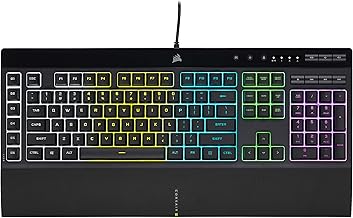
It is a conventional full-size mechanical keyboard with linear MLX Red switches, per-key RGB lighting, and a programmable control dial.
Its biggest advantage is practicality. Players get a familiar keyboard layout with a dedicated number pad, media controls, and responsive mechanical switches without having to configure advanced actuation settings.
Key specifications:
| Feature | Specification |
|---|---|
| Layout | Full-size |
| Switches | Corsair MLX Red linear mechanical |
| Connectivity | Wired USB |
| Polling rate | 1,000Hz |
| RGB | Per-key |
| Control | Programmable control dial |
| Software | Corsair iCUE |
| Hot-swappable | No |
| Current listing price | $79.99 |
RTINGS identifies the K70 CORE as one of its leading budget gaming keyboards. Its independent testing found outstanding gaming latency and a responsive feel from the lightweight linear switches.
This is important because it demonstrates that conventional mechanical switches can still provide excellent gaming performance.
The 1,000Hz polling rate is lower than the 8,000Hz offered by the Wooting, but most gamers are unlikely to notice a meaningful difference simply from that specification.
The keyboard also has some useful everyday features.
Corsair includes a multifunction control dial that can be programmed through iCUE. This makes it convenient for adjusting volume and controlling other supported functions.
The current black US listing is the K70 CORE RGB, SKU CH-910971E-NA, and Corsair lists MLX Red V2 linear switches. The newer switch revision should not automatically be treated as identical to the original MLX Red configuration used in earlier independent tests.
The main construction compromise is its use of plastic and ABS keycaps rather than a full aluminum chassis.
Its switches are also soldered rather than hot-swappable, so replacing them with different mechanical switches requires desoldering.
Still, the $79.99 manufacturer listing makes the K70 CORE a sensible choice for anyone who wants good mechanical gaming performance without approaching the upper end of the budget.
Pros:
-
Excellent independently measured gaming latency.
-
Full-size layout with a number pad.
-
Lightweight linear switches.
-
Programmable control dial.
-
Per-key RGB lighting.
-
Affordable manufacturer-listed price.
Cons:
-
Wired-only connectivity.
-
No adjustable actuation or Rapid Trigger.
-
Switches are not hot-swappable.
-
Plastic construction feels less premium than enthusiast alternatives.
Buy if: You want an affordable full-size mechanical keyboard for gaming, typing, and everyday desktop use.
Skip if: You want wireless connectivity, a premium metal chassis, or magnetic-switch customization.
NuPhy WH80 — Best premium wireless gaming keyboard
The NuPhy WH80 is particularly appealing because it combines high-performance magnetic switches with wireless connectivity.
Many competitive gaming keyboards rely on wired USB connections to minimize latency. The WH80 takes a different approach by supporting 8,000Hz polling through its 2.4GHz wireless receiver.
It also includes Bluetooth and wired USB-C connectivity, making it more versatile than a dedicated wired esports keyboard.
Key specifications:
| Feature | Specification |
|---|---|
| Layout | 80% / TKL |
| Switch technology | Hall effect |
| Switches | Magnetic Jade Dragon-N |
| Polling rate | Up to 8,000Hz |
| Connectivity | 2.4GHz, Bluetooth 5.0, USB-C |
| Rapid Trigger | Yes |
| Adjustable actuation | Yes |
| Battery capacity | Manufacturer advertises up to 500 hours of use |
| Warranty | One year |
| US listed price | $249.95 |
The key selling point is wireless performance.
RTINGS independently researched the WH80 and found exceptionally low, consistent latency. Its measurements show that the wireless receiver can take advantage of the keyboard’s 8,000Hz polling capability without a significant performance bottleneck.
That makes it a particularly interesting option for competitive players who dislike having a cable running across their desk.
The magnetic switches provide adjustable actuation and Rapid Trigger, allowing users to configure how keys register and reset.
NuPhy’s software also includes SOCD and other advanced input settings. Presets help new users experiment with these capabilities without configuring everything manually.
The typing experience is another strength.
The keyboard combines a plastic chassis with aluminum accents, multiple layers of acoustic material, and pre-lubricated switches and stabilizers. RTINGS describes the overall build quality and typing experience positively.
However, the WH80 is relatively expensive compared with conventional wireless mechanical keyboards.
At $249.95, it costs more than twice the manufacturer’s listed price of the Keychron K2 Ultra 8K. That additional spending primarily buys magnetic-switch functionality and stronger competitive gaming performance rather than basic wireless convenience.
The one-year warranty is also relatively short compared with Wooting’s coverage.
Another limitation is its advertised 500-hour battery life. This is a manufacturer’s usage estimate, not a guaranteed gaming runtime under every configuration. Lighting and connection settings can influence actual battery consumption.
RTINGS also found that true analog output does not work as expected, so buyers interested specifically in gradual gamepad-style movement should not choose the WH80 solely for that feature.
Pros:
-
Exceptional measured wireless gaming latency.
-
8,000Hz polling through the 2.4GHz receiver.
-
Adjustable actuation and Rapid Trigger.
-
Bluetooth multi-device pairing.
-
Strong construction and typing quality.
-
Three connection options.
Cons:
-
More expensive than conventional wireless alternatives.
-
One-year warranty.
-
Relatively tall profile.
-
Analog output has limitations.
Buy if: You want wireless convenience without giving up high-end competitive gaming performance.
Skip if: You mainly play casual games or prefer a lower-cost mechanical keyboard without magnetic switches.
Keychron K2 Ultra 8K — Best everyday wireless mechanical keyboard
The Keychron K2 Ultra 8K is a compelling choice for players who want wireless gaming performance but prefer conventional mechanical switches.
It combines a compact 75% layout with an aluminum-and-plastic construction, hot-swappable switches, RGB lighting, and three connection modes.
Unlike the Wooting and NuPhy, it does not use magnetic switches. Its appeal is simplicity and versatility.
Key specifications:
| Feature | Specification |
|---|---|
| Layout | 75% |
| Switches | Keychron Apex Red, Brown, or Banana |
| Switch technology | Conventional mechanical |
| Polling rate | Up to 8,000Hz |
| Connectivity | 2.4GHz, Bluetooth, wired USB-C |
| Hot-swappable | Yes |
| Battery | 4,000mAh |
| Advertised battery life | Up to 760 hours with backlight off |
| Keycaps | OSA double-shot PBT |
| US listed price | $119.99 |
The 75% layout is one of the most practical parts of the design.
It retains the function row, arrow keys, and a compact navigation arrangement while removing the dedicated number pad. This saves desk space without forcing users to rely on as many key combinations as a 60% keyboard.
RTINGS tested the K2 Ultra 8K and found remarkably low, consistent latency. Its results support the keyboard’s suitability for both casual and competitive gaming.
The 8,000Hz polling rate is available through the wired and 2.4GHz receiver connections. Bluetooth supports pairing with up to three devices and is better suited to general everyday use.
Switch selection also provides some flexibility.
Red switches are linear and generally suit players who prefer smooth, uninterrupted key movement. Brown switches offer tactile feedback, while Banana switches provide a more pronounced tactile feel.
The hot-swappable PCB lets users replace compatible mechanical switches without soldering. This is useful if you want to change the typing experience later.
However, the K2 Ultra 8K does not support adjustable actuation or Rapid Trigger because it uses conventional mechanical switches.
It also has a couple of everyday limitations.
RTINGS notes that the stock PBT keycaps lack shine-through legends, making them difficult to read in dark environments even when RGB lighting is enabled. The relatively tall profile can also make a separate wrist rest more comfortable for extended sessions.
Keychron advertises up to 760 hours of battery life with the backlight turned off. Treat that number as a manufacturer maximum rather than an expectation for full-brightness RGB gaming.
At $119.99, however, the K2 Ultra 8K offers an attractive combination of gaming performance, wireless functionality, and mechanical customization.
Pros:
-
Excellent measured gaming latency.
-
Wired, 2.4GHz, and Bluetooth connectivity.
-
Up to 8,000Hz polling.
-
Hot-swappable mechanical switches.
-
Compact 75% layout.
-
Multiple switch choices.
Cons:
-
No Rapid Trigger or adjustable actuation.
-
Keycap legends are not shine-through.
-
No dedicated number pad.
-
Wrist rest is not included.
Buy if: You want one wireless mechanical keyboard for gaming, work, and everyday desktop use.
Skip if: Your main priority is advanced magnetic-switch features for competitive FPS games.
Razer Huntsman V3 Pro TKL 8KHz — Best analog optical alternative
The Razer Huntsman V3 Pro TKL 8KHz is a strong choice for competitive gamers who want advanced input control within Razer’s software ecosystem.
Unlike Hall effect keyboards, it uses Razer Analog Optical Gen-2 switches. These switches rely on optical sensing to detect key movement and support adjustable actuation and Rapid Trigger.
Key specifications:
| Feature | Specification |
|---|---|
| Layout | Tenkeyless (TKL) |
| Switch technology | Analog optical |
| Switch generation | Razer Analog Optical Gen-2 |
| Actuation range | 0.1–4.0mm |
| Polling rate | Up to 8,000Hz |
| Rapid Trigger | Yes |
| Snap Tap | Yes |
| Dynamic Keystroke | Yes |
| Connectivity | Wired USB |
| US price | $219.99 |
The standout feature is adjustable actuation.
Users can determine how far a key needs to travel before registering an input, with a range of 0.1mm to 4.0mm.
Rapid Trigger provides variable reset behavior, making it particularly useful for repeated movement inputs.
For example, players can configure directional keys to respond to smaller movements, which can help when performing quick adjustments in competitive games.
Snap Tap is another feature designed around directional input prioritization. It prioritizes the latest input between selected keys. However, players should verify the applicable game and tournament rules before enabling features that affect simultaneous directional inputs.
RTINGS independently researched the Huntsman V3 Pro 8KHz and found exceptionally low, consistent single-key and multi-key latency.
One technical distinction is worth understanding. Although the keyboard supports its advertised 8,000Hz polling rate, RTINGS measured an effective update rate capped at 4,000Hz. Its testing found that this does not materially undermine the keyboard’s overall gaming performance.
The TKL configuration is also practical. It removes the number pad while keeping dedicated arrow and function keys, allowing more room for mouse movement.
However, this is a wired keyboard, and its analog optical switches are not hot-swappable.
The keyboard’s typing sound is relatively loud, which may be less suitable for shared workspaces.
Razer listed the black US TKL version at $219.99 during research. The company advertises up to two years of warranty coverage.
Pros:
-
Extremely low measured gaming latency.
-
Adjustable optical actuation.
-
Rapid Trigger, Snap Tap, and Dynamic Keystroke.
-
True advertised 8,000Hz polling.
-
Customizable RGB lighting.
-
TKL layout with dedicated navigation keys.
Cons:
-
Wired-only.
-
Switches are not hot-swappable.
-
Relatively loud typing experience.
-
No wireless multi-device functionality.
Buy if: You play competitive games and prefer optical switches and Razer’s software ecosystem.
Skip if: You want wireless connectivity, quieter switches, or conventional mechanical customization.
MonsGeek M1 V5 TMR — Best customizable wireless magnetic keyboard
The MonsGeek M1 V5 TMR is an interesting alternative to the Wooting and NuPhy because it combines magnetic gaming features with compatibility for conventional mechanical switches.
It uses tunnel magnetoresistance (TMR) sensors and a hot-swappable MagMech PCB. This means users can install compatible magnetic switches or conventional 3-pin and 5-pin mechanical switches.
That flexibility is unusual among competitive magnetic gaming keyboards.
Key specifications:
| Feature | Specification |
|---|---|
| Layout | 75% |
| Sensor technology | TMR |
| Switch compatibility | Magnetic and compatible mechanical switches |
| Polling rate | Up to 8,000Hz |
| Device-side scanning | Up to 32,000Hz on the tested newer configuration |
| Connectivity | 2.4GHz, Bluetooth, wired USB-C |
| Rapid Trigger | Yes |
| Adjustable actuation | Yes |
| Construction | Aluminum |
| Mounting | Gasket |
| Price | From $149.99 |
The M1 V5 TMR has a particularly attractive combination of hardware features.
Its magnetic switches support adjustable actuation, Rapid Trigger, SOCD, and Mod Tap. Its TMR sensing system also allows compatibility with conventional mechanical switches through the MagMech PCB.
This matters for users who want competitive features but do not want to be locked into a magnetic-only switch ecosystem.
RTINGS tested the newer Black Gradient TMR US-ANSI configuration and retested it in October 2026. Its assessment found exceptionally low and consistent gaming latency, a premium aluminum construction, and strong competitive performance.
The 75% layout is also a useful compromise between compactness and everyday functionality.
Unlike a 60% keyboard, it retains a dedicated function row and arrow keys. It therefore feels more familiar for users who combine gaming with general desktop work.
MonsGeek lists the newer Black Gradient TMR configuration from $149.99. Older versions and other regional configurations have different prices and specifications.
There are some important limitations.
First, the software is not as intuitive as Wooting’s Wootility. It provides extensive customization, but the interface can take longer to understand.
Second, the full aluminum construction makes the keyboard relatively heavy. RTINGS also identifies a stiff typing feel and comparatively loud operation.
Finally, the updated configuration uses a physical connection and operating-system mode switch under the Caps Lock keycap. This is awkward if you frequently move between different device modes.
The exact TMR variant matters. The manufacturer’s older and newer versions differ in battery capacity, scan rate, switches, and internal configuration. Confirm the selected US-ANSI Black Gradient TMR revision rather than relying on a general M1 V5 listing.
The latest manufacturer listing specifies a 10,000mAh battery for the revised version, but MonsGeek does not provide an advertised battery-life estimate that should be treated as a guaranteed runtime.
Pros:
-
Excellent measured gaming latency.
-
TMR magnetic sensing.
-
Rapid Trigger and adjustable actuation.
-
Compatible with magnetic and conventional mechanical switches.
-
Full aluminum chassis.
-
Wireless and wired connectivity.
-
Useful 75% layout.
Cons:
-
Software is less intuitive than Wooting’s.
-
Heavy aluminum construction.
-
Relatively loud and stiff typing feel.
-
Different revisions have different specifications.
-
Warranty and long-term support are less established than Wooting’s.
Buy if: You want advanced magnetic gaming features, wireless connectivity, and the option to experiment with conventional mechanical switches.
Skip if: You prefer straightforward software, a lighter keyboard, or a more refined typing experience.
How to choose a gaming keyboard without overspending
The best purchase is the one that fits your gaming habits and preferred typing experience. A more expensive keyboard is not automatically better in every scenario.
Choose between magnetic and conventional mechanical switches
This is one of the most important decisions when buying a gaming keyboard.
Conventional mechanical switches use physical contacts to register inputs. They are available in linear, tactile, and clicky configurations, each providing a different typing sensation.
Magnetic Hall effect switches and TMR switches use sensors to detect key movement. This enables adjustable actuation and features such as Rapid Trigger.
Consider the following differences:
| Feature | Mechanical | Hall effect | TMR |
|---|---|---|---|
| Actuation adjustment | Generally fixed | Yes | Yes |
| Rapid Trigger | No, generally | Yes | Yes |
| Conventional switch compatibility | Depends on PCB | Usually limited to magnetic switches | Depends on PCB |
| Main advantage | Variety and simplicity | Gaming customization | Gaming customization and potential switch flexibility |
| Example | Corsair K70 CORE | Wooting 80HE+ | MonsGeek M1 V5 TMR |
TMR and Hall effect technologies are related but not interchangeable terms. Both detect magnetic movement, but their sensing methods differ.
A conventional mechanical keyboard is perfectly adequate for most casual and general gaming. Magnetic switches become more interesting when you specifically want precise actuation control or Rapid Trigger.
Pick a layout that gives you enough keys
Keyboard layout affects your desk space and how conveniently you can access different functions.
| Layout | What it includes | Best for |
|---|---|---|
| Full-size | Number pad, function row, arrows, and navigation keys | Productivity and general gaming |
| TKL (80%) | Function row, arrows, and navigation keys without number pad | Competitive gaming and mixed use |
| 75% | Compact arrangement with function row and arrow keys | Gaming and everyday typing |
| 65% | Arrow keys without a dedicated function row | Minimal desk setups |
| 60% | No dedicated arrow keys, function row, or number pad | Maximum mouse space |
A 75% or TKL layout is generally the most versatile option for mixed gaming and everyday computer use.
The Wooting 80HE+, NuPhy WH80, and Razer Huntsman V3 Pro TKL are practical choices if you want dedicated navigation keys without a full-size footprint.
The Keychron K2 Ultra 8K and MonsGeek M1 V5 TMR offer smaller layouts while retaining more functionality than a 60% keyboard.
Understand wired versus wireless gaming performance
A wired keyboard is straightforward because it does not require battery charging or a wireless receiver.
However, modern 2.4GHz keyboards can provide excellent gaming performance.
The NuPhy WH80 and MonsGeek M1 V5 TMR are examples of wireless models that support competitive gaming through their dedicated receivers.
Bluetooth is a separate consideration. It is useful for connecting multiple devices, but its performance characteristics generally make it less appropriate than 2.4GHz for fast competitive gaming.
When comparing wireless models, check:
-
Whether the 2.4GHz receiver is included.
-
Whether the maximum polling rate works through the receiver.
-
Whether Bluetooth pairing supports multiple devices.
-
Whether the keyboard can continue operating while charging.
-
Whether the manufacturer provides realistic battery-life conditions.
Do not assume that every wireless mode delivers the same performance.
Do not buy a keyboard based on polling rate alone
Polling rate describes how frequently a keyboard can report input information to the connected computer.
At 1,000Hz, the theoretical reporting interval is 1 millisecond. At 8,000Hz, it is 0.125 milliseconds.
However, the polling rate is only one part of overall input latency.
Switch response, internal scanning, firmware, signal processing, and connection quality all influence the final result.
The Corsair K70 CORE is a good example of why a lower polling rate is not automatically a problem. RTINGS found excellent gaming responsiveness despite its 1,000Hz operation.
Similarly, the Razer Huntsman V3 Pro 8KHz supports advertised 8,000Hz polling, but RTINGS measured its effective update rate at 4,000Hz. This does not prevent it from delivering excellent performance.
For most buyers, prioritize independent latency measurements and consistent input behavior over the biggest polling-rate number on a product page.
Consider hot-swappable switches and software support
Hot-swappable switches allow users to remove and replace compatible switches without soldering.
This is useful for people who want to experiment with different typing sensations or replace individual switches.
However, hot-swappable does not automatically mean every switch is compatible.
Mechanical, Hall effect, and TMR keyboards can use different PCB designs and switch specifications. Check the manufacturer’s compatibility list before buying replacement switches.
Software support is equally important.
Wootility, NuPhy’s configuration software, Corsair iCUE, Razer Synapse, Keychron Launcher, and MonsGeek Driver offer different levels of customization.
Think about what you will actually use. Basic RGB lighting and key remapping are relatively common, while per-key actuation settings, analog input, Rapid Trigger, and advanced SOCD functions are more specialized.
A good interface can make those features easier to understand and configure.
Frequently asked questions
What is the best gaming keyboard for most PC gamers?
The Wooting 80HE+ is our leading recommendation for competitive gamers because of its magnetic switches, adjustable actuation, Rapid Trigger, and extensive software customization.
For people who prefer conventional mechanical switches, the Keychron K2 Ultra 8K is a more affordable and versatile alternative.
Is a $400 gaming keyboard worth buying?
Not necessarily. Most gamers can get excellent performance for considerably less.
The $199.99 Wooting 80HE+ ABS version and $249.95 NuPhy WH80 already offer advanced gaming features. A $400 purchase makes more sense when the additional money goes toward specialized construction, customization, or a particular typing experience you genuinely value.
Are Hall effect keyboards better for FPS games?
They can be useful in competitive FPS games because adjustable actuation and Rapid Trigger allow keys to activate and reset with less movement.
This is particularly relevant for repeated directional inputs and movement techniques.
However, these features do not automatically make someone a better player. Game knowledge, reaction time, aiming, and practice remain important.
What is the difference between a TMR and Hall effect keyboard?
Both technologies use magnetic sensing to detect key movement.
Hall effect sensors measure changes in magnetic field strength, while TMR sensors use changes in electrical resistance associated with magnetic orientation.
For gaming keyboard buyers, both technologies can provide adjustable actuation and Rapid Trigger. TMR implementations such as MonsGeek’s MagMech offer additional switch-compatibility options on supported PCBs.
Is a mechanical keyboard better than a membrane keyboard for gaming?
Mechanical keyboards generally provide a more defined typing feel, a wider selection of switch types, and more customization options.
However, a membrane keyboard can still be suitable for casual gaming, particularly when quiet operation and lower purchase cost are priorities.
Neither technology guarantees better gameplay by itself. Actual input performance matters more than the category label.
Should I use Bluetooth or 2.4GHz for gaming?
Choose 2.4GHz wireless for gaming when a keyboard supports a dedicated receiver.
Bluetooth is useful for connecting laptops, tablets, and multiple devices, but it generally has higher latency and lower polling rates than dedicated gaming connections.
Wired USB is also an excellent option when wireless convenience is not important.
Final verdict
The Wooting 80HE+ is the strongest overall recommendation for competitive gamers who want precise magnetic-switch control, Rapid Trigger, and excellent software support. The NuPhy WH80 is the better choice when wireless performance is essential, while the MonsGeek M1 V5 TMR offers an interesting combination of wireless connectivity and switch customization. For conventional mechanical gaming, the Keychron K2 Ultra 8K offers an excellent balance of price and functionality. The Corsair K70 CORE is the practical budget pick, and the Razer Huntsman V3 Pro TKL suits players who prefer optical switches. You do not need to spend the full $400 to get a capable gaming keyboard.