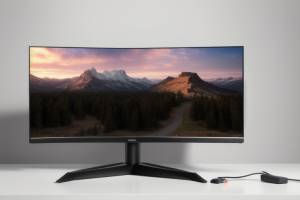
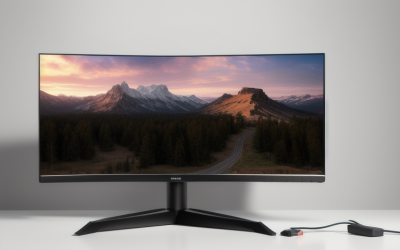
The best gaming monitors for under $550 cover everything from affordable 280Hz IPS to 4K and QD-OLED. The Alienware AW2726DM is the first pick for most PC gamers. At the checked price of $319.99, its 1440p QD-OLED panel pairs a 240Hz refresh rate with deep blacks, leaving more than $200 of the budget unspent. Choose the ASUS ROG Strix XG27UCG if you want sharper 4K detail and a display that can switch to 1080p at 320Hz for PC play. If your screen doubles as a work monitor with static windows open most of the day, start with the Alienware AW2726DL instead.
The best gaming monitors for under $550 at a glance
Start with the AW2726DM for a gaming-first PC setup, the AW2726DL for gaming and work on the same screen, or the XG27UCG for 4K. Move up to the AW2725D if you specifically need more capable HDMI inputs. For HDR, the AOC offers a Mini LED alternative, while the Samsung is the pick for games that benefit from a wider view.
Prices were checked for U.S. listings on November 18, 2026. The $550 cap applies to the monitor’s listed price before sales tax and shipping. Prices and fulfillment can change. The AOC price came from a comparison tracker and should be confirmed with the seller.
| Model | Best for | Panel and resolution | Maximum refresh rate | Checked U.S. price | Main trade-off |
|---|---|---|---|---|---|
| Alienware AW2726DM | Most PC gamers | 27-inch class QD-OLED, 2560 × 1440 | 240Hz | $319.99 | DisplayPort is the route to 240Hz |
| Alienware AW2726DL | Competitive gaming and daily work | 27-inch IPS, 2560 × 1440 | 280Hz | $229.99 | IPS blacks look lighter in a dark room |
| AOC Q27G3XMN | Mini LED HDR at 1440p | 27-inch VA Mini LED, 2560 × 1440 | 180Hz | $299.99 tracked | Dark smearing and VRR flicker can be visible |
| ASUS ROG Strix XG27UCG | 4K detail and dual-mode PC gaming | 27-inch Fast IPS, 3840 × 2160 | 160Hz at 4K or 320Hz at 1080p | $449.00 manufacturer listing | Fastest mode gives up 4K detail |
| Samsung Odyssey G5 LC34G55TWWNXZA | Curved ultrawide PC gaming | 34-inch VA, 3440 × 1440 | 165Hz | $399.74 | The pronounced curve and 21:9 format suit some setups better than others |
| Alienware AW2725D | QD-OLED with higher-bandwidth HDMI | 27-inch class QD-OLED, 2560 × 1440 | 280Hz | $549.99 | The price leaves virtually no room for tax under a strict $550 total |
How we selected these monitors
We compared exact U.S. models by resolution, panel type, refresh rate, input capabilities, and observed price. The top pick balances motion clarity, contrast, and price for a PC connected over DisplayPort. The other picks solve specific problems, including sharper text, a wider field of view in compatible games, and stronger HDR contrast from an LCD.
Manufacturer documentation establishes the specifications. Independent testing informs the motion and HDR observations where noted. We did not test the monitors directly. The listed maximum refresh rates describe supported display modes, and the frame rate you get will depend on your system and game.
What each monitor does best
Top PC pick among the best gaming monitors for under $550
The Alienware AW2726DM gives you a 2560 × 1440 QD-OLED panel that reaches 240Hz over DisplayPort. At $319.99 when checked, it costs $230 less than the 280Hz AW2725D. For someone using one DisplayPort-connected PC, the cheaper model delivers the main benefits of the upgrade: deep blacks, fast pixel transitions, and enough refresh headroom for competitive games.
The important limitation is connectivity. Its HDMI inputs have lower bandwidth than the AW2725D’s, so compare the supported modes before choosing it for an HDMI-only gaming laptop or a console. Also consider how you use the screen outside games. If the same application toolbars and windows stay visible for long stretches, the AW2726DL’s IPS panel is a simpler choice for that routine.
Buy if you can connect your gaming PC over DisplayPort and want OLED contrast with a 240Hz ceiling. Skip if you rely on HDMI for your highest-refresh PC connection or spend most of the day on a static desktop.
Alienware AW2726DL — Best for gaming and daily work
At $229.99 when checked, the AW2726DL was the least expensive monitor in the roundup. Its 27-inch, 2560 × 1440 IPS panel reaches 280Hz, and the stand supports height, pivot, swivel, and tilt adjustments. It’s a good fit for a desk where the same monitor handles documents during the day and fast games at night. It also leaves room in the budget for a second display without requiring you to buy one.
The 280Hz rating tells you how frequently the panel can refresh. Pixel transitions also affect motion clarity, so a higher refresh rating alone doesn’t establish which monitor looks clearer in motion. If you mostly play story-driven games at night, the AW2726DM’s OLED contrast may matter more than the IPS model’s extra refresh headroom. For bright scenes, desktop use, and high-frame-rate gaming on a tighter budget, the AW2726DL makes a strong case.
Buy if you want a fast 1440p IPS monitor with an adjustable stand and a low checked price. Skip if deep blacks and HDR contrast are the main reasons you’re upgrading.
AOC Q27G3XMN — Best for Mini LED HDR
The Q27G3XMN uses a 27-inch, 1440p VA panel with a Mini LED backlight and 336 local dimming zones. It reaches 180Hz over DisplayPort and up to 144Hz over HDMI. Its backlight can brighten a highlight while dimming other parts of the image, which is useful for HDR games with bright effects against dark scenery. It also makes sense if you want stronger HDR contrast and prefer an LCD for a desk that sees regular productivity use.
There are trade-offs. A dimming zone covers multiple pixels, so a small bright object can produce a halo in a dark scene. Independent testing also identified dark smearing and visible variable refresh rate flicker when frame rates change substantially. If you spend most of your time tracking fast targets against dark backgrounds, those behaviors matter more than an HDR certification.
Buy if you want a 1440p LCD with meaningful local dimming and your games favor HDR image quality over the cleanest dark motion. Skip if you’re sensitive to VRR flicker or primarily play fast competitive games.
ASUS ROG Strix XG27UCG — Best for 4K and dual-mode gaming
The XG27UCG gives you a 27-inch Fast IPS display that can run at 3840 × 2160 up to 160Hz or switch to 1920 × 1080 up to 320Hz. Use 4K for games where fine detail matters and for everyday desktop work. Switch to 1080p when a supported PC game can deliver enough frames to make the higher refresh rate worthwhile. The mode switch has a real cost in image detail, especially if you sit close to the screen.
This is also the clearest choice here if native 4K is a requirement for a shared console and PC desk. Plan the connections first. The monitor has one HDMI input, so a console can use it while a compatible PC uses DisplayPort. If you have two HDMI-only devices, you may need to swap cables or verify that a switch supports the video modes you want. For console use, confirm 4K at 120Hz and VRR support for your exact device and input mode before ordering.
Buy if you want 4K detail and will use the high-refresh 1080p mode for some PC games. Skip if you prefer 1440p OLED contrast or need multiple HDMI devices connected directly at once.
Samsung Odyssey G5 LC34G55TWWNXZA — Best for a curved ultrawide
This 34-inch Odyssey G5 combines a 3440 × 1440 VA panel with a 165Hz maximum refresh rate and a pronounced 1000R curve. The extra width is useful in supported racing games, flight simulators, and exploration games, where the wider view gives you more space to see the track, cockpit, or landscape. It’s also enough room to put a browser and a document side by side when you’re off the game.
Check your library for 21:9 support before buying. Some titles use black bars or restrict the wider view in certain modes. The wider resolution also asks your GPU to draw about 34% more pixels per native frame than 2560 × 1440. That figure describes the difference in pixel count. The effect on frame rate depends on the title and settings.
Buy if you play PC games with good ultrawide support and have room for a curved 34-inch monitor. Skip if a console is your primary source or you prefer a flatter screen for shared viewing.
Alienware AW2725D — Best for QD-OLED with higher-bandwidth HDMI
The AW2725D raises the 1440p OLED refresh ceiling to 280Hz and provides HDMI inputs that Dell specifies for 2560 × 1440 at up to 280Hz with a compatible source and mode. That makes it more flexible for someone who alternates between a desktop PC and an HDMI-connected gaming laptop. The improvement over the AW2726DM is easiest to justify when you’ll actually use the HDMI capabilities.
At $549.99, it uses nearly the entire pre-tax budget. A buyer connecting one PC over DisplayPort gets a stronger price case from the AW2726DM. If your second device already works with the cheaper model at the resolution and refresh rate you need, the difference in refresh ceiling alone may be a weak reason to spend another $230.
Buy if you want QD-OLED and have a compatible HDMI source that benefits from the supported modes. Skip if DisplayPort is your primary connection and 240Hz meets your gaming targets.
How to choose between OLED, Mini LED, and IPS
Match resolution and refresh rate to the games you play
Choose 1440p if you want sharper detail than 1080p with a lighter rendering load than 4K. Choose 4K if you care about fine detail or will spend substantial time reading and working on the monitor. A 4K screen has about 2.25 times as many pixels as 2560 × 1440. The difference helps explain why a fast 1440p panel can be a better fit for competitive games even when a 4K monitor fits the budget.
Use frame-rate results from your typical games to decide how much refresh headroom you need. Someone playing at 240 FPS or higher can make better use of a 240Hz or 280Hz display than someone whose games usually run at 80–120 FPS. At lower frame rates, variable refresh rate support and clean motion across that range can matter more than the panel’s peak number.
Choose the panel for your room and your daily routine
QD-OLED is a strong fit for gaming in a room where you can control reflections. If you also read small text or keep fixed applications open most of the day, compare text appearance and review the manufacturer’s panel care and warranty terms before buying. The AW2726DL gives you a straightforward IPS option for mixed use.
Mini LED is worth considering if you want localized HDR highlights on an LCD. Compare how a model handles subtitles, stars, or other small bright objects on dark backgrounds. The size and behavior of the dimming zones affect whether you’ll notice halos. For everyday SDR and competitive gaming, weigh those picture differences against how well the panel handles motion.
Verify the exact mode on the input you’ll use
Look for the resolution and refresh rate listed separately for DisplayPort and HDMI. Then confirm whether those modes support variable refresh rate and HDR together on your source. Two monitors can advertise the same panel refresh rate and differ in what they accept over HDMI. The AW2726DM and AW2725D are a good example of why port specifications can change the purchase decision.
If you’ll connect both a PC and a console, plan which device uses each port. Keep sales tax, shipping, and any necessary cables in mind if $550 is the most you can pay at checkout. The AW2725D qualifies by its listed item price. Its total will exceed $550 wherever applicable tax or shipping adds more than one cent.
Frequently asked questions
Can a 240Hz or 280Hz monitor make a console run faster?
The monitor can accept supported video modes, but the console and game determine which modes are available. For a console game with a 120Hz option, verify that the monitor accepts 120Hz at your desired resolution over HDMI and that the game supports the mode. If you split your time between console and PC, the extra refresh headroom can still matter on the PC side.
Is the cheapest QD-OLED here a good choice for a home office?
It can be if gaming takes priority and your work varies throughout the day. If you spend long stretches on the same spreadsheet, dashboard, or editing layout, the AW2726DL is the simpler mixed-use pick. Check text rendering at your preferred scaling level and read the exact model’s OLED care and warranty terms if you want one screen for both roles.
Conclusion
Choose the Alienware AW2726DM if you play primarily on a PC with DisplayPort. Its 1440p QD-OLED panel and 240Hz refresh rate make it the strongest fit for most gamers at the checked price. Buy the AW2726DL if your desk also serves as a full-time workstation, or the ASUS XG27UCG if native 4K matters more. The AOC Q27G3XMN is the Mini LED choice for HDR, and the Samsung Odyssey G5 makes sense when your favorite games support ultrawide. Reserve the AW2725D for a setup that benefits from its HDMI capabilities.
More from Amazon
Programs that pair well with the guide above. Offers and eligibility are set by Amazon and may change.
Set up recurring deliveries of everyday items on eligible products. Terms and savings are set by Amazon.
Explore Subscribe & SaveFree shipping on eligible items, Prime Video and more. Eligible new members can start with a free trial.
Start a Prime free trialA Prime membership for ages 18-24 with a trial period. Eligibility is set by Amazon.
See Prime for Young AdultsAudiobooks and podcasts to listen to on the go. Eligible new members can start with a free trial.
Try Audible freeAs an Amazon Associate we earn from qualifying purchases.