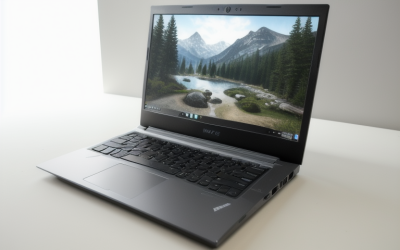
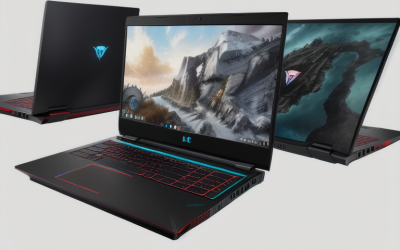
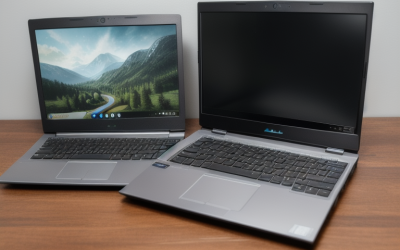
The Lenovo LOQ 15.3 is the best gaming laptop for the price in this comparison at $1,149.99. Its RTX 5060 Laptop GPU, 16 GB of RAM, and 165 Hz 1920 × 1200 display make it a sensible starting point for mixed gaming, as long as you can live with a 512 GB SSD. The $899 MSI Cyborg 15 makes more sense if you play mostly esports or older games and want to keep spending below $1,000. If you can stretch the budget, spend the extra money on something you’ll see or use, such as an OLED display, more installed storage, or a stronger GPU for playing at 1600p.
Best gaming laptop for the price by budget and use
The LOQ hits the middle of the price range without asking you to pay for a premium screen or extra memory upfront. The Cyborg saves about $251 and still includes 16 GB of RAM. At the other end, the MSI Vector A16 HX has the clearest reason to spend more on gaming hardware. It pairs an RTX 5070 Ti Laptop GPU with 12 GB of video memory and a 2560 × 1600 display.
| Laptop and configuration | U.S. listed price | Best for | GPU and display | RAM and SSD | Main trade-off |
|---|---|---|---|---|---|
| MSI Cyborg 15, Core i5-13420H | $899.00 | Keeping the purchase under $1,000 | RTX 5050 Laptop GPU, 15.6-inch 1080p at 144 Hz | 16 GB, 512 GB | Less graphics headroom for demanding games and a smaller SSD |
| Lenovo LOQ 15.3, 83TN0003US | $1,149.99 | Best overall balance for 1200p gaming | RTX 5060 Laptop GPU, 15.3-inch 1200p IPS at 165 Hz | 16 GB, 512 GB | Storage is the first likely compromise for a large library |
| ASUS ROG Strix G16, Ryzen 9 9955HX | $1,399.00 | Gaming alongside CPU-heavy work | RTX 5060 Laptop GPU, 16-inch 1200p at 165 Hz | 16 GB, 1 TB | The premium over the LOQ buys CPU and storage upgrades while retaining the same GPU tier |
| HyperX HP OMEN 16, 16-ap1003dx | $1,599.99 | OLED contrast and a sharper built-in screen | RTX 5060 Laptop GPU, 16-inch 1600p OLED at 165 Hz | 16 GB, 512 GB | The screen adds cost and increases GPU demand at native resolution |
| GIGABYTE Gaming A16, CWHI3US864SH | $1,649.00 | 32 GB of RAM and 1 TB of storage out of the box | RTX 5070 Laptop GPU, 16-inch 1200p IPS at 165 Hz | 32 GB, 1 TB | 8 GB of video memory and a lower-resolution screen than the Vector |
| MSI Vector A16 HX, VECTORA16A8002 | $1,899.99 | A stronger GPU paired with a native 1600p screen | RTX 5070 Ti Laptop GPU, 16-inch 1600p at 240 Hz | 16 GB, 1 TB | About 6 pounds before the charger, and the offer is from a marketplace seller |
These are U.S. online listing prices checked on November 18, 2026, before sales tax and any shipping charges. Prices, seller offers, and delivery options can change by location. Compare the price for the exact configuration in your cart.
How we selected the laptops
The comparison starts with the price of each U.S. configuration, then asks what the next step up actually buys. The main criteria are GPU tier and documented power where available, native screen resolution, installed memory and storage, and whether the configuration suits the workload. The most useful upgrades differ by buyer. A 1 TB SSD matters to someone juggling several large games, while a better built-in screen matters less to someone who plays on an external monitor.
Manufacturer specifications and U.S. retailer listings establish the hardware and price. Independent testing guidance informs what to look for in a review, including sustained performance, noise, and display motion. This roundup is based on research, with no detailed research or common benchmark across all six configurations.
The six gaming laptop picks
Lenovo LOQ 15.3 — best gaming laptop for the price overall
The LOQ 83TN0003US pairs a Ryzen 7 250 with an RTX 5060 Laptop GPU and 8 GB of video memory. The 15.3-inch IPS panel runs at 1920 × 1200 and 165 Hz, a useful resolution for this price tier because it limits the number of pixels the GPU has to render at native settings. Lenovo’s platform documentation lists the RTX 5060 option at 115 W. Actual power in a game will depend on the workload and performance mode.
At $1,149.99, the LOQ costs about $251 more than the Cyborg. The main reasons to pay that difference are the higher GPU tier and the taller 16:10 screen. Both start with 512 GB of storage, so the LOQ leaves the same need to manage or expand your library. Against the Strix G16, the LOQ saves about $249. That saving makes sense if your daily workload is mostly gaming and you can live with less storage.
Buy if you want a balanced machine for mixed gaming at 1200p and can fit your active library on 512 GB. Skip if you need 1 TB on day one and find another comparable RTX 5060 configuration with that capacity for a small premium.
MSI Cyborg 15 — best pick under $1,000
At $899, the Cyborg is the least expensive configuration in this comparison. It has an Intel Core i5-13420H, an RTX 5050 Laptop GPU, 16 GB of RAM, and a 15.6-inch 1080p display with a 144 Hz refresh rate. This configuration makes the most sense for esports, older games, and buyers willing to adjust settings in newer releases. Start with reviews of your most demanding game at 1080p. A 144 Hz panel gives you room to display faster motion when the system can deliver the frames.
The 512 GB SSD is a meaningful limitation if you regularly switch between several large games. Add the cost of any storage work you expect to do when comparing it with higher-priced models. If your games already fit and you mostly play at 1080p, the money saved versus the LOQ is the Cyborg’s strongest argument.
Buy if your cap is $1,000 before tax and your games suit an entry-level dedicated GPU. Skip if you expect to use higher settings in demanding games regularly and can afford the LOQ.
ASUS ROG Strix G16 — best for gaming and CPU-heavy work
The $1,399 Strix G16 pairs a Ryzen 9 9955HX with an RTX 5060 Laptop GPU, 16 GB of RAM, a 1 TB SSD, and a 16-inch 1920 × 1200 display at 165 Hz. It makes the strongest case for buyers who also compile code, render video on the CPU, or run other workloads that can use a higher-core-count processor. The 1 TB SSD also gives you more room for a mix of project files and games.
This is about $249 more than the LOQ. The additional spending buys a different CPU configuration and twice the installed storage. Since both use an RTX 5060 Laptop GPU, look at game-specific testing before expecting a major improvement in graphics-heavy titles. For simulation games, find a review that tests the game or a comparable workload. A CPU rendering test alone cannot settle how a specific game will run.
Buy if you need a stronger CPU configuration for work as well as a 1 TB SSD. Skip if gaming is your primary workload and the LOQ already meets your target.
HyperX HP OMEN 16 — best for an OLED screen
The OMEN 16-ap1003dx combines a Ryzen 7 8745HX and an RTX 5060 Laptop GPU with a 16-inch 2560 × 1600 OLED panel at 165 Hz. At $1,599.99, its reason to be on the shortlist is the built-in display. If you play story-driven games, watch movies on the laptop, or value deeper blacks in dark scenes, you’ll use the OLED panel even when you’re playing something that needs little graphics power.
The trade-off is that native 1600p has about 78% more pixels than 1200p. In demanding games, you may prefer a quality upscaling mode or lower selected settings. The drive is also 512 GB, so budget for storage if you keep several large games installed. If you usually play on an external display, the LOQ’s lower price or the Vector’s stronger GPU tier gives you a more direct benefit.
Buy if the built-in OLED panel is a priority and you’re comfortable adjusting settings in demanding titles. Skip if you primarily use an external monitor or want to put the premium toward graphics performance.
GIGABYTE Gaming A16 — best for 32 GB of RAM out of the box
Walmart’s CWHI3US864SH configuration pairs an Intel Core i7-13620H with an RTX 5070 Laptop GPU, 32 GB of DDR5 in two modules, and a 1 TB SSD. Its 16-inch IPS display runs at 1920 × 1200 and 165 Hz. At $1,649, it suits buyers who want to start with 32 GB for modded games, development tools, or a game running alongside several background applications.
The A16 costs about $49 more than the OMEN. Choose it for the installed memory, larger SSD, and higher GPU tier if those are more relevant to your setup than OLED. The RTX 5070 in this listing still has 8 GB of VRAM. The 32 GB figure describes system memory, so it won’t give the GPU extra dedicated memory for textures. Look for testing of this exact configuration before paying extra based on the GPU name alone.
Buy if you want 32 GB and 1 TB immediately, especially if an external display is already part of your setup. Skip if you prioritize OLED contrast or want 12 GB of VRAM for a specific workload.
MSI Vector A16 HX — best for a 1600p display and stronger graphics
The $1,899.99 Vector A16 HX is the VECTORA16A8002 configuration sold by MSI Computer Corp through Best Buy’s marketplace. It pairs a Ryzen 7 8840HX with an RTX 5070 Ti Laptop GPU, 12 GB of GDDR7, 16 GB of RAM, and a 1 TB SSD. MSI specifies a 16-inch 2560 × 1600 panel with a 240 Hz refresh rate. The 12 GB of VRAM makes this the configuration to compare if high-resolution textures or other graphics settings put pressure on the 8 GB cards in the shortlist.
It costs about $251 more than the GIGABYTE A16. That premium buys the higher GPU tier and a sharper, faster built-in panel, while installed system memory drops from 32 GB to 16 GB. MSI lists the laptop at 5.95 pounds and specifies a 330 W adapter, so it makes the most sense for a primarily plugged-in setup. Read the marketplace seller’s return terms before ordering. MSI’s U.S. spec sheet lists a one-year limited manufacturer warranty.
Buy if you want more dedicated video memory and expect to use the built-in 1600p screen. Skip if you carry the laptop daily, mainly play at 1080p, or need 32 GB of system RAM without an upgrade.
How to tell whether a gaming laptop deal is worth it
Start with the configuration that can meet your target in the games you actually play. Then add any immediate costs for storage, memory, or an external display. A discount is only useful if it leaves you with a machine that fits your setup. This is especially important when two listings with the same laptop family name ship with different GPUs or panels.
Compare performance at the resolution you intend to use
For a built-in 1200p screen, look for independent results at 1200p or nearby 1080p settings. For a 1600p screen, look for 1600p results or closely related tests, and check the graphics preset. Read native rendering, upscaling, ray tracing, and frame generation as separate conditions. If you care about responsiveness in competitive games, pay particular attention to the frame rate and consistency before frame generation is enabled.
GPU power matters too. Manufacturers can configure the same laptop GPU at different power levels, and cooling and fan profiles affect how long a laptop can sustain performance. Compare exact-configuration reviews where possible. If your setup calls for a quiet fan mode, look for measurements in that mode rather than relying on a result recorded at maximum performance.
Decide which upgrades are worth paying for upfront
An SSD upgrade can be a practical fix for a small drive if the laptop supports it and the cost makes sense. Check the manual for a spare slot or a supported replacement before counting on an easy upgrade. A larger SSD is worth more out of the box if you want to install games immediately or prefer to avoid moving the operating system to a new drive.
GPU and screen choices have more lasting consequences. If you play at a desk with a monitor you already like, a premium built-in panel may contribute little to your usual setup. If the laptop will be your only screen, contrast, resolution, and motion quality can be worth more than a CPU upgrade you rarely use. Spend on the feature you’ll notice in a typical session.
Compare the final price and the seller
Match the model code, GPU, panel, RAM, SSD, and condition before comparing offers. A store’s category page may show a starting price attached to an open-box unit or a different configuration. Use the individual product page and check which seller is making the offer.
If two offers are close, compare returns, shipping charges, and warranty coverage. A higher advertised discount can still leave you with the more expensive laptop at checkout. Use the final cost of the exact configuration, including any upgrades you already know you’ll need.
Frequently asked questions
Is an RTX 5060 laptop worth paying more for than an RTX 5050 laptop?
It can be if you play demanding games regularly or want more flexibility with graphics settings. In this comparison, the LOQ’s premium over the Cyborg is about $251 and also gets you a 1200p 165 Hz display. If your games already run comfortably on the Cyborg’s class of hardware and you mainly use 1080p, that money may be better kept in your budget.
Should you buy 32 GB of RAM or choose a faster GPU?
Choose the faster GPU when your main goal is improving performance in graphics-heavy games, provided the system already has enough RAM for the game and background software. Choose more system memory when your workload genuinely needs it, such as a large mod pack or a game running alongside development or editing tools. Also check whether the cheaper configuration has replaceable memory so you can expand it later.
Is a 512 GB gaming laptop enough?
It can be enough if you keep a few games installed and remove what you finish. Check your planned library’s install sizes and leave space for the operating system, updates, and captures. If you always keep several large titles ready to play, compare the cost of a factory 1 TB configuration with the price and effort of upgrading a 512 GB model.
Conclusion
At the checked prices, the Lenovo LOQ 15.3 is the strongest starting point for mixed gaming at 1200p. Buy the MSI Cyborg 15 if your budget stops below $1,000 and its 1080p configuration suits your games. Choose the Strix G16 for CPU-heavy work, the OMEN 16 for its OLED display, or the GIGABYTE A16 if you need 32 GB of RAM from day one. The MSI Vector A16 HX is worth comparing when you’ll use both its 1600p screen and its 12 GB GPU. If prices move, compare the exact configurations again before treating the original ranking as current.
More from Amazon
Programs that pair well with the guide above. Offers and eligibility are set by Amazon and may change.
Set up recurring deliveries of everyday items on eligible products. Terms and savings are set by Amazon.
Explore Subscribe & SaveFree shipping on eligible items, Prime Video and more. Eligible new members can start with a free trial.
Start a Prime free trialA Prime membership for ages 18-24 with a trial period. Eligibility is set by Amazon.
See Prime for Young AdultsAudiobooks and podcasts to listen to on the go. Eligible new members can start with a free trial.
Try Audible freeAs an Amazon Associate we earn from qualifying purchases.