Key takeaways
- For most gaming PCs, ATX is the safest all-round choice, Micro-ATX is the value pick for compact builds that still need room to grow.
For most gaming PCs, ATX is the safest all-round choice, Micro-ATX is the value pick for compact builds that still need room to grow, and Mini-ITX is for small-form-factor builds where size matters more than expansion. The right board comes down to how many add-in cards, storage drives and memory slots you will actually use, and how much case space you have.
This guide compares the three standard sizes side by side, explains what you gain and give up with each, and shows how to match a form factor to a case, a graphics card and your cooling plans before you buy anything in 2026.
The Short Version of Each Size
All three form factors are defined by standard dimensions and mounting holes, so a board of a given size fits any case that lists support for it. Larger boards generally offer more slots and headers. Smaller boards trade those for a tighter footprint.
- ATX: The full-size standard, with the most expansion slots, the most memory slots on typical designs and the widest choice of features.
- Micro-ATX: A shorter board that keeps the same mounting pattern for its width but cuts expansion slots, usually landing in the middle on price and features.
- Mini-ITX: A small square board with a single expansion slot and typically two memory slots, designed for compact cases.
How the Sizes Differ in Practice
Expansion Slots and Add-In Cards
A gaming build needs at least one slot for a graphics card. Beyond that, many players add a capture card, a sound card, a Wi-Fi card or extra storage controllers. ATX boards usually have room for several such cards, Micro-ATX typically allows a couple and Mini-ITX allows just the graphics slot. If your plan includes more than one add-in card, check slot count and spacing before choosing a small board.
Memory and Storage Capacity
Larger boards tend to offer four memory slots and several M.2 storage connections, while Mini-ITX boards commonly offer two memory slots and fewer drive connectors. For most gaming use, two memory modules are enough, but if you plan to start with modest capacity and add more later, extra slots give more flexibility. Count the M.2 and SATA connections on the specific board, because layouts vary widely even within a size.
Cooling and Power Delivery
Bigger boards have more room around the processor socket, so large air coolers and power delivery heatsinks fit more easily. Mini-ITX boards pack components close together, which can limit cooler height and make airflow planning more important. Power delivery quality depends on the individual board design, not just the size, so review the specification sheet rather than assuming.
Price and Feature Spread
ATX boards cover everything from budget to enthusiast. Micro-ATX boards are often positioned as value options, though some premium models exist. Mini-ITX boards sometimes cost more than their features suggest because compact engineering is more complex. Compare actual feature lists across sizes instead of assuming smaller means cheaper.
Side-by-Side Comparison
| Factor | ATX | Micro-ATX | Mini-ITX |
|---|---|---|---|
| Case size needed | Mid-tower or larger | Mid-tower or compact tower | Small-form-factor case |
| Expansion slots | Most | Fewer | One main slot |
| Memory slots | Usually four | Usually two to four | Usually two |
| Storage connectors | Highest | Moderate | Fewest |
| Cooling room | Easiest | Good | Tightest |
| Upgrade flexibility | Highest | Moderate | Lowest |
| Typical buyer | All-round gaming and enthusiast builds | Value-focused builds, compact desks | Space-limited or portable setups |
Matching the Board to Your Case and Parts
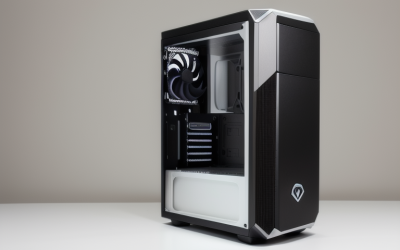
Case support is the first filter. Most mid-tower cases list ATX, Micro-ATX and Mini-ITX support, since the mounting holes overlap, while small-form-factor cases may accept only Mini-ITX. Read the case specification for supported form factors rather than inferring from its appearance.
Next, think about the graphics card. Long, thick cards fit more easily in larger cases, and a few compact cases restrict card length or slot width even when they support the board size. Check maximum card length and cooler height in the case specifications, then compare against the specifications of the graphics card and CPU cooler you plan to use.
Finally, consider noise and temperature. Small cases can run warmer with powerful parts, so builders often choose lower-power components or more careful fan arrangements. If you want quiet operation with a high-end graphics card, a larger board and case usually give more room for airflow.
Who Should Choose Which
Choose ATX If
You want room to expand, plan to add multiple drives or cards, or want the widest board choice. It is also the easiest form factor to build in because everything has space around it.
Choose Micro-ATX If
You want a smaller tower, a lower price or a tidier desk without giving up a couple of expansion slots. It is a common choice for first builds that will stay close to the original configuration.
Choose Mini-ITX If
You value a compact footprint, such as a living-room PC or a desk with limited space, and accept a tight build with fewer upgrade options. Plan every component dimension before ordering.
Real-World Build Scenarios
Specifications are easier to judge when you picture the finished machine. Here are three situations that show how the form factor changes the build experience.
A Desk With a Tower Underneath
If the PC lives under or beside a desk, size is rarely a problem, so ATX is a natural fit. You get room for a large cooler, cable routing space behind the tray and a wider choice of boards at different price points. Players who expect to swap a graphics card or add storage over several years tend to appreciate that freedom.
A Small Apartment or Shared Desk
When the PC sits on the desk surface, a compact tower with a Micro-ATX board can keep the footprint reasonable while leaving a spare slot for a Wi-Fi card or capture device. Many compact cases advertise Micro-ATX as their maximum size, so confirm that early to avoid shopping for a board that does not fit.
A Living-Room or Travel Build
Mini-ITX makes sense when the case itself is the point. Small cases often limit graphics card length, power supply format and cooler height, so choose parts that are listed as compatible with that exact case. Builders in this category tend to plan the entire parts list before ordering, since a single oversized component can force a return.
Features That Vary More Than Size
It is easy to focus on form factor and forget that two boards of the same size can differ a lot. Before you decide, compare these items on the specification page of each candidate.
- Storage connections: The count and type of M.2 slots and SATA ports, plus any note on lanes shared between them.
- Rear connectivity: USB port count and speeds, display outputs and the network controller type.
- Wireless support: Whether Wi-Fi and Bluetooth are built in or need an add-in card, which matters more on boards with limited slots.
- Front panel headers: USB headers and fan headers must match the number of case ports and fans you plan to connect.
- Firmware tools: Update options and fan control features differ across models and affect long-term ease of use.
Mini-ITX boards sometimes include built-in wireless because there is no room for an extra card, while larger boards may leave it out to cut cost. Count what you need, then compare boards by actual feature lists rather than size alone.
Before You Buy a Motherboard
- Confirm the case lists support for your board size.
- Count the expansion cards you will use beyond the graphics card.
- Check memory slot count against your capacity plan.
- Count M.2 and SATA connectors for the drives you want.
- Check CPU socket and chipset compatibility in the board specifications.
- Verify cooler height and graphics card length against case clearances.
Related guides
- Aio Liquid Coolers For High Performance Gaming
- Gaming Chair Accessories And Replacement Parts
- Video Doorbell Cameras Without Subscription
Frequently Asked Questions
Will a smaller board hurt gaming performance?
Board size does not directly determine frame rates, since those depend mostly on the processor and graphics card. Smaller boards can limit cooling room or upgrade paths, which may matter indirectly with power-hungry parts.
Can an ATX case hold a Micro-ATX or Mini-ITX board?
Usually yes, because smaller boards use a subset of the standard mounting positions. Check the case documentation to confirm the supported sizes and standoff positions.
Is Mini-ITX harder to build in?
It generally takes more planning because components are closer together and cable routing is tighter. Beginners can manage it, but a larger board and case are more forgiving for a first build.
Do I need ATX for a high-end graphics card?
Not necessarily, since the graphics slot is the same across sizes. The case matters more, because it needs room for the card length, thickness and airflow.
FAQ
Will a smaller board hurt gaming performance?
Can an ATX case hold a Micro-ATX or Mini-ITX board?
Is Mini-ITX harder to build in?
Do I need ATX for a high-end graphics card?
More from Amazon
Programs that pair well with the guide above. Offers and eligibility are set by Amazon and may change.
Set up recurring deliveries of everyday items on eligible products. Terms and savings are set by Amazon.
Explore Subscribe & SaveFree shipping on eligible items, Prime Video and more. Eligible new members can start with a free trial.
Start a Prime free trialA Prime membership for ages 18-24 with a trial period. Eligibility is set by Amazon.
See Prime for Young AdultsAudiobooks and podcasts to listen to on the go. Eligible new members can start with a free trial.
Try Audible freeAs an Amazon Associate we earn from qualifying purchases.