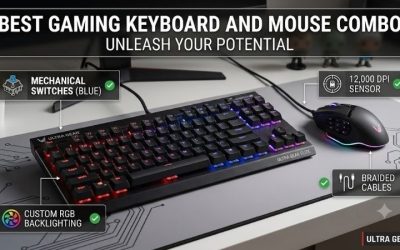
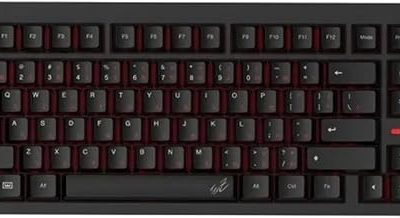
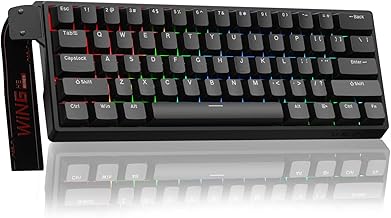
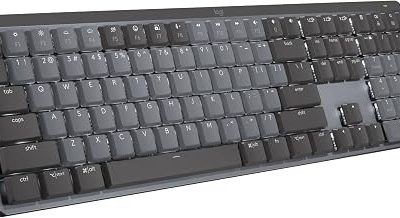
The best gaming keyboards for under $800 cover everything from a straightforward wired mechanical board to a wireless aluminum model with adjustable magnetic switches. The Razer Huntsman V3 Pro Tenkeyless 8KHz is the best overall choice for competitive PC gaming because it combines low latency, adjustable key response, and onboard controls in a layout that leaves room for mouse movement. Choose the HyperX Alloy Origins Core if you prefer conventional mechanical switches and want to spend less. If you share one desk between work and gaming, start with the Keychron Q1 HE for wireless flexibility or the Q6 HE if you use a number pad every day.
The best gaming keyboards for under $800 at a glance
Quick verdict. Buy the Razer Huntsman V3 Pro Tenkeyless 8KHz if you play competitive shooters and want to adjust movement keys without opening an app between matches. The HyperX Alloy Origins Core covers the essentials for players who are happy with fixed actuation. The two Keychron models make sense when wireless connectivity or a number pad is part of the purchase.
| Keyboard | Best for | Layout and connection | Deciding feature | Main trade-off |
|---|---|---|---|---|
| Razer Huntsman V3 Pro Tenkeyless 8KHz | Best overall for competitive PC gaming | TKL, wired USB | Adjustable analog optical switches and onboard tuning | Fixed switches |
| HyperX Alloy Origins Core, HX Red | A lower-cost wired setup | TKL, wired USB | Conventional linear switches and detachable cable | Fixed actuation and no wireless mode |
| Logitech G515 LIGHTSPEED TKL, GL Linear | Low-profile wireless play | TKL, 2.4 GHz, Bluetooth, or USB | Slim chassis with dedicated arrow keys | No actuation tuning |
| Keychron Q1 HE, Q1H-M1 | Wireless gaming and work on one desk | 75%, 2.4 GHz, Bluetooth, or USB | Adjustable magnetic switches in a compact aluminum case | Limited replacement switch compatibility |
| Wooting 80HE | Wired switch customization | 80%, wired USB | Hot-swappable magnetic switches and browser-based configuration | Case options can change the price, and the original model can be harder to source |
| Keychron Q6 HE, Q6H-M1 | A number pad and wireless magnetic switches | Full-size, 2.4 GHz, Bluetooth, or USB | Full ANSI layout, volume knob, and Rapid Trigger | The number pad takes up mouse space |
How we selected these keyboards
The $800 cap applies to the complete keyboard before sales tax, shipping, or optional accessories. The shortlist includes conventional mechanical, analog optical, and Hall effect models. Manufacturer documentation establishes layout, connectivity, and switch features. U.S. listings or published pricing establish budget eligibility, with the original Wooting 80HE treated as a conditional pick because its current U.S. checkout price could not be confirmed for a specific case.
The overall recommendation weighs independent latency evidence, how easily you can tune the keys, and whether the layout works for everyday use. RTINGS found strong latency performance from both the Razer and the Wooting in its direct comparison. The Razer earns the top spot here because its U.S. price is easier to verify and its onboard controls make the most useful adjustments accessible without opening software. This roundup uses published specifications and third-party testing, with no original detailed research.
Gaming keyboard picks by setup
Why the Razer leads the best gaming keyboards for under $800
The standard-height Huntsman V3 Pro Tenkeyless 8KHz uses second-generation analog optical switches, with adjustable actuation and Rapid Trigger. You can set a shallower press for movement while leaving a deeper threshold on keys you tend to hit by accident. Rapid Trigger also lets a key reset based on upward movement. That can be useful when you repeatedly tap or release a movement key in a shooter.
The onboard controls are the reason to choose this Razer over the Wooting 80HE. You can change actuation and Rapid Trigger settings directly on the keyboard, and the TKL layout retains dedicated arrows and function keys. RTINGS’ comparison supports both boards as fast choices. If you expect to swap switches or prefer a browser-based configuration tool, the Wooting has the advantage for that use case.
Buy it if you want adjustable inputs for a wired competitive setup and expect to tune them between games. Skip it if you need wireless or want to replace individual switches without soldering. Check for the full Huntsman V3 Pro Tenkeyless 8KHz name when shopping. Razer sells similarly named versions with different specifications.
HyperX Alloy Origins Core for a lower-cost wired setup
The U.S. HyperX Alloy Origins Core with HX Red switches, SKU 4P5P3AA#ABA, combines a wired TKL layout, a detachable USB cable, and conventional linear switches. It keeps the arrow keys, function row, and navigation cluster while removing the number pad. The Red switches suit buyers who prefer a smooth press without a tactile bump.
The HyperX is the right starting point if your current keyboard’s biggest problem is size or feel. For example, moving from a full-size board to this TKL can give a low-sensitivity mouse user more room without changing key bindings. Paying for adjustable actuation solves a different problem. It gives you more control over the press and reset behavior if your games and play style make that useful.
Buy it if you want a compact wired mechanical keyboard with familiar controls and a lower purchase price. Skip it if you regularly switch between two computers or specifically want Rapid Trigger. Check the switch name when ordering, since the HX Aqua version has a tactile bump.
Logitech G515 LIGHTSPEED TKL for a low-profile desk
The black GL Linear G515 LIGHTSPEED TKL, model 920-012536, uses low-profile mechanical switches and supports Logitech’s 2.4 GHz receiver, Bluetooth, and wired data. Its lower chassis is the practical reason to pick it over the Keychron Q1 HE. It suits someone who likes a shallow keyboard and still wants separate arrows and a function row.
One useful setup is to leave the LIGHTSPEED receiver on the gaming PC and use Bluetooth for a second device. If you alternate between a work laptop and a desktop throughout the day, that can save you from moving a cable each time. RTINGS evaluated the black tactile variant, so its comments about switch feel apply to the tactile model. Buyers who prefer a smooth stroke can choose the linear version listed here.
Buy it if you want a thin wireless board and prefer traditional fixed-actuation switches. Skip it if you want per-key sensitivity or a hot-swappable switch platform. Look for LIGHTSPEED on the listing to distinguish it from the wired G515.
Keychron Q1 HE for wireless gaming and everyday typing
The assembled Carbon Black Q1 HE with a knob, SKU Q1H-M1, pairs a 75% aluminum layout with Gateron Double-Rail Magnetic Nebula switches. It supports wired USB, Bluetooth, and 2.4 GHz wireless. Use the receiver for gaming and reserve Bluetooth for a laptop or tablet when convenience matters more.
The 75% layout keeps arrows and function keys while compressing their spacing. It works well on a smaller desk if you still use F-key shortcuts or edit text with the arrows. The adjustable magnetic switches also let you give movement keys a shallower actuation point and leave the rest of the board set for typing. If you use several navigation keys by touch, check the layout image before committing to the tighter arrangement.
Buy it if you want wireless connectivity, adjustable magnetic switches, and a compact board for work and gaming. Skip it if you want a low-profile chassis or broad switch compatibility. The hot-swap sockets support a limited family of compatible magnetic switches, so check the exact replacement before buying a spare set.
Wooting 80HE for wired switch customization
The original Wooting 80HE is a wired magnetic keyboard with an 80% layout, adjustable actuation, Rapid Trigger, and hot-swappable switches. Wootility is available through a browser or as a downloadable app. RTINGS tested the black zinc-alloy version and found strong input performance, making it a credible alternative to the Razer if you prioritize customization.
The practical advantage is being able to change both settings and compatible hardware. You can first tune key behavior in software. If you later decide you want a different switch feel, you have a compatible hot-swap path. Check compatibility first, because a switch that physically fits the opening may use a sensing design the board does not support.
Buy it if you can find the original 80HE in your preferred case and layout and you value replaceable switches. Skip it if you want wireless or an easy purchase at a confirmed U.S. checkout price. Verify whether the listing is for the original 80HE or the newer 80HE+, and compare the complete-board price before ordering.
Keychron Q6 HE for a full-size wireless layout
The assembled Carbon Black Q6 HE, SKU Q6H-M1, offers a full-size ANSI layout with a knob, a dedicated number pad, and adjustable magnetic Nebula switches. It supports 2.4 GHz wireless, Bluetooth, and wired use. Keychron specifies adjustable actuation from 0.2 to 3.8 mm and lists Rapid Trigger for this configuration.
Choose the Q6 HE over the Q1 HE if the number pad earns its space. That could mean simulator bindings in the evening and spreadsheet entry during the day. When comparing them, position the letter keys where your hands normally sit and see how much room remains to the right. Centering a full-size board by the case can also shift the letter keys off-center relative to your chair.
Buy it if you want a number pad and wireless magnetic switches in one board. Skip it if a wide mouse sweep is already difficult on your desk. If the number pad sees only occasional use, a smaller keyboard gives you more room on the mouse side.
How to decide what to spend
Pay for the feature you will use
If you play mostly RPGs, strategy games, or casual multiplayer titles, start with layout and switch feel. A conventional mechanical board can give you the spacing and key feel you want without paying for advanced input settings. If you play competitive shooters and want more control over accidental presses or repeated directional input, adjustable actuation and Rapid Trigger are more relevant upgrades.
Once the keyboard meets those requirements, extra spending should buy something concrete, such as wireless switching, a specific layout, replaceable switches, or a case you prefer. A heavier case can change the board’s weight and sound. It gives you little reason to pay more if the only problem you’re trying to solve is how quickly a key resets.
Test the layout before choosing a switch
Mark the width of your proposed keyboard on the desk and make your widest usual mouse sweep. Then check the keys you use outside matches. If you edit clips, play simulators, or work in spreadsheets, a tightly packed layout may move controls you use by touch. Dedicated arrows, navigation keys, and a number pad solve different problems, so choose the smallest layout that keeps the controls you need.
On a board with adjustable actuation, start with a moderate threshold and tune a few movement keys first. If you get accidental inputs while resting your fingers, increase the actuation distance or reduce Rapid Trigger sensitivity. Test the change in a practice session before applying it to the whole keyboard.
Frequently asked questions
Does 8,000 Hz polling make a keyboard worth more?
It can be part of a responsive design, but polling rate only describes how often the keyboard can report to the host. Switch scanning and firmware processing also affect keyboard latency. A higher polling rate gives little information about switch feel, reliability of wireless operation, or whether the board fits your desk. Use independent latency results to compare performance, then buy the layout and controls you prefer.
Do tournament rules allow Rapid Trigger?
Check the current rules for your game and event. Rapid Trigger changes when an individual key activates or resets based on its movement. Automatic direction-priority features govern how simultaneous opposing inputs are resolved. Those are distinct features, and rules can treat them differently. Save a profile that uses only the settings permitted by the organizer.
Conclusion
The Razer Huntsman V3 Pro Tenkeyless 8KHz is the best overall pick if you play competitive PC games over USB and want onboard control over how your keys register and reset. The HyperX Alloy Origins Core is the lower-cost choice for conventional wired play. Choose the Logitech G515 LIGHTSPEED TKL for a shallower wireless board, or the Keychron Q1 HE for wireless magnetic switches in a 75% layout. The Q6 HE earns its space if you need a number pad, while the Wooting 80HE is worth comparing if you can source the original model and want replaceable switches.
More from Amazon
Programs that pair well with the guide above. Offers and eligibility are set by Amazon and may change.
Set up recurring deliveries of everyday items on eligible products. Terms and savings are set by Amazon.
Explore Subscribe & SaveFree shipping on eligible items, Prime Video and more. Eligible new members can start with a free trial.
Start a Prime free trialA Prime membership for ages 18-24 with a trial period. Eligibility is set by Amazon.
See Prime for Young AdultsAudiobooks and podcasts to listen to on the go. Eligible new members can start with a free trial.
Try Audible freeAs an Amazon Associate we earn from qualifying purchases.