Key takeaways
- Buy for the resolution you play at today, with one tier of headroom for future titles.
- Never pair a high-end GPU with an undersized power supply; check connector types too.
- Measure case clearance in millimeters before committing to a large triple-fan card.
- Compare real-world benchmarks in your specific games rather than trusting marketing numbers.
The graphics card is the single most important component that decides how your games look and feel, and in 2026 the choice is more nuanced than ever. Between NVIDIA’s RTX 50-series and AMD’s RDNA 4 Radeon lineup, the market is packed with cards that promise smooth 1440p and 4K play, yet the right pick depends entirely on your monitor, your budget, and the games you actually run.
This guide walks you through every factor that matters when buying a GPU: resolution targets, VRAM, power draw, physical fit, and the software features that quietly make or break the experience. By the end you will be able to read a spec sheet with confidence and match a card to your build instead of overpaying for performance you will never use.
Our top picks
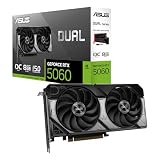
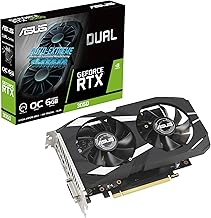
 ASUS Dual NVIDIA GeForce RTX 5060 8GB
- AI Performance: 623 AI TOPS
- OC mode: 2565 MHz (OC mode)/ 2535 MHz…
- Powered by the NVIDIA Blackwell architecture and DLSS…
 XFX Swift AMD Radeon RX 9060 XT
- Chipset: AMD RX 9060 XT
- Memory: 16 GB GDDR6
- XFX SWFT Triple Fan Cooling Solution
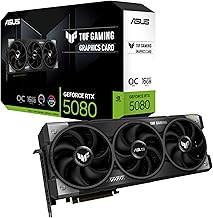
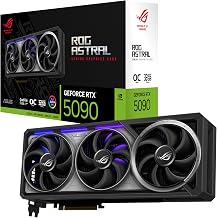
 ASUS TUF Gaming GeForce RTX™ 5080 16GB
- Powered by the NVIDIA Blackwell architecture and DLSS…
- Military-grade components deliver rock-solid power and longer lifespan…
- Protective PCB coating helps protect against short circuits…
| Product | Key specs | |
|---|---|---|
| ASUS Dual NVIDIA GeForce RTX 5060 8GB | AI Performance: 623 AI TOPS OC mode: 2565 MHz (OC mode)/ 2535 MHz… Powered by the NVIDIA Blackwell architecture and DLSS… | Check price |
| XFX Swift AMD Radeon RX 9060 XT | Chipset: AMD RX 9060 XT Memory: 16 GB GDDR6 XFX SWFT Triple Fan Cooling Solution | Check price |
| ASUS TUF Gaming GeForce RTX™ 5080 16GB | Powered by the NVIDIA Blackwell architecture and DLSS… Military-grade components deliver rock-solid power and longer lifespan… Protective PCB coating helps protect against short circuits… | Check price |
 GIGABYTE Radeon™ RX 9060 XT Gaming OC GIGABYTE Radeon™ RX 9060 XT Gaming OC | Powered by Radeon RX 9060 XT - Built… WINDFORCE Cooling System - The WINDFORCE cooling system… RGB Lighting - With 16.7M customizable color options… | Check price |
 ASUS SFF-Ready Prime NVIDIA GeForce RTX 5070 ASUS SFF-Ready Prime NVIDIA GeForce RTX 5070 | AI Performance: 1005 AI TOPS OC mode boosts… Powered by the NVIDIA Blackwell architecture and DLSS… SFF-Ready enthusiast GeForce card compatible with small-form-factor builds | Check price |
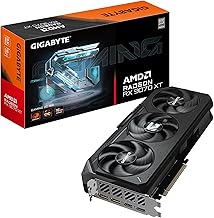
 GIGABYTE Radeon RX 9070 XT Gaming OC GIGABYTE Radeon RX 9070 XT Gaming OC | Powered by Radeon RX 9070 XT WINDFORCE Cooling System Hawk Fan | Check price |
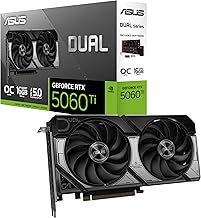
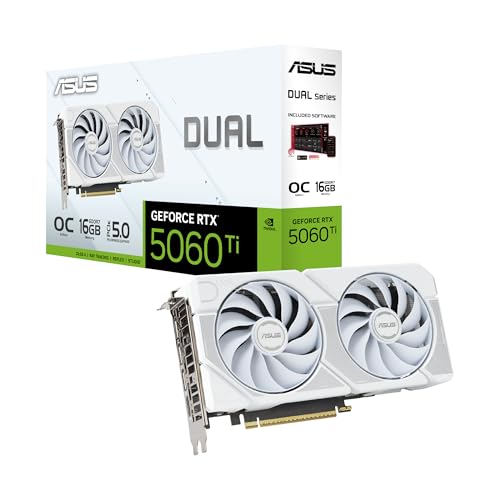 ASUS Dual NVIDIA GeForce RTX™ 5060 Ti ASUS Dual NVIDIA GeForce RTX™ 5060 Ti | OC mode: 2632 MHz (OC mode)/ 2602 MHz… Powered by the NVIDIA Blackwell architecture and DLSS… Axial-tech fan design features a smaller fan hub… | Check price |
 GIGABYTE GeForce RTX 5070 Ti Gaming OC GIGABYTE GeForce RTX 5070 Ti Gaming OC | Powered by the NVIDIA Blackwell architecture and DLSS… Powered by GeForce RTX 5070 Ti Integrated with 16GB GDDR7 256bit memory interface | Check price |
As an Amazon Associate we earn from qualifying purchases at no extra cost to you.
⚡ Save on Your Next PC — Amazon Prime
Prime members get fast free shipping on the systems above, plus early access to Prime Day & Black Friday PC deals. New members get a 30-day free trial.
Watch: How to Choose a Graphics Card (2026 Guide) — Video Review
Match the Card to Your Resolution and Refresh Rate
Start with your monitor, not the GPU. A 1080p 144Hz display is comfortably fed by a mid-range card like the ASUS Dual GeForce RTX 5060 or the XFX Swift Radeon RX 9060 XT, both of which leave headroom for high frame rates without blowing your budget. Step up to 1440p and you want something in the RTX 5060 Ti or RX 9070 XT class, while genuine 4K gaming at high settings is where a GIGABYTE RTX 5070 Ti or ASUS TUF RTX 5080 earns its price. Buying more GPU than your screen can display is wasted money; buying less means stuttering and lowered settings.
Understand VRAM and Why 8GB Is the New Floor
Video memory holds textures, frame buffers, and assets, and modern titles are hungry. At 1080p, 8GB cards still hold up, but if you play at 1440p or use high-resolution texture packs, 12GB to 16GB is the safer long-term choice. Cards such as the GIGABYTE Radeon RX 9060 XT Gaming OC ICE 16G and the ASUS Dual RTX 5060 Ti 16GB give you breathing room that keeps a build relevant for several years rather than forcing an early upgrade.
Check Power Draw and Your PSU Headroom
Every GPU lists a recommended power supply wattage and a set of connectors. A card in the RTX 5080 tier can pull well over 300 watts under load, so a 750W or higher quality PSU with the correct 12V-2×6 or PCIe connectors is essential. Undersizing your power supply causes crashes, shutdowns, and in the worst case damaged hardware. Always add a comfortable margin above the card’s rated draw so the unit runs cool and efficient.
Confirm Physical Fit and Cooling
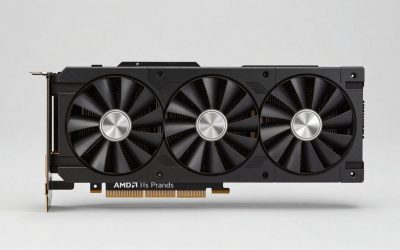
Modern cards are large. A triple-fan 2.5-slot design like the ASUS TUF RTX 5080 needs real clearance in length, height, and slot width, and a compact case can rule it out entirely. Measure your case before buying and note whether you need a smaller-form-factor option such as the SFF-Ready ASUS Prime RTX 5070 White. Good cooling, whether an axial-tech triple fan or a WINDFORCE array, keeps clocks high and noise low.
Weigh Ray Tracing, Upscaling, and Software Features
Raw rasterization is only half the story in 2026. NVIDIA leans on DLSS 4 for frame generation and upscaling, while AMD counters with FSR on RDNA 4 hardware. If you want ray-traced lighting in demanding titles, NVIDIA’s RTX cards generally hold an edge, but AMD’s Radeon RX 9070 XT delivers outstanding raster value. Decide which features you will actually use before letting them sway your purchase.
Tips
- Buy for the resolution you play at today, with one tier of headroom for future titles.
- Never pair a high-end GPU with an undersized power supply; check connector types too.
- Measure case clearance in millimeters before committing to a large triple-fan card.
- Compare real-world benchmarks in your specific games rather than trusting marketing numbers.
Frequently Asked Questions
Is 8GB of VRAM still enough in 2026?
For 1080p gaming, yes, 8GB remains playable in most titles. If you game at 1440p or higher, or use high-resolution texture mods, a 12GB or 16GB card is a much safer investment for longevity.
Should I choose NVIDIA or AMD?
NVIDIA generally leads in ray tracing and DLSS upscaling, while AMD’s Radeon cards often deliver stronger pure rasterization value. Pick based on the features you use and the price at your target performance tier.
Do I need to upgrade my power supply for a new GPU?
Possibly. Check the card’s recommended wattage and required connectors. If your current PSU lacks the headroom or the correct plugs, upgrading it alongside the GPU prevents crashes and protects your hardware.
How long will a mid-range card last?
A capable 12GB to 16GB mid-range card typically delivers strong performance for three to five years at 1080p or 1440p, especially when paired with modern upscaling technology.
Conclusion
Choosing a graphics card comes down to matching horsepower to your monitor, ensuring enough VRAM and power headroom, and confirming the card physically fits your case. Nail those fundamentals and any of the recommended cards above will deliver years of smooth, great-looking gameplay without overspending on performance you cannot use.