Key takeaways
- Using a standard 29-inch desk as a rule: Fixed desk heights fit some people but not everyone. Adjust the chair or choose an adjustable surface.
- Raising the chair without supporting your feet: Dangling legs can increase pressure under the thighs and make your back less stable.
- Putting the monitor too low: Looking down for hours encourages neck flexion. Raise the screen while keeping the keyboard low.
- Reaching for the mouse: Keep it close enough that your upper arm remains near your body.
- Leaning on armrests that are too high: Armrests should support relaxed forearms without pushing your shoulders upward or preventing you from getting close to the desk.
- Locking into one position: Good posture is not a rigid pose. Shift, stand, stretch, and change your viewing distance throughout the day.
- Ignoring desk clearance: A thick desktop, center drawer, or crossbar can force your knees forward and prevent proper positioning.
A desk that is too high can leave your shoulders lifted, elbows flared, and wrists bent upward. A desk that is too low may make you hunch, crane your neck, or rest your weight on your forearms. Over time, these positions can contribute to neck stiffness, shoulder tension, lower-back discomfort, and hand or wrist irritation.
The right setup is not determined by desk height alone. Your chair height, monitor position, keyboard placement, foot support, and the tasks you perform all affect posture. Use the process below to create a comfortable workstation, then make small adjustments rather than forcing your body to match a fixed number. These guidelines work for most home offices in 2026, whether you use a traditional desk or alternate between sitting and standing.
Our top picks
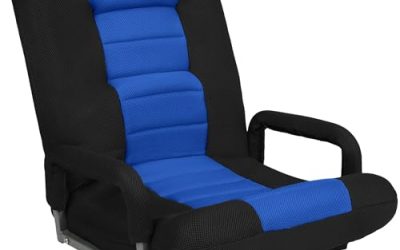
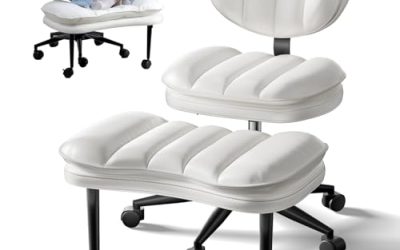
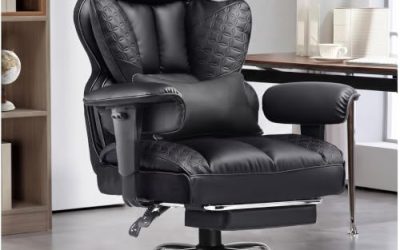
 Synorla Ergonomic Tall Drafting Chair-Mesh Desk Chair
- Ergonomic Drafting Chair:The ergonomic design adapts seamlessly to…
- Height Adjustable Comfort:Featuring adjustable seat height (Max 9…
- Lumbar Support for Lower Back Relief:The adjustable lumbar…
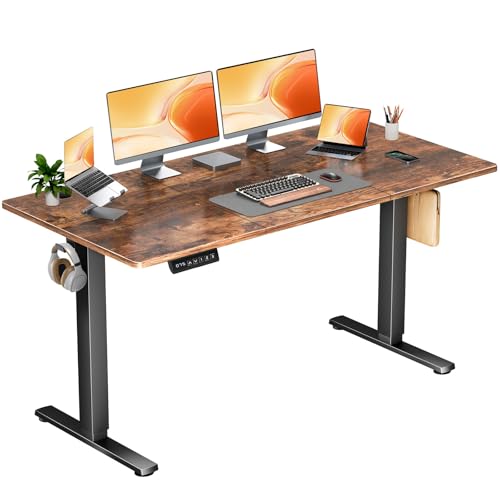 DUMOS 63 Inch Electric Standing Desk
- Spacious 63-Inch Electric Standing Desk: Maximize your workspace…
- Quiet & Smooth Height Transitions: Effortlessly switch between…
- Programmable Memory Presets: Store 3 custom height settings…
As an Amazon Associate we earn from qualifying purchases at no extra cost to you.
What You Need
| Item | Why | Optional? |
|---|---|---|
| Adjustable office chair | Lets you set your hips, knees, and elbows in a neutral position. A chair with a seat height of roughly 16 to 21 inches suits many adults, but your leg length matters more than the range. | No |
| Tape measure | Helps you record desk, seat, monitor, and foot-support heights instead of relying on guesswork. | No |
| Keyboard and mouse | These determine the height and reach you need for everyday work. | No |
| Monitor stand or arm | Raises the screen without raising the keyboard, helping you keep your head level. | Yes |
| Footrest or stable box | Supports your feet if your chair must be raised to reach the desk comfortably. | Yes |
| Height-adjustable desk | Makes it easier to accommodate different users and alternate between seated and standing work. A basic electric model may cost about $90 to $300, while premium models commonly cost $400 or more. | Yes |
| Synorla Ergonomic Tall Drafting Chair-Mesh Desk Chair with Flip-Up Arms | A taller chair can pair with a high work surface or drafting-height desk. Its listed price is about $129.99; confirm the current seat-height range and weight rating before buying. | Yes |
| DUMOS 63 Inch Electric Standing Desk, Memory Adjustable Home Office Desk | An electric sit-stand surface can make precise height changes easier. It is listed at about $89.95; verify the current lifting capacity, height range, motor wattage, and warranty before purchase. | Yes |
Step-by-Step
1. Measure your natural seated position (5 minutes)
Start barefoot or in the shoes you normally wear at your desk. Sit all the way back in the chair with your pelvis supported, rather than perching on the front edge. Adjust the seat so your feet rest flat on the floor and your knees are close to a 90-degree angle. Your thighs should be approximately level or slope slightly downward toward your knees.
Keep at least 2 inches of clearance between the front edge of the seat and the back of your knees. If your feet do not reach the floor after you set the chair for your desk, use a footrest instead of allowing your legs to dangle.
2. Set the desk to your elbow height (5 minutes)
Relax your shoulders and bend your elbows to approximately 90 degrees. Keep your upper arms close to your sides. Measure from the floor to the underside of your elbows, or adjust the desk until its top is roughly level with your elbows.
For many adults, a seated desk height between 27 and 30 inches works reasonably well, but this is only a starting point. Taller or shorter users may need a different height. The correct surface allows your forearms to extend forward without your shoulders rising or your wrists bending sharply.
Place the keyboard so it is 4 to 6 inches from the desk’s front edge, leaving room to rest the heel of your hands without pressing heavily on them. Keep the mouse beside the keyboard, not far away where it forces your shoulder to reach.
3. Check your shoulders, elbows, and wrists (3 minutes)
Type for a minute while looking for tension. Your shoulders should remain down, your elbows should stay near your torso, and your wrists should be relatively straight. A slight downward keyboard angle may feel comfortable, but avoid a steep angle that bends your wrists upward.
If your shoulders are lifted, lower the desk or raise the chair slightly. If your elbows are lower than the keyboard and your wrists angle upward, raise the desk or lower the chair. When lowering the chair makes your knees uncomfortable, raise the chair only enough to reach the surface and add foot support.
4. Position the monitor (5 minutes)
Place the monitor directly in front of you so you do not rotate your neck. The top edge of the screen should be at or slightly below eye level when you sit upright. Your eyes should naturally land in the upper third of the display.
Set the screen about 20 to 30 inches away, or approximately an arm’s length. Increase the distance for a very large monitor. If you use two screens equally, center the gap between them with your nose. If one screen is primary, center that screen and angle the second toward you.
Raise the monitor with a stand, books, or an adjustable arm rather than raising the entire desk. This preserves the keyboard height you already established. Reduce glare by positioning the screen perpendicular to windows and keeping brightness comfortable.
5. Add lower-body support (3 minutes)
Confirm that both feet are fully supported. Your hips should not be higher than your knees by a large amount, and the chair should not press into the backs of your legs. A footrest roughly 2 to 4 inches high often solves the problem when a desk requires a taller chair.
Choose a rigid, nonslip surface large enough for both feet. Avoid unstable stacks of books or anything that slides when you shift position. Leave enough room under the desk for your legs to move and change position.
6. Test the setup during real work (15 to 30 minutes)
Read, type, use your mouse, and make a phone call in the adjusted position. Notice whether discomfort appears in your neck, shoulders, lower back, hips, or hands. Make one change at a time and work for several minutes before judging it.
Save your final seated height with a small piece of removable tape or a note. If you use a standing desk, record a separate standing height with your elbows at approximately 90 degrees and your screen at eye level. Change positions gradually rather than standing all day: begin with five to 10 minutes of standing for every 30 to 60 minutes of sitting, then adjust according to comfort.
Mistakes to Avoid
- Using a standard 29-inch desk as a rule: Fixed desk heights fit some people but not everyone. Adjust the chair or choose an adjustable surface.
- Raising the chair without supporting your feet: Dangling legs can increase pressure under the thighs and make your back less stable.
- Putting the monitor too low: Looking down for hours encourages neck flexion. Raise the screen while keeping the keyboard low.
- Reaching for the mouse: Keep it close enough that your upper arm remains near your body.
- Leaning on armrests that are too high: Armrests should support relaxed forearms without pushing your shoulders upward or preventing you from getting close to the desk.
- Locking into one position: Good posture is not a rigid pose. Shift, stand, stretch, and change your viewing distance throughout the day.
- Ignoring desk clearance: A thick desktop, center drawer, or crossbar can force your knees forward and prevent proper positioning.
How Often
Recheck your setup whenever you change chairs, shoes, monitors, keyboards, or work surfaces. Otherwise, perform a quick posture check every one to three months. If more than one person uses the workstation, mark each person’s preferred seated and standing settings. On an electric desk, memory presets can make switching between users or positions faster, but still confirm that the screen and keyboard move to appropriate heights.
During the workday, change position at least every 30 to 60 minutes. Take a brief walk, roll your shoulders, relax your hands, and look at a distant object. These breaks complement correct desk height; they do not compensate for a poorly adjusted workstation.
When to Call a Pro or Replace
Consult a medical professional if pain is severe, persistent, worsening, or accompanied by numbness, tingling, weakness, swelling, or pain that travels down an arm or leg. A physical therapist or occupational therapist can assess your posture, movement habits, and workstation together.
Replace or repair furniture that wobbles, sinks, tilts, or cannot hold its position. Stop using an electric desk if its controls, wiring, or motor behaves unpredictably. Before buying a replacement, compare the height range, tabletop thickness, lifting capacity, base stability, warranty, and noise information. For chairs, check the seat-height range, seat depth, back support, caster quality, and published weight rating—not just the advertised price.
FAQ
What is the ideal desk height for good posture?
There is no single ideal number. For many seated adults, 27 to 30 inches is a useful starting range, but the best height lets your elbows stay near 90 degrees, shoulders stay relaxed, wrists remain fairly straight, and feet stay supported.
Should my elbows rest on the desk?
Your forearms may rest lightly on the surface during some tasks, but do not lean your body weight heavily on your elbows. Keep your upper arms close to your sides and avoid pressing the desk edge into your wrists or forearms.
Is a standing desk better for posture?
Not automatically. A standing desk helps you vary position, but standing with a raised monitor, bent wrists, locked knees, or a twisted neck can still cause discomfort. Adjust both sitting and standing heights and alternate regularly.
What if my desk cannot be adjusted?
Adjust the chair first, then use a footrest if needed. Raise the monitor independently with a stand or arm, and use a separate keyboard and mouse if a laptop forces you to choose between screen height and hand position. If the desk still prevents neutral posture, replacement may be more practical than repeated workarounds.