The graphics card is the beating heart of any gaming PC, and picking the right one is the single most important decision you will make for your frame rates. With NVIDIA’s RTX 50-series and AMD’s Radeon RX 9000 lineup both fighting hard in 2026, there has rarely been a better or more confusing time to buy.
The “best” card is not the most expensive one; it is the one that matches your resolution, your monitor’s refresh rate, and your budget without leaving performance stranded. Below we break down the standout GPUs across price tiers and explain exactly what to weigh so you land the right card for your setup.
Our top picks
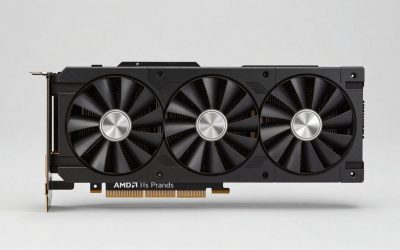
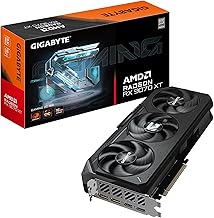
 GIGABYTE Radeon RX 9070 XT Gaming OC
- Powered by Radeon RX 9070 XT
- WINDFORCE Cooling System
- Hawk Fan
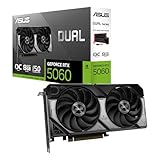
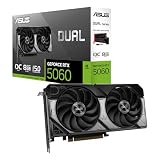
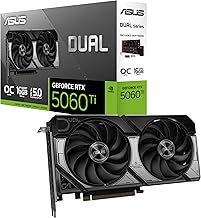
 ASUS Dual NVIDIA GeForce RTX 5060 Ti
- AI Performance: 767 AI TOPS
- OC mode: 2632 MHz (OC mode)/ 2602 MHz…
- Powered by the NVIDIA Blackwell architecture and DLSS…
| Product | Key specs | |
|---|---|---|
| GIGABYTE Radeon RX 9070 XT Gaming OC | Powered by Radeon RX 9070 XT WINDFORCE Cooling System Hawk Fan | Check price |
| ASUS Dual NVIDIA GeForce RTX 5060 Ti | AI Performance: 767 AI TOPS OC mode: 2632 MHz (OC mode)/ 2602 MHz… Powered by the NVIDIA Blackwell architecture and DLSS… | Check price |
 GIGABYTE Radeon RX 7600 XT Gaming OC GIGABYTE Radeon RX 7600 XT Gaming OC | Check price | |
 ASUS TUF Gaming NVIDIA GeForce RTX 3080 ASUS TUF Gaming NVIDIA GeForce RTX 3080 | NVIDIA Ampere Streaming Multiprocessors: The building blocks for… 2nd Generation RT Cores: Experience 2X the throughput… 3rd Generation Tensor Cores: Get up to 2X… | Check price |
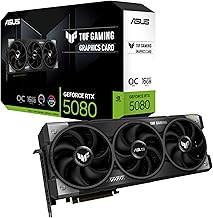
 ASUS TUF Gaming GeForce RTX™ 5080 16GB ASUS TUF Gaming GeForce RTX™ 5080 16GB | Powered by the NVIDIA Blackwell architecture and DLSS… Military-grade components deliver rock-solid power and longer lifespan… Protective PCB coating helps protect against short circuits… | Check price |
 ASUS Prime AMD Radeon RX 9070 XT ASUS Prime AMD Radeon RX 9070 XT | Axial-tech fans now feature a smaller fan hub… Phase-change GPU thermal pad helps ensure optimal heat… 2.5-slot design allows for greater build compatibility while… | Check price |
 GIGABYTE GeForce RTX 5070 Gaming OC 12G GIGABYTE GeForce RTX 5070 Gaming OC 12G | Powered by the NVIDIA Blackwell architecture and DLSS… Powered by GeForce RTX 5070 Integrated with 12GB GDDR7 192bit memory interface | Check price |
 GIGABYTE GeForce RTX 5080 Gaming OC 16G GIGABYTE GeForce RTX 5080 Gaming OC 16G | Powered by the NVIDIA Blackwell architecture and DLSS… Powered by GeForce RTX 5080 Integrated with 16GB GDDR7 256bit memory interface | Check price |
As an Amazon Associate we earn from qualifying purchases at no extra cost to you.
🎮 Get More From Your Setup — Free
Prime Gaming gives you free PC games every month, in-game loot, and a free Twitch channel sub — plus fast free shipping on all the gear above. New members get a 30-day free trial.
Watch: Best Whats The Best Graphics Card For Gaming — Video Review
How to Choose a Gaming Graphics Card
- Match to your resolution: 1080p is happy with mid-range cards, 1440p wants an upper-mid GPU, and 4K demands a flagship.
- VRAM matters: 12GB is the comfortable minimum for modern games at 1440p, with 16GB providing headroom for 4K and future titles.
- Upscaling features: DLSS 4 and FSR dramatically boost frame rates, so factor in each brand’s feature set alongside raw power.
- Power and case fit: Check your power supply wattage and case clearance, as modern high-end cards are large and hungry.
- Ray tracing needs: If ray tracing excites you, NVIDIA holds an edge, while AMD often wins on raw rasterization per dollar.
The Best Gaming Graphics Cards Reviewed
ASUS TUF RTX 5080
The TUF Gaming RTX 5080 is a 4K powerhouse with 16GB of GDDR7 and DLSS 4 support, backed by ASUS’s robust cooling and build. It is the choice for players chasing high-refresh 4K with headroom to spare.
GIGABYTE RX 9070 XT Gaming OC
GIGABYTE’s RX 9070 XT delivers 16GB of GDDR6 and strong rasterization at 1440p and 4K, making it AMD’s value flagship. Its triple-fan WINDFORCE cooling keeps it quiet under load.
ASUS Dual RTX 5060 Ti 16GB
The Dual RTX 5060 Ti pairs 16GB of GDDR7 with DLSS 4 in a compact, efficient design. It is the sweet-spot pick for high-refresh 1440p gaming without breaking the bank.
ASUS Prime RX 9070 XT
The Prime RX 9070 XT offers the same capable AMD silicon in a clean, dual-BIOS design with strong airflow. It is a smart alternative for 1440p and entry 4K players who favor Radeon.
GIGABYTE RX 7600 XT Gaming OC
With 16GB of VRAM at a budget price, the RX 7600 XT is a strong 1080p and light 1440p performer. Its generous memory makes it a durable value pick for mainstream builds.
Frequently Asked Questions
How much VRAM do I need?
For 1440p gaming today, 12GB is the comfortable minimum and 16GB is ideal for 4K and future-proofing. Some newer titles already push past 8GB at high settings.
Is DLSS or FSR worth caring about?
Yes. These upscaling technologies can significantly boost frame rates with minimal quality loss, effectively giving you free performance in supported games.
NVIDIA or AMD?
NVIDIA leads in ray tracing and DLSS, while AMD often offers better raw performance per dollar. Choose based on the features and games that matter most to you.
Will my power supply handle a new card?
Check the recommended wattage for your chosen GPU and confirm you have the correct power connectors. High-end cards can demand 750W or more.
Final Thoughts
For high-refresh 4K, the ASUS TUF RTX 5080 is our top recommendation, while the GIGABYTE RX 9070 XT is the value flagship for 1440p and entry 4K. Mainstream players will find the ASUS Dual RTX 5060 Ti the smartest all-round buy.