Key takeaways
- Gaming headroom: 16GB suits most current games alone; 32GB adds room for demanding titles and heavy mods.
- Multitasking: 32GB handles gaming plus Discord, a browser with many tabs, and streaming without swapping to disk.
- Future-proofing: As games grow, 32GB extends the life of your build before another upgrade.
- Cost: 32GB kits are only modestly more expensive than 16GB, making the upgrade easy to justify.
- Speed matters too: DDR5 at 6000MT/s and DDR4 at 3200MHz+ both benefit gaming; run the kit’s XMP/EXPO profile.
- Dual channel is essential: Two matched sticks beat one big stick; both capacities should run as a matched pair.
RAM is one of the cheapest ways to smooth out a gaming PC, but the 16GB versus 32GB question trips up a lot of builders. For years 16GB was the comfortable default; in 2026 that line has blurred as games, browsers, and background apps get hungrier. The choice between a 16GB kit and a 32GB kit like the CORSAIR Vengeance LPX 32GB or a Crucial 32GB DDR5 set comes down to how you play and what else runs while you game.
This comparison looks at what each capacity actually delivers in real gaming, when 16GB starts to hurt, and why 32GB has quietly become the sensible sweet spot for new builds. We’ll also touch on speed and dual-channel, which matter as much as raw capacity.
Our top picks
 CORSAIR Vengeance LPX DDR4 RAM 32GB
- Disclaimer: Maximum Speed requires overclocking/PC BIOS adjustments
- Hand-sorted memory chips ensure high performance with generous…
- VENGEANCE LPX is optimized for wide compatibility with…
 PUSKILL DDR4 3200MHz CL16 Desktop RAM Kit
- Blazing Fast 3200MHz Speed & Low Latency: Unleash…
- High-Capacity 32GB (2x16GB) Kit: This dual-channel kit is…
- Wide Compatibility & Ready for Intel XMP 2.0:…
 Silicon Power Value Gaming DDR4 RAM 32GB
- Supports Intel Coffee Lake Processors and Intel Extreme…
- Aluminum heat sink
- Speeds up to 3200 MT/s / Timing 16-18-18-38…
| Product | Key specs | |
|---|---|---|
| CORSAIR Vengeance LPX DDR4 RAM 32GB | Disclaimer: Maximum Speed requires overclocking/PC BIOS adjustments Hand-sorted memory chips ensure high performance with generous… VENGEANCE LPX is optimized for wide compatibility with… | Check price |
| PUSKILL DDR4 3200MHz CL16 Desktop RAM Kit | Blazing Fast 3200MHz Speed & Low Latency: Unleash… High-Capacity 32GB (2x16GB) Kit: This dual-channel kit is… Wide Compatibility & Ready for Intel XMP 2.0:… | Check price |
| Silicon Power Value Gaming DDR4 RAM 32GB | Supports Intel Coffee Lake Processors and Intel Extreme… Aluminum heat sink Speeds up to 3200 MT/s / Timing 16-18-18-38… | Check price |
 AVGPC Hellfire Gaming PC AMD Ryzen 7 AVGPC Hellfire Gaming PC AMD Ryzen 7 | Build and Support in USA Powered by the AMD Ryzen 7 7800X3D processor… System RAM: 32GB DDR5 5200MHz | Check price |
 Silicon Power Value Gaming DDR5 32GB Silicon Power Value Gaming DDR5 32GB | Aluminum heatsink provides maximum heat dissipation and thermal… Supports overclocking with Intel XMP 3.0 and AMD… Speeds up to 6000 MT/s / Timing 30-38-38-96… | Check price |
 Crucial 32GB DDR5 RAM Kit Crucial 32GB DDR5 RAM Kit | Boosts System Performance: 32GB DDR5 RAM laptop memory… Accelerated gaming performance: Every millisecond gained in fast-paced… Optimized DDR5 compatibility: Best for 12th Gen Intel… | Check price |
 G.SKILL Trident Z RGB Series DDR4 RAM G.SKILL Trident Z RGB Series DDR4 RAM | Check price | |
 KingBank Computer Desktop Memory Ram DDR4 32GB KingBank Computer Desktop Memory Ram DDR4 32GB | Upgrading old memory: Before replacing memory, you must… XMP 2.0: Designed for overclocking motherboards, one-click XMP… Uncompromised Quality:Our memory modules feature high-quality chips and… | Check price |
As an Amazon Associate we earn from qualifying purchases at no extra cost to you.
⚡ Save on Your Next PC — Amazon Prime
Prime members get fast free shipping on the systems above, plus early access to Prime Day & Black Friday PC deals. New members get a 30-day free trial.
Watch: 32GB vs 16GB RAM for Gaming — Video Review
Quick Verdict
For a pure gaming machine on a budget, 16GB in dual channel still runs almost every title fine today. But for a new 2026 build, 32GB is the smart buy: it’s inexpensive, eliminates stutter when games and background apps share memory, and future-proofs you as titles demand more. Unless money is extremely tight, a 32GB kit like the CORSAIR Vengeance LPX or Silicon Power Value Gaming DDR5 is the recommendation for most gamers.
Key Differences
- Gaming headroom: 16GB suits most current games alone; 32GB adds room for demanding titles and heavy mods.
- Multitasking: 32GB handles gaming plus Discord, a browser with many tabs, and streaming without swapping to disk.
- Future-proofing: As games grow, 32GB extends the life of your build before another upgrade.
- Cost: 32GB kits are only modestly more expensive than 16GB, making the upgrade easy to justify.
- Speed matters too: DDR5 at 6000MT/s and DDR4 at 3200MHz+ both benefit gaming; run the kit’s XMP/EXPO profile.
- Dual channel is essential: Two matched sticks beat one big stick; both capacities should run as a matched pair.
16GB of RAM
16GB, ideally as a matched 2x8GB dual-channel kit, remains perfectly playable for the majority of games today. If you close background apps and play one title at a time, you’ll rarely hit the ceiling, and the money saved can go toward a better GPU, which affects frame rate far more directly. For an esports-focused or budget build, 16GB is a defensible choice.
The cracks show under load. Alt-tabbing to a browser, running a stream, or playing a heavily modded open-world game can push a 16GB system into memory swapping, which causes stutter and long hitches. As newer titles raise their minimum requirements, 16GB will increasingly feel like the floor rather than a comfortable margin.
32GB of RAM
32GB is the current sweet spot for new gaming builds, and kits like the CORSAIR Vengeance LPX DDR4 32GB (2x16GB) at 3200MHz or a Crucial 32GB DDR5 set cost little more than 16GB while removing the stutter equation entirely. You can game, stream, keep dozens of browser tabs open, and run Discord without the system ever touching the page file. For modded games and demanding 2026 titles, that headroom keeps frame times smooth.
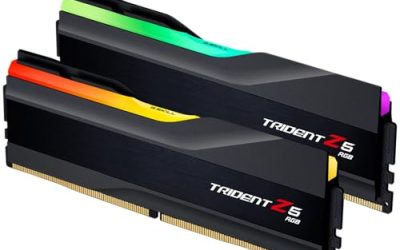
The only argument against 32GB is cost, and it’s a weak one given how cheap memory is. Going beyond to 64GB, as with high-end Trident Z5 Neo kits, benefits content creators and heavy multitaskers but does nothing for gaming, so most players should stop at 32GB.
Which Should You Buy?
- Buy 32GB if: You’re building new in 2026 and want smooth multitasking and future-proofing.
- Buy 16GB if: You’re on a strict budget and play mainly esports or one game at a time.
- Buy 32GB if: You stream, mod games heavily, or keep many apps open while playing.
- Always buy a matched pair: Dual channel matters more than a single large stick for gaming performance.
- Don’t overspend on 64GB: It helps creators, not gamers; put that money into the GPU instead.
Frequently Asked Questions
Is 16GB of RAM still enough for gaming in 2026?
For most single-game sessions, yes, especially in dual channel. But background apps and newer demanding titles increasingly push past it, which is why 32GB is now the safer default.
Does more RAM increase FPS?
Only up to a point. Going from too little RAM to enough eliminates stutter and can raise minimum frame rates, but adding capacity beyond what a game needs doesn’t boost average FPS.
Should I get faster RAM or more RAM?
Get enough capacity first (32GB), then choose a fast kit like DDR5 6000MT/s and enable XMP or EXPO. Both capacity and speed help, but running out of memory hurts most.
Do I need to match my RAM sticks?
Yes, run a matched dual-channel pair for best gaming performance. Mixing mismatched sticks can drop you to single channel or cause instability.
Final Verdict
The 16GB versus 32GB debate has a clear answer for new builds in 2026: buy 32GB. It costs only a little more, banishes multitasking stutter, and keeps your rig relevant longer. Choose a matched kit like the CORSAIR Vengeance LPX or a Crucial DDR5 set, enable its speed profile, and you’ll have a system that stays smooth no matter how many tabs you leave open.