Key takeaways
- Glare-free desk lighting that reduces eye strain.
- Space-saving screen-top bars free the desktop.
- Adjustable color temperature and dimming on better models.
- Video-call options improve webcam appearance.
A monitor light bar is one of the cheapest upgrades that meaningfully improves your desk. By casting even, glare-free light across your keyboard and desk without shining into the screen or your eyes, it reduces eye strain during long sessions and frees up the space a traditional desk lamp would occupy. For gamers and anyone working late, it is a small purchase with an outsized comfort payoff.
This review covers the range of LED monitor and desk lighting options, from screen-mounted light bars to clamp desk lamps and video-call lighting. Here is how the standout picks compare and how to choose the right one for your setup.
Our top picks



As an Amazon Associate we earn from qualifying purchases at no extra cost to you. Ratings are shown as listed on Amazon.
🎮 Get More From Your Setup — Free
Prime Gaming gives you free PC games every month, in-game loot, and a free Twitch channel sub — plus fast free shipping on all the gear above. New members get a 30-day free trial.
Watch: Led Monitor Light: Review & Buyer’s Guide — Video Review
Design & Build
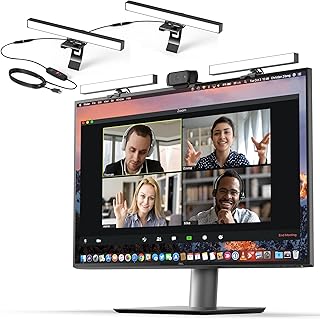
The purest monitor lights are screen-top bars, like the Quntis auto-dimming lamp and the ultrawide-lighting reading bar, which perch on the top bezel and weight themselves without clamps or adhesive. They cast light downward onto the desk while keeping the screen glare-free. Clamp-style desk lamps, such as the EYOCEAN 31.5-inch double-head lamp and the 3,000-lumen architect light, mount to the desk edge and offer more reach and raw brightness for wider coverage. For streamers and remote workers, the HumanCentric video-conference light and the upgraded laptop ring light focus illumination on your face for flattering webcam footage. Build quality across better models includes sturdy weighted bases or solid clamps, and touch or remote controls.
Performance
The key metrics are glare control, brightness, and color temperature. Monitor light bars like the Quntis excel at eye care: their asymmetric optics direct light onto the desk, not the screen, and auto-dimming or touch-adjustable brightness lets you match the ambient room. Adjustable color temperature, a feature on the EYOCEAN, the reading bar, and the architect lamp, lets you switch from warm evening light to cool daylight for focus. The clamp lamps win on sheer output and coverage, with the 3,000-lumen architect light suiting drafting and detailed work. The ring and conference lights, meanwhile, are about video quality rather than desk lighting, delivering soft, even illumination with high CRI for accurate skin tones on calls and streams. Match the type to your primary need: a bar for eye comfort, a clamp lamp for brightness, or a ring for the camera.
Pros & Cons
- Glare-free desk lighting that reduces eye strain.
- Space-saving screen-top bars free the desktop.
- Adjustable color temperature and dimming on better models.
- Video-call options improve webcam appearance.
- Bars offer less raw brightness than clamp lamps.
- Fit varies: some bars suit flat screens better than curved ones.
- Feature overlap: choosing the right type matters more than specs.
Alternatives to Consider
If you need maximum brightness for detailed work, a high-lumen clamp architect lamp beats a monitor bar. Those primarily improving video calls should choose a dedicated ring or conference light rather than a desk lamp. And if desk space is scarce, a screen-top light bar like the Quntis is the cleanest solution, adding lighting without occupying any surface.
Frequently Asked Questions
Does a monitor light bar cause screen glare?
No. Quality bars use asymmetric optics to direct light onto the desk and keyboard while keeping the screen surface glare-free.
Will a light bar fit my curved or ultrawide monitor?
Many bars fit flat and gently curved panels, but check the mount design and monitor thickness. Some models are specifically suited to ultrawide or curved screens.
What color temperature is best?
Warm light suits evening relaxation while cool daylight aids focus. Adjustable-temperature models let you switch based on the time and task.
Do I need auto-dimming?
Auto-dimming conveniently matches the light to your room’s ambient level, reducing eye strain without manual tweaking, though touch or remote control works well too.
Verdict
For most people, a screen-top light bar like the Quntis auto-dimming lamp is the ideal monitor light: glare-free, space-saving, and easy on the eyes. Choose a clamp lamp like the EYOCEAN for higher brightness and coverage, or a ring light if webcam quality is your goal. Match the type to your need and your desk becomes noticeably more comfortable.