Key takeaways
- VRAM is the long-game spec: 8GB is workable at 1080p today, but modern titles with ray tracing and high-res textures are already brushing against it. If you’re playing at 1440p or want the card to last three-plus years, prioritize a 16GB model — it’s the single best future-proofing decision at this price.
- Match the card to your monitor, not your ambition: A 1080p 144Hz panel and a 1440p 165Hz panel demand very different cards. Buying far above your display’s resolution wastes money; buying below it wastes the monitor. Decide your target resolution and refresh rate first, then work backwards.
- Upscaling and frame generation change the math: DLSS 4 on the NVIDIA side and FSR on AMD’s meaningfully extend what a mid-range card can handle. A card that looks marginal in raw raster benchmarks may be perfectly comfortable with upscaling enabled — factor that into your comparison rather than reading native-resolution numbers alone.
- Check physical fit and power before you buy: Measure your case clearance and count your PSU’s PCIe connectors. Most cards in this bracket are 2 to 2.5 slots and modest on power draw, but compact and small-form-factor builds still get caught out. A 550–650W quality PSU is the sensible floor here.
- Cooling determines real-world performance: Two cards with the same GPU can differ by several hundred MHz in sustained clocks depending on the cooler. Triple-fan and reinforced dual-fan designs with 0dB idle modes run quieter and hold boost clocks longer — worth a small premium over the cheapest reference-style option.
Shopping for a graphics card under $500 has never been more confusing. The mid-range segment is the most crowded part of the market, and the spec sheets are deliberately hard to parse: two cards with nearly identical names can differ by 8GB of VRAM, an entire memory generation, or a full performance tier. Meanwhile, retail pricing swings week to week, and the card that was a bargain last month may be sitting well above MSRP today. If you’re building a 1080p or 1440p gaming rig, the difference between the right pick and the wrong one is roughly two years of usable lifespan.
This guide cuts through it. We’ve focused on cards that genuinely land under $500 at typical street pricing in 2026 — no bait-and-switch flagships, no “under $500 if you find it on sale.” Below you’ll find our top picks with a breakdown of who each one is for, a short buying checklist covering the specs that actually matter at this budget, and answers to the questions we get asked most. The emphasis throughout is value-for-money: frames per dollar, VRAM you’ll still be glad you have in 2028, and cooling that won’t turn your case into a hair dryer.
Our top picks
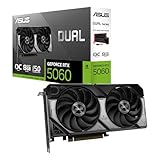
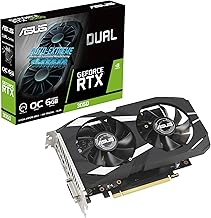
 ASUS Dual NVIDIA GeForce RTX 5060 8GB
- Product Group: Personal Computer
- Binding: Personal Computers
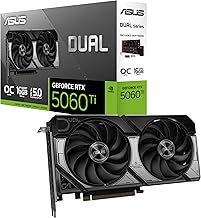
 ASUS Dual NVIDIA GeForce RTX 5060 Ti
- Product Group: Personal Computer
- Binding: Personal Computers
| Product | Key specs | Amazon rating | |
|---|---|---|---|
| ASUS Dual NVIDIA GeForce RTX 5060 8GB | Product Group: Personal Computer Binding: Personal Computers | 4.5★ | Check price |
 GIGABYTE GeForce RTX 5060 WINDFORCE OC 8G GIGABYTE GeForce RTX 5060 WINDFORCE OC 8G | – | Check price | |
| ASUS Dual NVIDIA GeForce RTX 5060 Ti | Product Group: Personal Computer Binding: Personal Computers | 4.5★ | Check price |
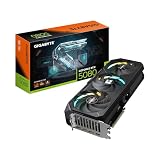
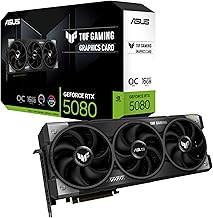
 ASUS TUF Gaming GeForce RTX™ 5080 16GB ASUS TUF Gaming GeForce RTX™ 5080 16GB | Product Group: Personal Computer Binding: Personal Computers | 4.3★ | Check price |
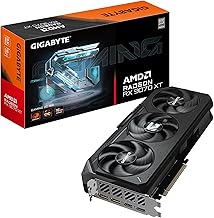
 XFX Swift AMD Radeon RX 9060 XT XFX Swift AMD Radeon RX 9060 XT | – | Check price | |
 GIGABYTE Radeon™ RX 9060 XT Gaming OC GIGABYTE Radeon™ RX 9060 XT Gaming OC | – | Check price | |
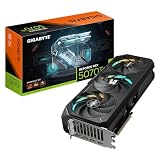
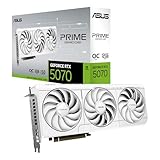
 ASUS SFF-Ready Prime NVIDIA GeForce RTX 5070 ASUS SFF-Ready Prime NVIDIA GeForce RTX 5070 | Product Group: Personal Computer Binding: Personal Computers | 4.7★ | Check price |
 GIGABYTE GeForce RTX 3050 WINDFORCE OC V2 GIGABYTE GeForce RTX 3050 WINDFORCE OC V2 | – | Check price |
As an Amazon Associate we earn from qualifying purchases at no extra cost to you. Ratings are shown as listed on Amazon.
⚡ Save on Your Next PC — Amazon Prime
Prime members get fast free shipping on the systems above, plus early access to Prime Day & Black Friday PC deals. New members get a 30-day free trial.
Watch: Best Graphics Card Under $500 — Video Review
How to Choose Graphics Card Under $500
- VRAM is the long-game spec: 8GB is workable at 1080p today, but modern titles with ray tracing and high-res textures are already brushing against it. If you’re playing at 1440p or want the card to last three-plus years, prioritize a 16GB model — it’s the single best future-proofing decision at this price.
- Match the card to your monitor, not your ambition: A 1080p 144Hz panel and a 1440p 165Hz panel demand very different cards. Buying far above your display’s resolution wastes money; buying below it wastes the monitor. Decide your target resolution and refresh rate first, then work backwards.
- Upscaling and frame generation change the math: DLSS 4 on the NVIDIA side and FSR on AMD’s meaningfully extend what a mid-range card can handle. A card that looks marginal in raw raster benchmarks may be perfectly comfortable with upscaling enabled — factor that into your comparison rather than reading native-resolution numbers alone.
- Check physical fit and power before you buy: Measure your case clearance and count your PSU’s PCIe connectors. Most cards in this bracket are 2 to 2.5 slots and modest on power draw, but compact and small-form-factor builds still get caught out. A 550–650W quality PSU is the sensible floor here.
- Cooling determines real-world performance: Two cards with the same GPU can differ by several hundred MHz in sustained clocks depending on the cooler. Triple-fan and reinforced dual-fan designs with 0dB idle modes run quieter and hold boost clocks longer — worth a small premium over the cheapest reference-style option.
The Best Picks Reviewed
ASUS Dual RTX 5060 Ti 16GB OC
This is the best all-round buy under $500 and the one we’d recommend to most people: the 16GB of GDDR7 makes it comfortable at 1440p in a way the 8GB cards simply aren’t, and DLSS 4 gives it substantial headroom in demanding titles. The Dual cooler is quiet, the 2.5-slot design fits most mid-tower cases, and ASUS’s three-year warranty is reassuring at this price.
XFX Swift Radeon RX 9060 XT 16GB
AMD’s answer in this bracket, and a genuinely strong value pick — 16GB of GDDR6 and RDNA 4 architecture deliver excellent raster performance per dollar, particularly at 1440p. The triple-fan cooler is the standout here, running cooler and quieter under sustained load than most dual-fan rivals, making it a smart choice for anyone in a warm room or a cramped case.
GIGABYTE RX 9060 XT Gaming OC ICE 16G
Functionally the same GPU as the XFX above but in a compact two-slot form factor with a white-themed shroud, this is the pick for small-form-factor builds and white-and-wood aesthetic rigs. Server-grade thermal gel and a reinforced backplate suggest GIGABYTE took thermals seriously despite the slimmer footprint, though a triple-fan card will still edge it under prolonged load.
ASUS Dual RTX 5060 8GB OC
The sensible entry point for a dedicated 1080p gamer on a tighter budget — GDDR7 memory, PCIe 5.0, and DLSS 4 support in a well-cooled, three-year-warranty package. The 8GB frame buffer is the honest limitation, so go in expecting to dial back textures in the most demanding new releases rather than treating it as a 1440p card.
GIGABYTE RTX 5060 WINDFORCE OC 8G
Usually the cheapest way into the RTX 5060 and DLSS 4, with GIGABYTE’s proven WINDFORCE cooling keeping noise and temperatures respectable for the money. It’s a strong budget-build and prebuilt-upgrade option, but if you can stretch another $80–100, the 16GB alternatives above are a meaningfully better long-term investment.
Frequently Asked Questions
Is 8GB of VRAM still enough in 2026?
At 1080p with sensible settings, yes — 8GB cards still deliver excellent frame rates in the vast majority of games. The problem is headroom: several recent titles will stutter or force texture downgrades at 1440p or with ray tracing enabled. If your budget stretches to 16GB, take it.
Should I choose NVIDIA or AMD at this price?
Both are competitive here. NVIDIA’s advantage is DLSS 4, better ray tracing, and stronger support in creative and AI workloads. AMD typically offers more raw raster performance and more VRAM per dollar. For pure gaming value, AMD often wins; for feature breadth, NVIDIA does.
What power supply do I need?
A quality 550W unit is sufficient for the RTX 5060 cards, and 650W is a comfortable target for the RTX 5060 Ti and RX 9060 XT models. Prioritize a reputable brand with an 80 Plus Bronze rating or better over raw wattage — cheap high-wattage units are a false economy.
Will these cards bottleneck my CPU?
At 1440p, all of these cards are the limiting factor rather than the CPU on any modern six-core or better processor. At 1080p with a high-refresh monitor, an older or budget CPU can hold back the RTX 5060 Ti and RX 9060 XT — worth checking your processor before you spend at the top of this range.
Final Thoughts
If you want one recommendation, make it the ASUS Dual RTX 5060 Ti 16GB — it’s the most balanced card under $500, pairing a generous frame buffer with DLSS 4 and excellent cooling. Value hunters should look hard at the XFX Swift RX 9060 XT 16GB, which delivers outstanding raster performance per dollar with the best cooler in this group, while the ASUS Dual RTX 5060 8GB remains the smart, no-regrets choice for a strictly 1080p build on a tighter budget.