Key takeaways
- Check the socket: Confirm the cooler supports your socket, whether AMD AM4/AM5 or Intel LGA 1700/1851. Coolers like the Assassin X120 Refined SE list broad compatibility, but always verify.
- Match the thermal load: A mid-range CPU pairs happily with a dual-tower air cooler. A high-end, high-wattage chip benefits from a 360mm AIO.
- Mind clearance: Tall air coolers can block RAM or hit the side panel. Measure your case height before buying.
Heat is the quiet enemy of every gaming PC. When a processor or graphics card runs too hot, it does not usually crash dramatically. Instead it throttles, quietly dropping clock speeds to protect itself, and you lose frames without ever seeing an error. Over years, sustained high temperatures also shorten the life of components and make fans scream during every intense session.
This guide explains how to keep a gaming PC cool in 2026, from choosing between air and liquid cooling to arranging case airflow and maintaining the system over time. You will learn how cooling actually works, how to pick the right cooler for your CPU, and the simple habits that keep temperatures low and performance steady.
Our top picks



As an Amazon Associate we earn from qualifying purchases at no extra cost to you. Ratings are shown as listed on Amazon.
⚡ Save on Your Next PC — Amazon Prime
Prime members get fast free shipping on the systems above, plus early access to Prime Day & Black Friday PC deals. New members get a 30-day free trial.
Watch: How to Cool Your Gaming PC (2026 Guide) — Video Review
Air Cooling vs Liquid Cooling
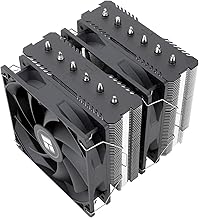
Both approaches move heat away from the CPU, they just do it differently. A quality air cooler like the Thermalright Peerless Assassin 120 SE uses heat pipes and a large fin stack to pull heat off the chip, and it is reliable, quiet, and inexpensive. A 360mm all-in-one liquid cooler such as the ARCTIC Liquid Freezer III Pro 360 or CORSAIR Nautilus 360 RS moves heat to a radiator with more surface area, which helps with high-wattage CPUs and gives a cleaner look. For most gamers a strong air cooler is enough. Choose liquid mainly for hot flagship CPUs or aesthetics.
Matching the Cooler to Your CPU and Socket
- Check the socket: Confirm the cooler supports your socket, whether AMD AM4/AM5 or Intel LGA 1700/1851. Coolers like the Assassin X120 Refined SE list broad compatibility, but always verify.
- Match the thermal load: A mid-range CPU pairs happily with a dual-tower air cooler. A high-end, high-wattage chip benefits from a 360mm AIO.
- Mind clearance: Tall air coolers can block RAM or hit the side panel. Measure your case height before buying.
Case Airflow Fundamentals
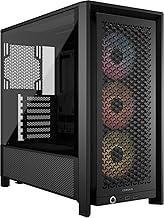
Even the best cooler struggles inside a suffocating case. Airflow works best when cool air enters the front and bottom and hot air exits the top and rear, creating a steady front-to-back path. Aim for a slight positive pressure, with a little more intake than exhaust, to reduce dust buildup. Do not overcrowd the case with cables that block the flow. A tidy build with two or three intake fans and one or two exhaust fans usually outperforms a case stuffed with poorly arranged fans.
Thermal Paste and Contact
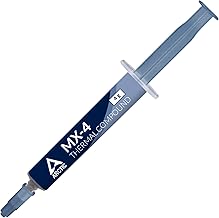
The connection between the CPU and cooler relies on a thin, even layer of thermal paste to fill microscopic gaps. Too little leaves air pockets, too much can insulate. A pea-sized dot spread by mounting pressure is usually ideal. If your temperatures creep up after a year or two, reapplying fresh paste can drop them noticeably. When mounting any cooler, tighten the screws in a crisscross pattern a little at a time so pressure is even across the chip.
Fan Curves, ARGB, and Noise
Cooling is a balance between temperature and noise. Rather than running fans at full speed constantly, set a fan curve in your motherboard software so fans stay quiet during light use and ramp up under load. PWM fans, like those on the Cooler Master Hyper 212 PRO ARGB or the Nautilus 360 RS, let you tune this precisely. ARGB lighting is purely cosmetic and does not affect cooling, so choose it for looks, not performance, and prioritize fans with good static pressure for radiators and airflow-focused blades for case intakes.
Tips
- Clean dust filters and fan blades every few months. Dust buildup is the most common cause of rising temperatures over time.
- Set a custom fan curve so the system stays quiet at idle and only gets loud when it genuinely needs to.
- Leave space around the case. Pushing it against a wall or into a closed cabinet traps hot air and undoes good internal airflow.
- Verify cooler clearance and socket support before buying so you avoid returns and RAM conflicts.
Frequently Asked Questions
Do I need liquid cooling for gaming?
Not usually. A high-quality dual-tower air cooler keeps most gaming CPUs well within safe temperatures. Liquid cooling makes sense for very high-wattage chips, small cases that fit a radiator better than a tall tower, or a specific look.
What temperature is too hot for a gaming CPU?
Brief peaks in the 80s Celsius under heavy load are normal for many chips, but sustained temperatures near the thermal limit mean throttling. If you regularly see very high numbers, improve airflow, reapply paste, or upgrade the cooler.
How many case fans do I need?
Three to five is a common sweet spot: two or three intakes at the front and one or two exhausts at the rear and top. More fans help only if airflow is arranged with a clear intake and exhaust path.
Does ARGB lighting affect cooling?
No. Lighting is decorative and has no impact on temperatures. Choose fans based on airflow and static pressure ratings, then treat the RGB as a bonus rather than a performance feature.
Conclusion
Keeping a gaming PC cool is less about spending big and more about doing the basics well. Pick a cooler that matches your CPU and case, arrange airflow so heat has a clear path out, apply thermal paste properly, and keep dust under control. Do those things and your system will hold its clocks, run quieter, and last longer.