
Key takeaways
- Table of Contents 7 sections 9 min read 1 Quick Verdict 2 Side by Side 3 Where 2 Stage Wins 4 Where 3 Stage Standing Desk Frame Wins 5 Cost Over 5 Years 6 Which One for Your Home 6.1…
What's inside
When shopping for an adjustable desk, the real decision is not simply whether the frame has two or three stages. It is whether you need maximum height range and smoother adjustment for multiple users—or a simpler, often less expensive base that takes up less space and may be easier to live with. That distinction matters in a home office, where the desk may need to fit a short user, a tall user, a compact room, a heavy desktop, or a household that moves furniture frequently.
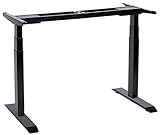
In a standing desk frame, “stage” refers to the number of telescoping sections in each lifting column. A 2-stage column generally has two nested sections. A 3-stage column has three, allowing the column to collapse shorter and extend taller. It does not refer to a desk’s number of memory presets, motors, or lifting speeds. Online searches can also produce unrelated “Stage 2” products, such as Gerber Stage 2 Nourishing Blends Hearty Dinner Baby Food and HAPPY BABY Clearly Crafted Stage 2 fruit and vegetable packs. Those labels describe feeding stages, not desk construction.
As an Amazon Associate we earn from qualifying purchases at no extra cost to you. Product prices and availability are accurate as of the date shown and are subject to change.


Quick Verdict
Choose a 2-stage standing desk frame if one average-height adult will use the desk, your desktop is relatively light, and you want to control cost and complexity. It is usually sufficient for sitting and standing at conventional heights, especially when paired with a desktop about 28 to 30 inches deep.
Choose a 3-stage standing desk frame if several people will share the desk, users are unusually short or tall, or you want the broadest ergonomic adjustment. It is also the better choice when the desk must lower compactly beneath a window, shelf, or wall cabinet. The tradeoff is often a higher purchase price and somewhat greater mechanical complexity.
Side by Side
| Factor | 2-stage frame | 3-stage frame |
|---|---|---|
| Height range | Commonly about 27 to 46 inches without the desktop | Commonly about 24 to 50 inches without the desktop |
| Comfort | Comfortable for many adults with a properly sized chair and monitor | Better for very short, very tall, or multiple users |
| Durability | Fewer telescoping sections can mean fewer sliding interfaces | Can be durable, but has more moving column components |
| Price range | About $100 to $250 for an electric frame | About $140 to $350 for an electric frame |
| Maintenance | Usually limited to cable management, bolt checks, and cleaning | The same basic care, with more column surfaces to keep clear |
| Space needed | Often needs more clearance below and above at its extremes | Typically collapses lower and reaches higher |
| Look | Simple, often visually lighter under a desktop | May look more substantial, particularly with a crossbeam |
| Resale | Appeals to buyers seeking value and basic adjustability | May attract more buyers because of its wider fit range |
| Best for | One adult, moderate desktop weight, and a conventional home office | Shared workspaces, taller users, compact storage, and long-term flexibility |
These figures are typical buying ranges, not guarantees. A frame’s actual range depends on its feet, motor design, control box, desktop thickness, and whether the manufacturer measures height with or without a top. Always compare the minimum and maximum assembled height rather than the number of stages alone.
Where 2 Stage Wins
The biggest advantage of a 2-stage frame is value. For a single-user office, it can deliver the essential sit-stand experience without paying for adjustment you may never use. Many adults need a seated keyboard height around 25 to 30 inches and a standing keyboard height around 35 to 44 inches, depending on body proportions and footwear. A quality 2-stage frame can cover that range.
Two-stage designs can also have a cleaner appearance. With fewer nested sections, the legs may look less busy beneath a wood, laminate, or bamboo top. That matters when the desk is in a living room or bedroom rather than a dedicated office. The frame may also be easier to inspect and wipe down.
For a light or medium setup—such as a 48- to 60-inch desktop, one monitor arm, a laptop, and small speakers—a 2-stage frame is often practical. Confirm the manufacturer’s stated weight capacity before adding drawers, a desktop, and accessories. A frame rated for 220 pounds does not mean you should routinely load it with 220 pounds; a reasonable margin helps stability and motor longevity.
Finally, two-stage frames are a good fit when the desk will remain at one user’s preferred settings. If no one in the household needs the lowest or highest possible position, the extra travel of a 3-stage column may not justify its added cost.
Where 3 Stage Standing Desk Frame Wins
A 3-stage frame is the more adaptable option. Its additional telescoping section usually lets the desk descend several inches lower and rise several inches higher than a comparable 2-stage model. That can make the difference between a child or shorter adult reaching a comfortable seated position and having to use a footrest.
It is especially useful for shared workspaces. A desk used by a 5-foot-2-inch user and a 6-foot-3-inch user needs more adjustment than a desk assigned to one average-height adult. A 3-stage model also helps when the desktop is unusually thick, since a 1.5-inch top effectively raises every working position by 1.5 inches.
Compact storage is another advantage. When lowered, a 3-stage desk may fit under a window ledge, wall shelf, or cabinet that would interfere with a taller collapsed frame. Measure the clearance carefully: account for the desktop, monitor stand, cable loop, and any under-desk power strip.
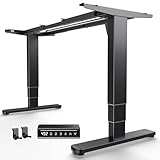
Current examples show the market’s range. The HUANUO 3-Stage Standing Desk Frame with Double Crossbeam is listed at $179.98, while the UNICOO Electric Stand Up Desk Adjustable Frame with dual motors, 3-stage lifting, four memory positions, and a 264-pound maximum load is listed at $149.99. Those prices illustrate why specifications matter more than stage count: motor configuration, frame width, control features, and rated capacity can vary substantially within the same category.
Cost Over 5 Years
A realistic five-year comparison starts with the purchase price, not just the frame. Electric 2-stage frames commonly cost about $100 to $250, while 3-stage frames commonly cost about $140 to $350. Add roughly $50 to $250 for a desktop, depending on whether you choose a basic laminate top or solid wood. A complete setup can therefore range from about $150 to $600 before accessories.
For example, a $160 2-stage frame plus a $120 desktop costs $280. Spread across five years, that is about $56 per year, or less than $5 per month. A $220 3-stage frame paired with the same desktop costs $340, or about $68 per year. The 3-stage premium is $60 in this example—modest if it serves two users for years, but unnecessary if one person will use a fixed height.
Electricity is usually a minor part of ownership. Many electric desk systems use a motor rated in the approximate 100- to 250-watt range while moving, but the motor runs for only seconds at a time. Standby power varies by control box, so use the manufacturer’s specification if energy cost is important. More meaningful long-term concerns are loose bolts, overloaded desktops, cable strain, and buying a frame whose width does not properly support the top.
Which One for Your Home
Small apartment
Pick a 3-stage frame if the desk must fit beneath a window, shelf, or lofted storage and needs to disappear into a tight footprint when lowered. Pick a 2-stage frame if floor and overhead clearance are adequate and you want a lighter visual profile. Measure the intended desktop width and depth first; a 43-inch-wide top may be more appropriate than a 72-inch workstation in a compact room.
Family with kids or pets
A 3-stage frame offers better adjustment for different family members, but stability and safety deserve equal attention. Look for a sturdy crossbeam or wide feet, an anti-collision feature, and a control lock if available. Keep cords away from pets and teach children not to climb or hang from the desktop. Do not assume a higher weight rating automatically means the desk is safer around children.
Rental
A 2-stage frame is often the sensible rental choice because it can cost less and may be easier to move. Select a frame that fits a standard 48- to 60-inch top and avoid drilling into walls for stability. If you expect to move between apartments, confirm the packed frame dimensions and weight; a large steel frame can be awkward even when it is easy to assemble.
Long-term home
Choose a 3-stage frame when you are furnishing a permanent office or expect the desk to serve changing needs. The wider height range can accommodate a new chair, a different monitor setup, or another household member. A 2-stage frame remains the better value when your height, desktop size, and workspace layout are unlikely to change.
FAQ
Is a 3-stage standing desk more stable than a 2-stage model?
Not automatically. Stability depends on foot length, column width, frame geometry, desktop size, load distribution, and construction. A well-designed 2-stage frame can feel steadier than a poorly designed 3-stage frame. Wider feet, a robust crossbeam, and keeping heavy equipment centered generally help.
Does a 3-stage desk move faster?
Not necessarily. Stage count describes column construction, while speed depends on the motors, gearing, control box, and load. Compare the manufacturer’s stated lifting speed and noise information, but remember that published numbers may be measured without a desktop or full load.
Can I use my existing desktop with either frame?
Usually, provided its length, depth, screw pattern, and weight fall within the frame’s specifications. Many frames support tops roughly 43 to 80 inches wide, but ranges differ. Check for predrilled holes, confirm the top is not warped, and use the supplied hardware or correctly sized screws.
Which frame is best for a tall person?
Start with a 3-stage frame and verify its maximum height with your planned desktop installed. A tall user may need the keyboard around 44 to 48 inches, depending on elbow position and footwear. A monitor arm can help position the screen independently, but it cannot correct a desk that does not rise high enough for comfortable typing.





