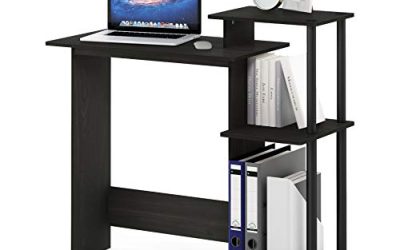
The best gaming desks for under $300 should give your equipment enough usable space without forcing you into an awkward seating position. Our overall pick is the IKEA UTESPELARE for its combination of a deep surface, manual seated-height adjustment, and cable management. The less expensive HUVUDSPELARE makes more sense when preserving your budget matters most, while other picks address compact rooms, corner layouts, and integrated lighting. These recommendations compare documented specifications and U.S. listing prices rather than detailed research. The budget applies to the desk itself; shipping, taxes, and optional accessories can push the checkout total above $300.
Compare the best gaming desks for under $300
The prices below were checked on October 31, 2026. Each applies to the named configuration and may change. Sale-dependent options qualify only while their actual selling price remains below the limit.
| Desk and selected configuration | Best for | Checked desk price | Size | Decisive features | Main trade-off |
|---|---|---|---|---|---|
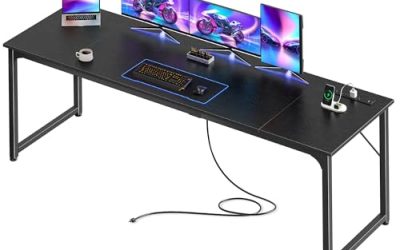
| IKEA UTESPELARE, black | Best overall for seated gaming | $279.99 | 63 × 31½ inches | Manual height adjustment; rear mesh; cable net | Little budget remains for delivery and tax |
| IKEA HUVUDSPELARE, black | Best low-cost deep desktop | $129.99 | 55⅛ × 31½ inches | Cable management; headphone hook; 110-pound stated load limit | No seated-height adjustment identified |
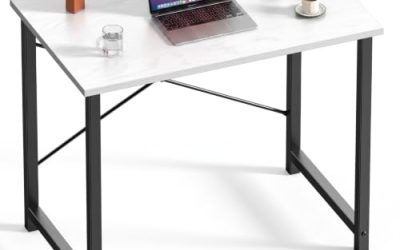
| IKEA UTVISNING, ash effect/white | Best compact setup with a shelf | $179.99 | 47¼ × 23⅝ inches | Monitor shelf; manual height adjustment; tower straps | Shallower working area |
| Eureka Ergonomic GIP 60, black | Best for an included full-surface mouse pad | $239.99* | Advertised as 60 × 27 inches | Curved front; full-surface pad; accessory rack | Conflicting prices across manufacturer pages |
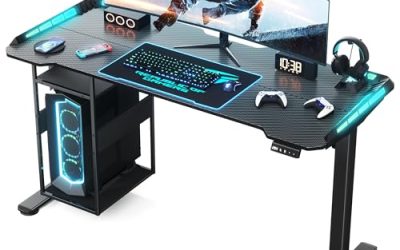
| Eureka Ergonomic Z60, black | Best for integrated RGB lighting | $229 sale price | 61.50 × 25.20 inches | RGB lighting; cable management; 200-pound stated capacity | Fixed 30.71-inch height |
| Eureka Ergonomic L60, black, left-return selection | Best corner-layout option | $249 sale price | 61.06 × 43.86-inch overall footprint | L-shaped surface; cable-routing features | Requires substantially more floor depth |
*The GIP 60 product page displayed $239.99 while the manufacturer’s collection page showed $209. This roundup uses the higher observed price for budgeting. Confirm the selected configuration and checkout price.
For the L60, the overall footprint includes the return. It does not mean the entire work surface is nearly 44 inches deep.
How we selected these desks
We prioritized complete desks with documented U.S. prices below $300, then compared usable dimensions, height options, cable management, and layout-specific advantages. Manufacturer specifications establish the listed features; the recommendations reflect editorial judgments about how those features serve different setups.
No hands-on evidence was supplied, and these desks were not physically tested for wobble, assembly time, surface wear, or monitor-arm performance. Weight ratings are manufacturer claims, not independent measurements or permission to concentrate the entire load at a clamp.
Frame-only offers were excluded. We also avoided adding products solely to increase the list’s length. Six options provide distinct choices without turning several color variants into separate recommendations.
What “best” means in this roundup
The overall pick balances desktop space, seated-height flexibility, and organization. The other labels identify narrower advantages: lower purchase cost, a smaller footprint, an included mouse surface, lighting, or a corner layout.
These distinctions matter because the largest or most feature-heavy desk is not automatically the best purchase. A compact room may benefit more from vertical organization than extra width. A buyer with a suitable mouse pad may gain little from paying for another one.
Choose the category that solves your actual constraint, then verify fit before ordering.
IKEA UTESPELARE: Best overall for seated gaming
The UTESPELARE combines a 63-by-31½-inch footprint with manual height adjustment and a cable-management net. Its broad, deep layout makes it the strongest starting point here for a seated setup with several peripherals.
Compared with the HUVUDSPELARE, the main reasons to spend more are additional width and height flexibility. The adjustment is intended for setting a seated working height; this is not an electric sit-stand desk.
The rear mesh is also a functional distinction. IKEA states that it can accept monitor-arm clamps, although your arm and display still require a compatibility check.
Buy if: You want a roomy seated desk and will use the height adjustment.
Skip if: Your room cannot accommodate the footprint, you need powered standing adjustment, or $300 is a strict delivered-cost ceiling.
Main limitation: Its price leaves relatively little room for checkout charges. Choose it for the combination of features rather than assuming it is necessary for every gaming setup.
IKEA HUVUDSPELARE: Best low-cost deep desktop
The HUVUDSPELARE offers a 55⅛-by-31½-inch surface, cable management, and a headphone hook at a substantially lower checked price than the overall pick. IKEA lists a 110-pound tabletop load limit.
Its advantage is straightforward: you retain considerable desktop depth while spending less. That makes it worth considering before choosing a narrower desk simply because the narrower model has more decorative features.
The trade-off is fit flexibility. No seated-height adjustment was identified in the reviewed specifications, so establish that its working height suits your chair and keyboard before purchase.
Buy if: You want a deep, uncomplicated surface while preserving money for the rest of the setup.
Skip if: Adjustable working height is essential or you need explicit confirmation for a demanding monitor-arm installation.
Main limitation: The black listing was marked “Last chance.” Verify local availability and avoid assuming you can purchase an identical matching desk later.
IKEA UTVISNING: Best compact setup with a shelf
The UTVISNING is the smallest-footprint choice here. Its monitor shelf and tower straps organize equipment vertically rather than relying on a large tabletop. Manual seated-height adjustment adds flexibility.
This design is most useful when the room limits desk width. Compared with the HUVUDSPELARE, you gain integrated organization while giving up depth and open surface area.
The shelf is not automatically an ergonomic improvement. Its usefulness depends on where it places your screen, so assess the finished screen position with your particular stand and monitor.
Buy if: You need a compact workstation and the shelf matches your equipment layout.
Skip if: You want extensive front-to-back space or use a large monitor stand that crowds the controls.
Main limitation: Confirm tower-holder dimensions and load restrictions before using the straps. Do not assume a large gaming case will fit because a computer holder is included.
Eureka Ergonomic GIP 60: Best for a full-surface mouse pad
The GIP 60 is the most relevant choice when a large included mouse surface is part of your plan. Its advertised 60-by-27-inch size and curved front distinguish it from the deeper IKEA options.
The full-surface pad can simplify a setup where you want consistent coverage beneath the keyboard and mouse. However, an included pad adds little value if you already prefer a specific mouse pad’s texture or speed.
Manufacturer pages displayed different prices, both below $300. Budget using the higher figure until the selected product and checkout agree.
Buy if: You want this size and shape, and would otherwise purchase a large desk pad.
Skip if: You prefer a bare surface or require a verified height-adjustment range before shortlisting.
Main limitation: The retrieved specifications did not establish a sufficiently clear working-height range. Confirm that measurement and any proposed clamp installation before ordering.
Eureka Ergonomic Z60: Best for integrated RGB lighting
The Z60 provides built-in RGB lighting across a wide, relatively shallow layout. Its published dimensions are 61.50 by 25.20 by 30.71 inches, with a manufacturer-rated capacity of 200 pounds.
Choose it when lighting is an intentional part of the purchase. Compared with the UTESPELARE, it trades some depth and height flexibility for its visual design.
The fixed working height deserves particular attention. Measure your current keyboard position rather than assuming a desk around 31 inches high will suit you.
Buy if: You want integrated lighting and have confirmed the height.
Skip if: You need a lower desktop or more room behind a large monitor stand.
Main limitation: Neither Z-shaped legs nor a capacity figure establishes measured resistance to screen shake. The sale price and warranty coverage for electronics also need to be distinguished from frame coverage.
Eureka Ergonomic L60: Best corner-layout option
The L60 suits buyers who need a side area for secondary equipment or another activity. The reviewed black selection used a left return; the listing also offered a right-return choice.
Its overall footprint is approximately 61.06 by 43.86 inches, so it requires a different room plan from a straight desk. Tape out the complete shape, including where your chair will move, before deciding that a corner arrangement saves space.
The manufacturer lists engineered wood with melamine paper and cable-management features. The two-piece desktop also means assembly alignment matters.
Buy if: You have a suitable corner and a defined use for the return.
Skip if: Your main need is a deep, uninterrupted surface directly ahead of you.
Main limitation: Confirm return orientation and the dimension drawing. The product page contained inconsistent descriptive copy, so avoid relying on its promotional text for installation decisions.
Choose the right desk for your equipment
Start with the arrangement you need, then compare the shortlist. Buying more surface than the room can comfortably accommodate can be as inconvenient as buying too little.
Place your keyboard, mouse pad, monitor stand, and speakers on an existing table. Measure their positions while allowing your usual mouse movements. Include the tower if it will sit beside the monitor.
Match depth to your monitor position
Depth matters when a monitor stand projects forward or when you need room between the screen and keyboard. A wide desk can still feel crowded if its usable depth is insufficient.
The deeper options are worth prioritizing when you use substantial monitor stands. A shallower option may work well with compact equipment or a suitable arm, but verify the arm’s positioning range and mounting requirements.
OSHA’s general workstation guidance emphasizes arranging the desk, display, and controls together. Treat the desk’s dimensions as part of that complete arrangement rather than a stand-alone comfort guarantee.
Check the working height before accessory features
Adjust your chair into a supported position, then establish a keyboard height that lets your shoulders remain relaxed and your wrists approximately straight. Compare that position with the proposed desk.
Manual height adjustment is useful when you want to set the desk once. Powered adjustment is a separate requirement if you expect to switch regularly between sitting and standing.
Do not confuse leveling feet with a meaningful working-height range. Small corrections for an uneven floor do not provide the same flexibility as adjustable legs.
Verify mounts and concentrated loads
A desk’s overall load limit does not establish suitability for every monitor arm, microphone clamp, or steering-wheel mount. Check desktop construction, clamp thickness requirements, underside clearance, and the manufacturer’s guidance.
Cable trays and rear rails can occupy the area where a clamp needs to sit. Inspect the installation location above and below the surface before buying accessories.
For several heavy displays, obtain confirmation for the exact arrangement. Do not interpret a high capacity rating as evidence that one desktop edge can accept the same concentrated load.
Keep the actual purchase below your budget
Every desk in the table had an observed product price below $300, but the delivered total is a separate calculation:
Desk price + shipping + tax + necessary accessories = setup purchase cost
If your limit includes everything, the lower-priced selections provide more room for charges. A near-limit model may qualify by product price while exceeding your budget at checkout.
Read returns and warranty terms before assembly
Eureka’s reviewed direct-purchase policy specifies a 30-day return period, buyer-paid return shipping, and a 20% restocking fee, subject to its conditions and exclusions. Measure carefully before treating a purchase as an inexpensive trial.
Its warranty also distinguishes frame coverage from electronic and other components. Integrated lighting should not be assumed to receive the same coverage as the frame.
For IKEA or a third-party retailer, read the policy applicable to your order, including opened or assembled items and return transport. Keep the packaging until you have inspected and evaluated the desk.
Frequently asked questions
Which of the best gaming desks for under $300 suits two monitors?
Start with the screens’ actual widths, stand footprints, and combined weight. The UTESPELARE is the strongest general starting point for a roomy seated arrangement, while the HUVUDSPELARE is the lower-cost deep-surface alternative.
The L60 becomes relevant when you want one display or another activity on the return. Do not assume that fitting two screens automatically leaves enough mouse space.
Can you buy an electric standing desk below $300?
Yes, specific configurations can meet that product-price limit. However, verify that the advertised price includes both frame and desktop.
Some configurable standing-desk pages initially show a frame-only price. Check the completed configuration, working-height range, electrical requirements, and delivered total before comparing it with these desks.
Does RGB lighting make a desk better for gaming?
It provides an appearance feature, not established improvements in aiming, frame rates, or reaction time.
Choose integrated lighting when you want it and the desk already meets your space and height requirements. Otherwise, prioritize fit and usable surface area.
Should you replace an existing office desk with a gaming desk?
Only when the replacement solves a specific problem, such as insufficient mouse space, unsuitable height, or poor equipment organization.
A suitable existing desk can continue serving a gaming setup. Gaming branding alone is not a reason to replace it.
Final verdict
The IKEA UTESPELARE is our overall choice for a roomy seated setup because it combines depth, manual height adjustment, and cable organization. Choose the HUVUDSPELARE when lower cost matters more than adjustment, or the UTVISNING when a compact footprint and shelf suit your equipment. The Eureka options address more specific preferences: a full-surface pad, integrated RGB, or a corner return. Before ordering, verify working height, mounting compatibility, and checkout costs. These are specification-based picks; the best result comes from matching the desk to your room and equipment rather than selecting by appearance alone.