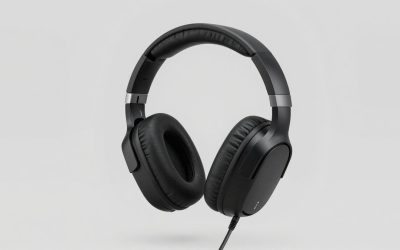
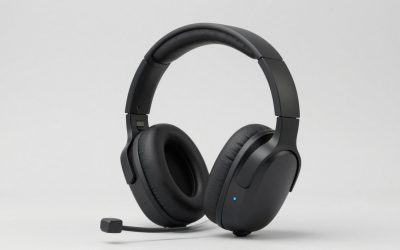
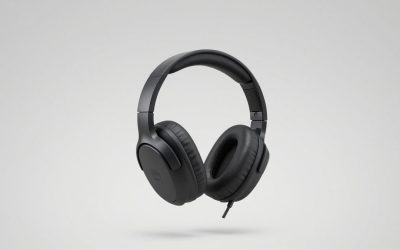
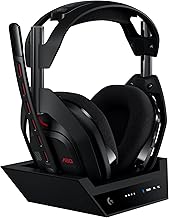
The best headsets for Xbox Series X let you hear the game and talk to your party through a connection that works with the console. The SteelSeries Arctis Nova 7X Wireless Gen 2 is the best overall pick here for players who want wireless Xbox audio and phone audio at the same time. Microsoft’s Xbox Wireless Headset is simpler if you want to pair directly with the console. A wired HyperX CloudX Stinger 2 makes sense if you already sit with the controller in your lap and want a headset you can plug in and use without pairing or charging.
Quick verdict. Choose the SteelSeries Arctis Nova 7X Wireless Gen 2 for Xbox gaming with simultaneous phone audio. Pick Microsoft’s Xbox Wireless Headset for direct console pairing, the Turtle Beach Stealth 600 Gen 3 for fewer charging sessions, or the HyperX CloudX Stinger 2 for a straightforward wired setup. The Audeze Maxwell 2 and SteelSeries Arctis Nova Pro Wireless earn their places through two different upgrades: planar-magnetic audio hardware and a base station with swappable batteries, respectively.
The best headsets for Xbox Series X at a glance
Check the connection column first. Three of the wireless picks use a compact transmitter, one uses a desktop base station, and Microsoft’s headset pairs directly. The HyperX plugs into the controller. When a model comes in separate console editions, order the Xbox version listed in the table.
| Headset | Best for | Xbox connection | Feature that matters | Main trade-off |
|---|---|---|---|---|
| SteelSeries Arctis Nova 7X Wireless Gen 2 | Best overall for Xbox plus phone audio | Xbox-compatible USB dongle | Simultaneous 2.4 GHz and Bluetooth audio | Uses a console USB port |
| Microsoft Xbox Wireless Headset, 2024 refresh | Direct console pairing | Xbox Wireless | Ear-cup controls for volume and game/chat balance | Up to 20 hours of claimed battery life |
| Turtle Beach Stealth 600 Gen 3 for Xbox | Long battery life with a compact transmitter | Xbox-compatible USB transmitter | Up to 80 hours of claimed battery life | Switches between wireless and Bluetooth audio |
| HyperX CloudX Stinger 2 for Xbox | Wired controller use | 3.5 mm controller jack | Flip-to-mute microphone and no headset battery | Cable runs from the headset to the controller |
| Audeze Maxwell 2 for Xbox | Planar-magnetic audio hardware | Xbox-compatible wireless dongle or 3.5 mm controller connection | 90 mm planar-magnetic drivers and a detachable boom mic | Weighs about 1.23 lb |
| SteelSeries Arctis Nova Pro Wireless for Xbox | A permanent Xbox and second-system setup | USB base station with a dedicated Xbox port | Swappable batteries and active noise cancellation | The base station needs a place near your devices |
How we selected the best headsets for Xbox Series X
Xbox Series X support was the first requirement. Each pick needed a documented way to carry console game audio and headset chat. The comparison then weighed the connection, what happens when a second audio source enters the setup, the battery arrangement, and the physical trade-offs buyers will notice.
Manufacturer specifications and support guides establish compatibility and advertised features. RTINGS provided independent context where the model matched, including the Maxwell 2 and Stealth 600 Gen 3. This roundup involved no detailed research. Battery figures in the table and reviews come from the manufacturers under their respective conditions. The picks are based on use case, with price left out of the ranking because comparable U.S. prices for all six variants were unverified.
The six Xbox Series X headset picks
The differences are easiest to see when you picture a typical session. A headset that mixes your phone with the Xbox solves a recurring problem if your friends call outside the console. A cable or direct-pairing headset is easier to live with when your sessions begin and end on the same Xbox.
SteelSeries Arctis Nova 7X Wireless Gen 2 — best overall
The Nova 7X Gen 2 makes sense if you regularly play on Xbox while listening to your phone. Its Xbox-compatible USB dongle carries game audio, and Bluetooth can play phone audio alongside it. That means your game stays audible when you listen to a mobile call or play a podcast, without switching the headset away from the console.
SteelSeries advertises more than 50 hours of battery life for the Gen 2. Treat that figure as a manufacturer rating, especially if you plan to keep both wireless connections active. Buying the right model matters here. Look for both 7X and Gen 2 in the listing. Listings for the Nova 7, Nova 7P, and first-generation Nova 7X can look similar, and reviews of the original model do not establish Gen 2 performance.
Buy if you regularly need your Xbox and phone audible together and can spare a console USB port. Skip if your headset will stay on Xbox and you would prefer direct pairing. Microsoft’s model is better suited to that simpler routine.
Microsoft Xbox Wireless Headset — best for direct pairing
Microsoft’s headset is the easiest fit here for a console-only setup. It pairs directly with the Xbox Series X and leaves the console’s USB ports available. The ear-cup dials also make practical sense from the couch. You can turn the overall level down or bring party chat forward by feel while staying in the game.
Microsoft lists up to 20 hours of battery life for the 2024 refresh, which is the version covered here. That can suit players who plug in their accessories between sessions. If you typically charge only when a device gives you a low-battery warning, the higher advertised capacity of the Stealth 600 Gen 3 may matter more than the convenience of direct pairing. Check for the 20-hour specification if the listing uses the generic Xbox Wireless Headset name.
Buy if you want a first-party headset with direct pairing and easy-to-reach game/chat controls. Skip if your main goal is to go longer between charges or your setup specifically calls for replaceable battery packs.
Turtle Beach Stealth 600 Gen 3 for Xbox — best for fewer charging sessions
The Stealth 600 Gen 3 is the pick for players who want long advertised battery life without adding a desktop base station. Turtle Beach rates it for up to 80 hours, and the Xbox edition uses a compact USB transmitter. It fits a living-room setup where the console is tucked away and the headset rarely gets plugged in after play.
The main decision is how you use Bluetooth. Turtle Beach’s QuickSwitch feature moves the headset between its wireless connection and Bluetooth. If you answer a phone call that way, you switch away from the console audio source. The Nova 7X Gen 2 is the better fit if you need your game to remain audible during that call. Check for the Xbox edition before ordering, especially when a retailer puts multiple console versions on the same page.
Buy if you mainly listen to one source at a time and value the 80-hour manufacturer rating. Skip if simultaneous phone and Xbox audio is part of your normal routine.
HyperX CloudX Stinger 2 for Xbox — best for wired controller use
The CloudX Stinger 2 plugs into the 3.5 mm jack on the Xbox Series X controller. With a standard wireless controller, the only headset cable runs to your hands. You can sit across the room without running a wire to the console, keeping the setup simple for occasional party chat, a shared Xbox, or a spare headset.
The flip-to-mute boom is useful when someone walks into the room or you need a quick physical way to check whether you muted yourself. In return for that simplicity, you have a cable to manage whenever you put the controller down. If you routinely stand up between matches and leave the controller behind, wireless will feel like a genuine improvement. Look for CloudX in the product name and the Xbox designation on the listing.
Buy if you mostly stay seated and want game audio and chat without headset charging or wireless setup. Skip if you need to walk around while staying in party chat or bring phone audio into the same headset.
Audeze Maxwell 2 for Xbox — best for planar-magnetic audio
The Maxwell 2 is the most audio-focused pick here. The Xbox edition combines 90 mm planar-magnetic drivers with a detachable boom microphone. RTINGS’ independent evaluation supports considering it for sound quality, while Audeze documents both the wireless dongle and the analog controller connection for Xbox Series X. Those details make it a credible upgrade for players who spend as much time listening to game soundtracks and dialogue as they do in party chat.
Its weight is the clearest reason to pause before buying. Audeze lists 560 g, or about 1.23 lb. That is consequential if you already take breaks because a headset feels heavy across the crown of your head. Audeze also claims over 80 hours of wireless playback at 80 dBA under its stated test condition. The number is a useful reference for runtime, and the test level describes the rating conditions.
Buy if game audio is a priority, you want a detachable boom, and you are comfortable with a heavier headset. Skip if minimizing weight or cable-free setup complexity matters more to you than the audio hardware.
SteelSeries Arctis Nova Pro Wireless for Xbox — best for a permanent dual-system setup
The Nova Pro Wireless makes the strongest case when your Xbox shares a desk or media setup with another compatible system. Its base station has a dedicated Xbox USB port and a second USB connection for a compatible device. That arrangement lets you leave both systems wired to the station and select the one you are using.
The swappable batteries are the other reason to choose it. One pack can charge in the station while you use the other. If you regularly discover that your headset is low right before a match, swapping packs is a different solution from buying a headset with a larger built-in battery. Active noise cancellation makes it worth considering if you also want help reducing room noise during play. The station adds hardware and cables, so check where it will sit and which devices its cables need to reach.
Buy if you switch often between an Xbox and another nearby system or want a charged spare pack close at hand. Skip if you prefer a compact dongle or your systems are far enough apart that the base station would need to move with you.
How to choose an Xbox Series X headset
Start with the exact Xbox connection, then decide what you want to change about your current setup. The feature that solves a recurring problem, such as missed chat, battery interruptions, or a cable that gets in the way, should carry more weight than a longer list of specifications.
Check the console connection and the exact edition
For wireless play, look for direct Xbox Wireless pairing or a transmitter explicitly supported on Xbox Series X. A product page that only says Bluetooth or PC, PlayStation, and Switch does not establish Xbox headset compatibility. Many headsets use Bluetooth for phones and a separate wireless connection for console game audio and voice chat.
For wired use, check for a 3.5 mm headset plug that carries both audio and microphone through the controller. A wired USB headset can have a different compatibility list, even when the plug physically fits the console. When shopping a marketplace listing, check the variant selected near the purchase button as well as the title. Shared listings sometimes change the actual product when you select a color or platform.
Decide whether you need to switch or mix audio sources
Think about what should happen when a call comes in while you are playing. If you want the Xbox audio to continue while you answer on your phone, look for simultaneous playback over the console wireless connection and Bluetooth. If you are happy to pause the game or switch away from it, an easy source-switching control may be all you need.
Also check where your chat usually happens. If you use Xbox party chat or Discord voice chat on the Xbox itself, your console can handle that conversation through the headset. Simultaneous Bluetooth is most useful when the second source really lives on a separate device, such as a phone call, mobile app, or podcast you want to hear while playing.
Match the battery setup and fit to your sessions
Consider your actual charging habits. Someone who plugs in a headset after every session may find Microsoft’s rated 20 hours sufficient. A player who wants fewer charging sessions should pay more attention to the Stealth 600’s advertised runtime. A player who forgets to charge and needs a quick recovery may get more use from the Nova Pro’s second battery. A wired headset removes headset charging from the routine altogether.
Fit can override those decisions. Look for pressure across the top of the head, where the pads touch eyeglass frames, and whether your ears contact the inside of the cups. A short try-on can catch immediate pressure, but a typical play session is a better check for heat and weight. If comfort has been a problem with earlier headsets, check the retailer’s return policy for opened items before ordering.
Frequently asked questions
Can regular Bluetooth headphones connect directly to Xbox Series X?
Standard Bluetooth headphones do not pair directly with Xbox Series X for console game audio and headset chat. The Bluetooth feature on a gaming headset may be intended for a phone or another device. For a wireless purchase, confirm the exact model’s approved Xbox connection before ordering.
Some TVs can send their audio to a Bluetooth headset. That can be an option for listening to the TV feed, but it does not route the headset microphone back to Xbox for party chat. If you need both game audio and chat, use one of the console-compatible connections described above.
Is a headset with Dolby Atmos required for spatial audio?
A compatible stereo headset can play virtual spatial audio processed by the Xbox. You can use the console’s Windows Sonic for Headphones option or set up a supported alternative such as Dolby Atmos for Headphones. Some products include Dolby Atmos access, so check the exact edition before paying for it separately.
Try stereo and one spatial audio mode in a game you already know. Listen for whether direction and distance are easier to judge with that game’s settings. Game audio design, fit, and your own preference can change which mode you want to keep.
Will my Xbox Series X headset work on a PC or PlayStation?
It depends on the headset edition and connection. For a wired headset, check whether the other device’s jack supports a combined headphone and microphone plug. For a wireless headset, check the model’s compatibility table for the transmitter, including any mode switch or dedicated port. Bluetooth support for listening to a phone does not establish that the same headset supports game audio and chat on every console.
If you expect to share one headset across systems, verify the features you care about on both. It is possible to get audio and microphone support on two devices while the game/chat balance control behaves differently on each.
Conclusion
The SteelSeries Arctis Nova 7X Wireless Gen 2 is the best overall choice here if you want Xbox game audio and a phone connection you can hear at the same time. For a console-only setup, Microsoft’s Xbox Wireless Headset pairs directly and keeps USB ports free. Choose the HyperX CloudX Stinger 2 if you want a wired controller connection, or the Turtle Beach Stealth 600 Gen 3 if charging less often is the priority. The Maxwell 2 makes sense when sound is worth the extra weight. The Nova Pro Wireless is the stronger fit when you will regularly use its base station and spare battery.
More from Amazon
Programs that pair well with the guide above. Offers and eligibility are set by Amazon and may change.
Set up recurring deliveries of everyday items on eligible products. Terms and savings are set by Amazon.
Explore Subscribe & SaveFree shipping on eligible items, Prime Video and more. Eligible new members can start with a free trial.
Start a Prime free trialA Prime membership for ages 18-24 with a trial period. Eligibility is set by Amazon.
See Prime for Young AdultsAudiobooks and podcasts to listen to on the go. Eligible new members can start with a free trial.
Try Audible freeAs an Amazon Associate we earn from qualifying purchases.