Our Top Picks
 Lenovo ThinkPad E16 Gen 2 AMD Ryzen 716GB DDR5 RAM, 512GB PCIe SSD14.02 x 9.75 x 0.78 inches3.75 poundsCheck on Amazon
Video editing is one of the most memory-hungry things you can do on a computer. Timelines with 4K footage, multiple color layers and background renders can chew through 16GB in minutes, forcing your system to swap to disk and turning smooth scrubbing into a stuttering slideshow. For 2026, 32GB is the realistic baseline for editors, and 64GB is worth it if you work in 6K or run After Effects alongside Premiere. But raw capacity isn’t the whole story: the platform you edit on matters just as much.
Because many creators now edit on ready-made systems, we’ve included both high-capacity creator laptops and mini PCs alongside desktop memory considerations. Below is what to prioritize when choosing memory for editing, followed by our top picks spanning portable and desktop-class options so your renders finish faster and your timeline stays responsive.
Lenovo ThinkPad E16 Gen 2 AMD Ryzen 7 7735HS 16 FHD+ 16GB 512GB SSD Laptop | Office 365, WiFi 6E, Numeric Keypad, Backlit Keyboard, Fingerprint, USB-C Hub, Windows 11 Charcoal
One of the home product options compared in this guide.
View on Amazon⚡ Save on Your Next PC — Amazon Prime
Prime members get fast free shipping on the systems above, plus early access to Prime Day & Black Friday PC deals. New members get a 30-day free trial.
Watch: Best RAM for Video Editing — Video Review
How to Choose
- Capacity target: 32GB handles most 1080p and 4K editing; step to 64GB for 6K, heavy After Effects, or running virtual machines beside your editor.
- Speed and channels: Dual-channel memory roughly doubles bandwidth versus a single stick, which matters more than a few hundred MHz of clock speed for editing.
- DDR4 vs DDR5: New builds should use DDR5 for higher bandwidth; existing DDR4 platforms still edit well, so don’t upgrade a whole system just for RAM type.
- Integrated vs desktop: Creator laptops and mini PCs offer soldered or LPDDR5 memory that’s convenient but not upgradeable, so buy the capacity you’ll need for years.
- Fast storage pairing: Memory only shines with a quick NVMe scratch disk; pair 32GB+ with a fast SSD so cache and previews keep up.
The Best Picks Reviewed
Getorli Mini PC Ryzen 7 6800H 32GB (Best Compact Editor)
A tiny desktop with a Ryzen 7 6800H, 32GB LPDDR5 and a 1TB NVMe SSD driving triple 4K displays. For editors who want a clutter-free workstation that handles 4K timelines without a tower, this is a compelling, quiet option.
NIMO 17.3″ R5-6600H 32GB (Best Big-Screen Laptop)
The 32GB configuration on a 17.3-inch FHD IPS panel gives editors room to spread out a timeline while multitasking. 100W fast charging and a 1TB SSD round out a practical mobile editing rig.
NIMO 15.6″ R7-8745HS 16GB (Best Portable Value)
An 8-core Ryzen 7 8745HS with Radeon 780M graphics and a 1TB SSD in a 15.6-inch chassis. 16GB is the entry point for 1080p editing; it’s the pick if portability and price outweigh raw capacity.
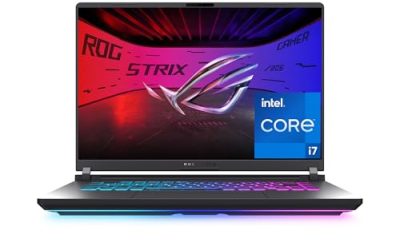
Lenovo 16 i7-13620H 16GB DDR5 (Best Windows Ecosystem)
A 16-inch FHD+ laptop with an Intel i7-13620H, 16GB DDR5 and a 1TB SSD, bundled with Office. It’s a balanced choice for editors who also live in documents and want a larger, sharper screen.
NIMO 15.6″ R5-6600H 16GB 1TB (Best Balanced Laptop)
The 6-core Ryzen 5 6600H with 16GB and a full 1TB SSD strikes a middle ground: enough memory for smooth 1080p editing and storage for project files, at a friendlier price than the 32GB models.
Frequently Asked Questions
How much RAM do I need for video editing?
32GB is the sweet spot for 4K editing in 2026. 16GB works for 1080p and light 4K, while 64GB benefits 6K footage and heavy motion graphics.
Does RAM speed matter for editing?
Dual-channel configuration matters more than clock speed. Two sticks in dual channel deliver far more usable bandwidth than one fast stick alone.
Is DDR5 necessary for editing?
On a new build, yes, for the extra bandwidth. On an existing DDR4 system, adding capacity is more cost-effective than switching platforms just for DDR5.
Can I edit 4K on a mini PC?
Yes, provided it has 32GB and a capable CPU like a Ryzen 7. Systems such as the Getorli mini PC handle 4K timelines comfortably for their size.
Final Thoughts
For a compact, capable editing station the Getorli Mini PC with 32GB is our top pick, while the NIMO 17.3-inch 32GB laptop wins for editors who need a big mobile screen. If your budget or workload is lighter, the 16GB NIMO and Lenovo options edit 1080p smoothly. Whatever you choose, target 32GB and dual-channel memory so your timeline never stalls mid-scrub.
More RAMs for Video Editing options

HP 17 Laptop, 17.3" FHD Display, 8GB DDR5 RAM, 512GB SSD, AMD Ryzen 5 Processor (Beats i7-1165G7, Up to 4.3GHz), Windows 11 Pro, Wi-Fi 6, Fatcayes Accessories, Silver, Video Editing Laptop
One of the home product options compared in this guide.
View on Amazon
NIMO 2026 15.6" FHD AI Creator Laptop, AMD Ryzen 7 8745HS 32GB DDR5 2TB SSD | (Beat i7-1360P up to 4.9GHz) Radeon 780M, 100W Fast PD Backlit Keyboard Computer for Video Editing & Gaming, 2-Yr Warranty
One of the home product options compared in this guide.
View on Amazon
STGAubron Gaming PC Desktop,Core I7,RX 580 8G,16G RAM,1T SSD | Gaming Computer Tower for Streaming,Video Editing,Home,School,I7 up to 3.9GHz,ARGB Fan,WiFi 6,BT 5.0,4K HDMI,Win11 Home
One of the home product options compared in this guide.
View on AmazonFAQ
How much RAM do I need for video editing?
Does RAM speed matter for editing?
Is DDR5 necessary for editing?
Can I edit 4K on a mini PC?
More from Amazon
Programs that pair well with the guide above. Offers and eligibility are set by Amazon and may change.
Set up recurring deliveries of everyday items on eligible products. Terms and savings are set by Amazon.
Explore Subscribe & SaveFree shipping on eligible items, Prime Video and more. Eligible new members can start with a free trial.
Start a Prime free trialA Prime membership for ages 18-24 with a trial period. Eligibility is set by Amazon.
See Prime for Young AdultsAudiobooks and podcasts to listen to on the go. Eligible new members can start with a free trial.
Try Audible freeAs an Amazon Associate we earn from qualifying purchases.