Key takeaways
- Big capacity savings versus Apple’s first-party storage pricing.
- Mac mini-specific modules keep the upgrade internal and tidy.
- Samsung 990 PRO offers proven, top-tier NVMe speed for external use.
- Flexible options for both internal expansion and external drives.
Apple’s M4 Mac mini is a genuinely powerful little machine, but its Achilles’ heel is storage: the base models ship with modest SSD capacities, and Apple’s own upgrades are steep. That has created a lively market for M4-specific storage solutions, from proprietary Mac mini SSD modules to standard high-speed NVMe drives for external use. Knowing the difference is the key to spending wisely.
This review breaks down the two very different products showing up under “M4 SSD”: internal Mac mini M4 storage modules and mainstream M.2 NVMe drives like Samsung’s 990 PRO. Each solves a different problem, so let us look at what actually fits the M4 ecosystem and how to choose.
Our top picks





As an Amazon Associate we earn from qualifying purchases at no extra cost to you. Ratings are shown as listed on Amazon.
🎮 Get More From Your Setup — Free
Prime Gaming gives you free PC games every month, in-game loot, and a free Twitch channel sub — plus fast free shipping on all the gear above. New members get a 30-day free trial.
Watch: m4 Ssd: Review & Buyer’s Guide — Video Review
Design & Build
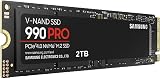
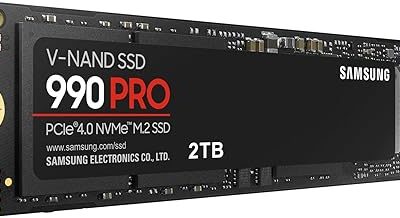
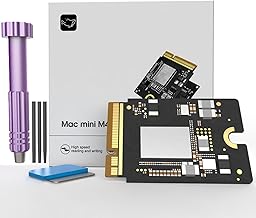
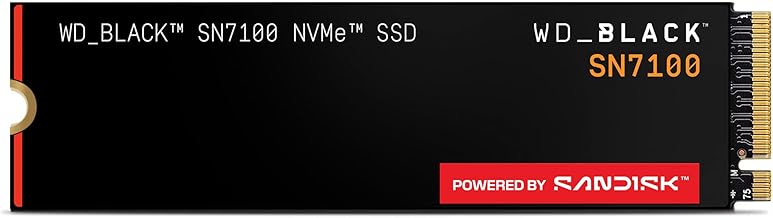
The Mac mini M4 modules, such as the 1TB and 2TB CHGRNLF units and the SlimQ upgrade kit, are designed to replace or supplement the mini’s storage in its proprietary slot. Build quality on these matters enormously because they mimic Apple’s own module form factor and must seat precisely. By contrast, the Samsung 990 PRO 4TB is a standard M.2 2280 PCIe 4.0 drive, the same format used in PCs and external enclosures, with a proven controller and a compact, durable board. The two are not interchangeable: one is Mac mini-specific hardware, the other a universal NVMe drive.
Performance
For the Mac mini modules, the appeal is capacity at a fraction of Apple’s upgrade cost, letting you store large libraries and project files locally. Real-world speeds depend on the module and how it interfaces with the mini’s storage controller, so results vary by brand. The Samsung 990 PRO, meanwhile, is a known quantity: rated up to 7,450 MB/s sequential reads, it is a top-tier drive for high-end computing, gaming, and heavy workstation tasks. Paired with a Thunderbolt or USB4 enclosure, it makes an outstanding fast external drive for the M4 mini, delivering near-internal speeds without opening the machine. The choice comes down to whether you want maximum internal capacity or a flexible, guaranteed-fast external solution.
Pros & Cons
- Big capacity savings versus Apple’s first-party storage pricing.
- Mac mini-specific modules keep the upgrade internal and tidy.
- Samsung 990 PRO offers proven, top-tier NVMe speed for external use.
- Flexible options for both internal expansion and external drives.
- Internal module quality varies by brand and may affect warranty.
- Installation risk: opening the Mac mini requires care and voids some coverage.
- NVMe drives need an enclosure to work as external M4 storage.
Alternatives to Consider
The lowest-risk path for most users is a fast external SSD: a Samsung 990 PRO in a quality Thunderbolt/USB4 enclosure, or a pre-built external SSD, adds terabytes without disassembly. If you are comfortable with hardware and want internal capacity, the Mac mini M4 modules are the way, but buy from a seller with clear compatibility documentation and support.
Frequently Asked Questions
Can I upgrade the Mac mini M4’s internal SSD?
Third-party modules designed for the M4 mini allow internal capacity upgrades, but installation requires opening the machine and carries some risk. External drives avoid this entirely.
Is an external NVMe drive fast enough for the M4?
Yes. A PCIe 4.0 drive like the 990 PRO in a Thunderbolt or USB4 enclosure delivers near-internal speeds, ideal for large libraries and active project files.
Will upgrading void my warranty?
Opening the Mac mini for an internal module can affect Apple coverage. External storage solutions leave the warranty intact.
How much capacity do I actually need?
For photo and video work, 2TB or more is comfortable. Lighter users may be fine adding 1TB, whether internally or via an external drive.
Verdict
The smartest M4 storage move for most people is a Samsung 990 PRO in a fast enclosure: guaranteed speed, no disassembly, and easy portability. If you specifically want internal capacity and are comfortable with the risk, the Mac mini M4 modules deliver big savings over Apple’s pricing. Match the solution to your appetite for tinkering.