Key takeaways
- SATA SSDs are far faster than HDDs but capped by the older SATA interface.
- NVMe PCIe 4.0 drives like the Samsung 990 PRO or SanDisk Optimus 5100 are the current mainstream sweet spot for gaming, offering up to 7,000+ MB/s.
- PCIe 5.0 drives such as the Samsung 9100 PRO push past 14,000 MB/s, useful for creators and future-facing builds, though gaming benefits are still modest today.
Storage might not be the most exciting part of a gaming PC, but it shapes your day-to-day experience more than almost anything else. It decides how fast your games load, how quickly the system boots, and whether modern titles that stream assets on the fly run smoothly. The old debate of SSD versus HDD has a clear winner for games in 2026, but understanding why helps you spend wisely.
This guide explains the real performance differences between SSDs and hard drives, why NVMe drives have become essential for current games, and how to build a smart storage setup that balances speed and capacity. By the end you will know exactly what to install your games on and where an HDD, if any, still fits.
Our top picks
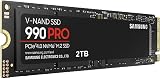
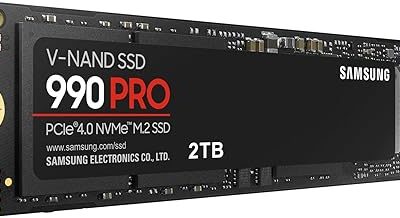
 Samsung SSD 990 PRO 2TB
- Consider this a cheat code
- Gen4 steps up with faster transfer speeds and…
- The speed you need for any occasion
 Kingston NV3 1TB M.2 2280 NVMe SSD
- Unleash Upgraded power - Employing PCIe Gen4x4 High…
- Work and Play - Whether you pursue science…
- Match ur Next-level M.2 SSD - Compatibility ready…
 Samsung SSD 990 PRO 1TB
- Get random read/write speeds that are 40%/55% faster…
- Use less power and get more performance
- Samsung's own nickel-coated controller delivers effective thermal control
| Product | Key specs | |
|---|---|---|
| Samsung SSD 990 PRO 2TB | Consider this a cheat code Gen4 steps up with faster transfer speeds and… The speed you need for any occasion | Check price |
| Kingston NV3 1TB M.2 2280 NVMe SSD | Unleash Upgraded power - Employing PCIe Gen4x4 High… Work and Play - Whether you pursue science… Match ur Next-level M.2 SSD - Compatibility ready… | Check price |
| Samsung SSD 990 PRO 1TB | Get random read/write speeds that are 40%/55% faster… Use less power and get more performance Samsung's own nickel-coated controller delivers effective thermal control | Check price |
 SANDISK 500GB Optimus 5100 NVMe SSD SANDISK 500GB Optimus 5100 NVMe SSD | SPEED UP PROJECTS CREATE AND STORE MORE IT GOES WHERE YOU GO | Check price |
 Samsung SSD 9100 PRO 2TB Samsung SSD 9100 PRO 2TB | BREAKTHROUGH PCIe 5.0 PERFORMANCE: Supercharge your workflow and… EVERY TASK, TURBOCHARGED: Speed past productivity limits THINK FAST, CREATE FASTER: With random read/write speeds… | Check price |
 WD_Black SN7100 1TB NVMe SSD WD_Black SN7100 1TB NVMe SSD | This product has been replaced by our latest… OCTANE GAMING BUILT | Check price |
| Samsung SSD 9100 PRO 1TB | BREAKTHROUGH PCIe 5.0 PERFORMANCE: Supercharge your workflow and… EVERY TASK, TURBOCHARGED: Speed past productivity limits THINK FAST, CREATE FASTER: With random read/write speeds… | Check price |
 SANDISK 1TB Optimus 5100 NVMe SSD SANDISK 1TB Optimus 5100 NVMe SSD | SPEED UP PROJECTS CREATE AND STORE MORE IT GOES WHERE YOU GO | Check price |
As an Amazon Associate we earn from qualifying purchases at no extra cost to you.
⚡ Save on Your Next PC — Amazon Prime
Prime members get fast free shipping on the systems above, plus early access to Prime Day & Black Friday PC deals. New members get a 30-day free trial.
Watch: SSD vs HDD for Gaming: Which Do You Need? — Video Review
SSD vs HDD: The Core Difference
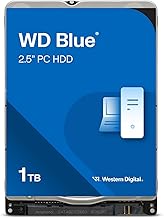
A hard drive (HDD) stores data on spinning magnetic platters read by a moving head, while a solid-state drive (SSD) uses flash memory with no moving parts. That difference is enormous in practice: a good NVMe SSD like the Samsung 990 PRO reads data at thousands of megabytes per second, while a typical HDD manages around 150. The result is dramatically faster boot times, near-instant game launches, and far shorter loading screens.
Why Games Now Expect an SSD
Modern games increasingly stream textures and world data from storage in real time, and some now list an SSD as a minimum requirement. On an HDD, this streaming can cause texture pop-in and stutter as the drive struggles to keep up. Installing games on an NVMe drive like the WD_Black SN7100 or Kingston NV3 eliminates that bottleneck, keeping load times short and gameplay smooth even in demanding open-world titles.
NVMe vs SATA vs PCIe 5.0
- SATA SSDs are far faster than HDDs but capped by the older SATA interface.
- NVMe PCIe 4.0 drives like the Samsung 990 PRO or SanDisk Optimus 5100 are the current mainstream sweet spot for gaming, offering up to 7,000+ MB/s.
- PCIe 5.0 drives such as the Samsung 9100 PRO push past 14,000 MB/s, useful for creators and future-facing builds, though gaming benefits are still modest today.
How Much Storage Do You Need?
Game installs have ballooned, with many AAA titles now exceeding 100GB each. A 1TB drive like the Kingston NV3 1TB or Samsung 990 PRO 1TB is a sensible minimum for a gaming PC, while 2TB options like the Samsung 990 PRO 2TB give you room for a larger library without constant uninstalling. Buy more capacity than you think you need; you will fill it faster than you expect.
The Smart Hybrid Approach
You do not have to choose only one drive. A common and cost-effective setup pairs a fast NVMe SSD for Windows and your actively played games with a larger, cheaper HDD for mass storage of media, backups, and games you rarely touch. This gives you SSD speed where it matters and HDD capacity where it does not. That said, with SSD prices where they are in 2026, many builders now go all-SSD and skip the hard drive entirely.
Tips
- Install Windows and your most-played games on an NVMe SSD for the biggest, most noticeable speed boost.
- Choose at least 1TB, and prefer 2TB if you keep a large game library installed.
- A PCIe 4.0 NVMe drive is the value sweet spot; PCIe 5.0 is optional and mainly for creators or future-proofing.
- Confirm your motherboard has a free M.2 slot of the right type before buying an NVMe drive.
Frequently Asked Questions
Do games run faster on an SSD?
They load dramatically faster and stream world data more smoothly on an SSD, and some modern titles require one. Actual in-game frame rates depend mostly on your GPU and CPU, but load times, boot speed, and texture streaming all improve enormously with an SSD.
Is a PCIe 5.0 SSD worth it for gaming?
For most gamers, not yet. PCIe 4.0 drives like the Samsung 990 PRO already exceed what current games can use. PCIe 5.0 drives such as the Samsung 9100 PRO shine in heavy content-creation workloads and future-proofing, but the gaming benefit over Gen 4 is currently small.
Should I still buy a hard drive in 2026?
Only for bulk storage on a budget. An HDD is a cheap way to store media, backups, and rarely played games, but it should never hold Windows or your active games. Many builders now skip HDDs entirely and run an all-SSD system.
How much storage is enough for gaming?
1TB is a practical minimum given that many games exceed 100GB, and 2TB is comfortable if you like keeping a big library installed. It is always better to buy more capacity up front than to constantly delete and reinstall games later.
Conclusion
For gaming in 2026 the verdict is clear: install your system and games on an NVMe SSD, aim for at least 1TB, and treat a hard drive as optional bulk storage at most. A quality PCIe 4.0 drive delivers the best balance of speed and value, transforming load times and keeping modern games running smoothly. It is one of the most satisfying upgrades you can make.