Key takeaways
- For your main drive: An SSD offers the fastest boots and app launches, making it the most impactful upgrade for daily use.
- For huge affordable storage: A hard drive like the Seagate Mobile gives you the most gigabytes per dollar for backups and media.
- For gaming load times: An SSD such as the WD Blue SA510 cuts the wait between menu and gameplay significantly.
- For a budget upgrade: A low-cost SSD like the KingSpec or PNY CS900 revitalizes an older PC for little money.
- For a dual setup: Use an SSD for your OS and games and a hard drive for archives and rarely-used files.
Deciding between an HDD and an SSD hard drive is one of the most impactful choices you can make when building or upgrading a computer. A hard disk drive uses spinning platters to deliver massive storage at a low price, while a solid state drive uses flash memory to make everything feel faster, from booting up to loading your favorite games. Both formats have their place, and knowing where each excels ensures you spend your budget where it matters most.
To make this practical, we anchor the comparison in drives you can order today, from SSD standouts like the Samsung 870 EVO, WD Blue SA510, and PNY CS900 to a genuine mechanical option in the Seagate Mobile HDD. Placing a real hard drive next to modern flash storage makes the trade-offs impossible to miss.
Our top picks
 PNY CS900 250GB 2.5" SATA III Internal
- Upgrade your laptop or desktop computer and feel…
- Exceptional performance offering up to 535MB/s seq
- Superior performance as compared to traditional hard drives…
 Samsung SSD 870 EVO SATA III 2.5”
- The latest 870 EVO has indisputable performance, reliability…
- Enjoy professional level SSD performance which maximizes the…
- Meet the demands of every task
 Western Digital 1TB WD Blue SA510 SATA
- Storage Capacity: 1 TB
- Wireless LAN: No
- Drive Interface: SATA
| Product | Key specs | |
|---|---|---|
| PNY CS900 250GB 2.5" SATA III Internal | Upgrade your laptop or desktop computer and feel… Exceptional performance offering up to 535MB/s seq Superior performance as compared to traditional hard drives… | Check price |
| Samsung SSD 870 EVO SATA III 2.5” | The latest 870 EVO has indisputable performance, reliability… Enjoy professional level SSD performance which maximizes the… Meet the demands of every task | Check price |
| Western Digital 1TB WD Blue SA510 SATA | Storage Capacity: 1 TB Wireless LAN: No Drive Interface: SATA | Check price |
 Fikwot FX815 512GB SSD Fikwot FX815 512GB SSD | 【Excellent Performance】Upgrade your laptop or desktop computer and… 【Multi-Scenario Use】The 7mm slim design of the Fikwot… 【3D NAND Flash】The Fikwot FX815 adopting 3D NAND… | Check price |
 KingSpec 1TB 2.5 SSD SATA III Internal KingSpec 1TB 2.5 SSD SATA III Internal | [ Fast and Extraordinary ]: KingSpec 2.5 SATAIII… [ High-Performance ]: KingSpec 2.5 SATA SSD has… [ More Reliable &More Stable ]:The 2.5" SATA… | Check price |
 Seagate 1TB Mobile HDD SATA 6Gb/s 128MB Seagate 1TB Mobile HDD SATA 6Gb/s 128MB | Seagate's highest capacity thin, 7mm, laptop drives at… Light in weight to support portable computers Enables drop-in 2TB capacity transition without the weight… | Check price |
 Seagate BarraCuda 5TB Internal Hard Drive HDD Seagate BarraCuda 5TB Internal Hard Drive HDD | Store more, compute faster, and do it confidently… Build a powerhouse gaming computer or desktop setup… The go-to SATA hard drive solution for nearly… | Check price |
 Seagate Bare Drives BarraCuda 1TB Internal Hard Seagate Bare Drives BarraCuda 1TB Internal Hard | Check price |
As an Amazon Associate we earn from qualifying purchases at no extra cost to you.
🎮 Get More From Your Setup — Free
Prime Gaming gives you free PC games every month, in-game loot, and a free Twitch channel sub — plus fast free shipping on all the gear above. New members get a 30-day free trial.
Watch: Hdd Vs Ssd Hard Drive: Full Comparison — Video Review
Quick Verdict
For your operating system, apps, and games, an SSD is the better choice because of its speed advantage. A hard drive like the Seagate Mobile still earns its keep as cheap, high-capacity storage for backups and media. Combining an SSD boot drive with a spacious hard drive is a smart, budget-friendly approach.
Hard Disk Drives (HDD)
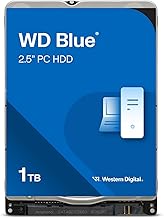
A hard disk drive stores data on magnetic platters spun by a motor, with a mechanical head reading and writing. The Seagate Mobile HDD shows the format’s appeal, offering generous capacity at a low price, which suits backups, video archives, and files you open only occasionally.
The trade-off is speed. Because a physical arm must move to locate data, an HDD feels slow next to an SSD for booting and loading. The moving parts also make it more sensitive to drops and can produce a faint hum during heavy read and write activity.
Solid State Drives (SSD)
An SSD stores everything in flash memory with no moving parts, so data is available almost instantly. SATA drives like the Samsung 870 EVO and WD Blue SA510 hit read speeds near 560MB/s, making boot-ups and game loads dramatically quicker than on a hard drive.
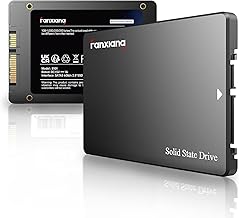
SSDs also run cool, quiet, and efficient, and their solid-state design makes drives like the Fikwot FX815, KingSpec, and PNY CS900 more durable against knocks. That resilience and speed make an SSD the ideal main drive for both laptops and desktops.
Head-to-Head: Which Should You Buy?
- For your main drive: An SSD offers the fastest boots and app launches, making it the most impactful upgrade for daily use.
- For huge affordable storage: A hard drive like the Seagate Mobile gives you the most gigabytes per dollar for backups and media.
- For gaming load times: An SSD such as the WD Blue SA510 cuts the wait between menu and gameplay significantly.
- For a budget upgrade: A low-cost SSD like the KingSpec or PNY CS900 revitalizes an older PC for little money.
- For a dual setup: Use an SSD for your OS and games and a hard drive for archives and rarely-used files.
Frequently Asked Questions
Will an SSD make my computer faster?
Yes, significantly. Swapping a hard drive for an SSD is often the single most noticeable upgrade, cutting boot and load times dramatically and improving overall responsiveness.
Do I have to give up my hard drive?
No. Many people keep the hard drive as a secondary drive for backups and large files while moving the OS and games to an SSD, enjoying both speed and capacity.
What size SSD should I buy?
A 500GB to 1TB SSD suits most users as a primary drive. If your game library is large, pair a 1TB SSD like the Samsung 870 EVO with a hard drive for extra space.
Are SSDs more durable than hard drives?
Generally yes, because they have no moving parts to damage if dropped. This makes SSDs especially well suited to laptops that get carried around regularly.
Final Verdict
For the drive you depend on daily, the SSD is the clear winner. Models like the Samsung 870 EVO, WD Blue SA510, and PNY CS900 deliver a speed boost a hard drive cannot match, improving every startup and load. Keep a hard drive like the Seagate Mobile for cheap bulk storage, and let the SSD handle the tasks you care about most.