Key takeaways
- Interface and bandwidth: SATA III is hard-capped at roughly 550 MB/s. M.2 NVMe drives run over PCIe lanes — around 3,500 MB/s on Gen3, 7,000–7,450 MB/s on Gen4, and up to 14,700 MB/s on a Gen5 drive like the Samsung 9100 PRO.
- Latency and random access: NVMe uses a deeper command queue and a far leaner protocol, so small random reads — the workload that actually governs level loading and asset streaming — complete several times faster.
- Physical form factor: M.2 2280 is a gumstick that screws flat to the board with no cables. SATA drives need a drive bay, a data cable, and a power connector from the PSU.
- Thermals and power: SATA drives barely get warm. Gen4 and especially Gen5 NVMe drives generate real heat under sustained load and expect motherboard heatsink coverage.
- Cost per terabyte: Once a meaningful gap, this is now largely closed at the 1–2 TB tier. Value Gen3 drives such as the Silicon Power 2TB or WD Green SN350 often undercut comparable SATA models outright.
- Compatibility: Every desktop from the last fifteen years has SATA ports. M.2 requires a compatible slot, and on some boards populating it disables one or two SATA ports — worth checking your manual first.
Choosing storage for a gaming rig used to be simple: you bought the biggest drive you could afford and got on with it. Today the decision comes down to two very different technologies sharing shelf space at similar prices — the compact M.2 NVMe stick that slots directly onto your motherboard, and the familiar 2.5-inch SATA SSD that connects with a data and power cable. Both are solid state, both are dramatically faster than a mechanical hard drive, and both will run any game you throw at them. The gap between them, however, has never been wider.
In 2026 that gap matters more than it did five years ago. DirectStorage is now baked into most major engines, texture streaming budgets have ballooned, and open-world titles routinely push 150 GB or more of assets that need to be pulled in on demand rather than pre-loaded. SATA’s ceiling hasn’t moved since 2009 and it isn’t going to. Meanwhile, PCIe 5.0 drives are shipping at retail and Gen4 has become the sensible default. Here’s how the two stack up, and where each one still earns its place.
Our top picks
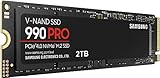
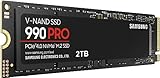
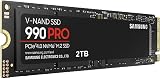
 Samsung SSD 990 PRO 2TB
- Product Group: Personal Computer
- Binding: Personal Computers

 Samsung SSD 9100 PRO 2TB
- Product Group: Personal Computer
- Binding: Personal Computers


As an Amazon Associate we earn from qualifying purchases at no extra cost to you. Ratings are shown as listed on Amazon.
⚡ Save on Your Next PC — Amazon Prime
Prime members get fast free shipping on the systems above, plus early access to Prime Day & Black Friday PC deals. New members get a 30-day free trial.
Watch: M.2 vs SATA SSD: Which to Choose in 2026? — Video Review
Quick Verdict
For any desktop or laptop built in the last several years, an M.2 NVMe SSD is the correct answer — it’s faster, tidier, and now costs roughly the same per terabyte as SATA. Drives like the Samsung 990 PRO 2TB or the WD_Black SN7100 2TB are the sweet spot for a primary gaming drive. SATA remains genuinely useful in two situations: you’re upgrading an older machine with no M.2 slot, or you’ve already filled your M.2 slots and need cheap bulk capacity for a sprawling library.
Key Differences
- Interface and bandwidth: SATA III is hard-capped at roughly 550 MB/s. M.2 NVMe drives run over PCIe lanes — around 3,500 MB/s on Gen3, 7,000–7,450 MB/s on Gen4, and up to 14,700 MB/s on a Gen5 drive like the Samsung 9100 PRO.
- Latency and random access: NVMe uses a deeper command queue and a far leaner protocol, so small random reads — the workload that actually governs level loading and asset streaming — complete several times faster.
- Physical form factor: M.2 2280 is a gumstick that screws flat to the board with no cables. SATA drives need a drive bay, a data cable, and a power connector from the PSU.
- Thermals and power: SATA drives barely get warm. Gen4 and especially Gen5 NVMe drives generate real heat under sustained load and expect motherboard heatsink coverage.
- Cost per terabyte: Once a meaningful gap, this is now largely closed at the 1–2 TB tier. Value Gen3 drives such as the Silicon Power 2TB or WD Green SN350 often undercut comparable SATA models outright.
- Compatibility: Every desktop from the last fifteen years has SATA ports. M.2 requires a compatible slot, and on some boards populating it disables one or two SATA ports — worth checking your manual first.
M.2 NVMe SSDs
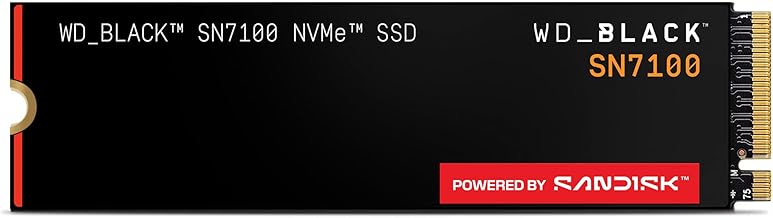
M.2 is a form factor; NVMe is the protocol that makes it fast. Together they eliminate the cabling, the bay, and the ancient SATA controller sitting between your CPU and your data. In practice this shows up as shorter loading screens, near-instant fast travel, and — with DirectStorage titles — the elimination of texture pop-in when you spin the camera in a dense environment. The Samsung 990 PRO 2TB remains the reference Gen4 pick thanks to excellent sustained write behaviour and mature firmware, while the WD_Black SN7100 2TB delivers comparable read speeds at lower power draw, which makes it a smart choice for laptops and portable systems.
If you want the ceiling, the Samsung 9100 PRO 2TB is a PCIe 5.0×4 drive quoting up to 14,700 MB/s, though you’ll need a Gen5-capable board and serious cooling to see it. At the other end, the Crucial P310 2TB offers roughly 7,100 MB/s reads at a friendlier price, and Gen3 options like the Silicon Power 2TB or WD Green SN350 2TB still beat SATA by a factor of six or more. Even the cheapest NVMe drive here outruns the best SATA drive ever made.
2.5-Inch SATA SSDs
SATA’s virtue is universality. Any desktop with a spare port and any laptop with a 2.5-inch bay will take one, no BIOS updates or lane arithmetic required. For someone breathing life into a pre-2016 machine, or adding a second drive to a PS4, a SATA SSD is still a transformative upgrade over a spinning disk — boot times collapse and stutter disappears. It’s also the pragmatic choice when your motherboard’s single M.2 slot is already occupied and you simply need somewhere to park 30 installed games.
The honest caveat is that SATA has no future. The standard is frozen, manufacturers are steadily retiring their consumer lines, and every generation of games leans harder on the streaming performance SATA cannot provide. Buy one deliberately for a specific compatibility reason — not as a default.
Which Should You Buy?
- For a new gaming build: pick an M.2 NVMe Gen4 drive — the 990 PRO or SN7100 at 2TB covers a modern library comfortably.
- For a Gen5 platform or heavy content work: pick the Samsung 9100 PRO and make sure you have adequate heatsink coverage.
- For the best value per terabyte: pick the Crucial P310, or a Gen3 drive like the Silicon Power 2TB if your board is older.
- For a laptop or handheld: pick a low-power drive such as the SN7100 — but confirm whether your device accepts 2280 or a shorter 2242/2230 module.
- For an older PC or a secondary library drive: pick SATA, but only if no M.2 slot is available.
Frequently Asked Questions
Will an M.2 drive make my games load noticeably faster?
Yes, though the size of the jump varies. Moving from a hard drive to any SSD is night and day. Moving from SATA to NVMe typically cuts load times by 20–40% in modern engines, with much larger gains in DirectStorage-enabled titles that stream assets continuously.
Is every M.2 SSD an NVMe drive?
No. A handful of older M.2 drives use the SATA protocol despite the M.2 shape, and they’re limited to the same 550 MB/s. Check the listing for “NVMe” and “PCIe” — all six drives above qualify.
Do I need PCIe 5.0 in 2026?
Not for gaming. Gen4 drives already saturate what game engines request, and the difference between 7,000 and 14,000 MB/s is largely invisible in frame-time terms. Gen5 pays off for video editing, large dataset work, and local AI models.
Does an NVMe drive need a heatsink?
Gen3 drives generally don’t. Gen4 drives benefit from one under sustained writes, and Gen5 drives require active cooling or a substantial motherboard heatsink to avoid thermal throttling.
Final Verdict
M.2 NVMe has won on merit — it’s faster in every measurable way, easier to install, and no longer carries a price premium worth agonising over, which makes a 2TB Gen4 drive like the Samsung 990 PRO or WD_Black SN7100 the default recommendation for any gaming system built this decade. Reserve SATA for the specific job it still does well: reviving older hardware and adding inexpensive bulk storage when your M.2 slots are full.