Key takeaways
- Interface and bandwidth: SATA III is hard-capped at 6Gb/s, which translates to roughly 520–560MB/s in practice. NVMe runs over PCIe, giving around 3,500MB/s on Gen3, 7,000MB/s on Gen4 and up to 14,000MB/s on Gen5.
- Latency and queue depth: NVMe was designed for flash from the ground up, with far lower command overhead and massively deeper queues. This matters more for asset streaming than raw sequential throughput does.
- Form factor: NVMe is a bare gumstick that screws into an M.2 slot with no cables. SATA drives are 7mm 2.5-inch units needing a data cable, a power cable and a mounting point.
- Capacity per pound: SATA consistently undercuts NVMe at the same capacity, and the gap widens at 2TB and above.
- Heat and power: Gen4 and Gen5 NVMe drives can throttle without a heatsink and draw noticeably more power. SATA drives run cool and sip power, which is a genuine advantage in a laptop.
- Compatibility: Almost every machine built since 2010 has a SATA port. M.2 NVMe support is far more variable, especially on older laptops and budget boards.
Storage is the one component gamers still get wrong. You can agonise over GPU tiers and RAM timings for weeks, then drop a 4K-texture-heavy 180GB shooter onto whatever drive happens to have space left. In 2026 there are really only two formats worth considering for a new build or an upgrade: an NVMe SSD that slots directly into an M.2 socket on your motherboard, and a 2.5-inch SATA SSD that connects with the same cables a mechanical hard drive used to. Both are solid state, both are dramatically faster than spinning rust, and the gap between them is not where most people assume it is.
The choice matters more than it did five years ago. Modern engines stream assets continuously rather than loading a level once, DirectStorage is now baked into a meaningful share of AAA releases, and install sizes north of 150GB are routine. At the same time, SATA drives have quietly become the cheapest reliable way to add a terabyte of fast storage to almost any machine, including laptops and desktops too old to have an M.2 slot at all. Here is how the two formats actually compare, and which one deserves your money.
Our top picks


As an Amazon Associate we earn from qualifying purchases at no extra cost to you. Ratings are shown as listed on Amazon.
⚡ Save on Your Next PC — Amazon Prime
Prime members get fast free shipping on the systems above, plus early access to Prime Day & Black Friday PC deals. New members get a 30-day free trial.
Watch: NVMe vs SATA SSD: 2026 Speed Comparison — Video Review
Quick Verdict
Buy an NVMe SSD if it is going to be your boot drive and your primary home for currently-played AAA titles, or if you are expanding a PS5. Buy a 2.5-inch SATA SSD such as the Crucial BX500 1TB, Samsung 870 EVO 1TB or TEAMGROUP T-Force Vulcan Z 1TB if you are adding a bulk game library alongside an existing NVMe drive, reviving an older laptop or pre-2016 desktop, or simply want the most usable capacity per pound spent. For a large share of gaming libraries, the SATA drive delivers the vast majority of the felt benefit at a fraction of the cost.
Key Differences
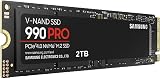
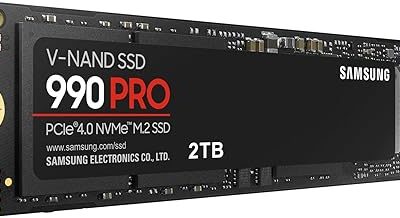
- Interface and bandwidth: SATA III is hard-capped at 6Gb/s, which translates to roughly 520–560MB/s in practice. NVMe runs over PCIe, giving around 3,500MB/s on Gen3, 7,000MB/s on Gen4 and up to 14,000MB/s on Gen5.
- Latency and queue depth: NVMe was designed for flash from the ground up, with far lower command overhead and massively deeper queues. This matters more for asset streaming than raw sequential throughput does.
- Form factor: NVMe is a bare gumstick that screws into an M.2 slot with no cables. SATA drives are 7mm 2.5-inch units needing a data cable, a power cable and a mounting point.
- Capacity per pound: SATA consistently undercuts NVMe at the same capacity, and the gap widens at 2TB and above.
- Heat and power: Gen4 and Gen5 NVMe drives can throttle without a heatsink and draw noticeably more power. SATA drives run cool and sip power, which is a genuine advantage in a laptop.
- Compatibility: Almost every machine built since 2010 has a SATA port. M.2 NVMe support is far more variable, especially on older laptops and budget boards.
NVMe SSDs: The Performance Choice
An NVMe drive is the correct home for your operating system and the three or four games you are actively playing. Boot times shrink, shader compilation and patching finish faster, and in DirectStorage-enabled titles the difference in traversal stutter and texture pop-in is genuinely visible rather than theoretical. If you are building a machine in 2026 with a modern motherboard, there is no sensible argument for making SATA your primary drive.
The important caveat is diminishing returns. The jump from SATA to Gen3 NVMe is large; the jump from Gen4 to Gen5 is, for gaming specifically, close to noise. Most benchmarks show single-digit differences in load times between a good Gen4 drive and a flagship Gen5 unit, while the Gen5 drive costs substantially more and demands active cooling. Buy a competent Gen4 drive with DRAM and spend the difference on capacity.
SATA SSDs: The Value Choice
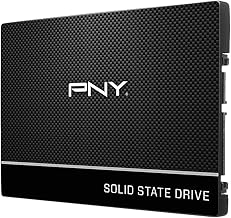
SATA remains the smartest way to add bulk storage. A 1TB drive such as the Samsung 870 EVO or Crucial BX500 will still load a game in a handful of seconds; for anything that is not aggressively streaming assets, you will struggle to tell it apart from NVMe in blind testing. The fanxiang S101 1TB and PNY CS900 1TB are the obvious picks for reviving an ageing laptop, where replacing a hard drive transforms the machine for a very modest outlay.
Look at the specifications and the pattern is clear: the Fikwot FX815 1TB quotes up to 560MB/s, the T-Force Vulcan Z 1TB up to 550/500MB/s, the BX500 up to 540MB/s and the S101 up to 520MB/s. Those numbers cluster tightly because they are all bumping against the same interface ceiling. What actually separates them is sustained write behaviour once the SLC cache is exhausted, controller quality and warranty length — which is where the Samsung 870 EVO earns its premium.
Which Should You Buy?
- For a new gaming PC: pick NVMe for the boot and primary game drive, no exceptions.
- For a second library drive: pick SATA — the Crucial BX500 1TB or Samsung 870 EVO 1TB give you cheap capacity for your backlog.
- For an older laptop or pre-M.2 desktop: pick SATA, with the fanxiang S101 1TB or PNY CS900 1TB as straightforward drop-in upgrades.
- For the tightest budget: pick SATA — the T-Force Vulcan Z 1TB and Fikwot FX815 1TB deliver most of the real-world benefit for the least money.
- For PS5 expansion: pick NVMe specifically, a Gen4 M.2 drive with a heatsink; SATA is not supported.
Frequently Asked Questions
Will an NVMe SSD increase my frame rate?
Not directly. Frame rate is determined by your GPU and CPU. What NVMe improves is loading, level streaming and traversal stutter — so the experience feels smoother even though the average FPS figure barely moves.
Can I run NVMe and SATA in the same PC?
Yes, and it is the ideal setup. Run Windows and your current games on NVMe, then use a 1TB SATA drive for the rest of the library. Be aware that on some motherboards, populating certain M.2 slots disables a SATA port.
Is a SATA SSD still worth buying in 2026?
Absolutely. For bulk storage, older hardware and budget builds, SATA offers the best capacity per pound available and is still roughly five to ten times faster than a mechanical hard drive.
Do I need DRAM or a high TBW rating?
For a game library, DRAM-less drives are perfectly adequate since games are read far more than written. If the drive is hosting your OS, scratch files or video projects, prioritise DRAM and a higher TBW endurance figure.
Final Verdict
NVMe wins the benchmark, but SATA wins the value calculation for most of your storage. The best gaming setup in 2026 is not one or the other — it is a fast NVMe boot drive paired with a 1TB SATA SSD like the Samsung 870 EVO or Crucial BX500 holding everything you are not playing this week. If you only have budget for one drive and your machine supports M.2, go NVMe; if you are upgrading older hardware or chasing capacity, SATA remains an excellent buy.