Key takeaways
- 1080p is ideal for entry and mid GPUs and competitive players who want the highest possible frame rates.
- 1440p suits mid-to-high cards (RTX 5070 class and up) and is where value monitors like the LG 27GS60QC curved or KTC H27S5C shine.
- 4K demands a high-end GPU (RTX 5080/5090 class) to hit high frame rates, and rewards you with stunning detail on large screens.
Resolution is the single biggest lever on how your games look and how hard your hardware has to work. Push it up and every frame gets sharper and more detailed; push it too high for your GPU and your frame rate collapses. Getting the balance right between 1080p, 1440p, and 4K is one of the most important decisions you will make when building or upgrading a gaming setup.
This guide compares the three resolutions honestly, covering image quality, the GPU horsepower each demands, and which one makes sense at different screen sizes and budgets. By the end you will know exactly which resolution matches your graphics card and your goals, so you buy a monitor you will be happy with for years.
Our top picks




As an Amazon Associate we earn from qualifying purchases at no extra cost to you. Ratings are shown as listed on Amazon.
⚡ Save on Your Next PC — Amazon Prime
Prime members get fast free shipping on the systems above, plus early access to Prime Day & Black Friday PC deals. New members get a 30-day free trial.
Watch: 1080p vs 1440p vs 4K for Gaming — Video Review
What Each Resolution Actually Means
Resolution is the number of pixels on screen. 1080p (1920×1080) is roughly 2 million pixels, 1440p (2560×1440) is about 3.7 million, and 4K (3840×2160) is over 8 million. More pixels mean a sharper, more detailed image, but also proportionally more work for your GPU. Jumping from 1080p to 4K quadruples the pixel count, which is why frame rates drop so sharply if the hardware cannot keep up.
1440p: The Modern Sweet Spot
For most gamers in 2026, 1440p hits the ideal balance of crispness and performance, especially on 27-inch screens where 1080p starts to look soft. It is noticeably sharper than 1080p without the brutal GPU demand of 4K. This is why the market is full of excellent 1440p high-refresh options like the ASUS TUF Gaming VG27AQ3A, the Acer Nitro 27-inch 180Hz, and the ASUS ROG XG27ACS, all of which pair QHD sharpness with fast refresh rates.
Matching Resolution to Your GPU
- 1080p is ideal for entry and mid GPUs and competitive players who want the highest possible frame rates.
- 1440p suits mid-to-high cards (RTX 5070 class and up) and is where value monitors like the LG 27GS60QC curved or KTC H27S5C shine.
- 4K demands a high-end GPU (RTX 5080/5090 class) to hit high frame rates, and rewards you with stunning detail on large screens.
Screen Size and Pixel Density
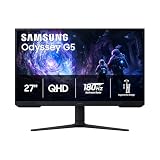
Resolution should always be considered alongside screen size, because together they determine pixel density (sharpness). 1080p looks fine on a 22 to 24-inch panel but noticeably soft at 27 inches. 1440p is the sweet spot for 27-inch monitors like the Samsung Odyssey G5 series. 4K really earns its keep on 32-inch and larger displays or when you sit close, where the extra pixels translate into visibly finer detail.
Don’t Ignore Refresh Rate and Panel Type
A higher resolution is only one dimension of a great gaming monitor. Refresh rate (how many frames per second the panel can show) and panel technology matter just as much for feel. Many buyers happily choose a fast 1440p panel over a slower 4K one because smooth motion feels better than raw sharpness. Premium QD-OLED options like the Samsung Odyssey OLED G6 combine 1440p sharpness with fast refresh and superb contrast, giving you the best of both worlds.
Tips
- For a 27-inch monitor in 2026, 1440p is the default recommendation for most gamers.
- Only step up to 4K if you have a high-end GPU and a 32-inch or larger screen to show it off.
- Competitive esports players should prioritize high refresh at 1080p or 1440p over 4K sharpness.
- Check that your GPU can drive your chosen resolution at the frame rate you want before committing to a panel.
Frequently Asked Questions
Is 4K worth it for gaming yet?
It can be, if you own a high-end GPU and value maximum visual detail on a large screen. But 4K at high frame rates is expensive to drive, and many gamers get a better overall experience from a fast 1440p panel that stays smooth in demanding titles.
Will 1080p look bad on a 27-inch monitor?
It looks noticeably softer than 1440p at that size because the pixels are spread over more area. 1080p is best kept to 22 to 24-inch screens; on a 27-inch panel, 1440p is the sharper and more satisfying choice.
Does higher resolution reduce my frame rate?
Yes. More pixels means more work for the GPU, so frame rates fall as resolution rises on the same hardware. That trade-off is why matching resolution to your graphics card is so important.
Should I pick resolution or refresh rate first?
Decide based on how you play. Competitive gamers usually prioritize refresh rate for smooth, responsive motion, while single-player and visual-focused gamers lean toward resolution. A fast 1440p monitor is a strong compromise that satisfies both camps.
Conclusion
For the majority of gamers in 2026, 1440p on a 27-inch high-refresh monitor is the clear sweet spot, delivering a sharp image without crushing your frame rate. Reserve 1080p for budget and competitive builds, and 4K for high-end rigs paired with large screens. Match the resolution to your GPU and screen size, and you will love what you see every time you sit down to play.