Key takeaways
- Cost: FreeSync is royalty-free and cheaper; dedicated G-Sync modules add to a monitor’s price.
- Compatibility: Most modern FreeSync monitors are also G-Sync Compatible, working with both GPU brands.
- Certification: G-Sync hardware modules guarantee a tested experience; FreeSync tiers vary by panel quality.
- Variable range: Premium tiers of both extend the low-end range and add low-framerate compensation.
- HDR handling: Higher certifications (FreeSync Premium Pro, G-Sync Ultimate) add HDR requirements.
- Connection: Both work best over DisplayPort; HDMI 2.1 supports adaptive sync too.
FreeSync and G-Sync both solve the same annoying problem, screen tearing, by syncing your monitor’s refresh to your GPU’s output. But they came from rival camps, AMD and NVIDIA, and the differences in cost, certification, and compatibility still confuse buyers in 2026. With monitors like the ASUS TUF Gaming VG27AQ3A and LG 27GS75Q-B now supporting both, the decision is less about the panel and more about your graphics card and how much you want to spend.
This comparison explains what each technology really is today, where they differ, and how to pick a monitor that gives you tear-free gaming without paying for a badge you don’t need. Spoiler: the two have converged far more than the marketing suggests.
Our top picks
 Samsung 27” Odyssey G5
- Samsung’s 27” Odyssey G5 QHD Gaming Monitor delivers…
- QHD resolution (2560 x 1440) boasts incredibly detailed,…
- With a wide 178° viewing angle, the IPS…
 Capshi 8K 4K DisplayPort Cable 1.4
- 8K DisplayPort Cable 1.4: This VESA Certified DP…
- Multi-functional Support: The 8K DisplayPort cable supports video…
- Advanced Technology: The cable delivers enhanced bandwidth via…
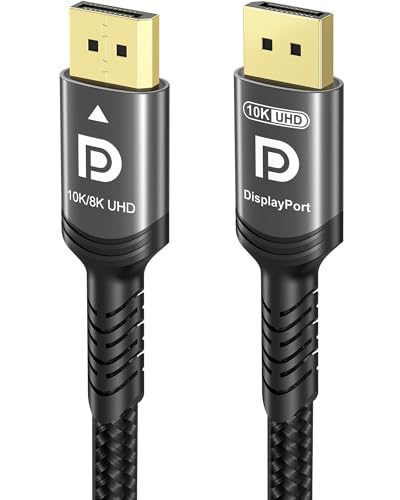 Ubluker 10K 8K DisplayPort 2.1 Cable 54Gbps
- Certify Displayport Cable: Ubluker DisplayPort cable has multiple…
- Meeting High Quality Needs: DisplayPort is a digital…
- Widespread Applications: DisplayPort is a high-speed serial interface…
| Product | Key specs | |
|---|---|---|
| Samsung 27” Odyssey G5 | Samsung’s 27” Odyssey G5 QHD Gaming Monitor delivers… QHD resolution (2560 x 1440) boasts incredibly detailed,… With a wide 178° viewing angle, the IPS… | Check price |
| Capshi 8K 4K DisplayPort Cable 1.4 | 8K DisplayPort Cable 1.4: This VESA Certified DP… Multi-functional Support: The 8K DisplayPort cable supports video… Advanced Technology: The cable delivers enhanced bandwidth via… | Check price |
| Ubluker 10K 8K DisplayPort 2.1 Cable 54Gbps | Certify Displayport Cable: Ubluker DisplayPort cable has multiple… Meeting High Quality Needs: DisplayPort is a digital… Widespread Applications: DisplayPort is a high-speed serial interface… | Check price |
 ASUS TUF Gaming 27” 1440P HDR Monitor ASUS TUF Gaming 27” 1440P HDR Monitor | High-Resolution QHD Gaming Display: 27-inch QHD (2560 x… ASUS Extreme Low Motion Blur Sync Technology: ELMB… Advanced Synchronization Technologies: FreeSync Premium, G-Sync compatible and… | Check price |
 IVANKY VESA Certified 8K DisplayPort Cable 1.4 IVANKY VESA Certified 8K DisplayPort Cable 1.4 | [VESA Certified DP to DP Cable 1.4] This… [Enhanced Gaming Experience] The DisplayPort 1.4 Cable provides… [Anti-Interference & Ultra Durability] Our Display Port cable… | Check price |
 Capshi 8K 4K DisplayPort Cable 1.4 Capshi 8K 4K DisplayPort Cable 1.4 | 8K DisplayPort Cable 1.4: This VESA Certified DP… Multi-functional Support: The 8K DisplayPort cable supports video… Advanced Technology: The cable delivers enhanced bandwidth via… | Check price |
 Maxonar 8K VESA Certified DisplayPort Cable 1.4 Maxonar 8K VESA Certified DisplayPort Cable 1.4 | 【UHD 8K DISPLAYPORT 1.4 CABLE】: HIGH END RESOLUTIONS… 【MAXIMUM PERFORMANCE- Gamer Friendly】: Maxonar Displayport cable supports… 【Reliable Anti-interference Capability】:Our DisplayPort 1.4 Cable Made of… | Check price |
 LG 27GS75Q-B 27-inch Ultragear QHD LG 27GS75Q-B 27-inch Ultragear QHD | Ascend your game with the speed of UltraGear… 200Hz Refresh Rate & 1ms MBR - Gear… SYNC Compatible and AMD FreeSync - Officially validated… | Check price |
As an Amazon Associate we earn from qualifying purchases at no extra cost to you.
⚡ Save on Your Next PC — Amazon Prime
Prime members get fast free shipping on the systems above, plus early access to Prime Day & Black Friday PC deals. New members get a 30-day free trial.
Watch: FreeSync vs G-Sync: Which Is Better? — Video Review
Quick Verdict
For nearly everyone, a FreeSync monitor that’s also “G-Sync Compatible,” like the ASUS TUF VG27AQ3A or LG 27GS75Q-B, is the best value because it works flawlessly with both AMD and NVIDIA cards. Dedicated G-Sync Ultimate monitors with a hardware module offer the most guaranteed premium experience but cost more. Unless you specifically want that top-tier certified module, buy a good adaptive-sync panel that supports both standards and save the money.
Key Differences
- Cost: FreeSync is royalty-free and cheaper; dedicated G-Sync modules add to a monitor’s price.
- Compatibility: Most modern FreeSync monitors are also G-Sync Compatible, working with both GPU brands.
- Certification: G-Sync hardware modules guarantee a tested experience; FreeSync tiers vary by panel quality.
- Variable range: Premium tiers of both extend the low-end range and add low-framerate compensation.
- HDR handling: Higher certifications (FreeSync Premium Pro, G-Sync Ultimate) add HDR requirements.
- Connection: Both work best over DisplayPort; HDMI 2.1 supports adaptive sync too.
FreeSync
FreeSync is AMD’s open, royalty-free adaptive sync, which keeps monitor prices down and has made tear-free gaming mainstream. It comes in tiers: standard FreeSync, FreeSync Premium (which adds low-framerate compensation and at least 120Hz at 1080p), and FreeSync Premium Pro (which adds HDR). Because it’s built on the open VESA Adaptive-Sync standard, most FreeSync monitors also carry NVIDIA’s “G-Sync Compatible” validation, so they work with either brand of card.
The main caveat is variability. Since any manufacturer can implement FreeSync, quality ranges from excellent to mediocre, so it pays to check reviews and the certified refresh range. But a well-reviewed FreeSync Premium panel delivers a tear-free experience indistinguishable from G-Sync for the vast majority of players.
G-Sync
G-Sync is NVIDIA’s technology and comes in two forms. “G-Sync Compatible” is NVIDIA’s validation of good adaptive-sync (usually FreeSync) monitors and requires no special hardware. True G-Sync and G-Sync Ultimate monitors contain a dedicated hardware module that NVIDIA tests rigorously, guaranteeing a wide variable range, low-framerate compensation, and on Ultimate, premium HDR. Samsung’s Odyssey line and others offer these higher tiers.
The tradeoff is price and flexibility. The hardware module raises the monitor’s cost and historically tied it more closely to NVIDIA GPUs, though modern modules also accept AMD adaptive sync in many cases. For players who want a guaranteed, no-guesswork premium experience, it’s worth it; for everyone else, G-Sync Compatible over a FreeSync panel achieves the same tear-free result for less.
Which Should You Buy?
- Buy a dual-support panel if: You want the best value and flexibility across AMD and NVIDIA cards.
- Buy G-Sync Ultimate if: You want a guaranteed, tested premium experience with top HDR.
- Buy FreeSync Premium if: You’re on a budget and want reliable tear-free gaming at high refresh.
- Check the variable range: A wider range with low-framerate compensation matters more than the badge.
- Use DisplayPort: Pair any of them with a certified DisplayPort cable for the most reliable sync.
Frequently Asked Questions
Can a FreeSync monitor work with an NVIDIA card?
Yes, if it’s G-Sync Compatible, which most modern FreeSync monitors are. Enable G-Sync in the NVIDIA driver and it works over DisplayPort just like a native G-Sync panel.
Is G-Sync worth the extra money?
Only if you want the guaranteed experience of a hardware module and premium HDR. For most gamers, a well-reviewed FreeSync Premium panel with G-Sync Compatible validation performs identically for less.
What’s the difference between FreeSync tiers?
Standard FreeSync gives basic tear-free sync; Premium adds low-framerate compensation and higher refresh; Premium Pro adds HDR requirements. Higher tiers guarantee a smoother experience at low frame rates.
Do I need FreeSync or G-Sync for 60Hz gaming?
Adaptive sync helps at any refresh rate by eliminating tearing, but its benefits are most noticeable when frame rates fluctuate. It’s valuable at 60Hz and even more so at high refresh.
Final Verdict
FreeSync and G-Sync have converged so much that the smart buy for most gamers is a quality panel supporting both, like the ASUS TUF VG27AQ3A or LG 27GS75Q-B, which works with any card and costs less than a dedicated G-Sync module. Reserve G-Sync Ultimate for when you want a guaranteed premium HDR experience. Focus on the panel’s refresh range and quality, pair it with DisplayPort, and enjoy tear-free gaming whichever brand you own.